
Coach and manager reporting permissions are determined by the specific event.
Please check with the specific league or tournament regarding reporting permissions.
Before you can create a post-game report, you must access the specific game in GotSport Live.
Please refer to THIS ARTICLE for instructions on how to do so.
Step 1: From the game feed, click the green "+" button the bottom right corner of the screen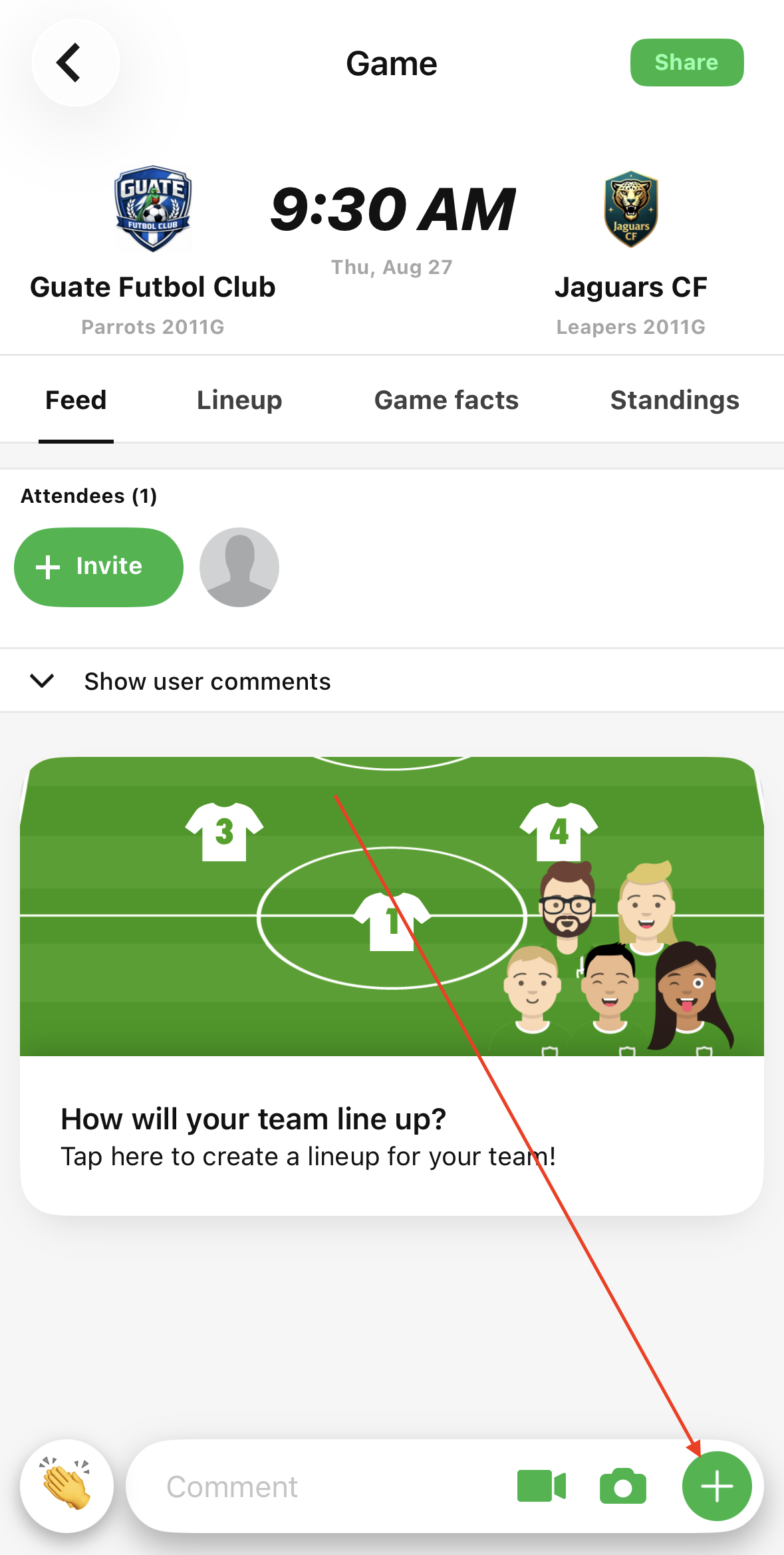
Step 2: Click "Goal- & event reporting"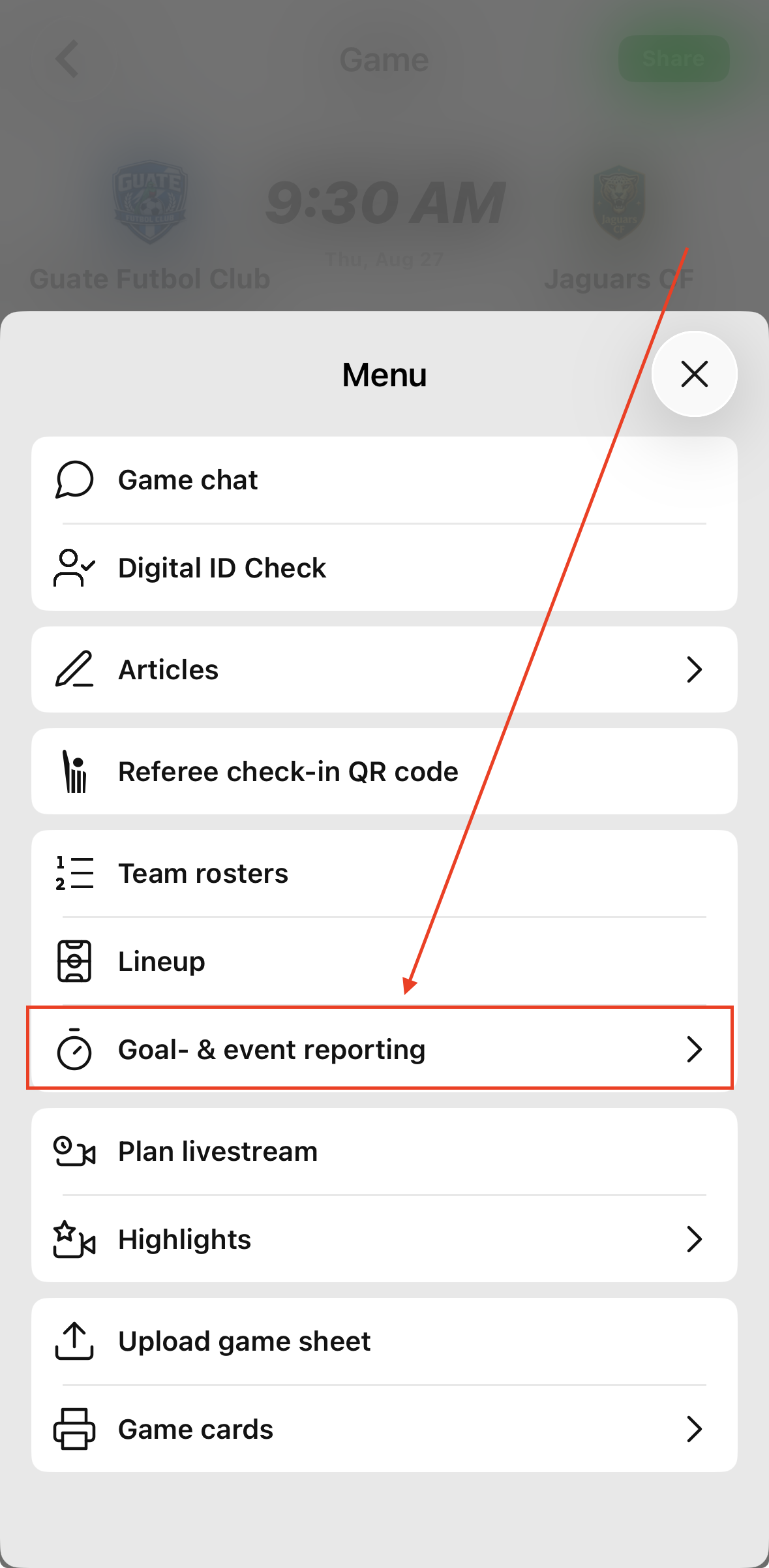
Step 3: Click "Post-game event reporting"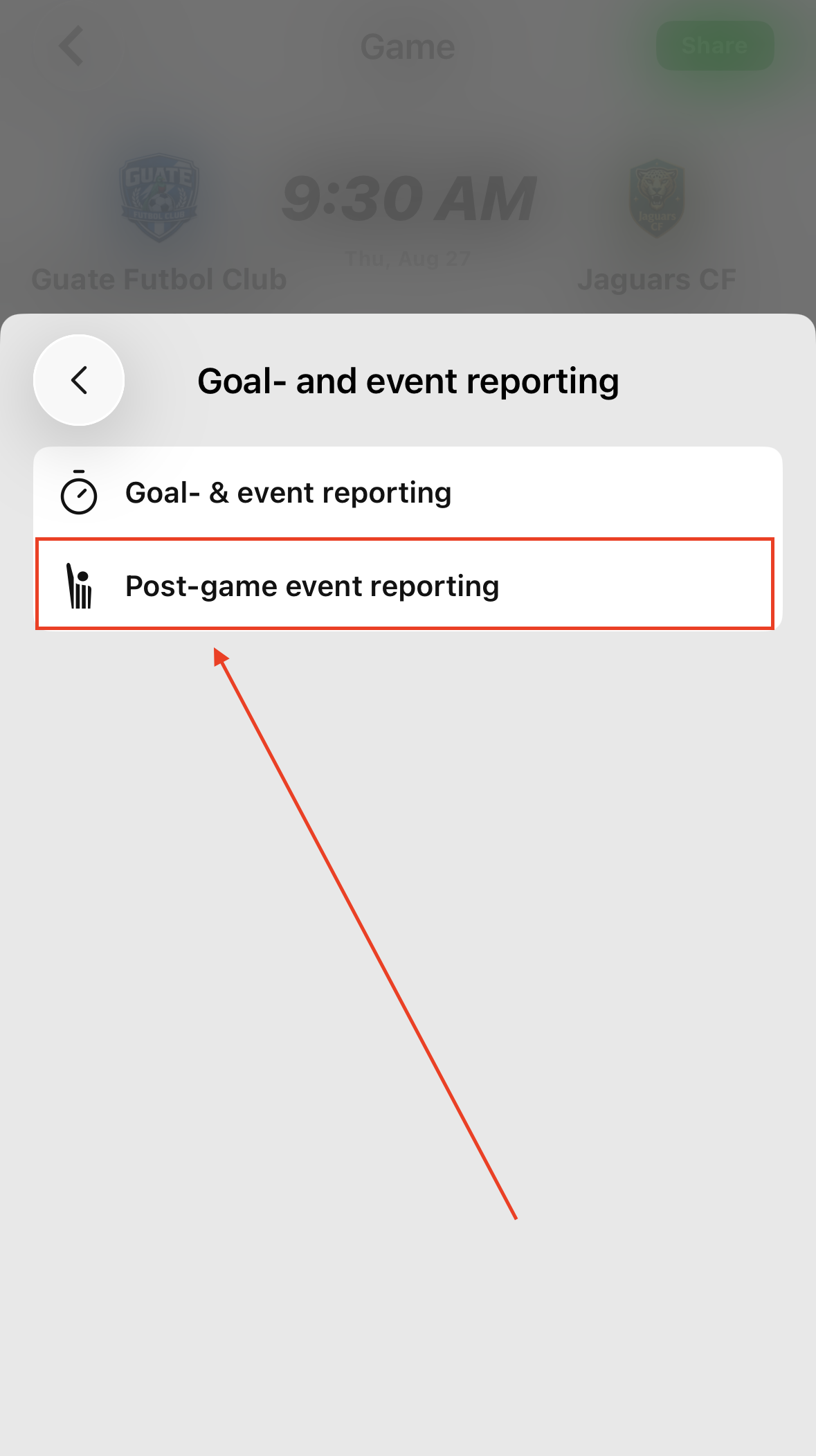
Step 4: Enter number of periods and period length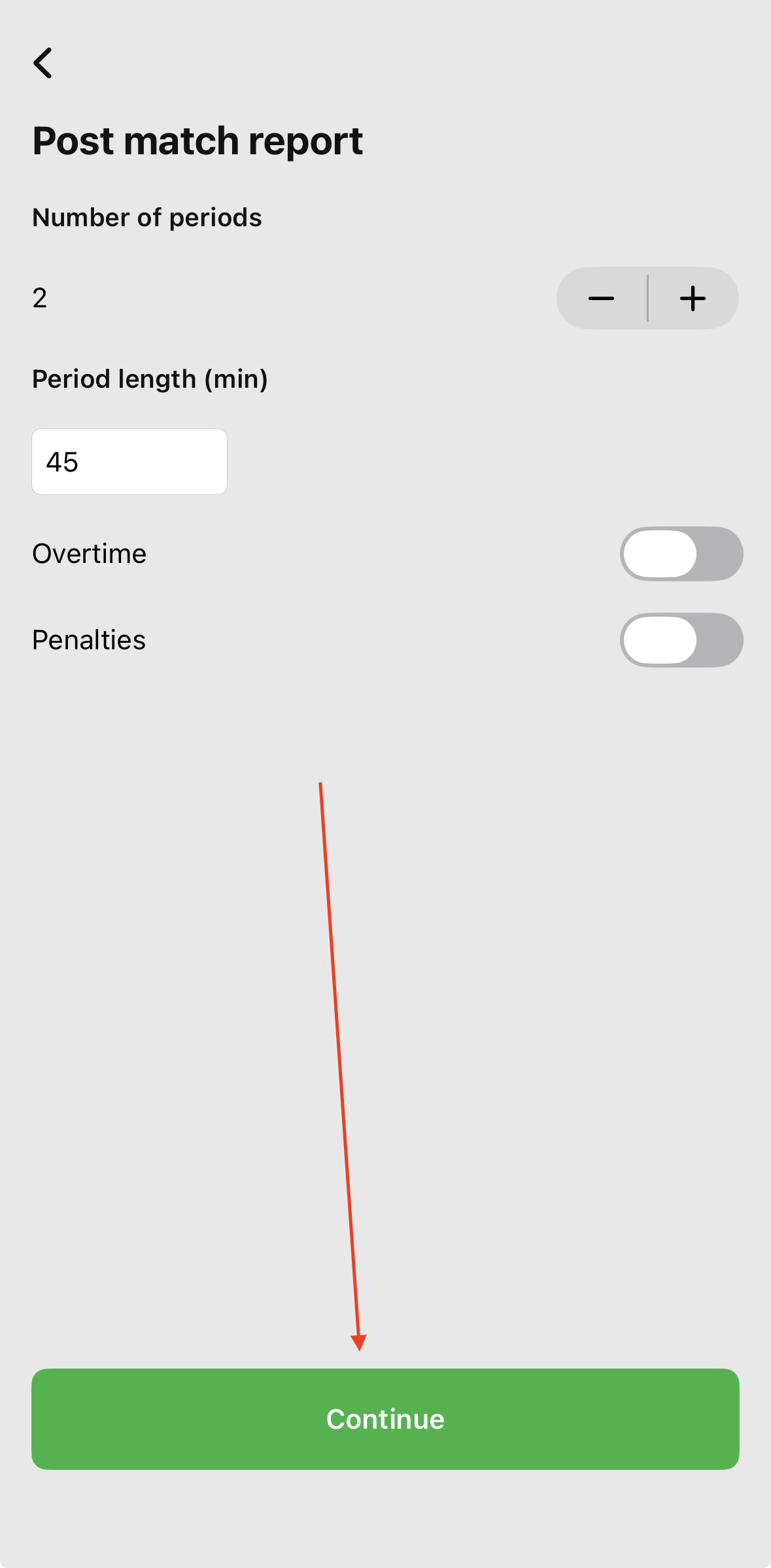
After entering the number of periods and period length, then clicking "Continue", the post-game report has now been started.
To report a goal, please refer to THIS ARTICLE for instructions on how to do so.
To report a yellow or red card, please refer to THIS ARTICLE for instructions on how to do so.