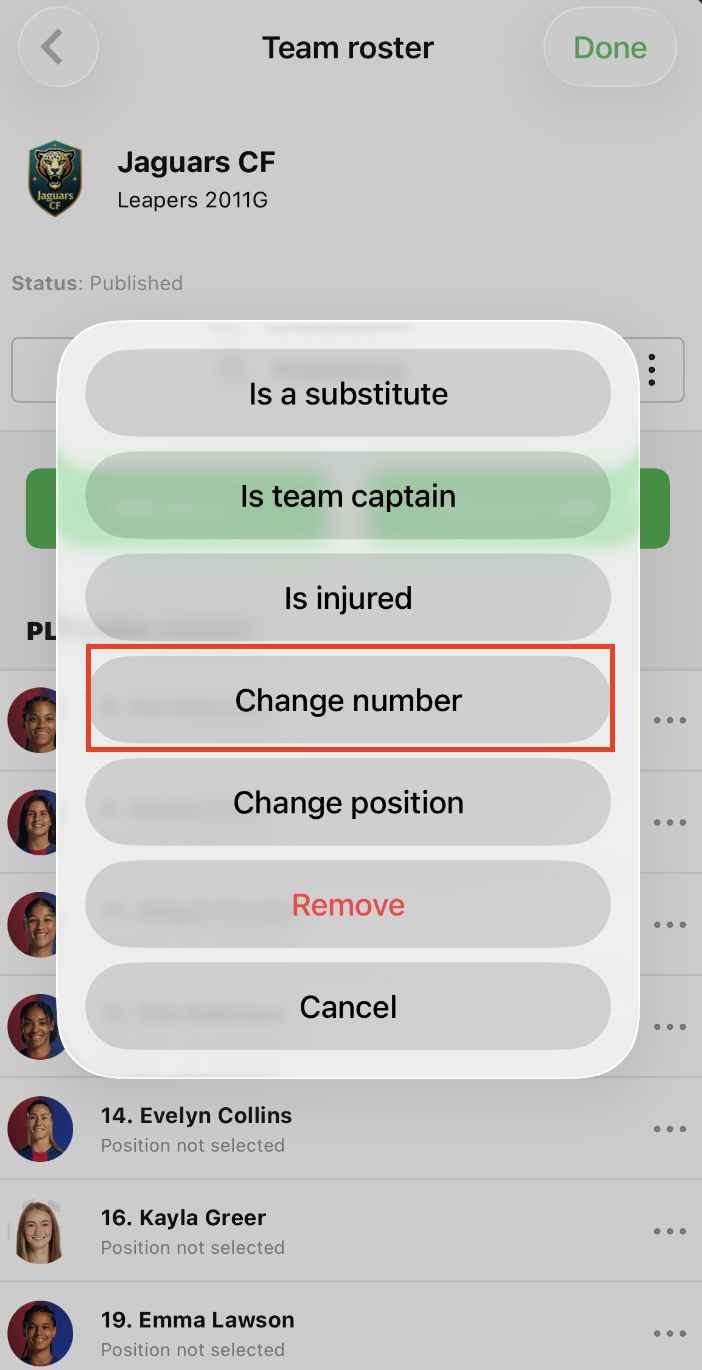
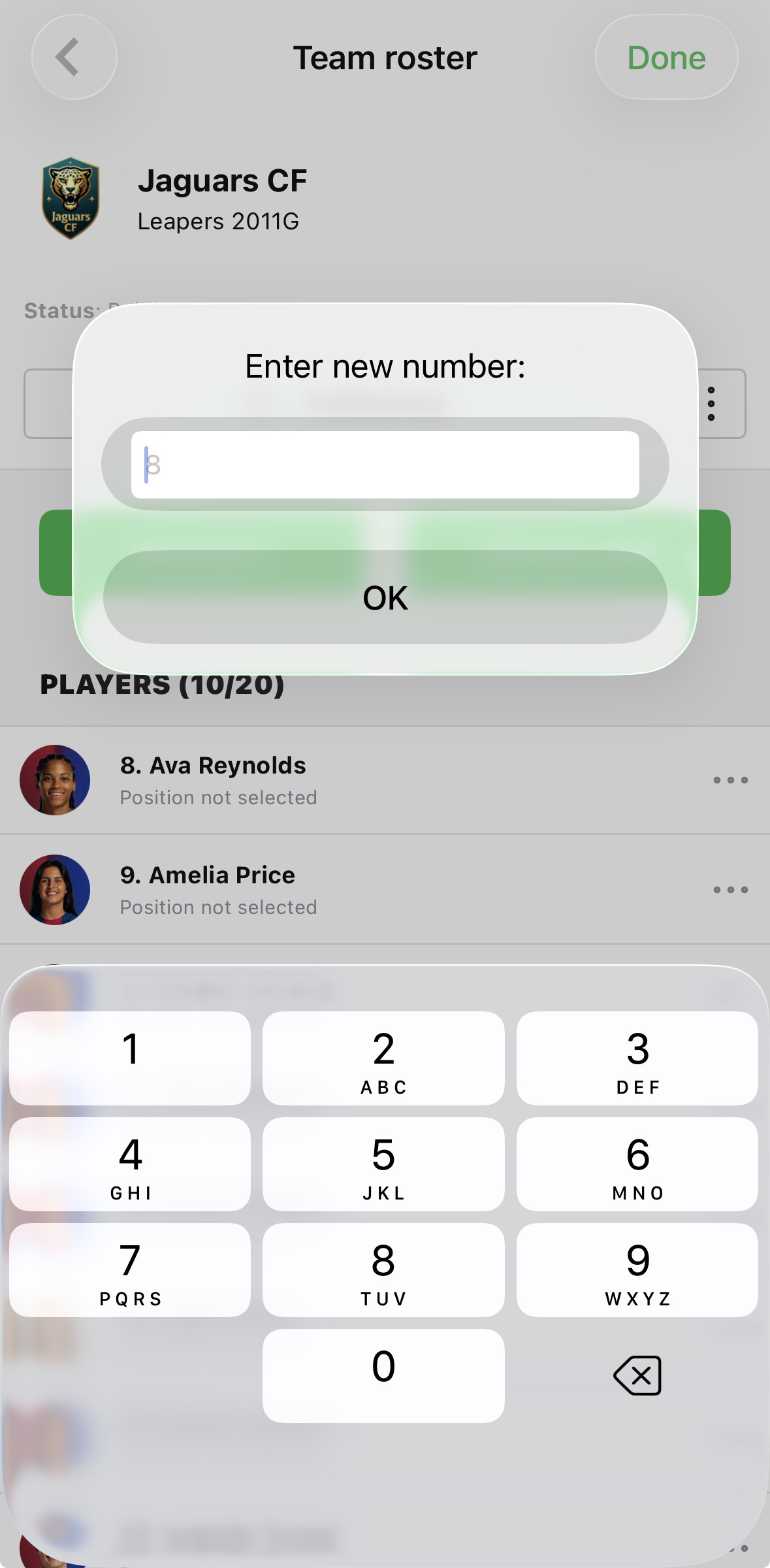
Player jersey numbers can only be edited once a player has been added to the gameday roster.
Please refer to THIS ARTICLE for instructions on how to create a gameday roster in GotSport Live
Step 1: From the game feed, click the green "+" button in the bottom right corner of the screen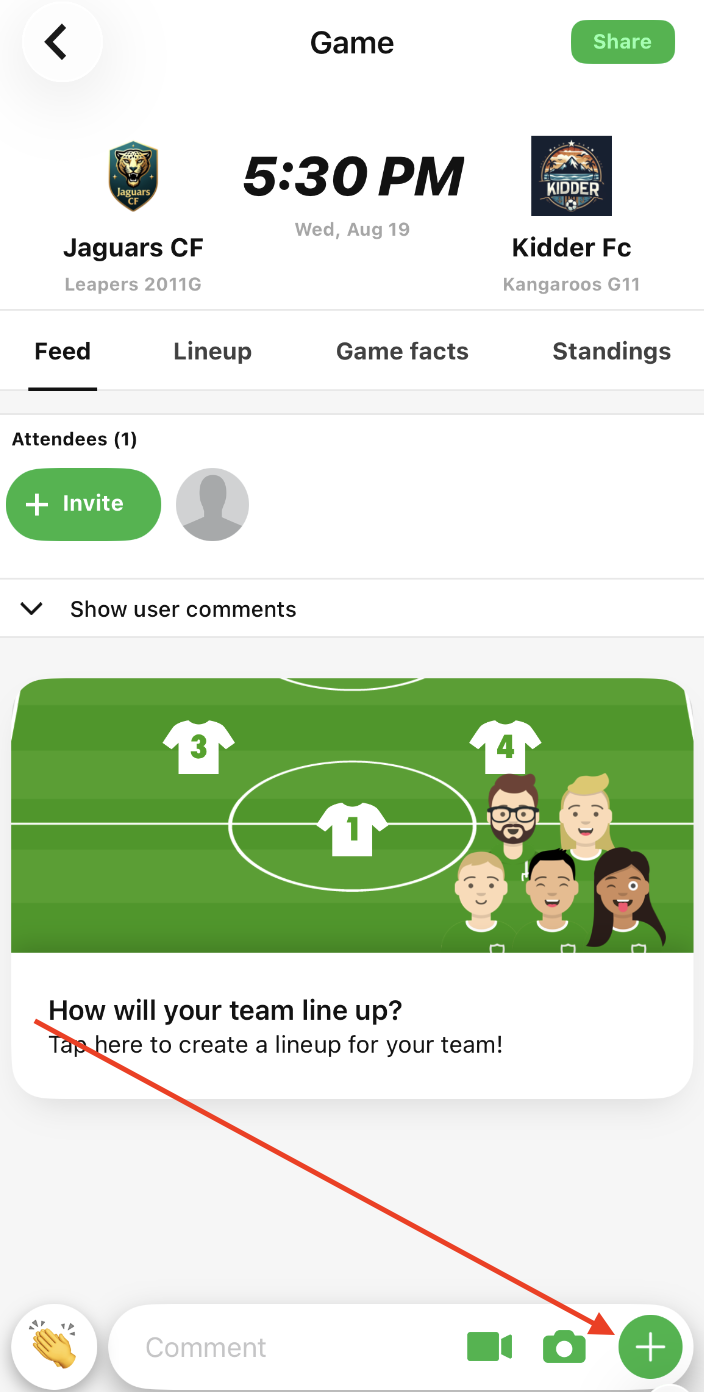
Step 2: Click "Team rosters"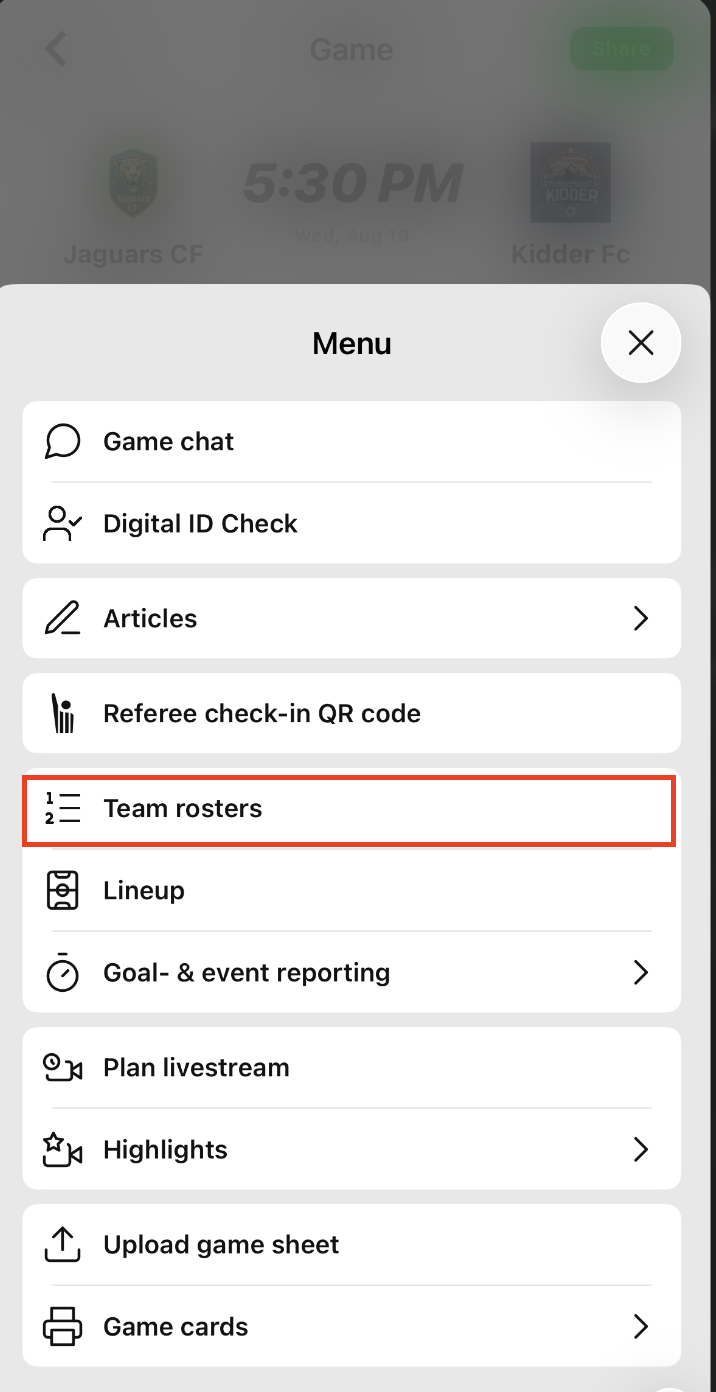
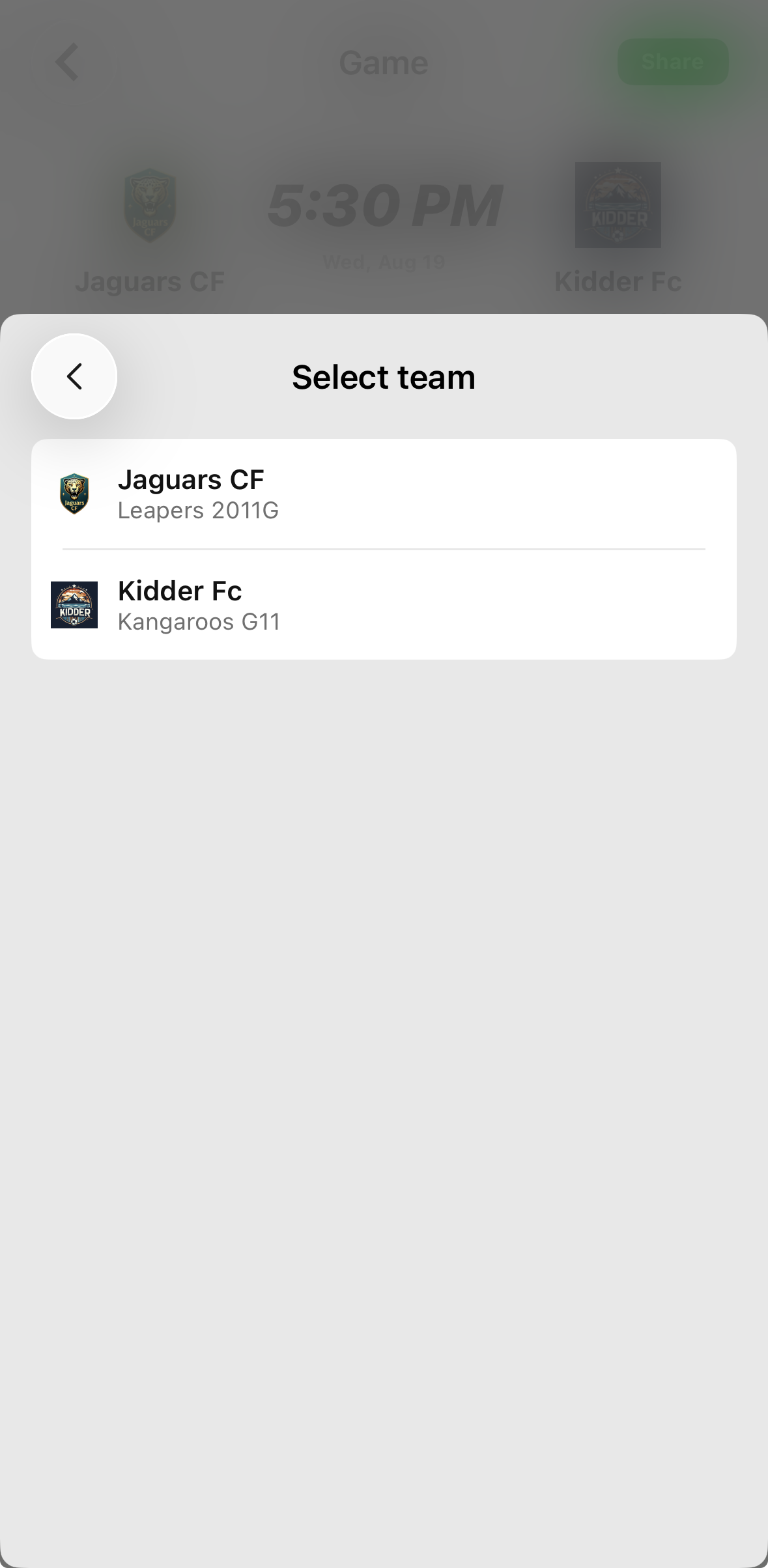
Step 3: Click on your team
You can only access rosters for teams that you are a team member on
Step 4: From the Team Roster page, click the three dots icon next to the player's name who you want to change the jersey number for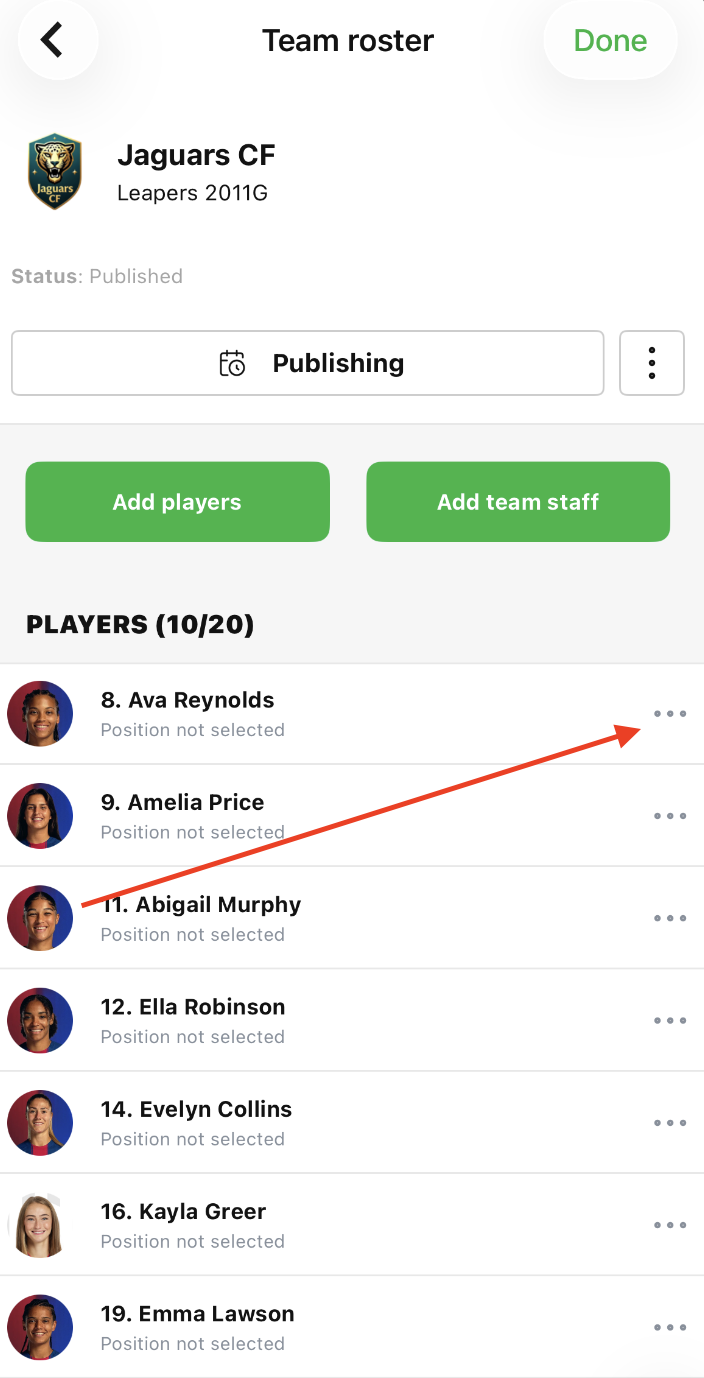
Step 5: Click "Change number"