Step 1:
-
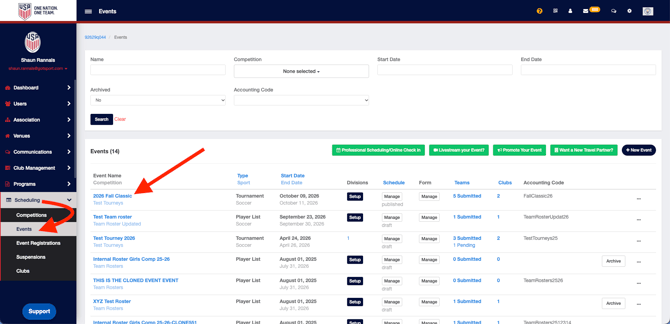
Navigate to your Events page by clicking on Scheduling > Events. Next, find the event you wish to edit registrations in.
Step 2:
-
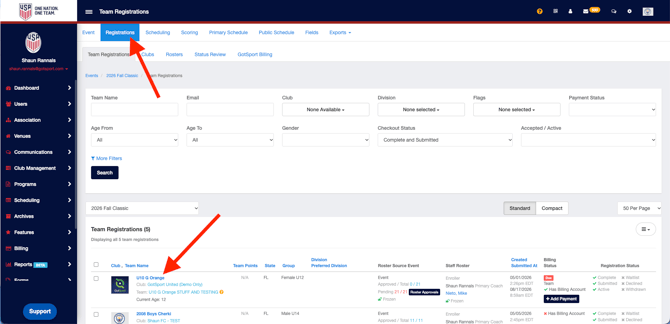
From the event page, navigate to Registrations and click on the registration you'd like to edit.
Step 3:
-
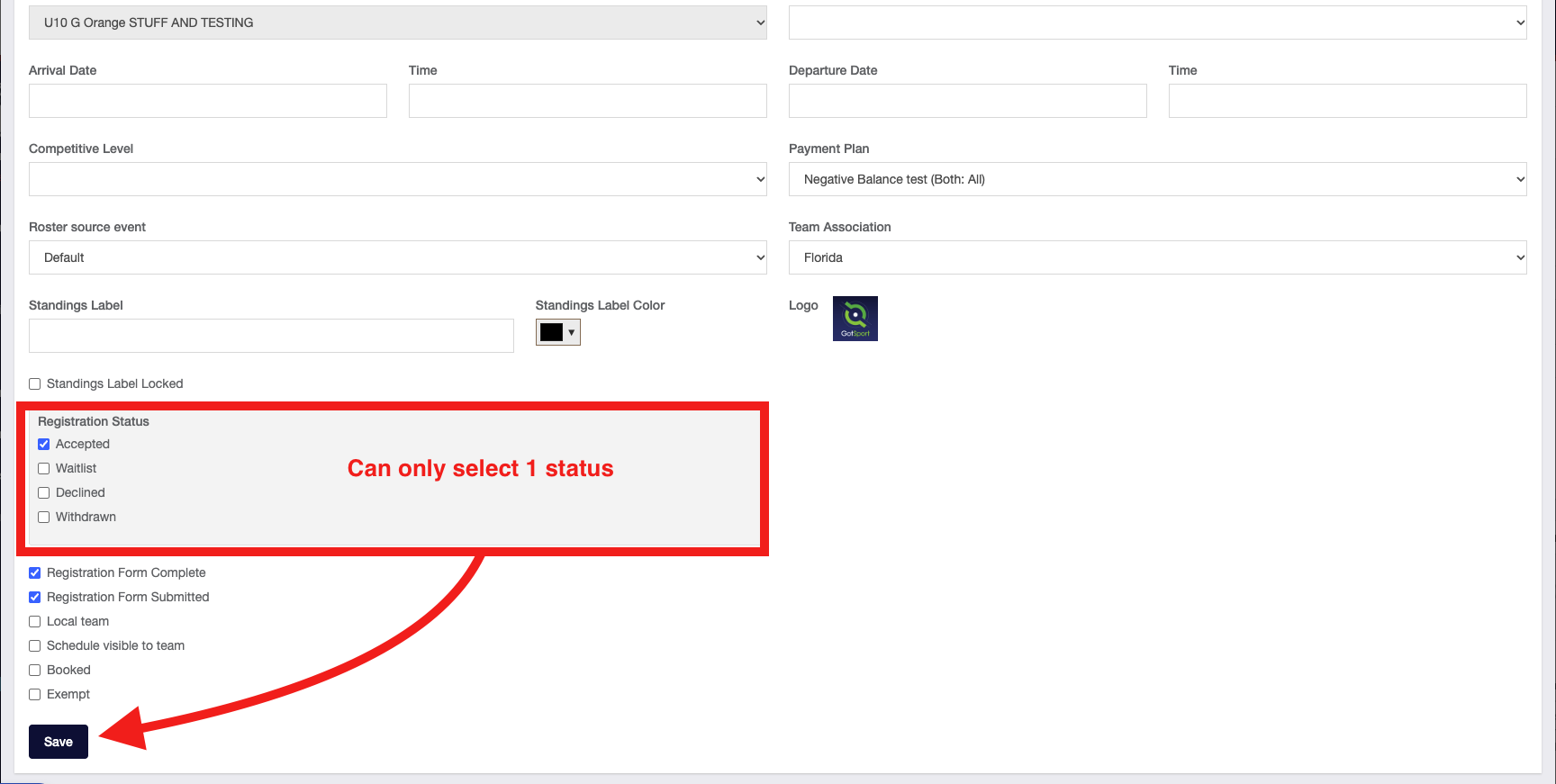
Once in the team's registration, scroll down within the Info tab until you see the Registration Status.
- Select registration status you wish to set the registration at, and click Save.
Note: You will only be able to select ONE registration status.