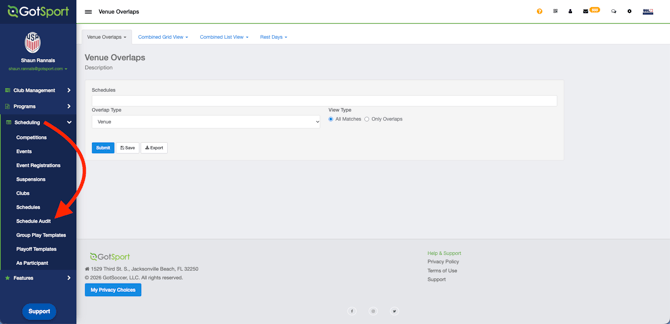
Step 1:
- From your main admin dashboard, navigate to Scheduling > Schedule Audit
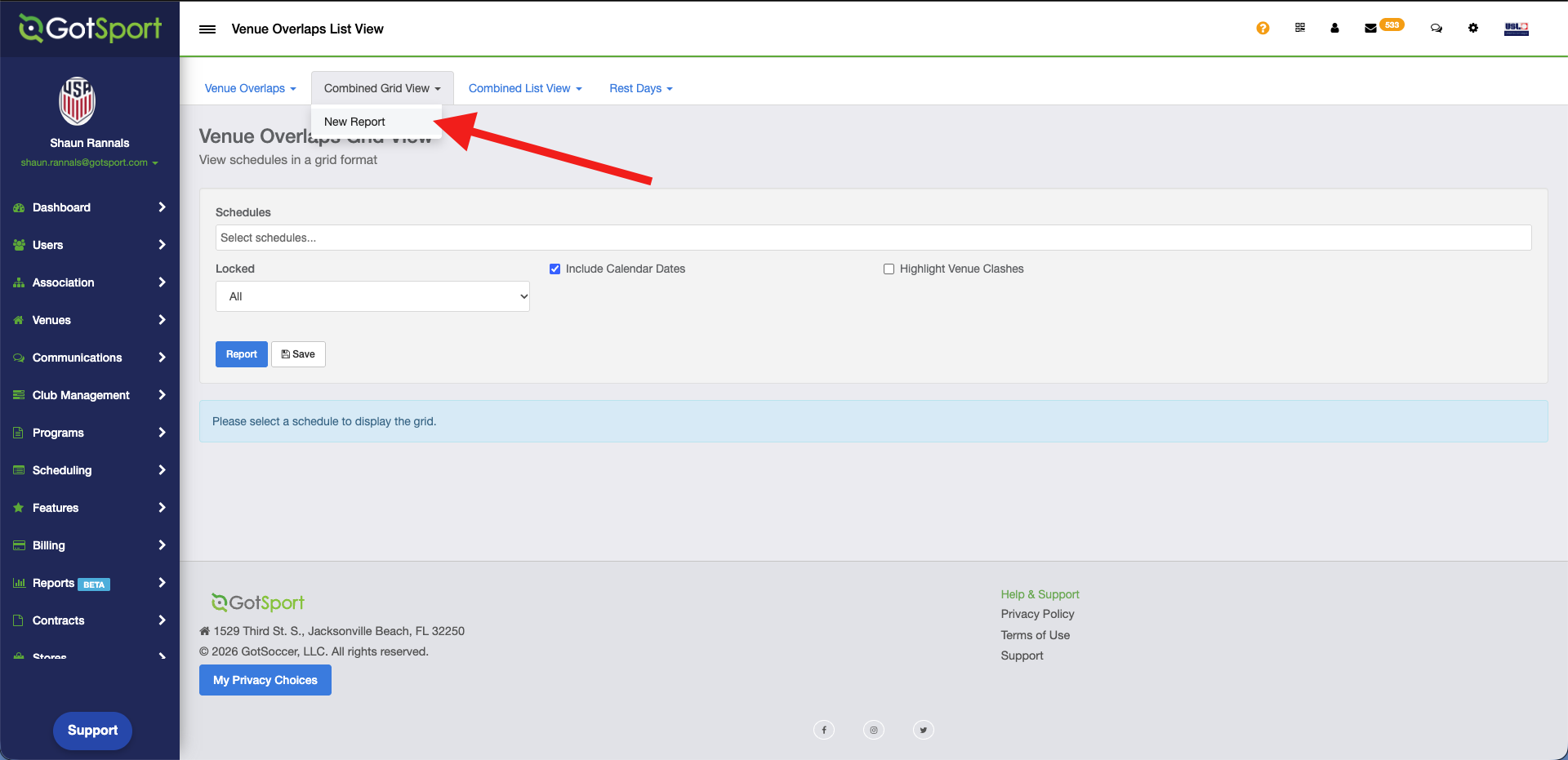
Step 2:
- Next, click on your choice of Combined Grid View or Combined List View. Then New Report.
Step 3:
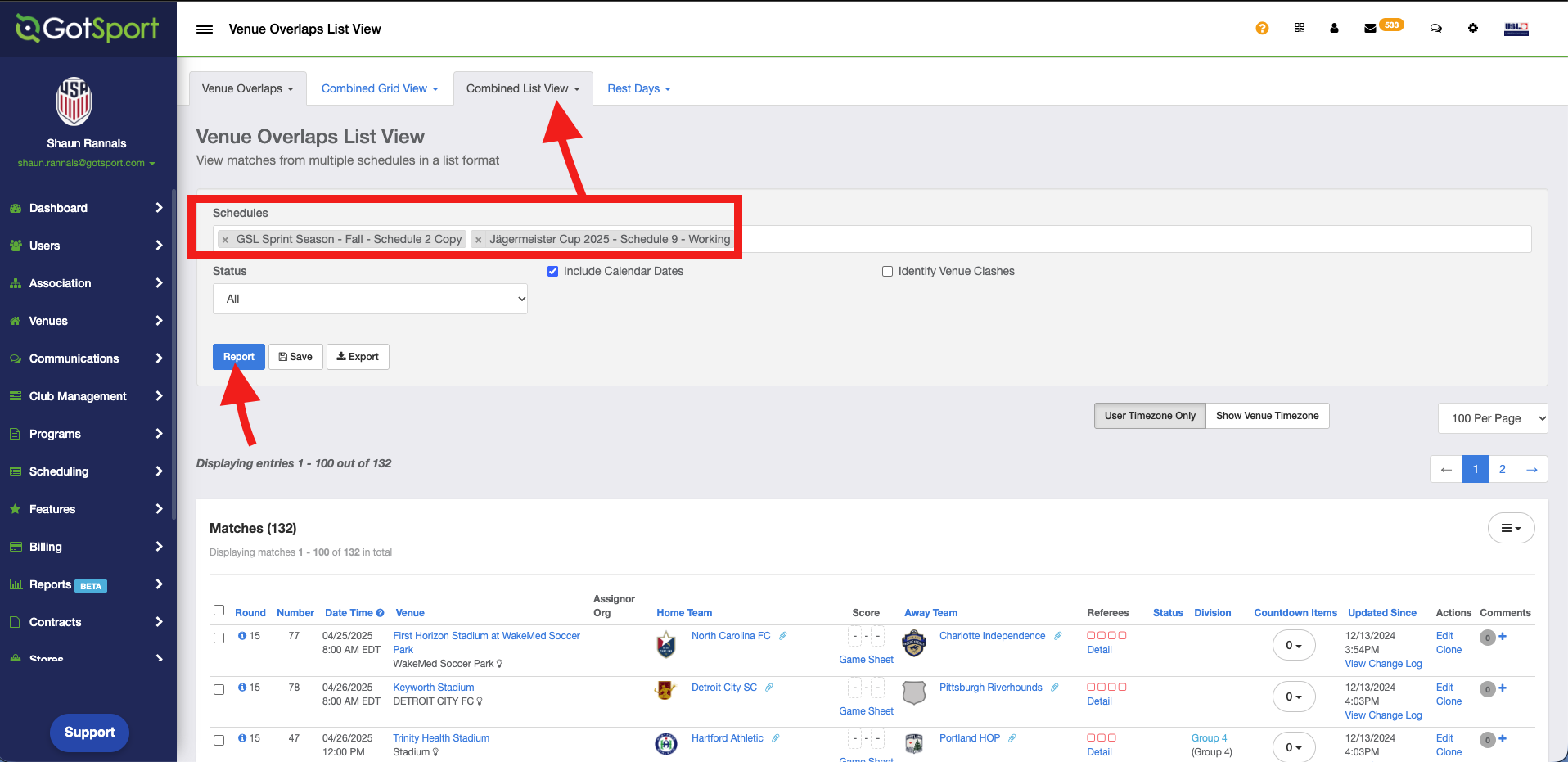
- Next select the events you wish to combine in your view and click Report.
Grid View: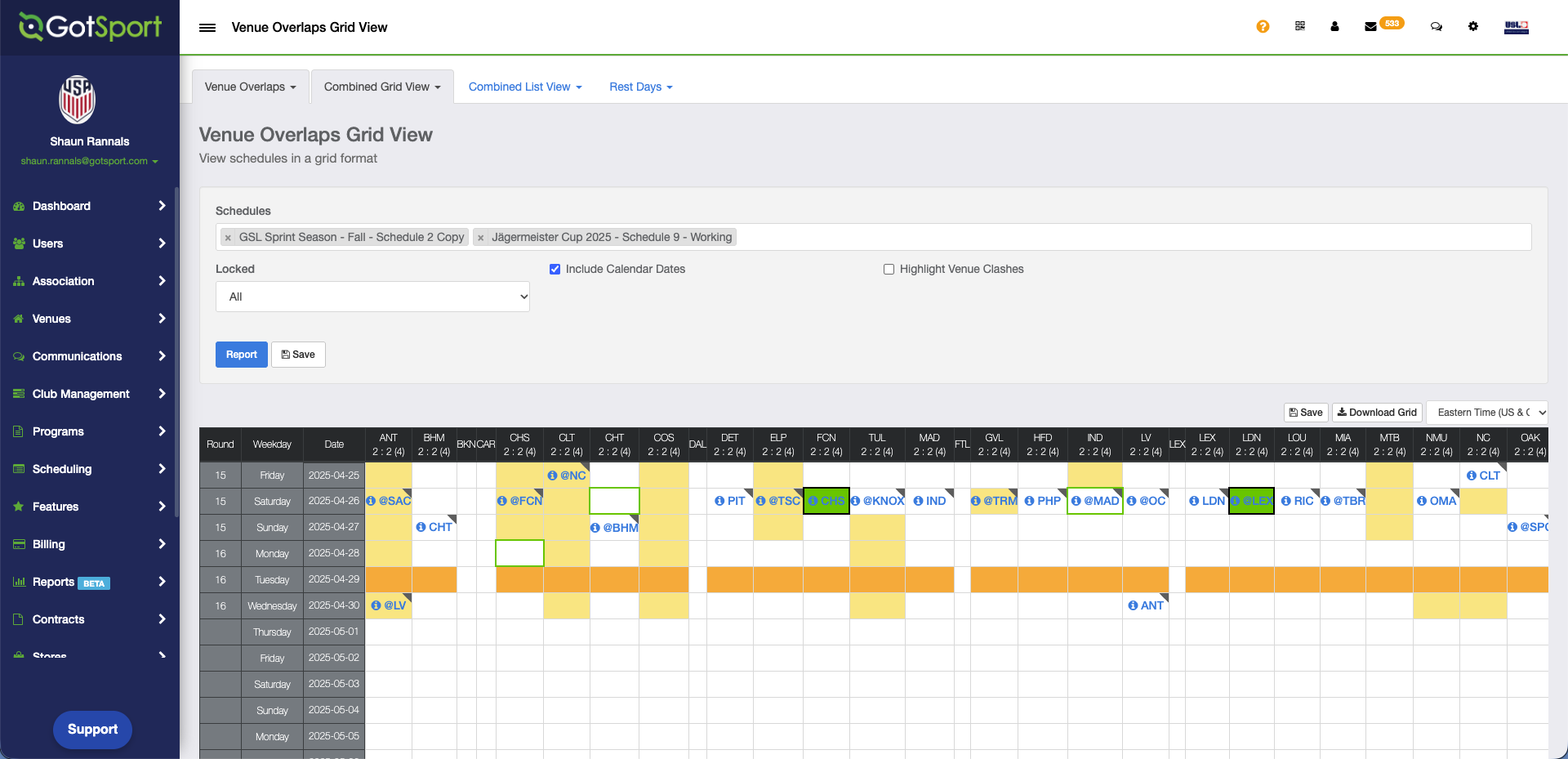
List View: