
Before you can report a goal, you must first access and start the post-game report. Enter the number of periods and period length, then click "Start Live Goal and Event Reporting"
See THIS ARTICLE for instructions on how to do so
Step 1: Click the "Add game event" button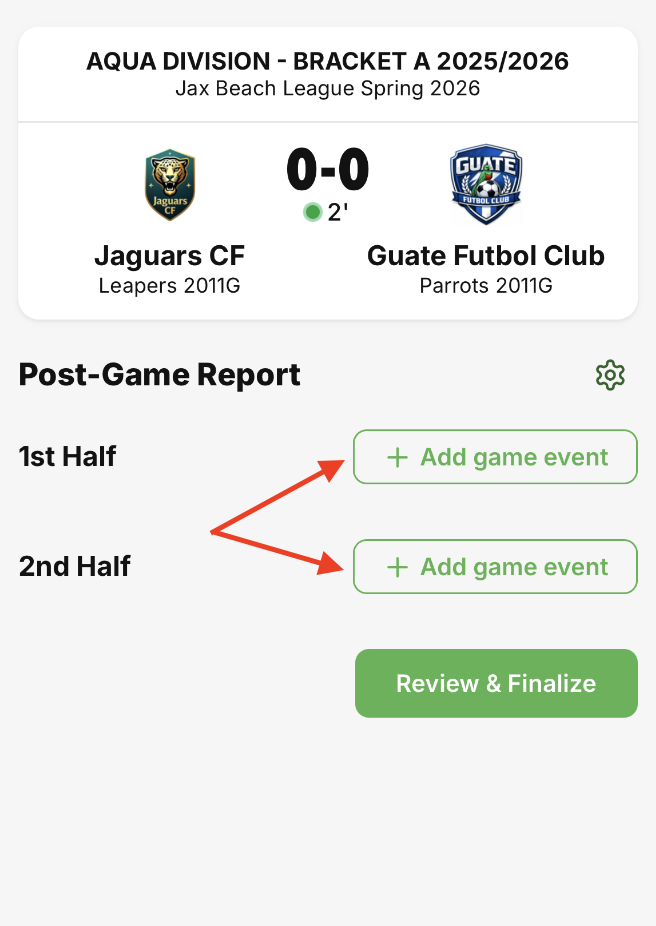
Step 2: Click "Goal" to report a goal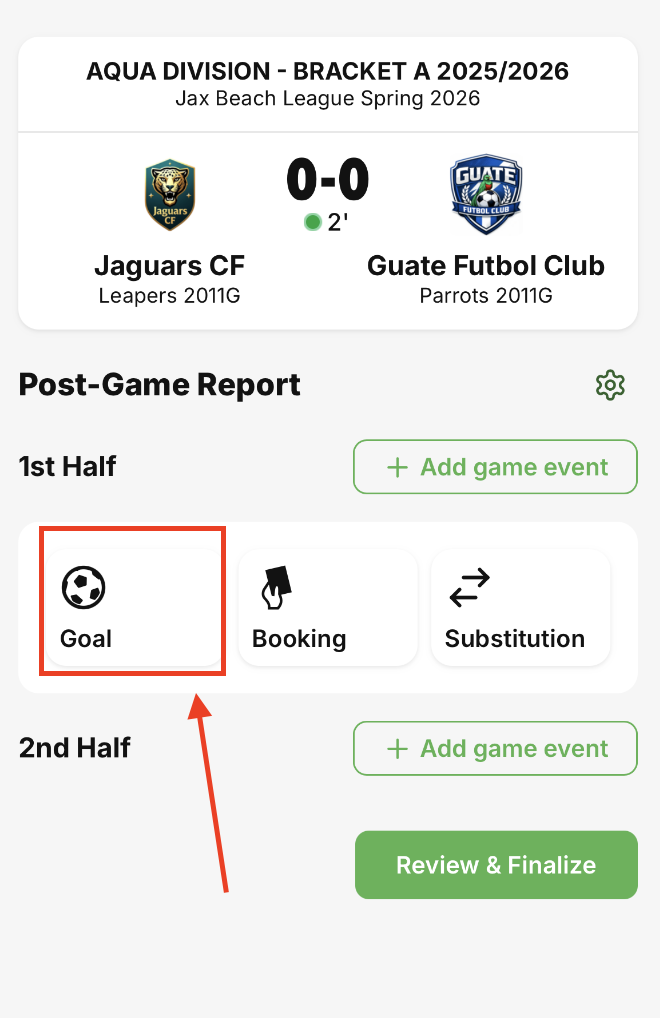
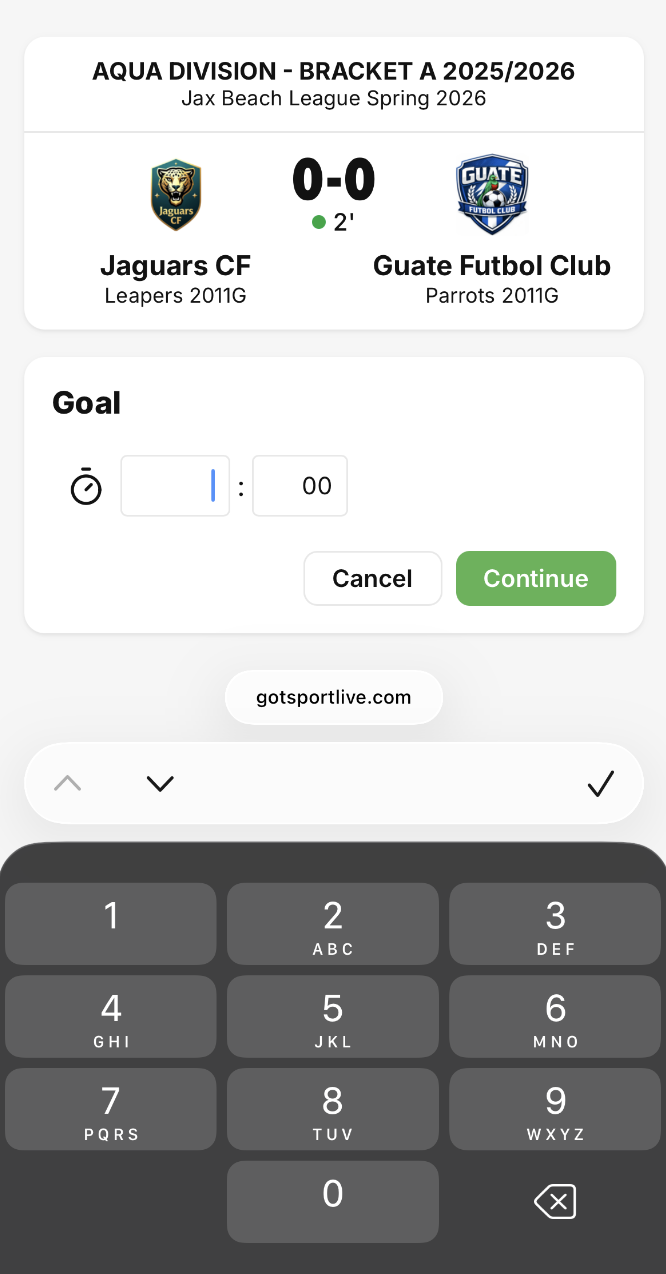
Step 3: Enter the time that the goal occurred and then click “Continue”
Occurrence time is not required for the goal to be reported
Step 4: Select the team that scored the goal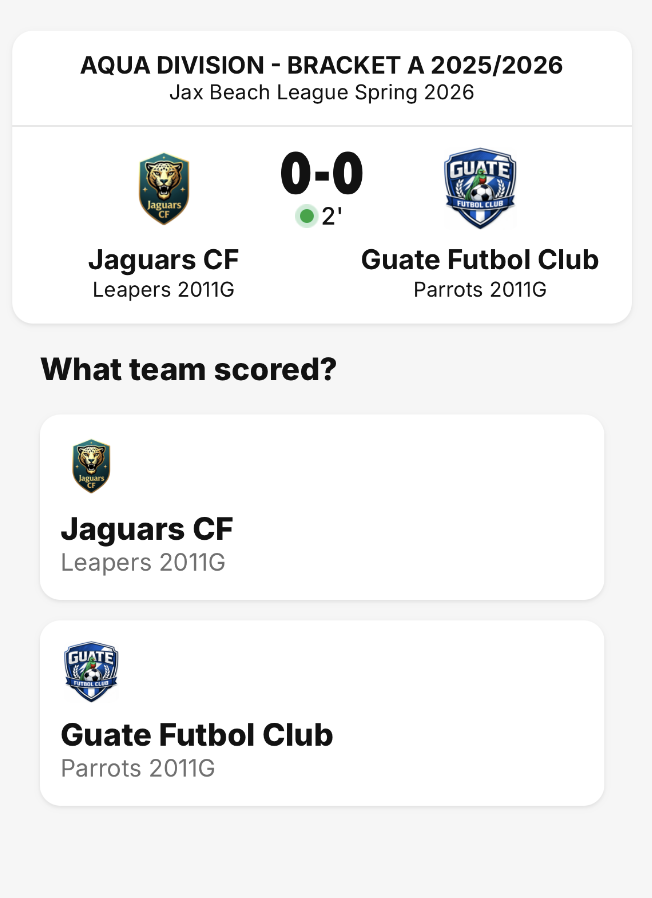
Step 5: Select the player who scored OR select “Unknown” OR select “Own goal”
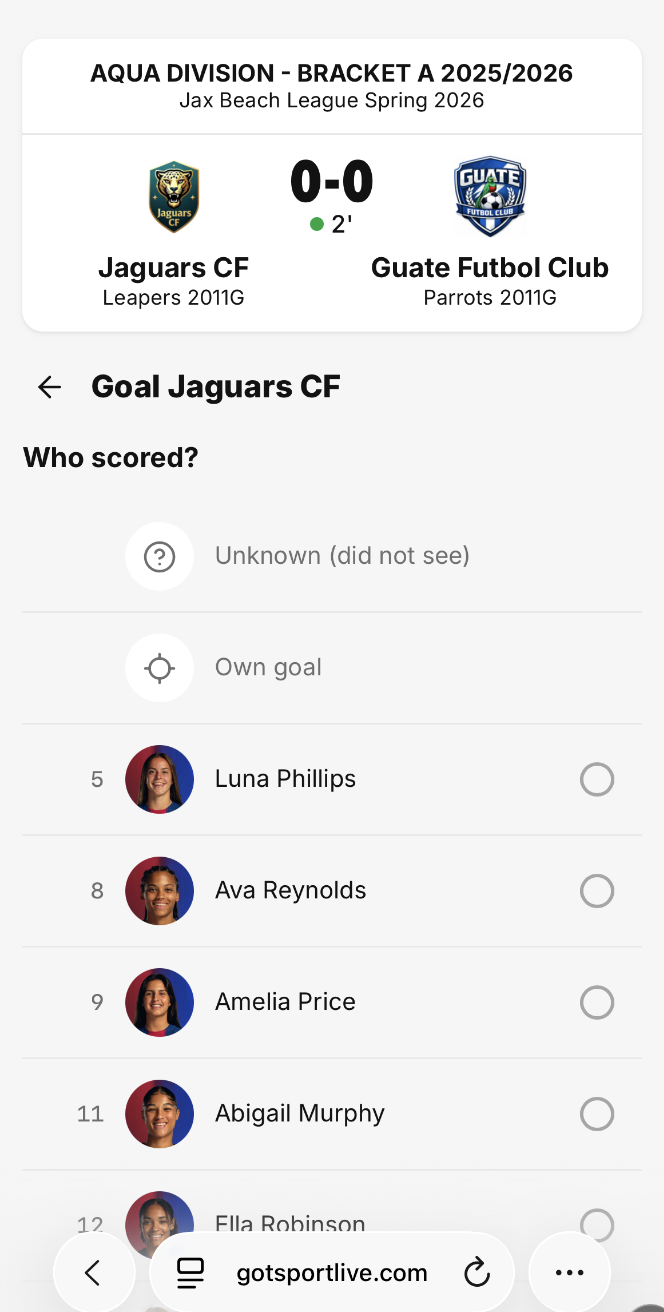
Optional: You can report who assisted the goal by clicking “Assist by” and then selecting the player who assisted
Step 6: Confirm the information for the goal is correct and then click the “Save” button
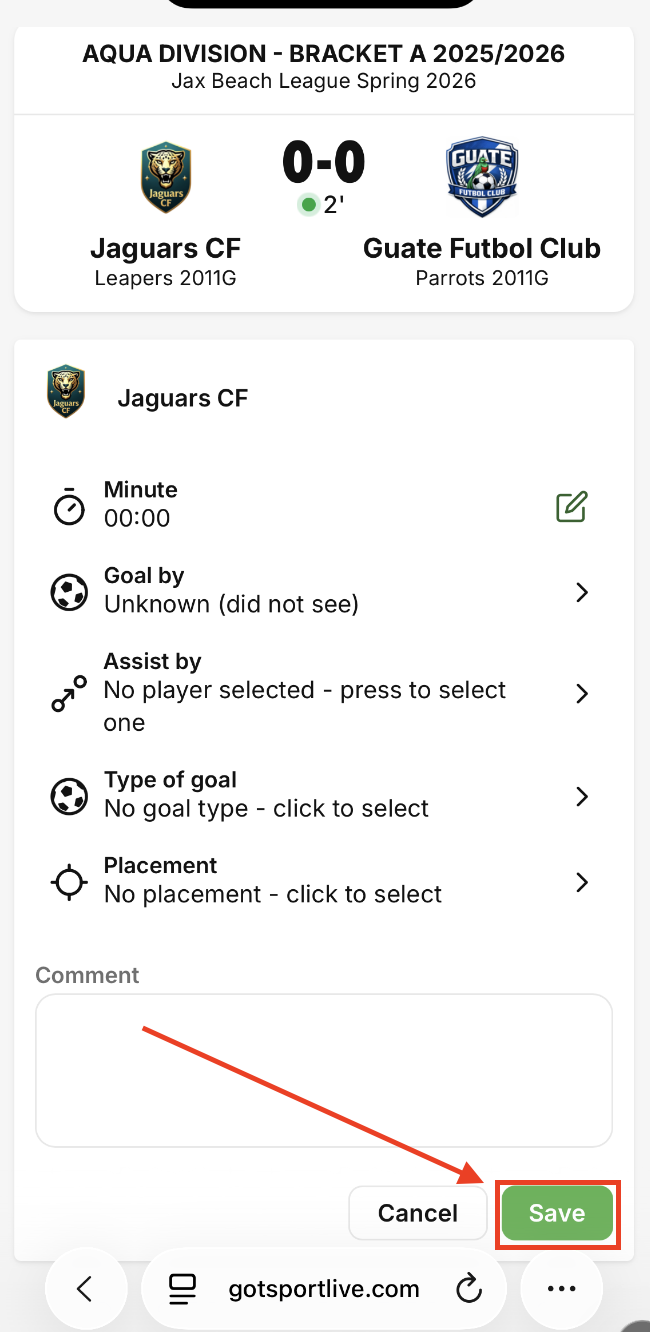
Repeat this process for all goals scored