
Overview:
Instructions:
Step 1: Log in and Locate the Player Account
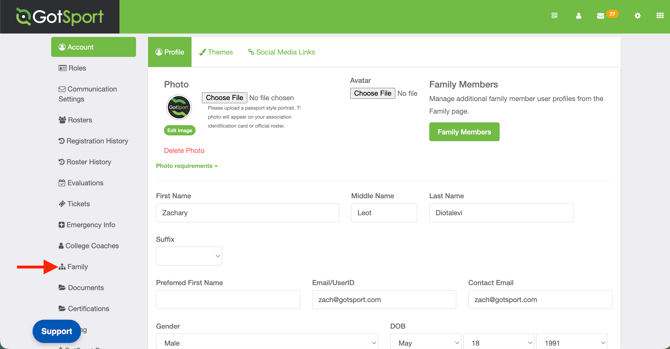
- After signing into your GotSport account, click "Family"
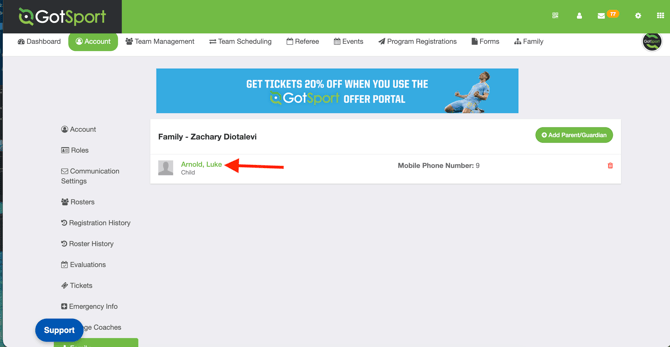
- Click onto the Player account
Step 2: Locate the Waiver
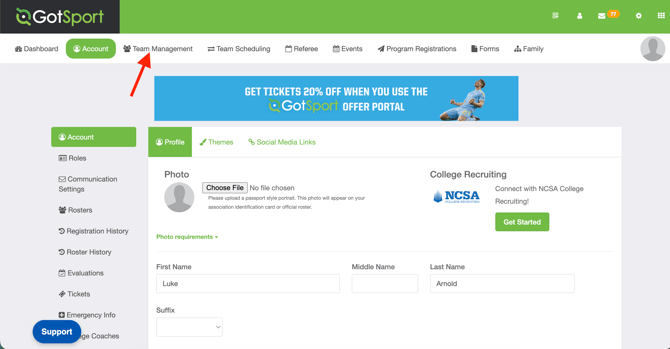
- Once you're within the Player account, click Team Management
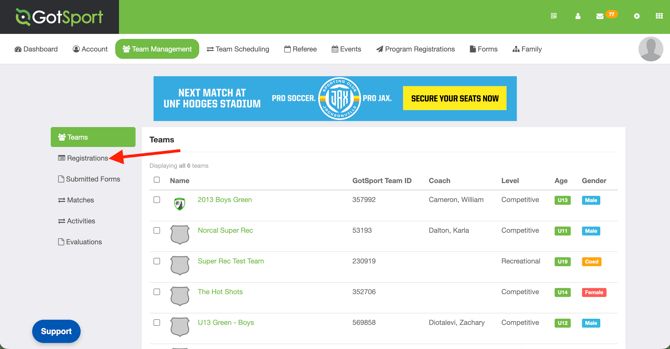
- Click Registrations
Step 3: Complete the Waiver
- Locate the specific event that is requiring the form
- You'll see an "Available Forms" tab on the right side.
- Click and select the Pro-Am Beach Soccer Waiver 2026
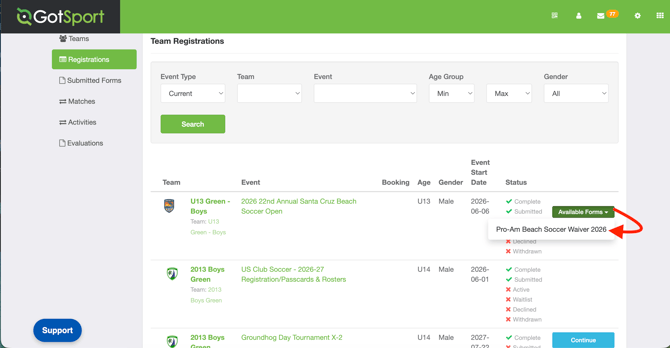
NOTE*** When viewing the Form, you MUST select the Players name and not your name.
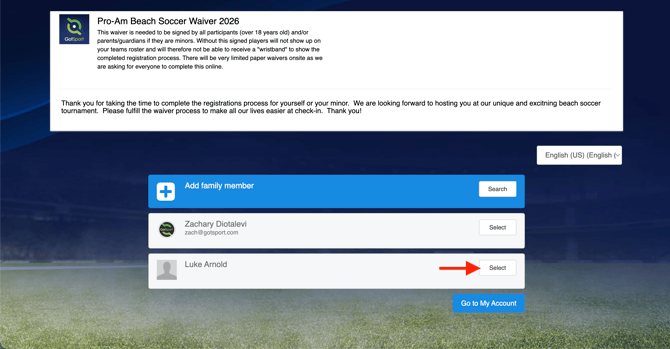
Select the PLAYER, not the Parent account
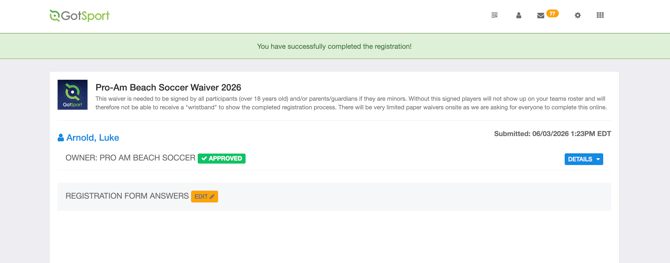
You will receive a green banner upon completion of the Form
FAQ:
Frequently Asked Questions
-
Q: I don't see my child in the Family Tab
-
A: Speak to your Team Manager/Coach to review your childs players account. They should be able to confirm the parent/player connection, and the email/UserID that is used.
-
-
Q: I completed the waiver but my manager/coach still says it's incomplete
-
A: There is a likely a duplicate account in GotSport. Ask your Club Admin to help merge your account.
-
-
Q: It says I must be 18 or over to sign the waiver
-
A: Check the date of birth on your profile to ensure the correct birthdate is applied to your account. Your account should be set up under your own information, with separate accounts for each child.
-
-
Q: I completed the waiver but it was done on the wrong account
-
Work with your Club Admin to help verify accounts/UserID's. Once the information has been corrected, you can submit the form again.
-
-
Q: I'm getting an error message that says "Error Saving: The Enroller's name must match"
-
A: This happens when the name entered during the waiver doesn't exactly match the name on the parent's GotSport account. To resolve: ensure that your name in your GotSport account matches exactly what you're typing in
-
Example: If your GotSport account name is "Malissa," you must sign as Malissa — even if you normally go by Missy.
If you still need additional assistance regarding Pro-Am Beach Soccer waiver or event issues, please submit a support ticket through THIS LINK