Skip to content
English - United States
  • There are no suggestions because the search field is empty.

How to request more than one item in the TLO Team Services Portal

This will teach you how to request more than one item as a Team Liaison Officer.

Instructions:

Step 1:

As a TLO, go to Team Management and select the team.
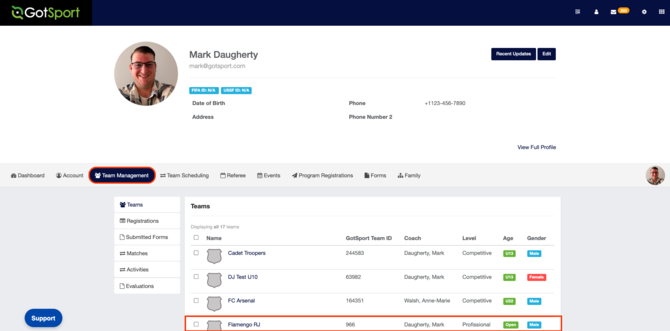
Screenshot 2026-10-15 at 1.29.24 PM

Step 2:

Go to Team Registrations and then select the activity event.
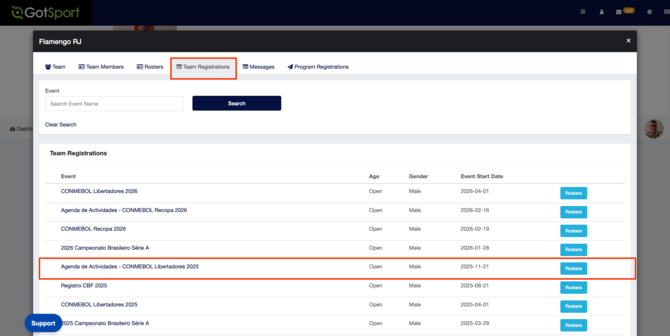
Screenshot 2026-10-15 at 1.31.51 PM

Step 3:

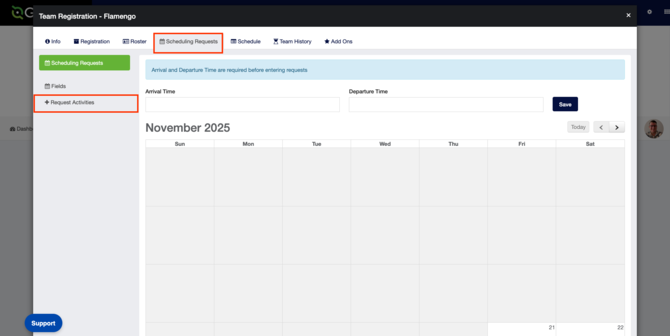
Go to Scheduling Requests and then click Request Activities on the right side.Screenshot 2026-10-15 at 1.33.22 PM
Step 4:

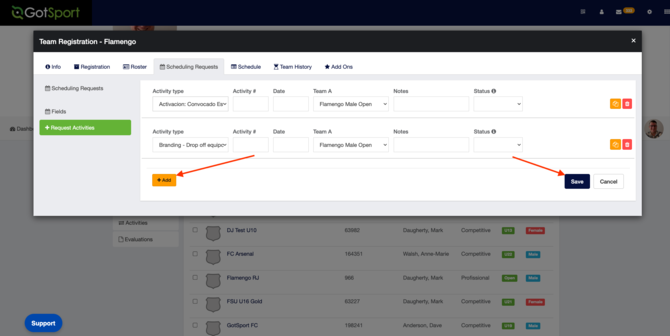
Select the date and then the activities. Hit Save.Screenshot 2026-10-15 at 1.36.01 PM