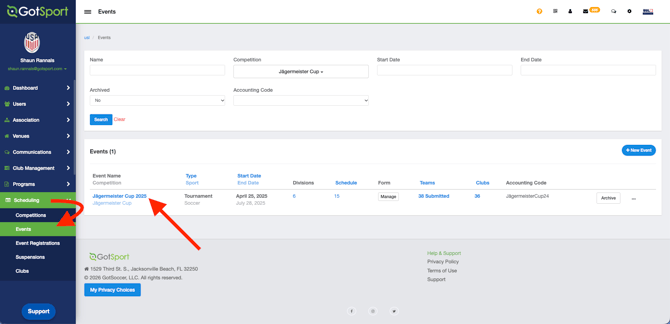
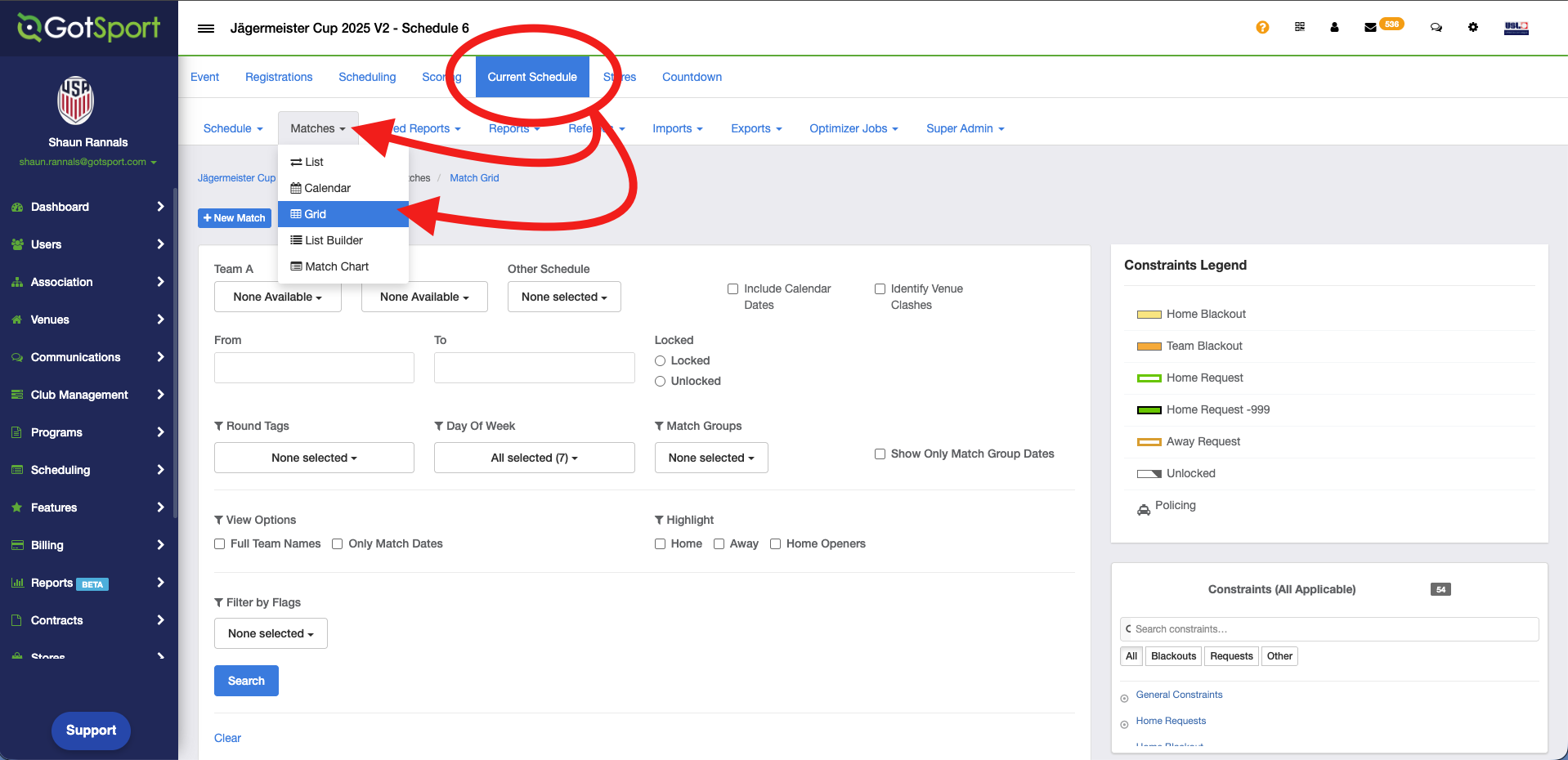
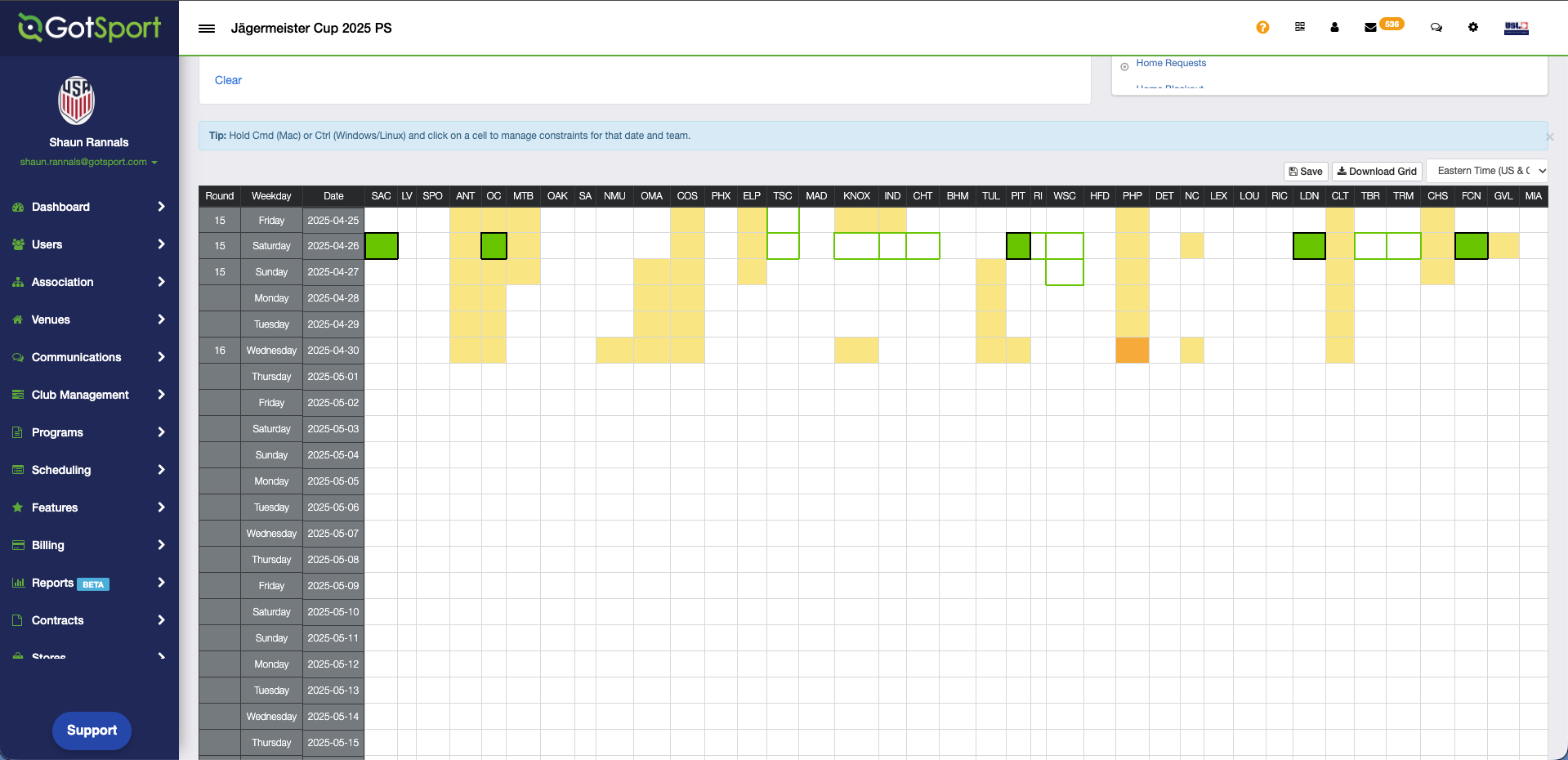
How to View Constraints within Grid View This article will show event directors how to view constraints within a specific area of the event setup Step 1: Navigate to your Scheduling > Events tab and select the specific Event you wish to work/view within. Step 2: Once in the event, click on Current Schedule tab, then Matches, Grid.