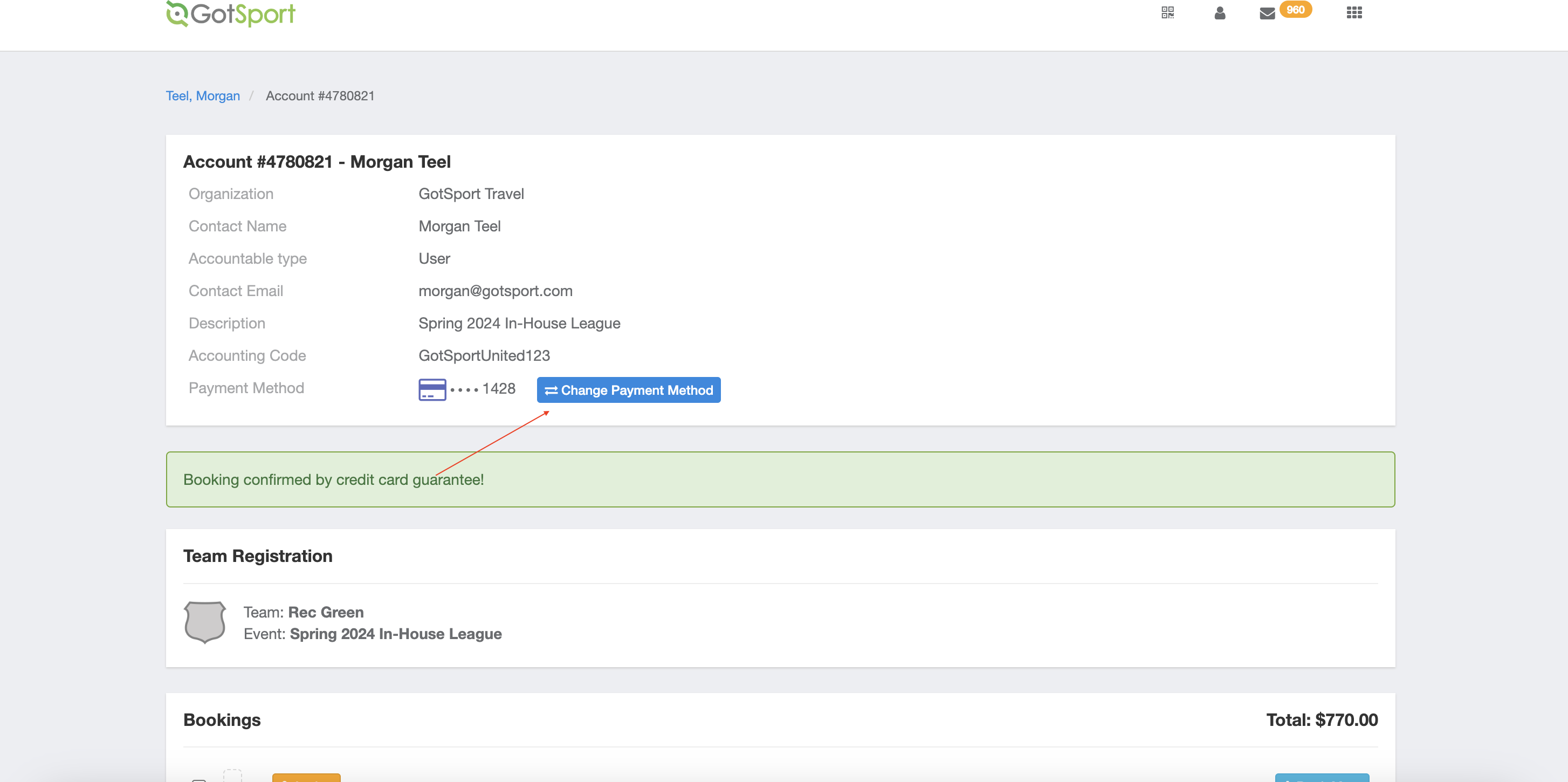
This is only for tournaments partnered with GotSport.
Artículo en Español: (Español) Como Entrenador/Director: Cómo actualizar la información de pago como gerente de equipo
Instructions:
Step 1:
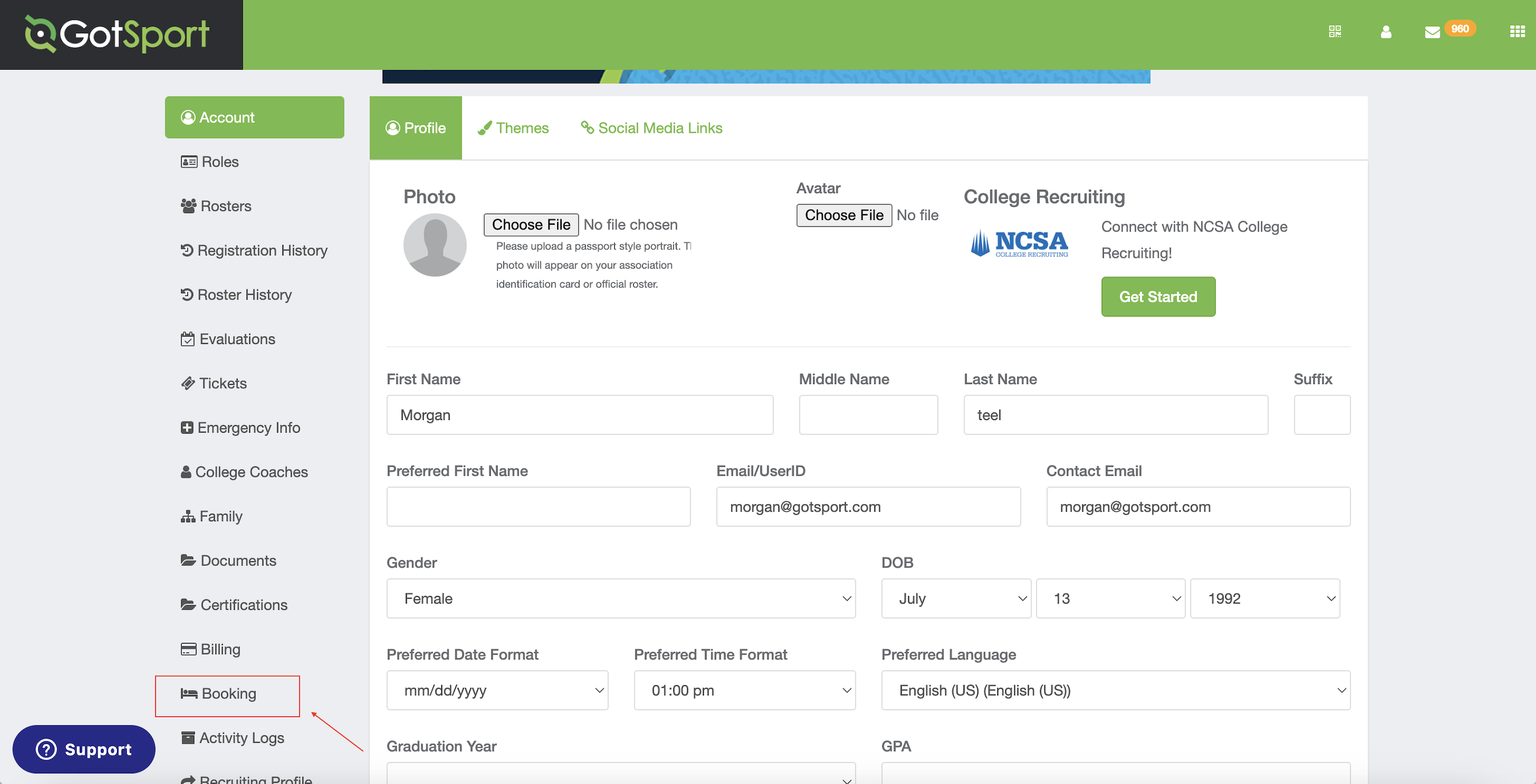
- To manage your reservation in your account. Select Bookings.
Step 2:
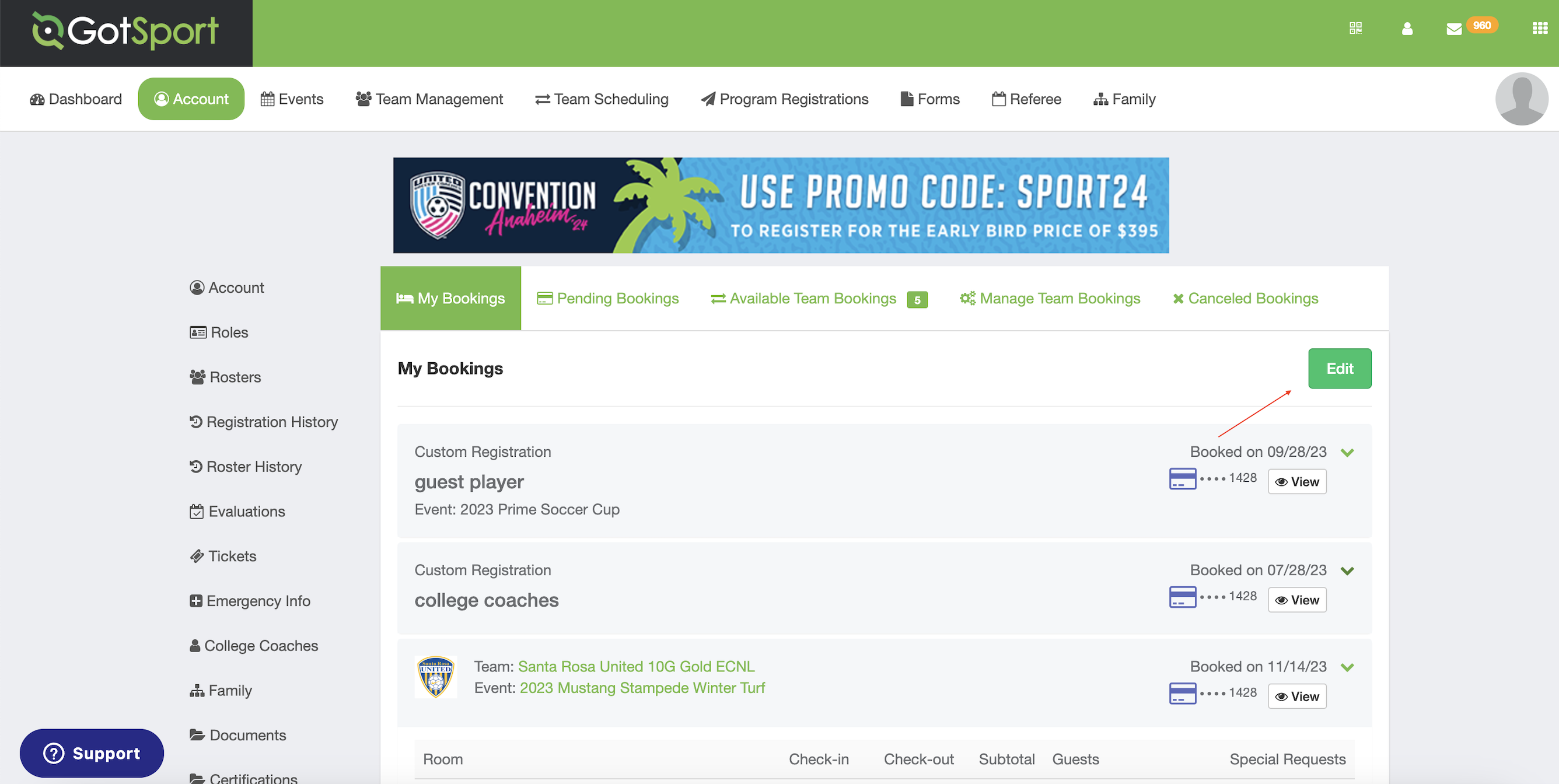
- Select "Edit" under the My Bookings tab.
Step 3:
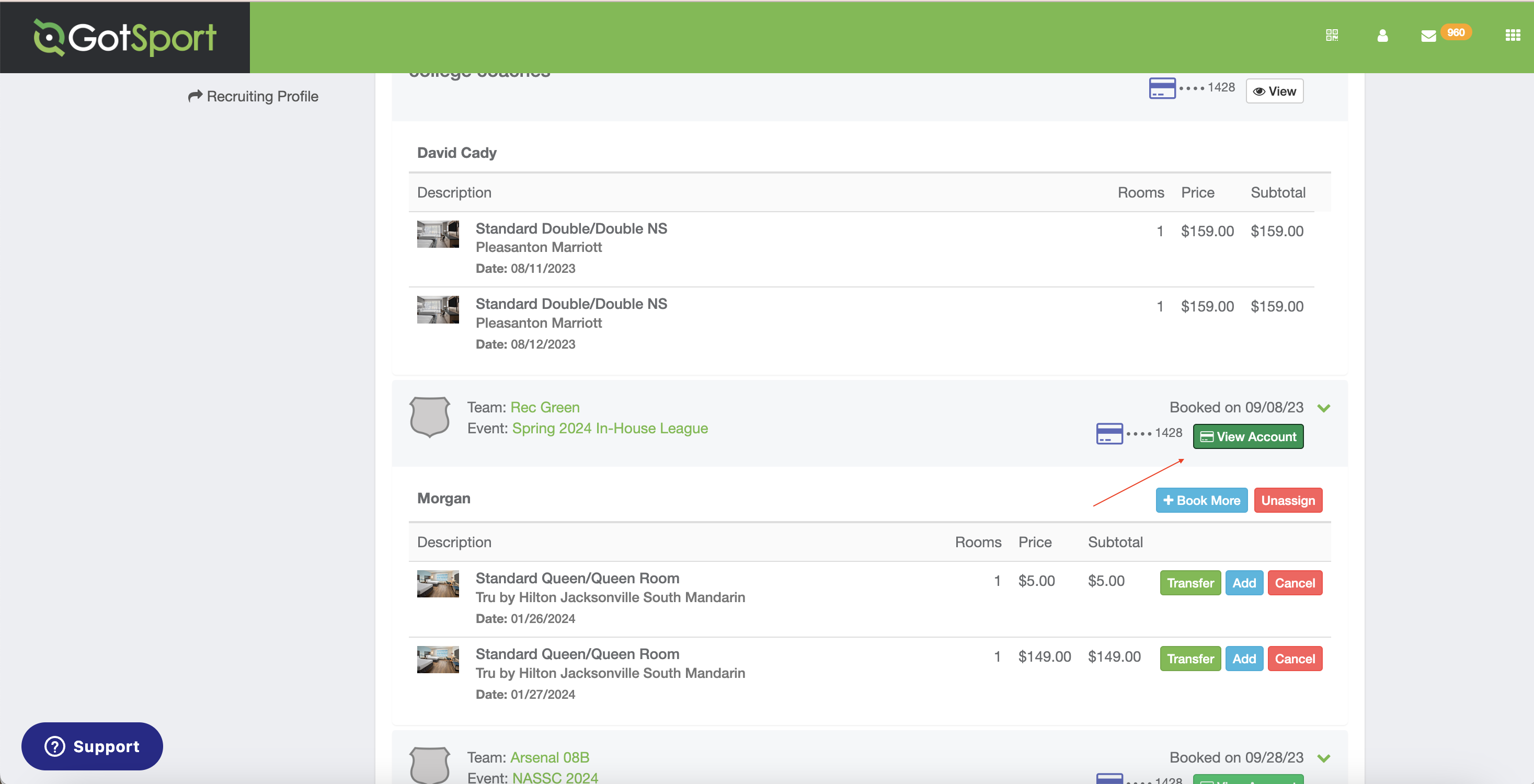
- Select "View Account".
Step 4:
- Select "Change Payment Method", follow the prompts to update your information.