Instructions
Step 1:
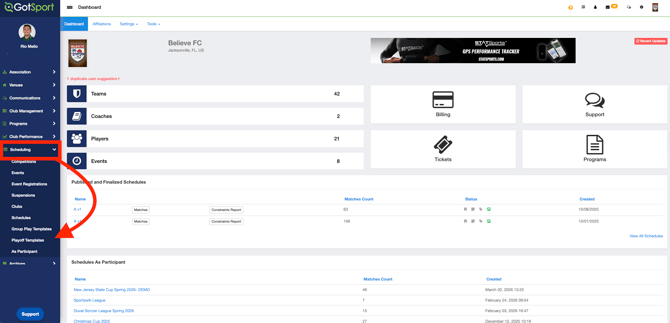
- Login to your Organization's Account, open the "Scheduling" module and click on "Playoff Templates".
Step 2:
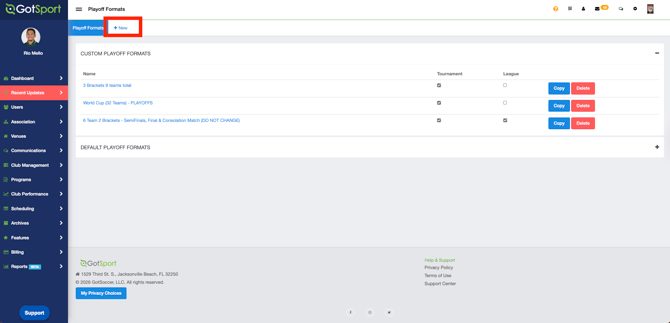
- Click on the " + New".
Step 3:
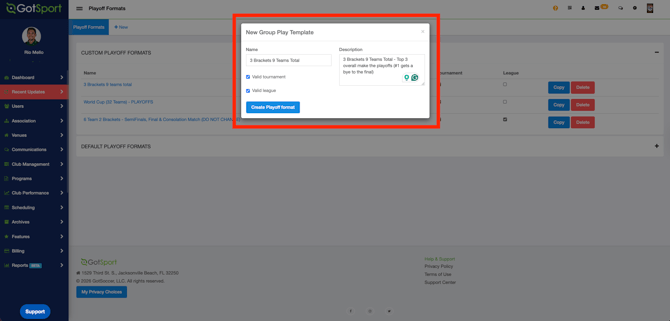
- Complete the required fields based on your needs. Give the template a name that will easily identify what type of a template you are setting up. Type in the description any details of your template. For example: 3 Brackets 9 Teams Total - Top 3 overall make the playoffs (#1 gets a bye to the final)
Step 4:
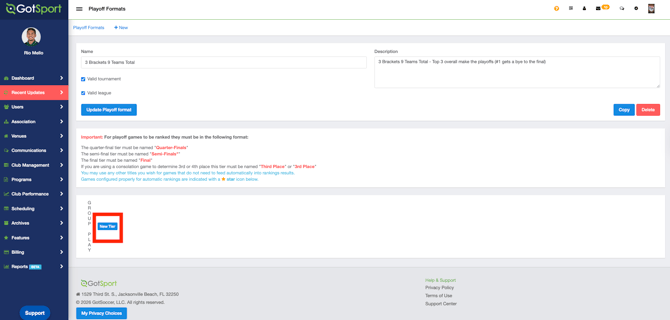
- After clicking on "Create Playoff Format", click on "New Tier".
Step 5:
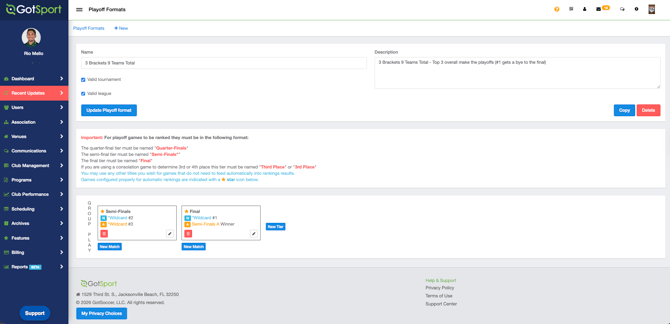
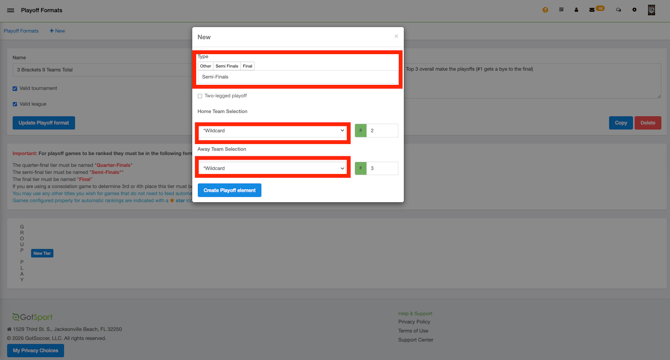
- In this situation, #1 gets a bye to the final, while #2 and #3 will play a Semi-Final (Top 3 overall). You will then select *Wildcard, and choose #2 and #3 for the Semi-Final.
Step 6:
-
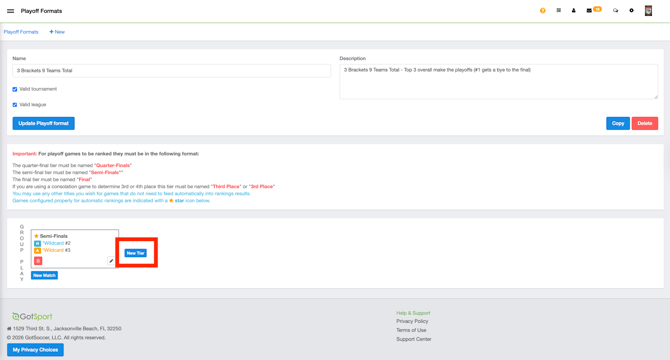
You will then create a new tier for the Final:
- After clicking on "New Tier", you will select the Winner of the Playoffs and the Group Play Wildcard #1.
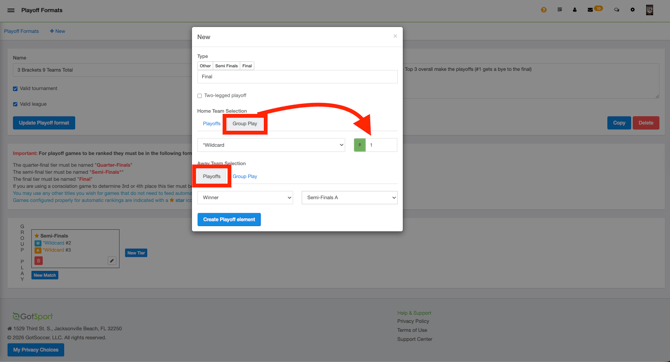
- After clicking on "Create Playoff element", your Custom Playoff Template will be set.