
Instructions:
Step 1:
- Log into your GotSport account on your mobile device.
Step 2:
-
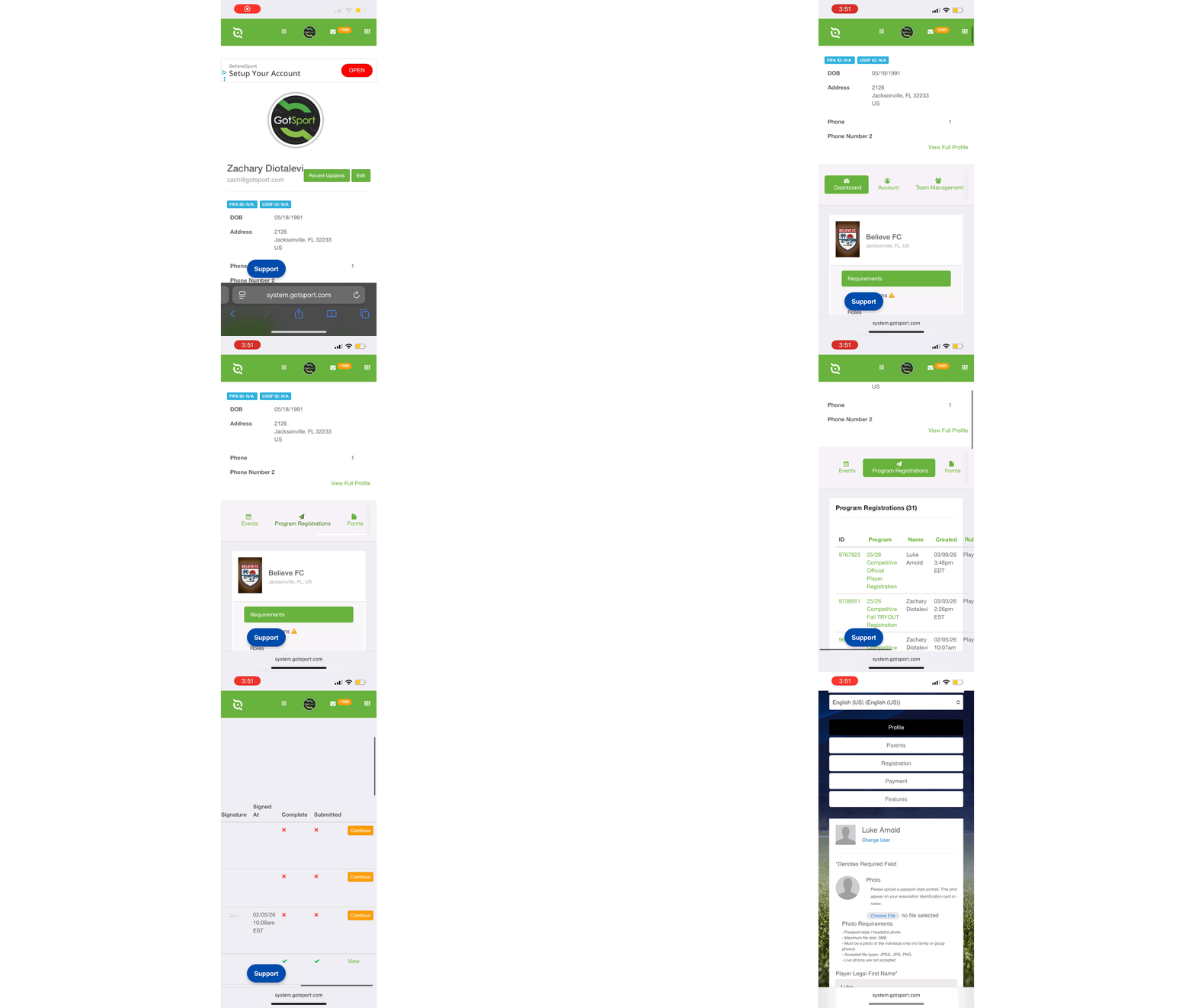
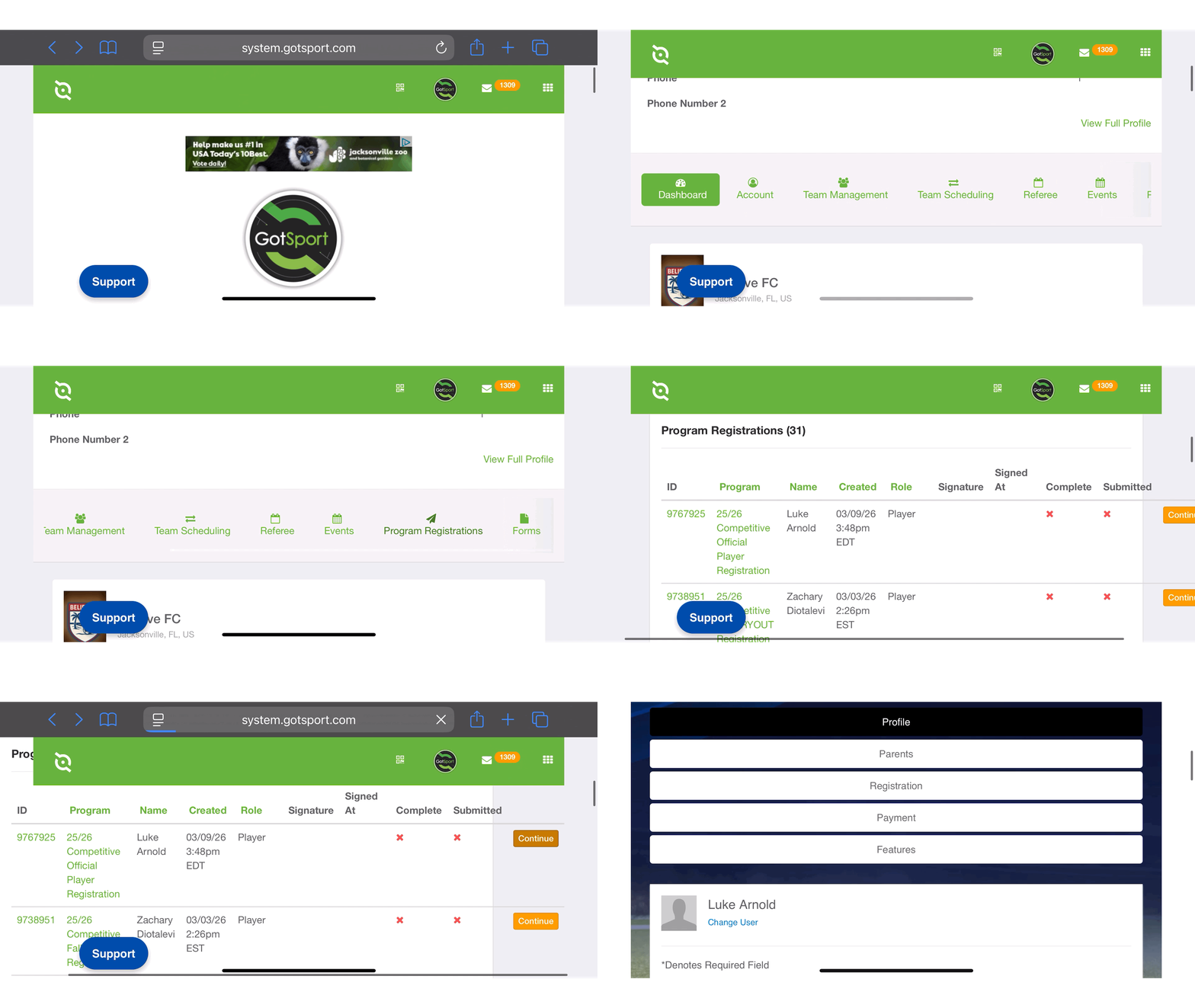
Once you are logged in, you will be able to scroll left and right across the menu items.
- Scroll all the way to the right to find "Program Registrations"
Step 3:
- Once you're tap on the "Program Registrations" module, you can scroll to the right and find the "Continue" button
NOTE*** Landscape Mode (Horizontal Orientation) might provide an easier experience than Portrait Mode (Vertical Orientation).
Portrait Mode
Landscape Mode
Step 4:
- Proceed and complete the program registration.
- You should receive a Green "Success" banner upon completion
-jpeg.jpeg?width=369&height=800&name=Image%20(10)-jpeg.jpeg)