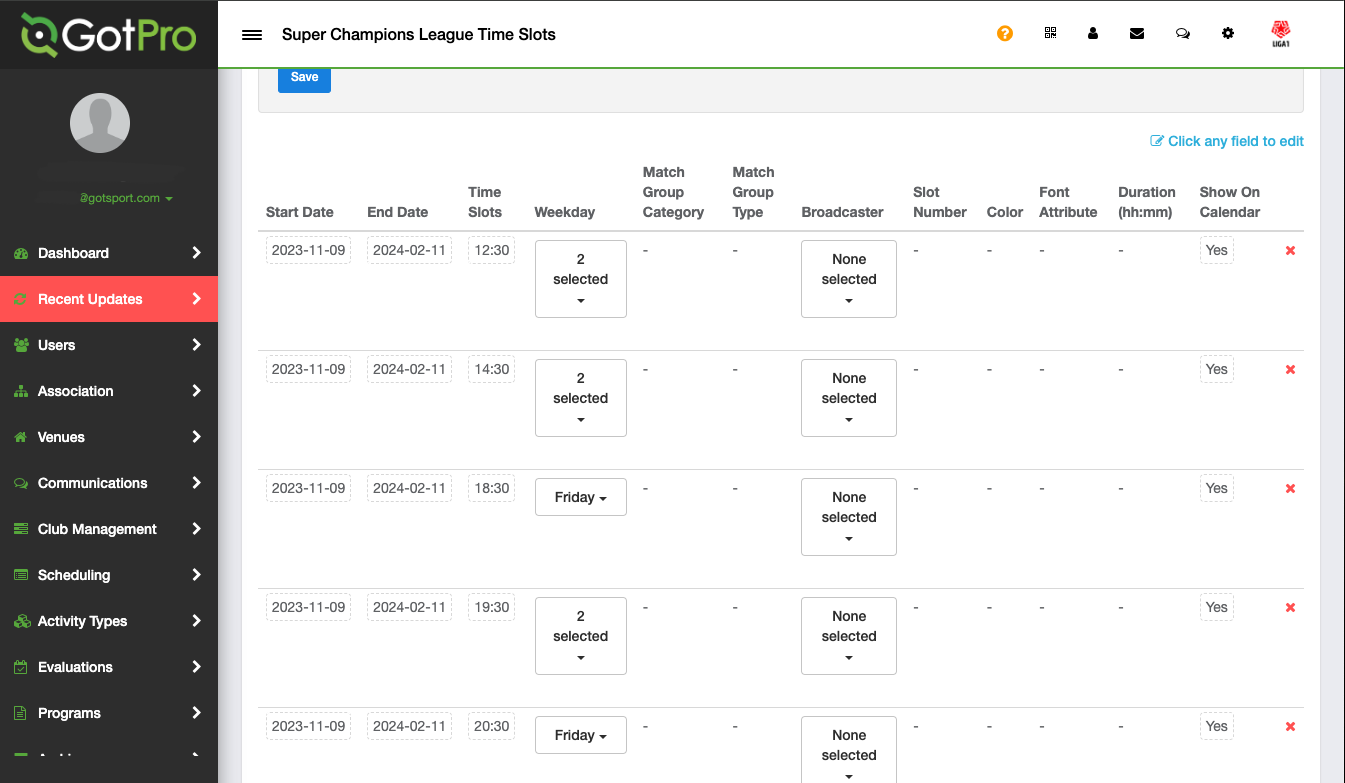
Instructions:
Step 1:
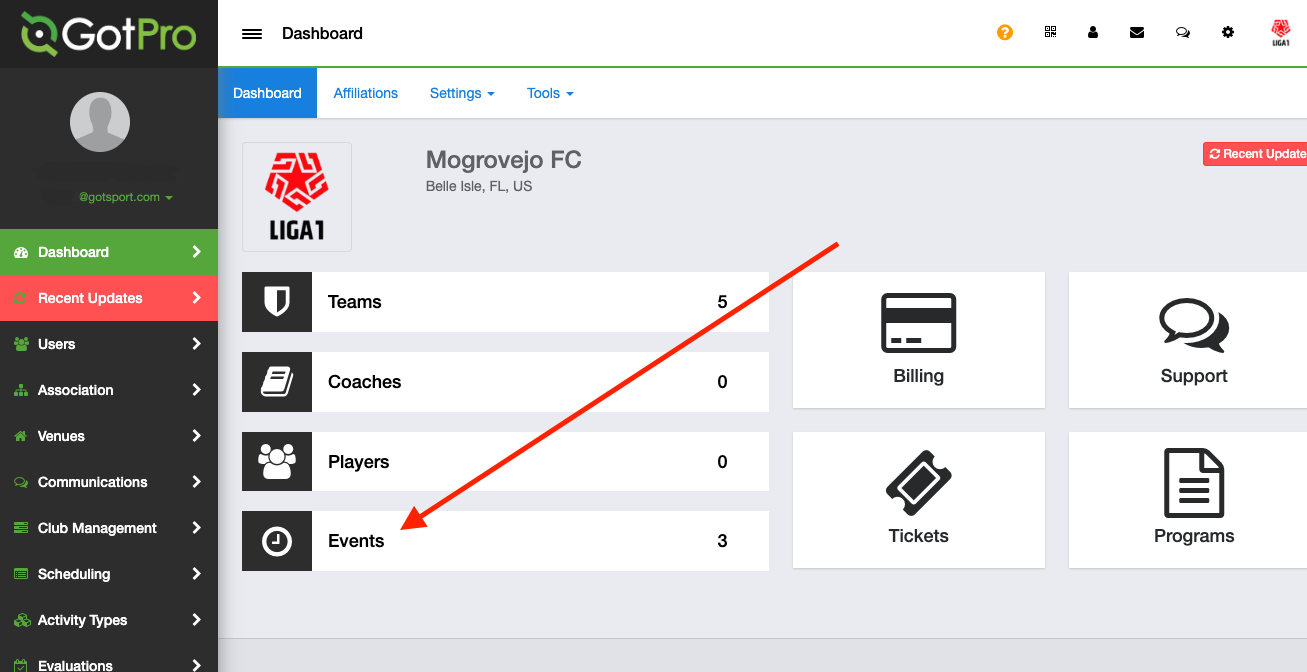
- Log into your account and access the "Events" module
Step 2:
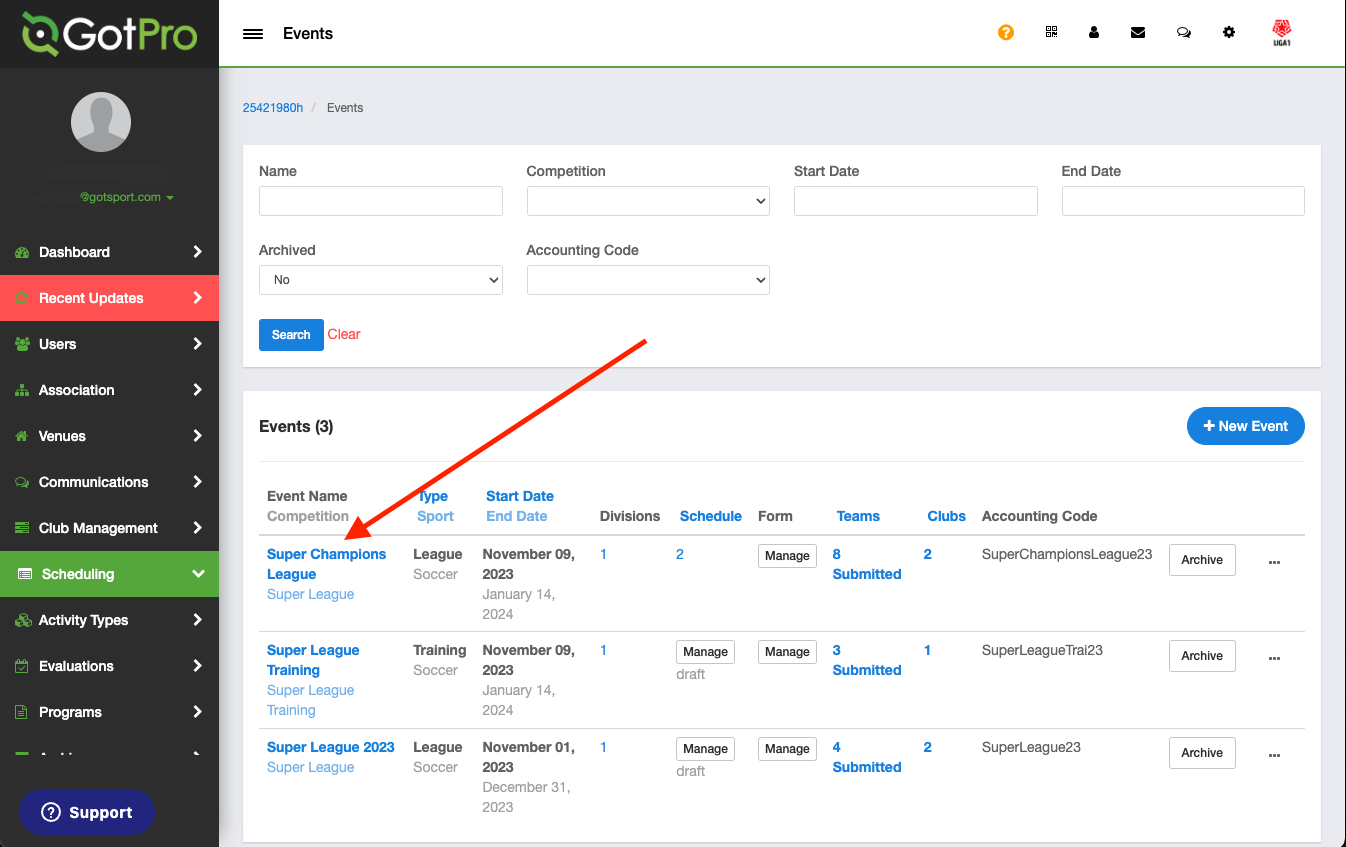
- Select the event you want to work with
Step 3:
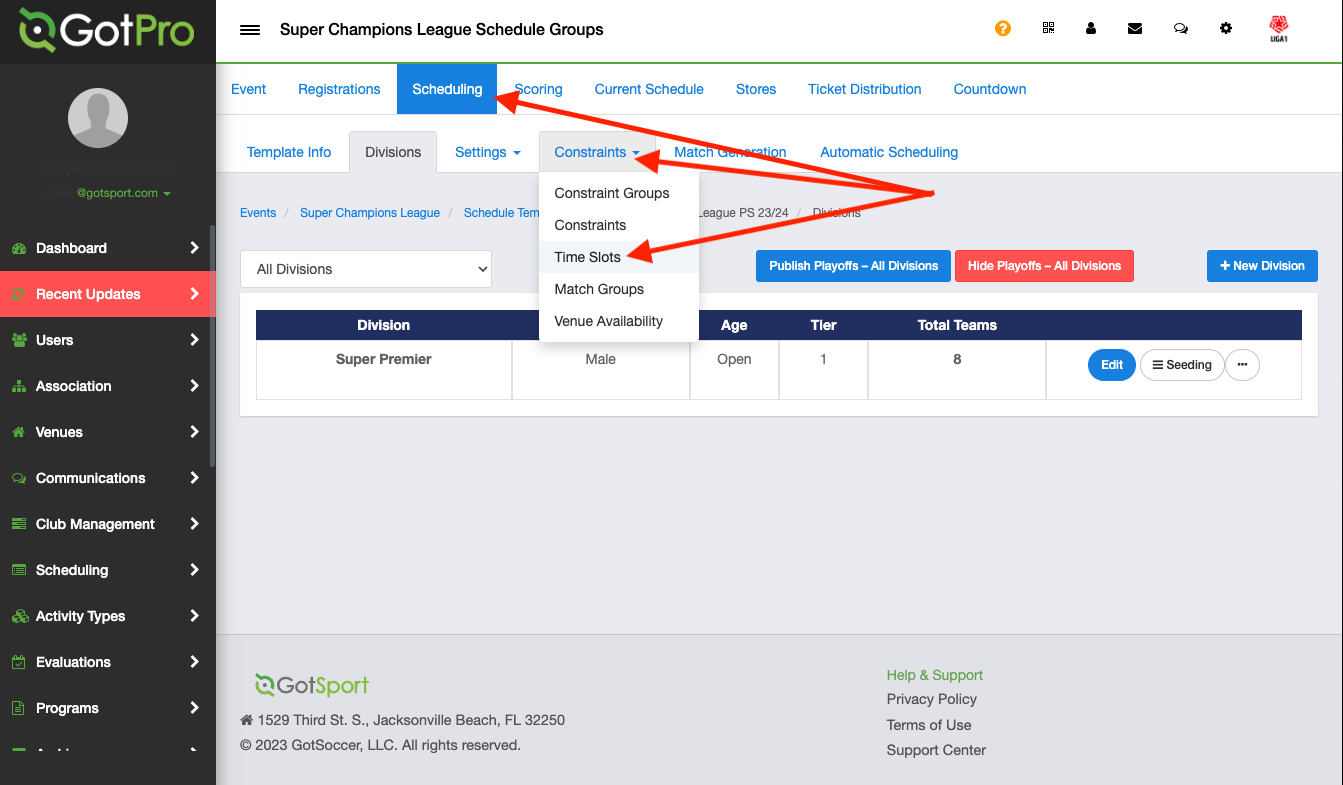
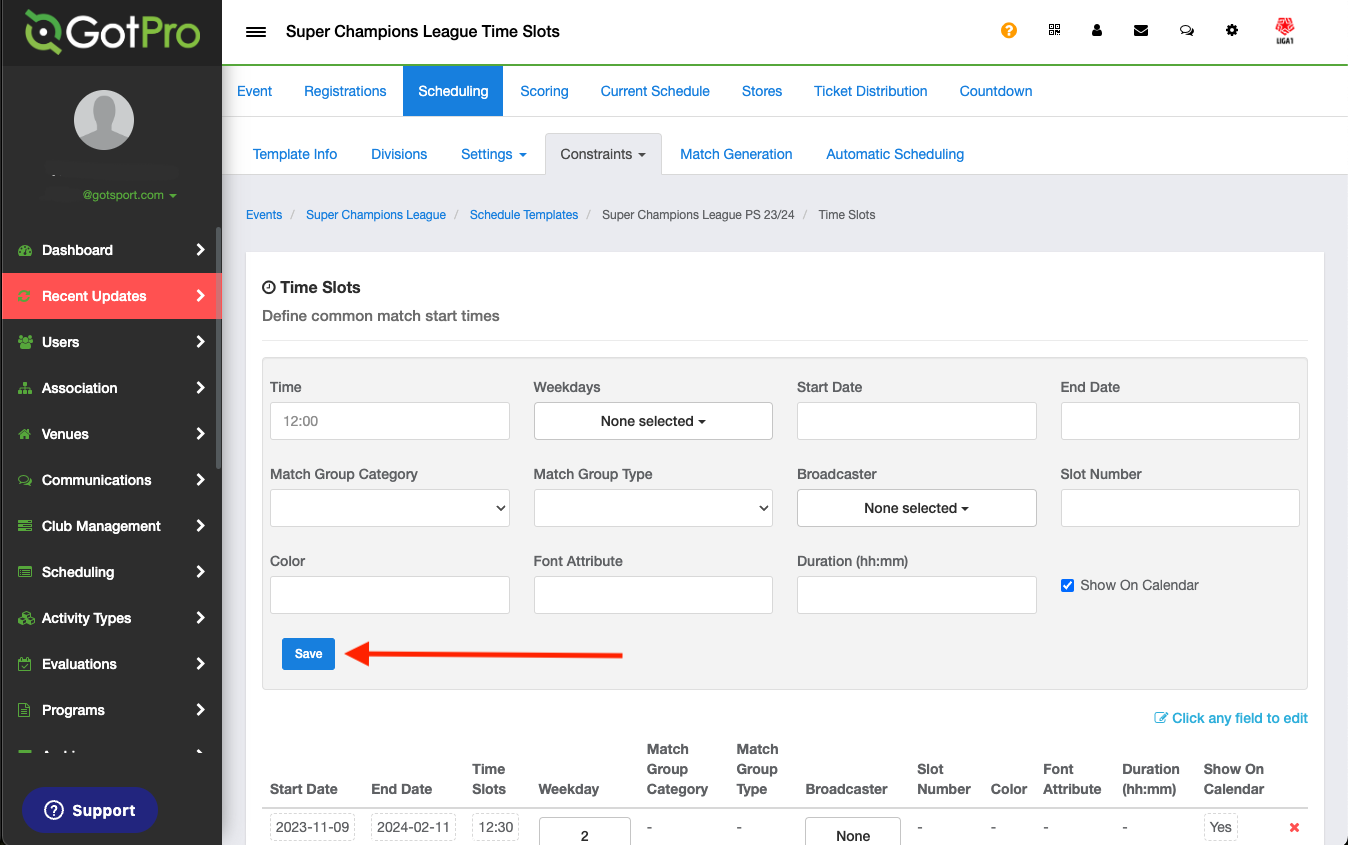
- Click on the scheduling and Constraints tab and select Time Slots
Step 4:
- Here you can create your Time Slot, once you are finished hit the Save button
Step 5:
- If you need to edit your saved Time Slot, you can scroll down and click what you need to edit.