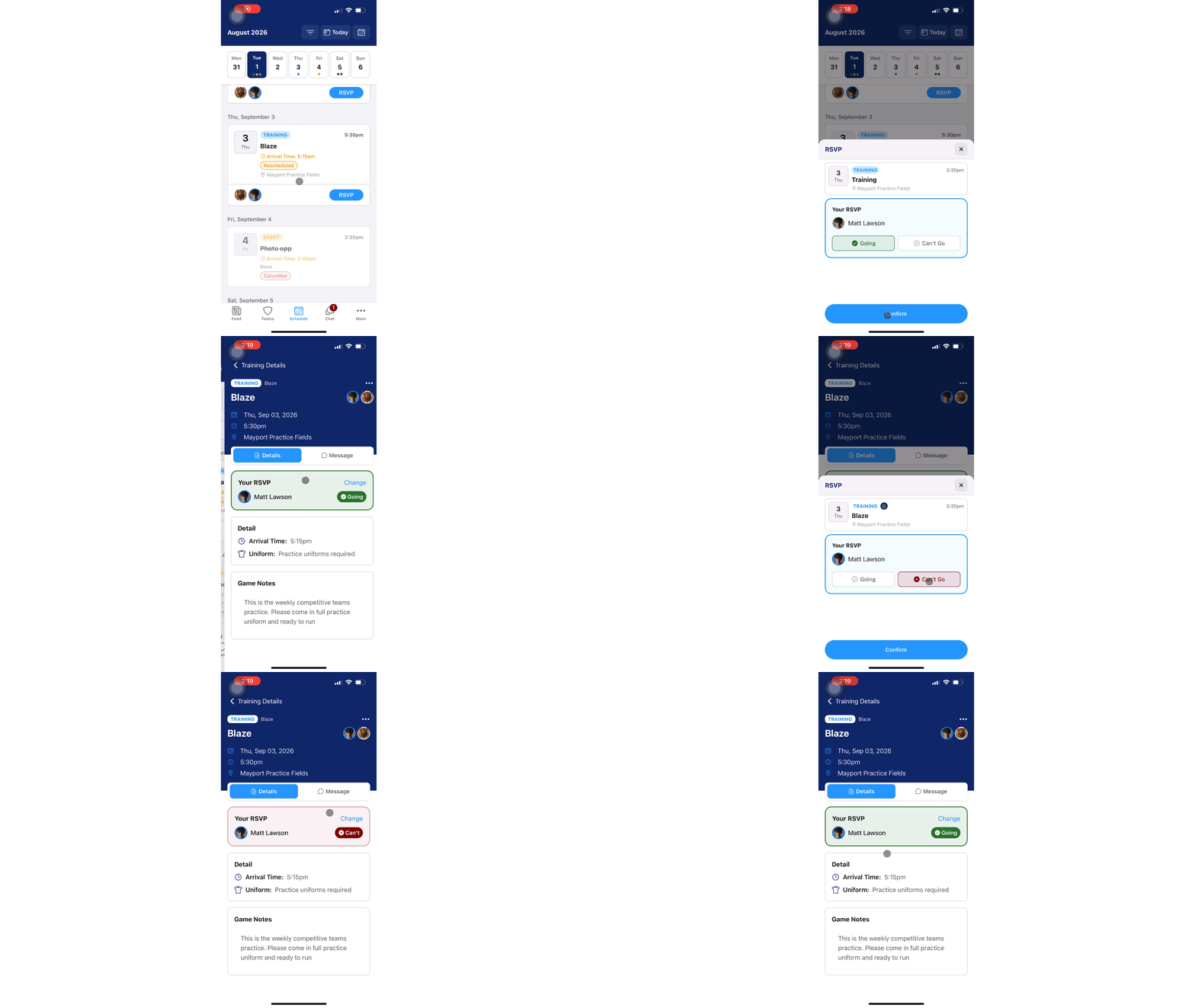
Instructions:
Step 1:
-
From the GotSport Team App, click onto the Schedules tab
-
Scroll and locate the event you want to RSVP for
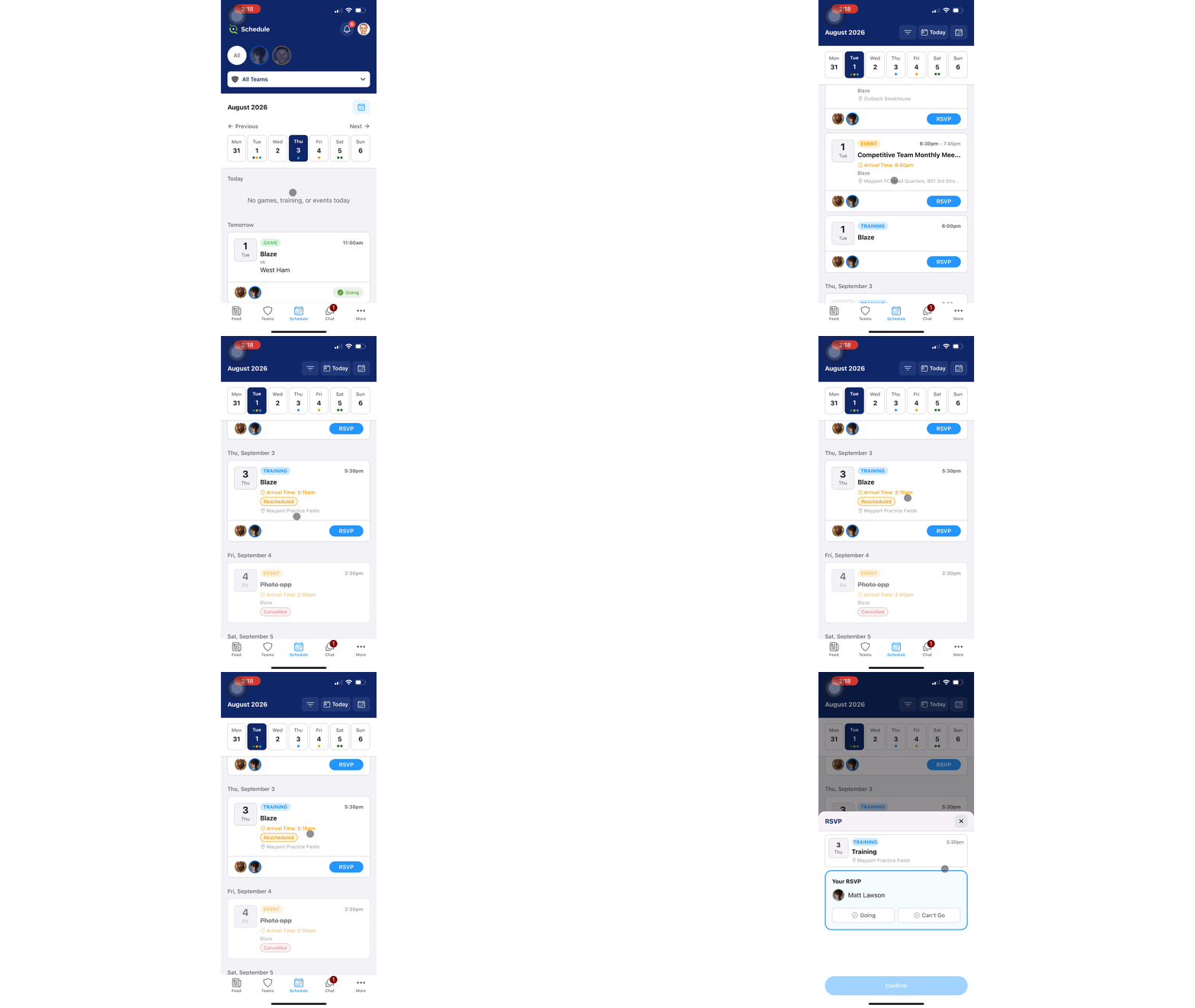
Step 2:
-
Once you've located the event, you have two options:
-
Tap the blue RSVP button and click the Going or Can't Go
- Tap anywhere on the event to view more details. Once inside the event, you can click Going or Can't Go
-