Instructions:
Step 1:
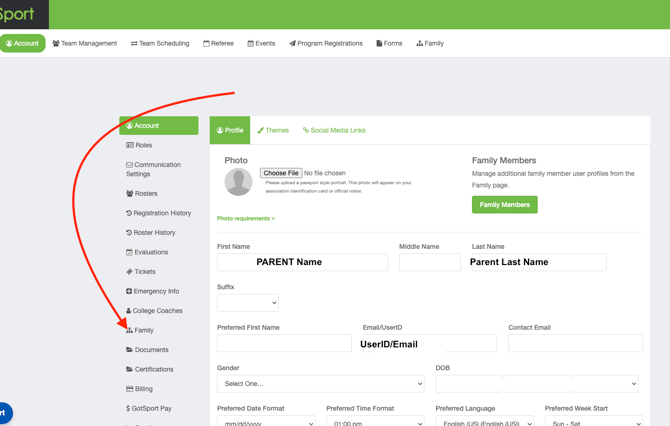
- Log into your Parent Account on GotSport account at system.gotsport.com
- Navigate to the player account in the Family Tab
Step 2:
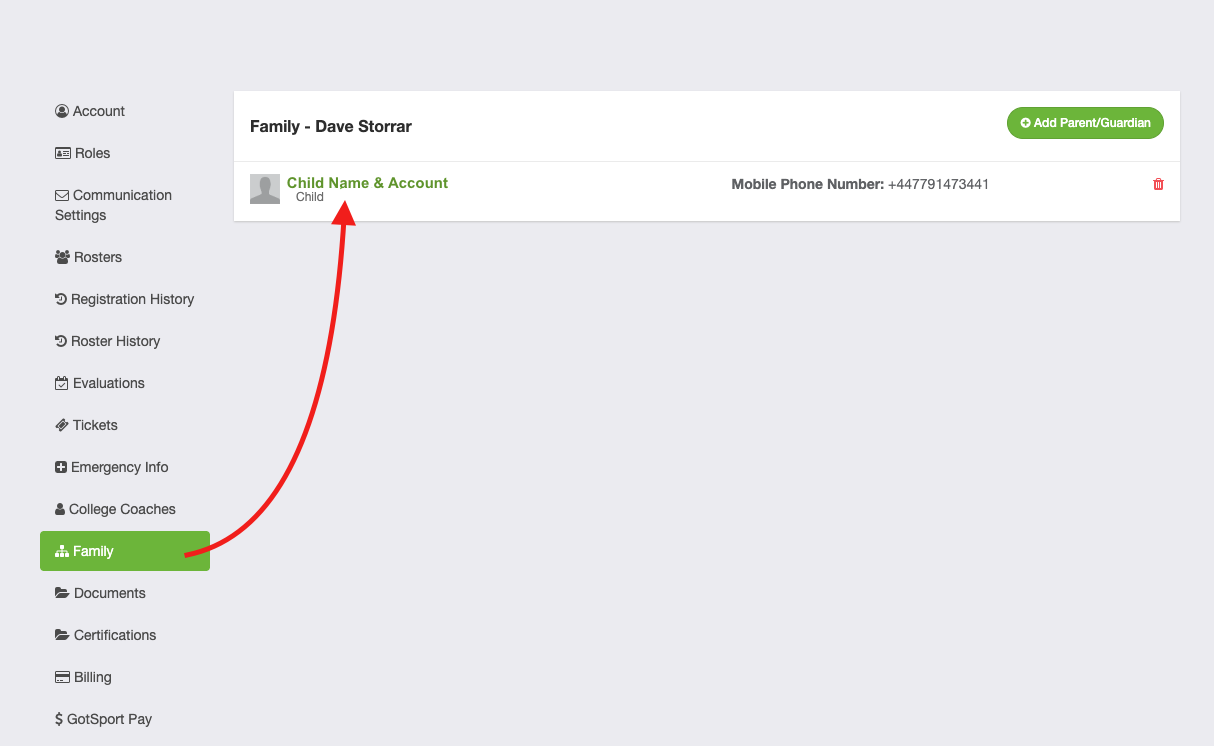
- Select the Player Profile in the Family Tab
Step 2:
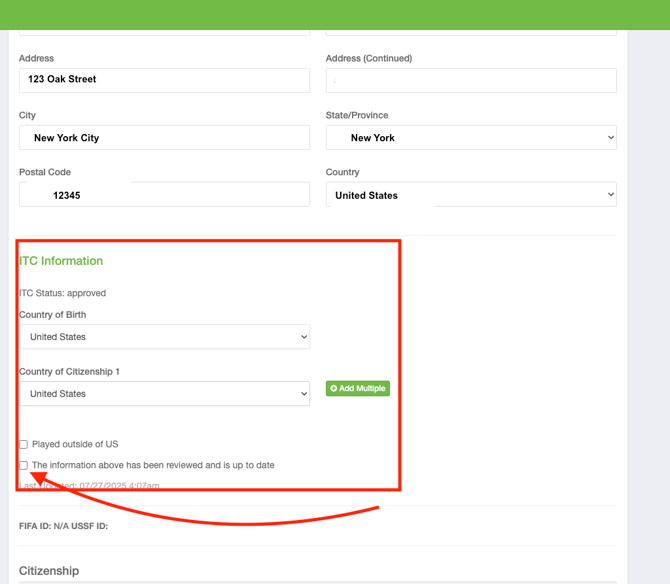
- Scroll down on the Player Profile until you find the ITC INFORMATION
- Review and approve the associatied information, and click Save