
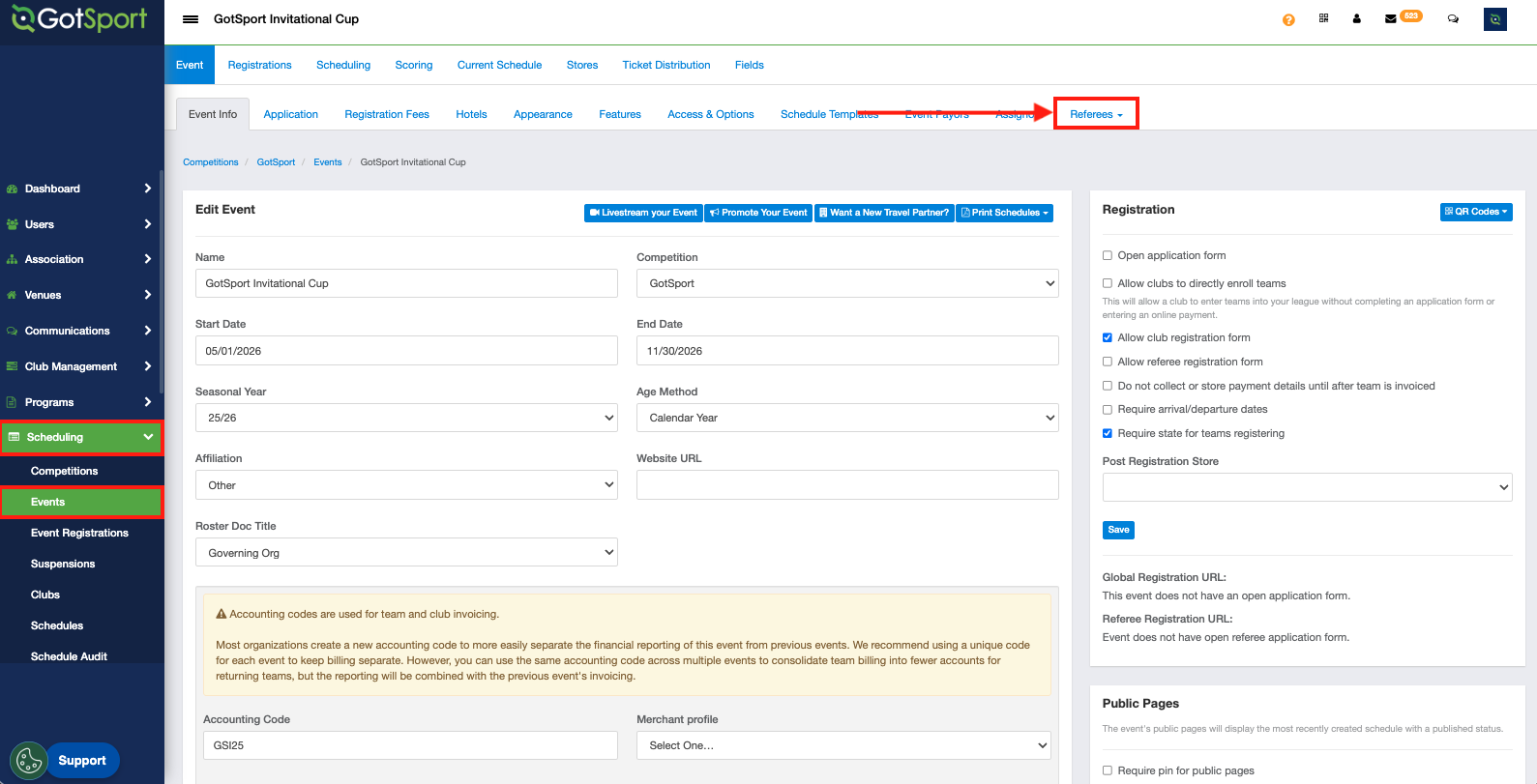
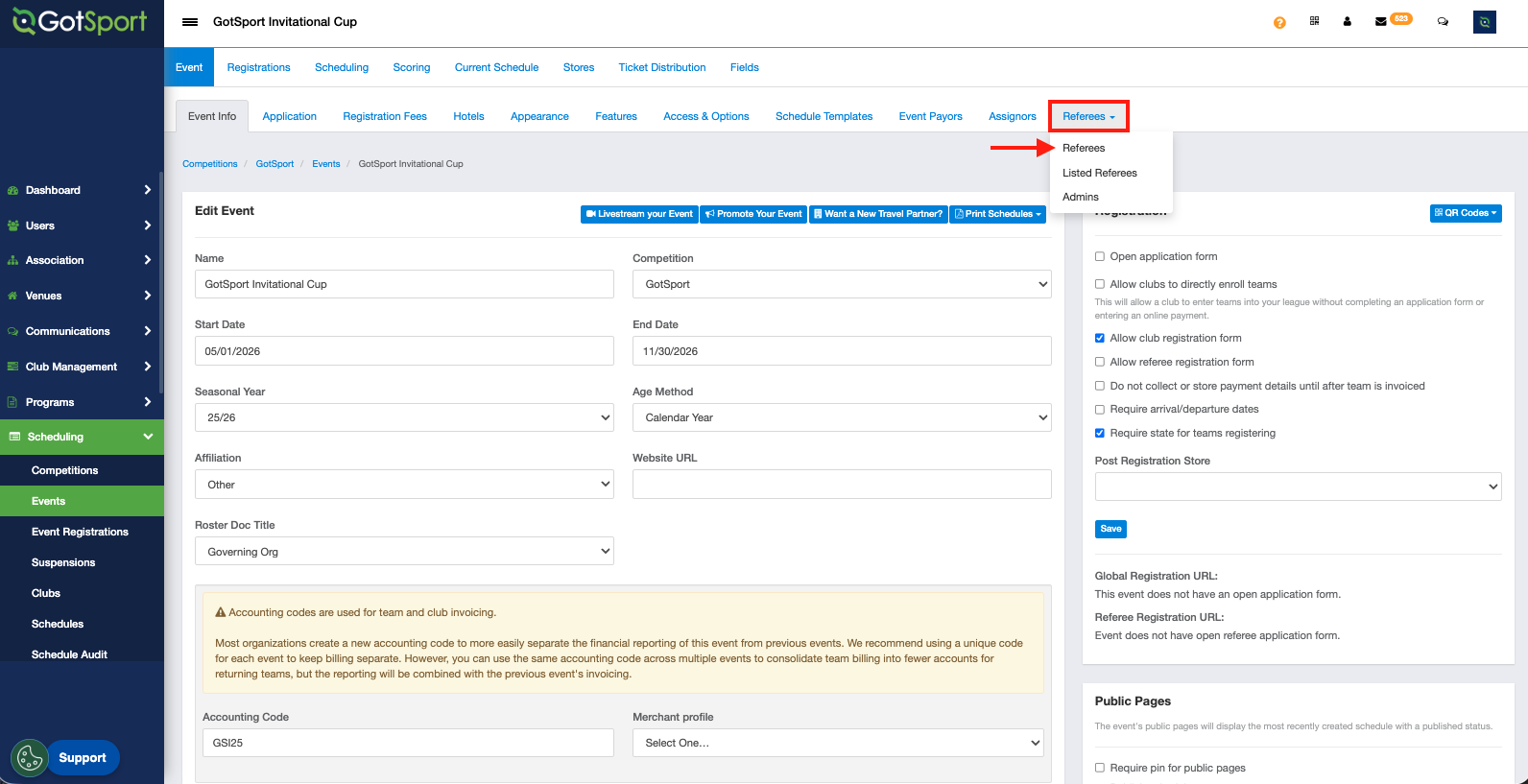
Step 1: Access the event that you would like to manage and click on the Referees tab and select the "Referees" option.
Step 2: In the "Referee Settings" section, check the box that displays the "Allow event assignor to configure pay rates" option, and click "Save".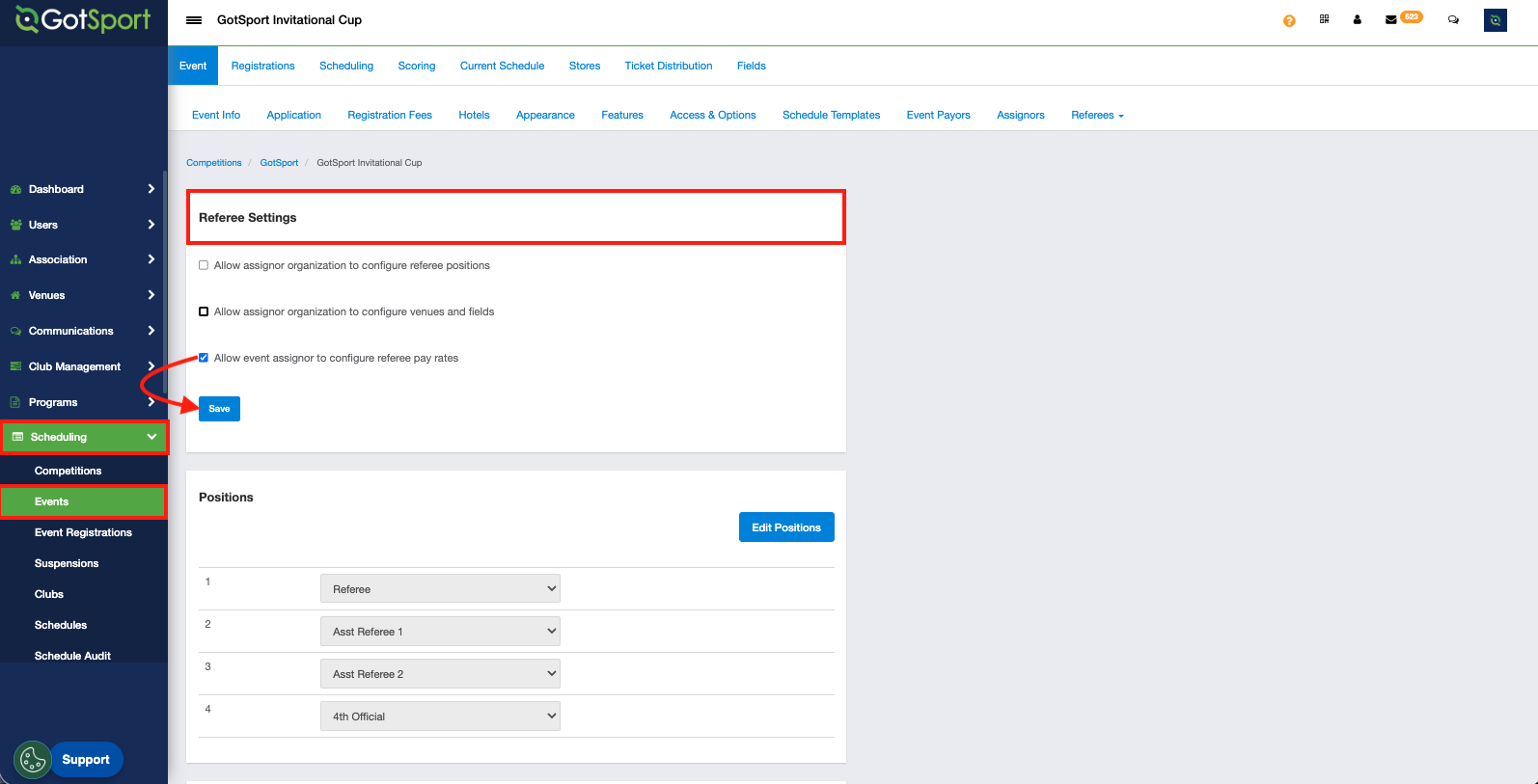
Assignors and Assigning organizations will be granted the capability to set their own payors and pay scales. The event host cannot remove this capability from assigning organizations once a payor and pay scale has been set by an assigning organization.