
Coach and manager reporting permissions are determined by the specific event.
Please check with the specific league or tournament regarding reporting permissions.
Before you can edit a post-game report, you must first finalize the report.
Please refer to THIS ARTICLE for instructions on how to do so.
Post-game reports can only be edited before the event's scoring deadline has passed.
Step 1: From the game feed, click on the three dots (...) next to the reported game event that you wish to edit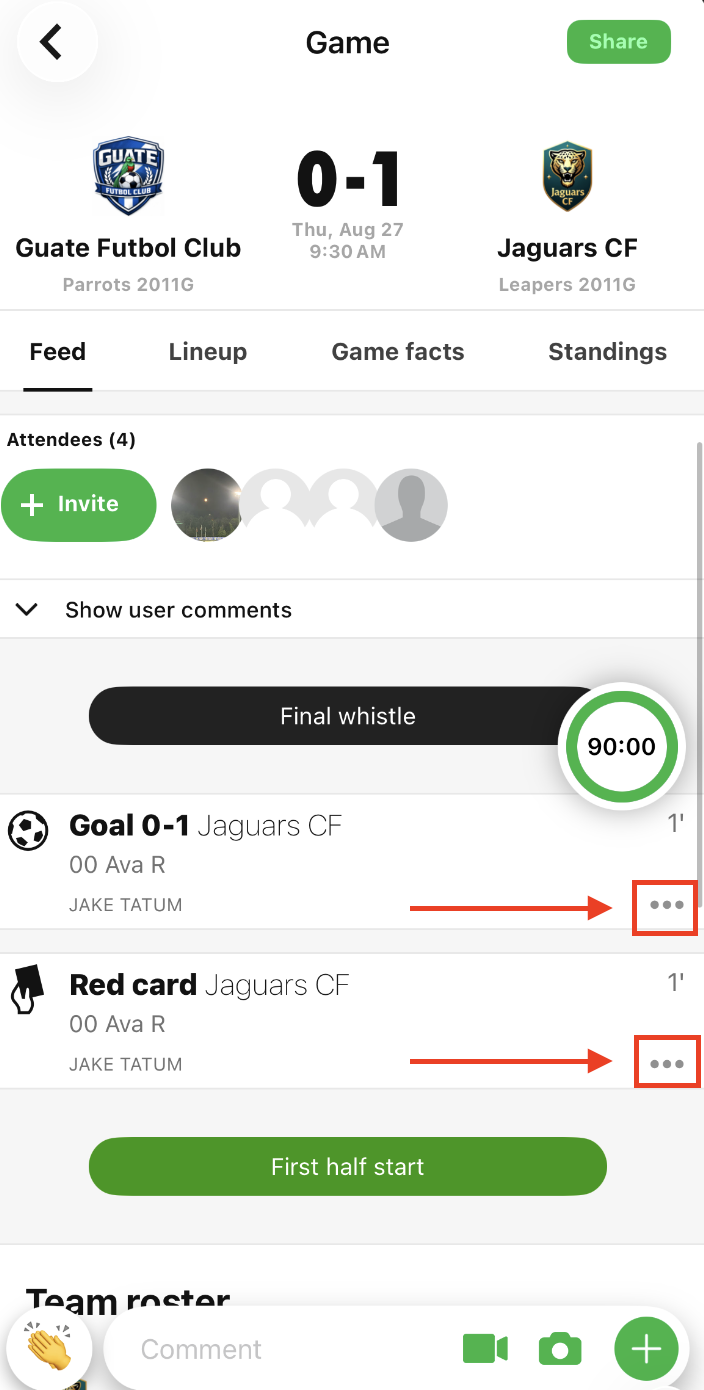
Step 2: Click "Edit" to edit or "Delete" to delete the reported game event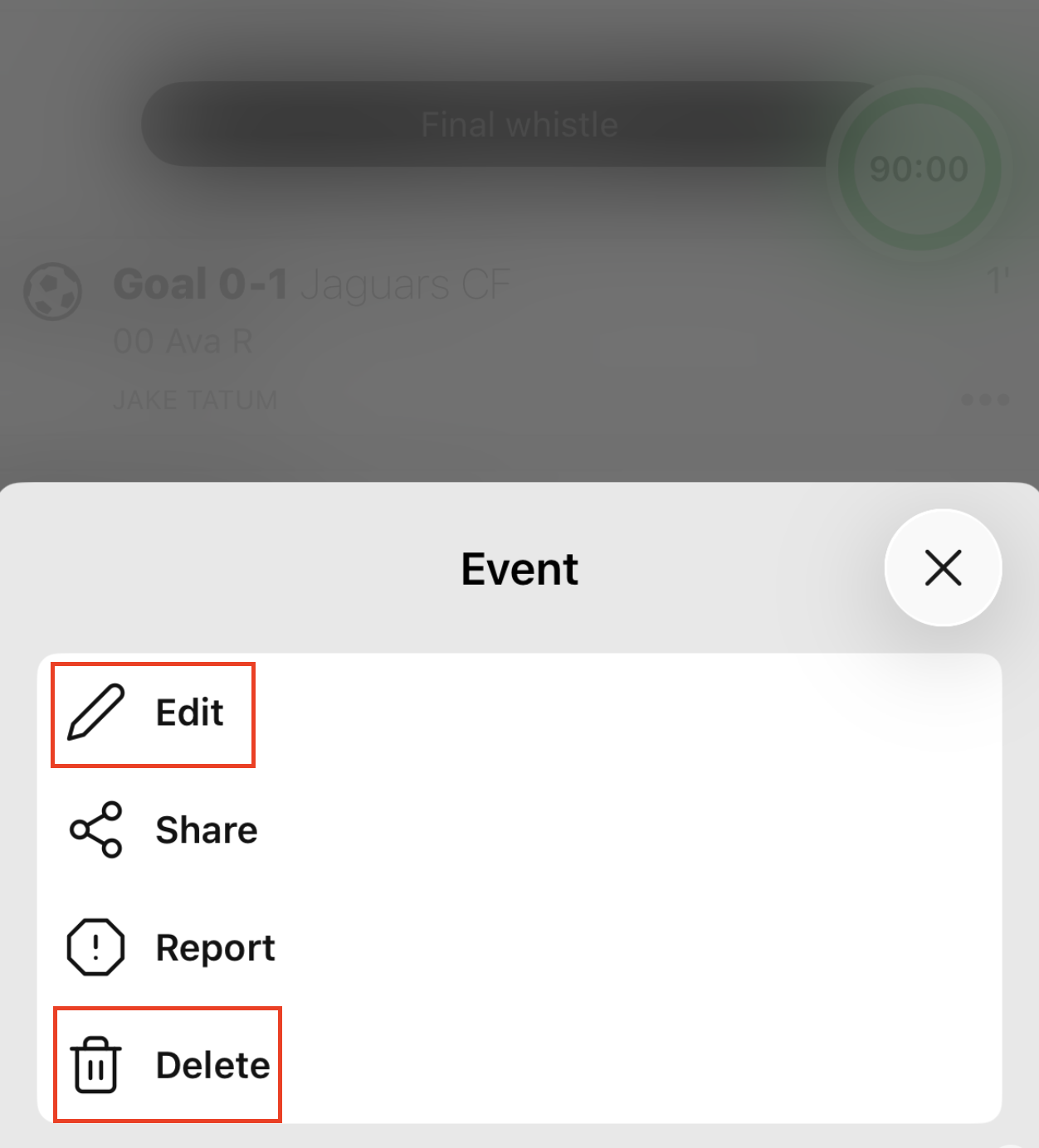
Step 3: Click on the specific categories that you need to edit, make the changes, and then click "Save"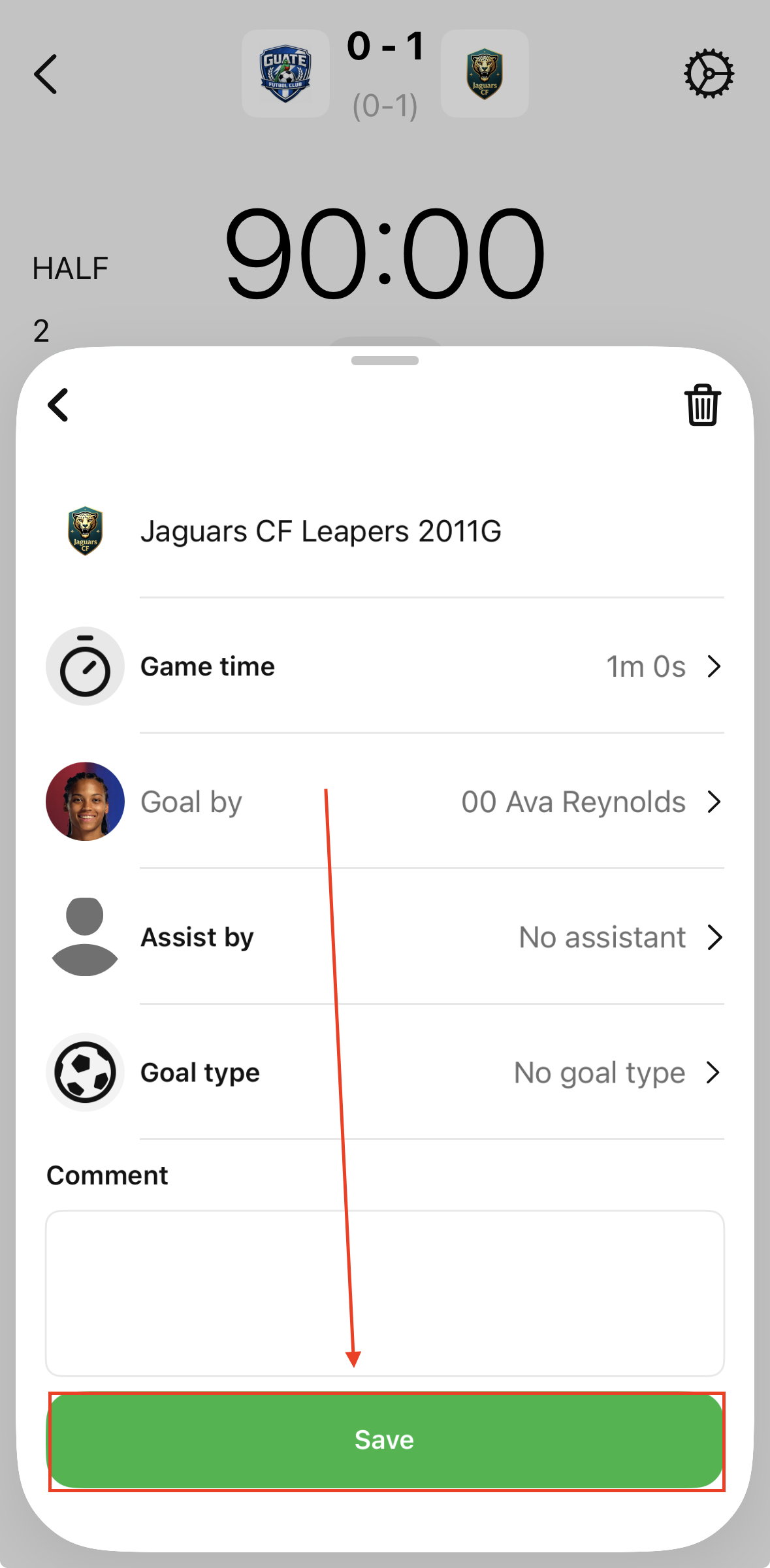
Once you click "Save", the changes made have been saved and the game event has been updated.
Repeat this process for all game events that need to be edited or deleted.