Instructions:
Step 1:
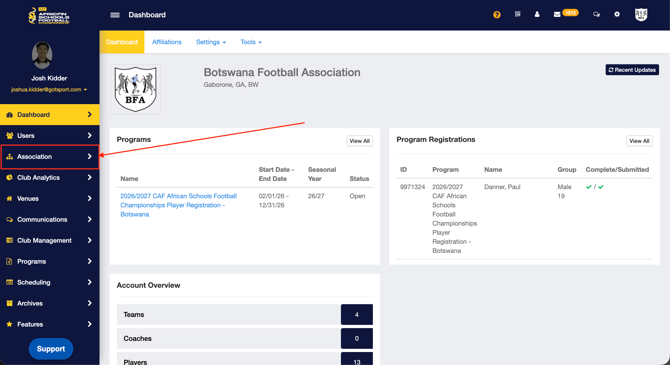
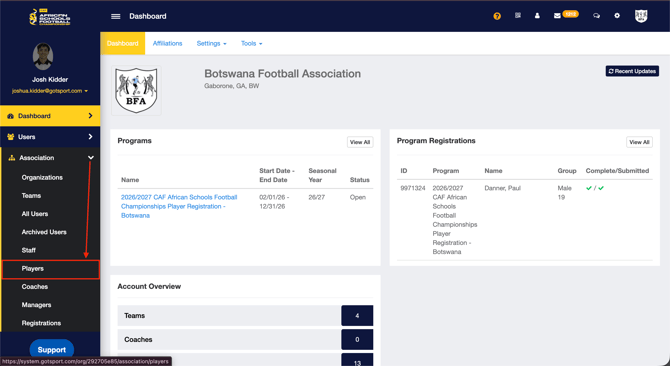
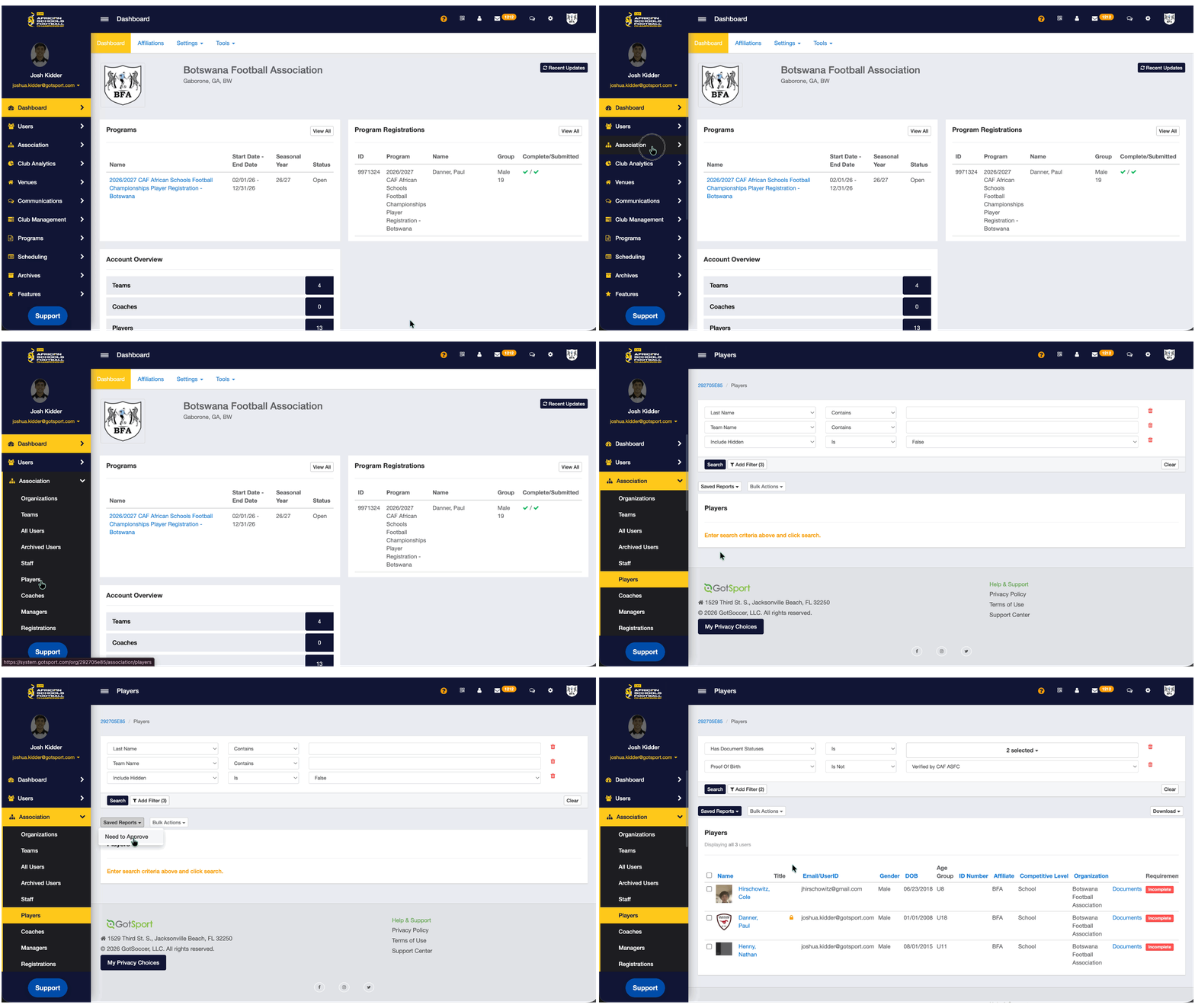
- From your Dashboard, Click Association > Players
Step 2:
-
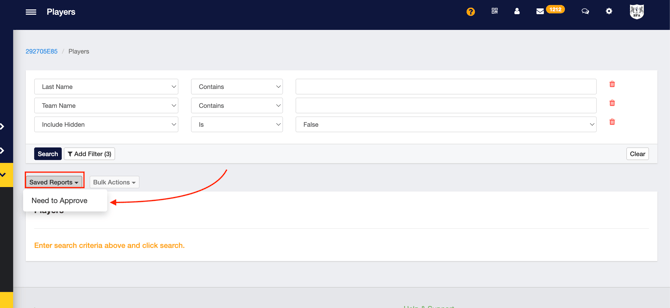
Click "Saved Reports" and select Need to Approve
- This will give you a list of players that need their profile and documents verified
Steps 1 & 2 Video:
Step 3:
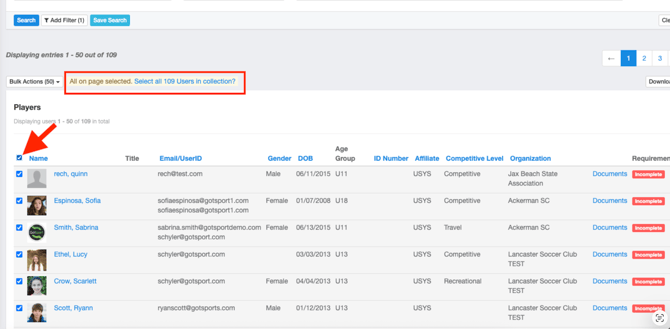
- You can either Bulk select the list or pick and choose the documents you want to verify in bulk
- If you're selecting ALL players on the list, be sure to click the "Select all Users" prompt shown in the screenshot below
Step 4:
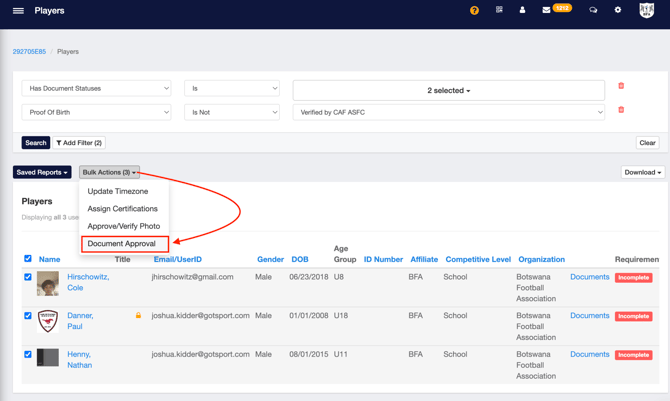
- Click "Bulk Actions" > "Document Approval"
Step 5:
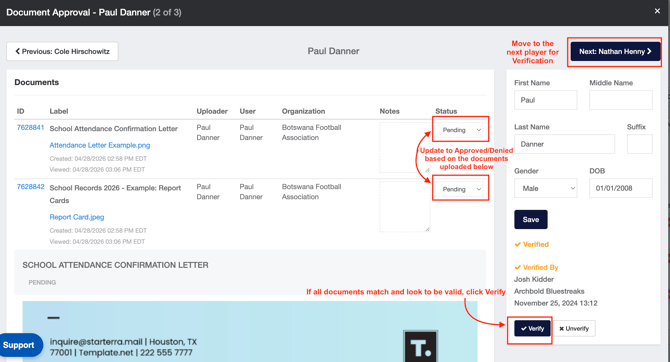
- A new window will appear and you can now update the status of the upload, provide notes if the document was too blurry or not accepted, as well as Verify the player account in a swift process.
- Click the "Next" button at the top right corner to proceed to the next player.
- Once completed, click the X at the top right to close the screen.
Steps 3-5 video: