
Artículo en Español: (Español) Como padre/tutor - Cómo reservar su habitación de hotel en un dispositivo móvil
Instructions:
Step 1:
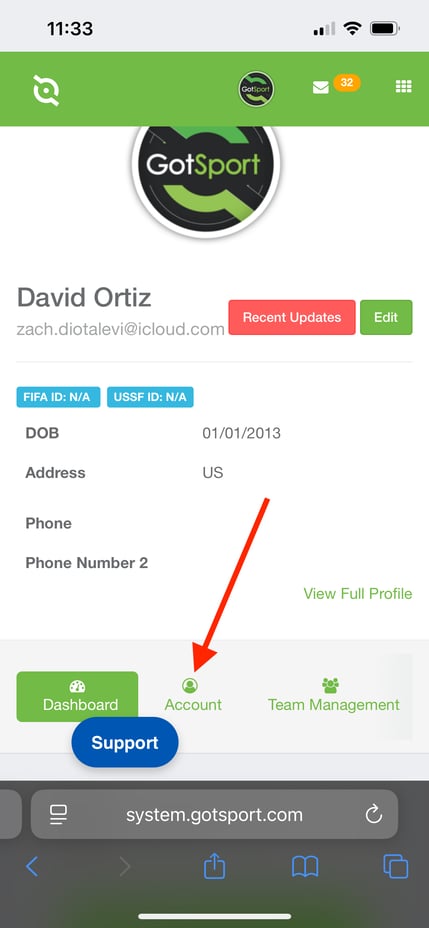
- Sign into your GotSport Account through https://system.gotsport.com/
- Once signed in, click the "Account" tab.
Step 2:
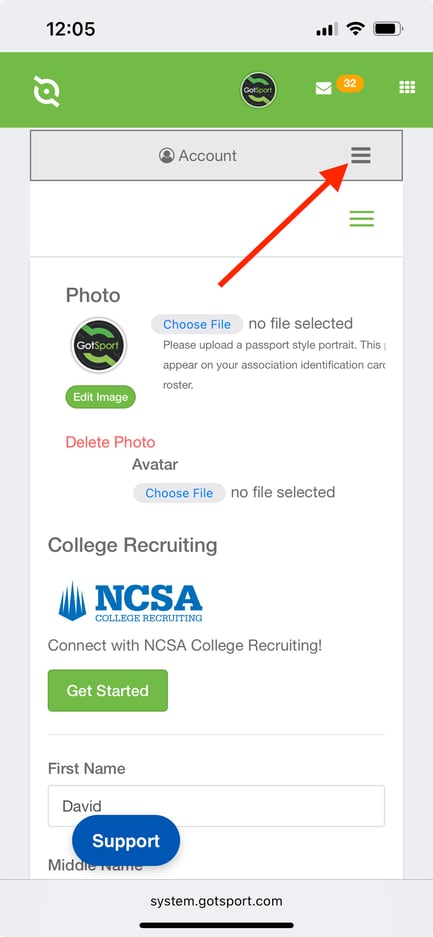
- Once you're within the Account tab, click the grey "Menu" icon that appears as 3 horizontal lines.
Step 3:
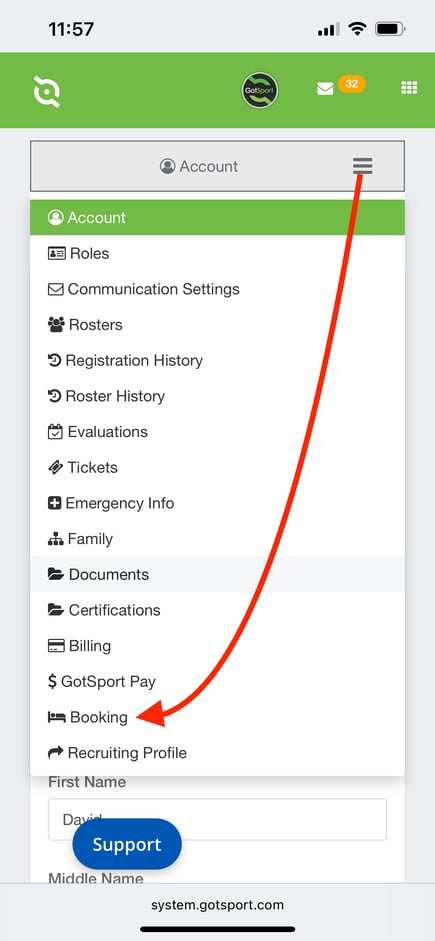
- Click the "Booking" tab.
Step 4:
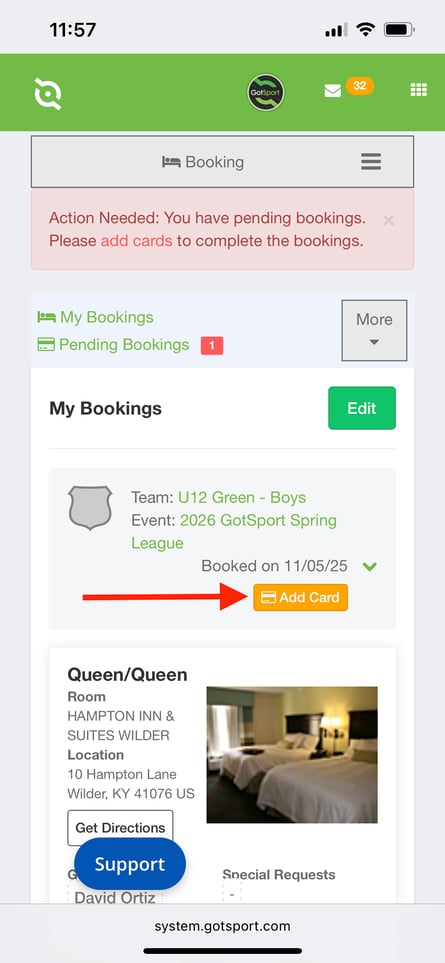
- Click the "Add Card" button.
- Ensure that you're selecting the correct Team and Event.
Step 5:
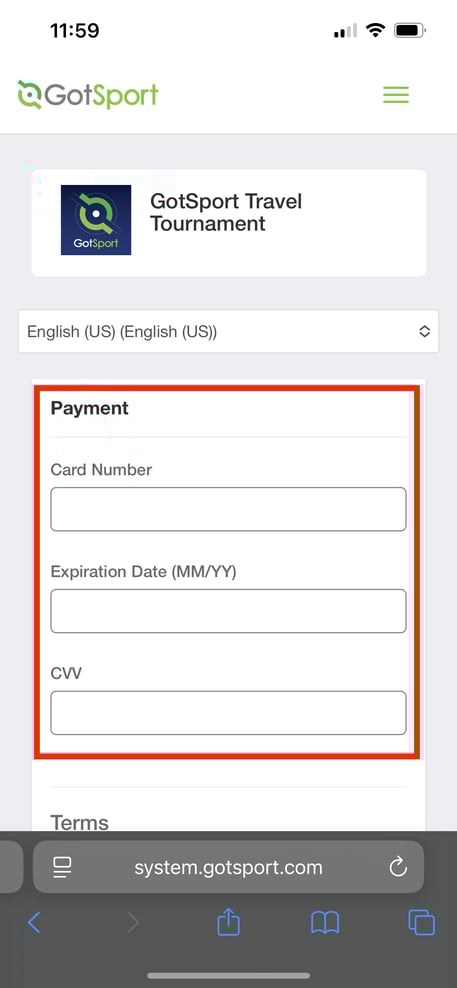
- You will be redirected to a new page to insert your Credit Card information.
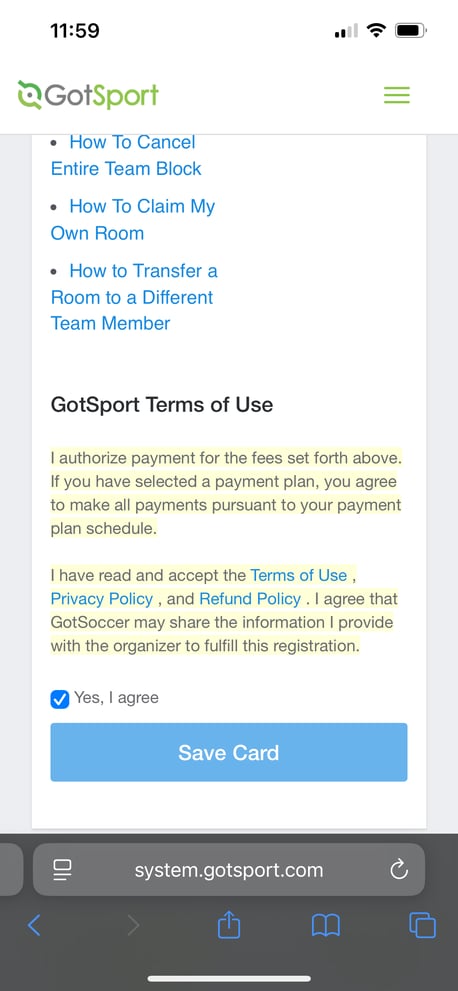
- After inserting the required information, scroll to the bottom and click Save Card.
Steps for Android Users
Step 1:
Step 2:
Step 3: