Instructions:
Step 1:
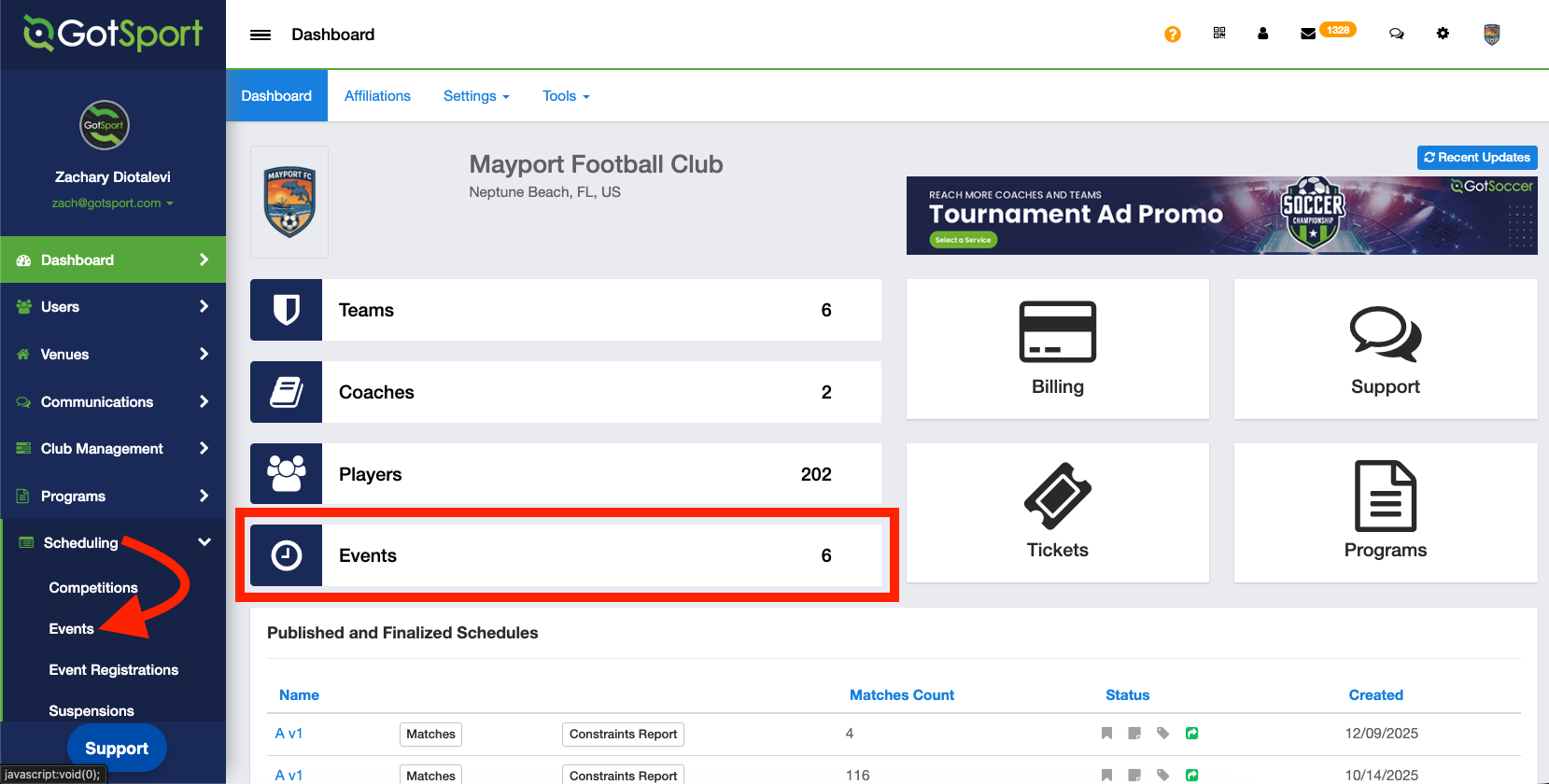
- From your Admin Dashboard, click Events on the Dashboard or Scheduling > Events on the left side pane
Step 2:
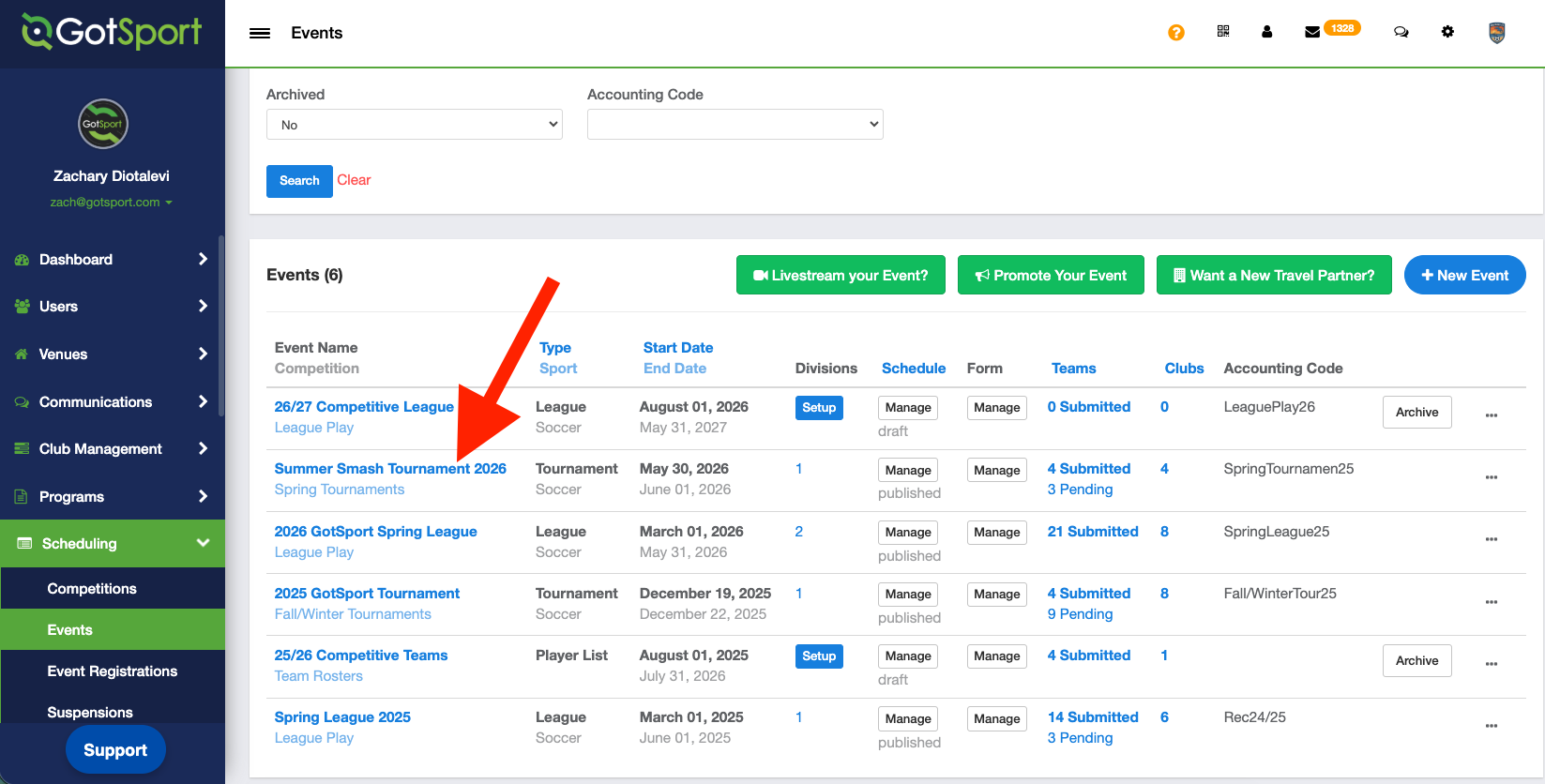
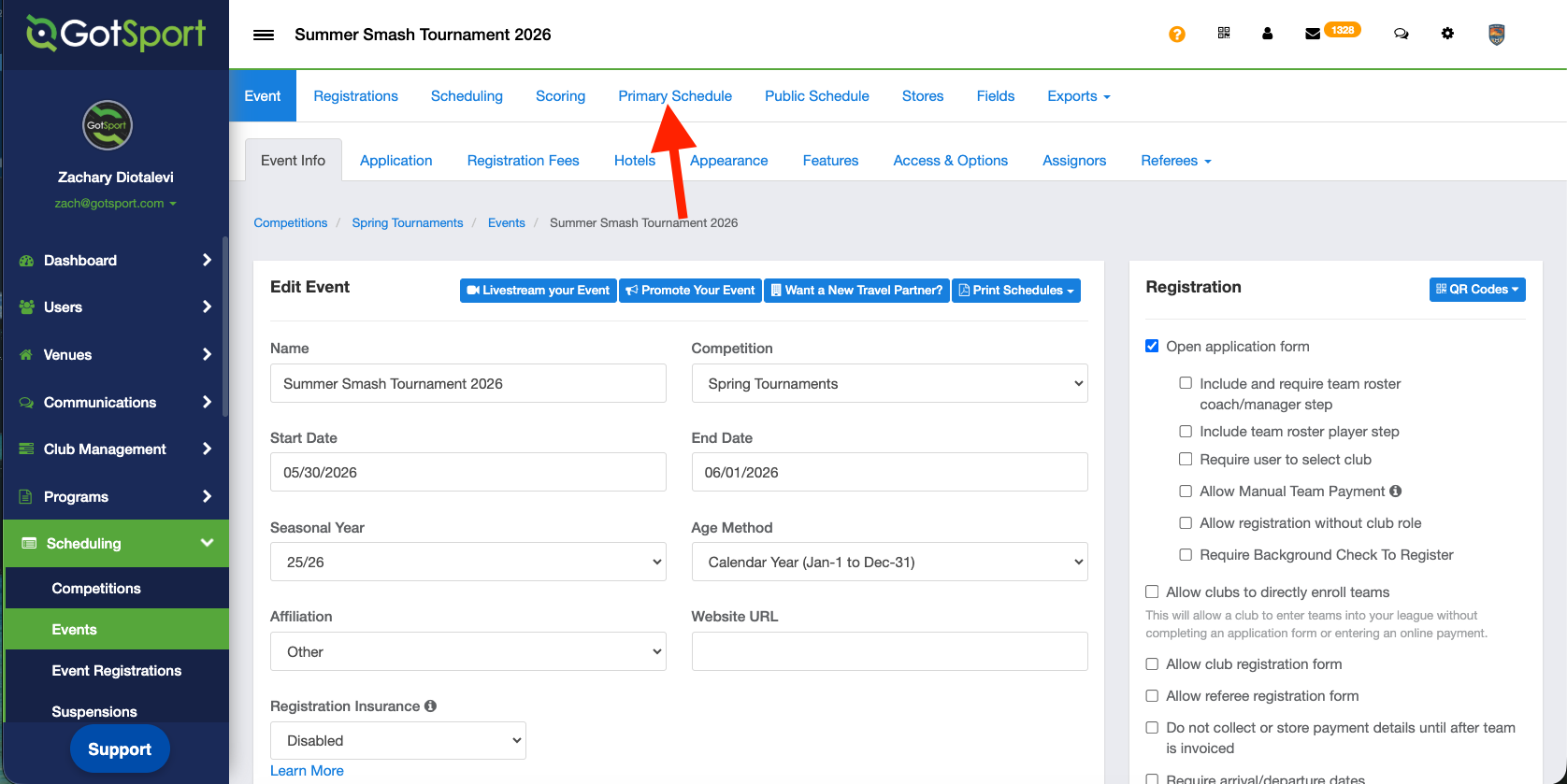
- Click onto the name of the event you want to print out the schedule for
- After clicking into the event, click "Primary Schedule"
Step 3:
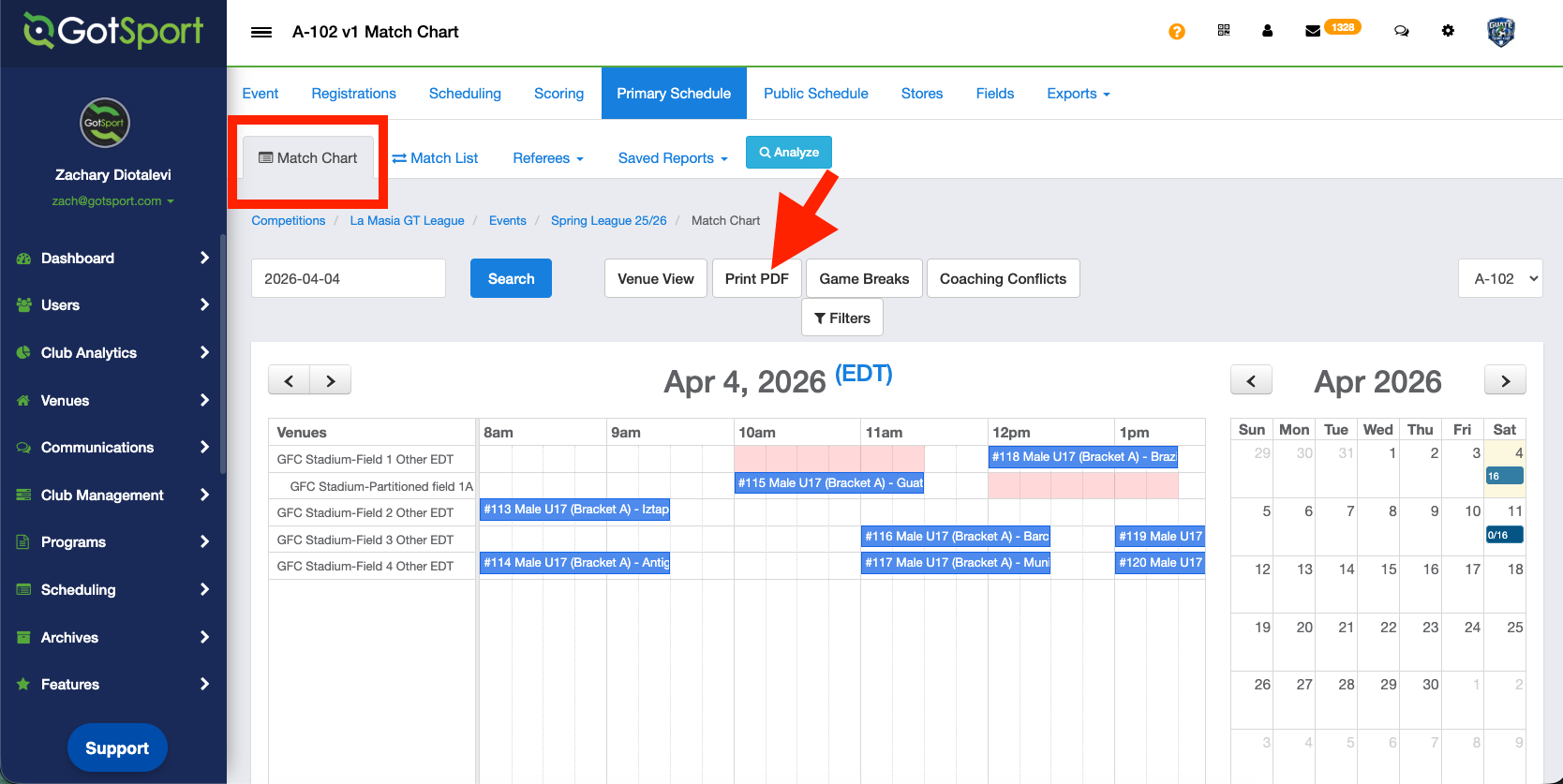
- Ensure that you're looking at the "Match Chart" tab and not "Match List"
Step 4:
- Click "Print PDF"
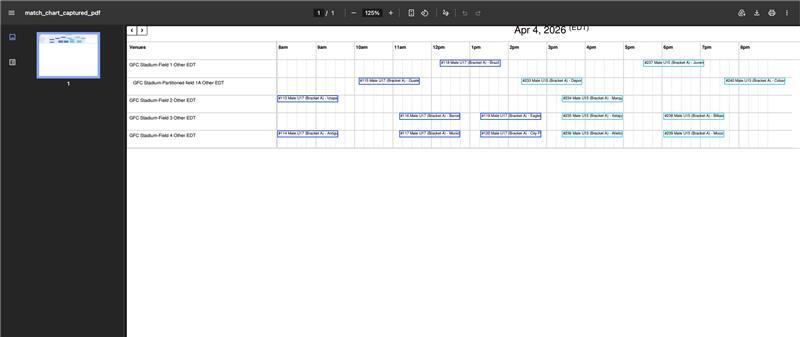
- A new pop up window will open with a printable .PDF that you can print out for your event.
NOTE**** ALL matches must be scheduled on the chart in order to print the PDF. You will receive the "Sorry, that didn't work" error message if the matches are not fully scheduled.