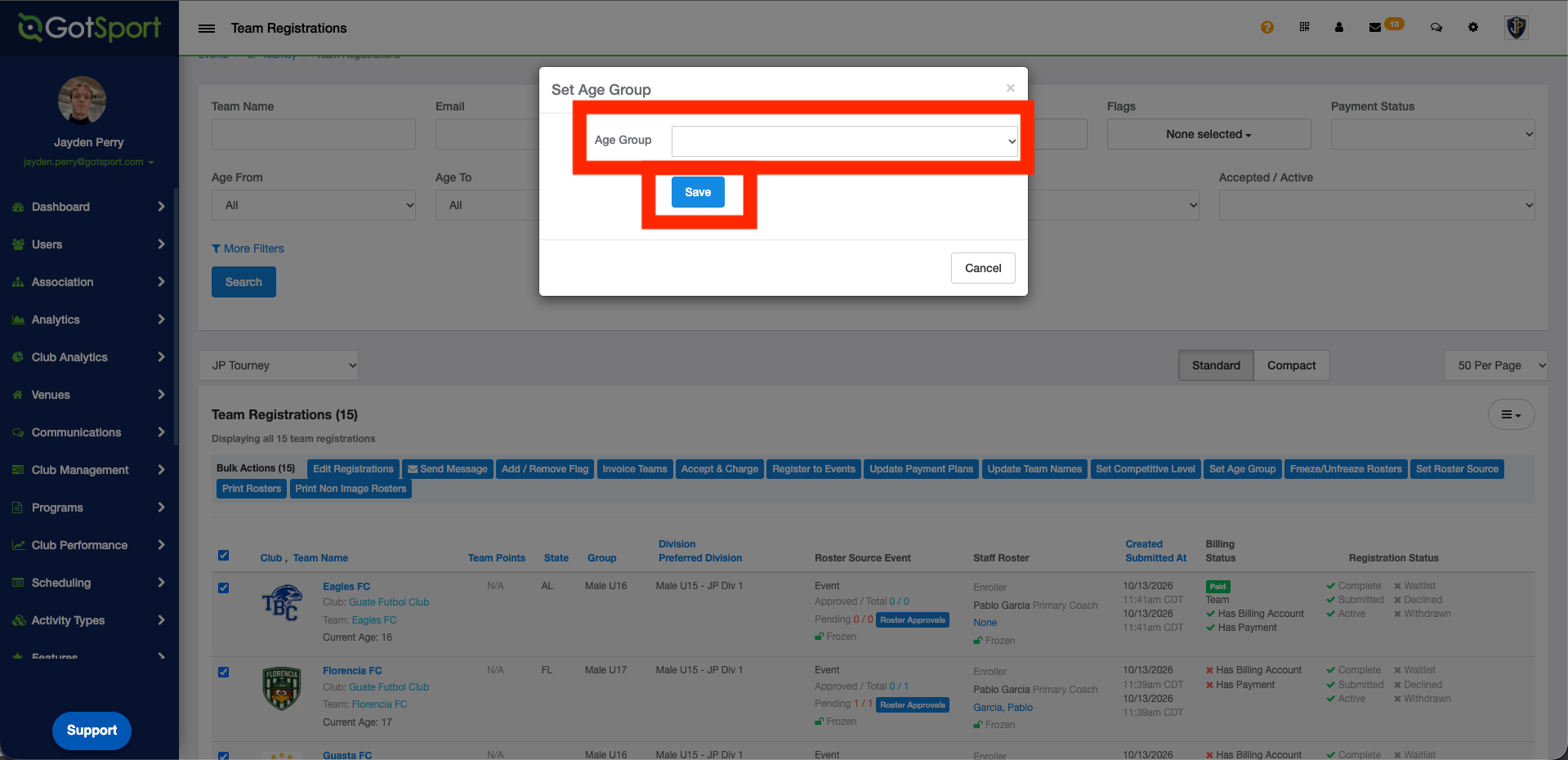
Step 1:
- From the Dashboard, go to “Scheduling” and select “Events”, then select your event.
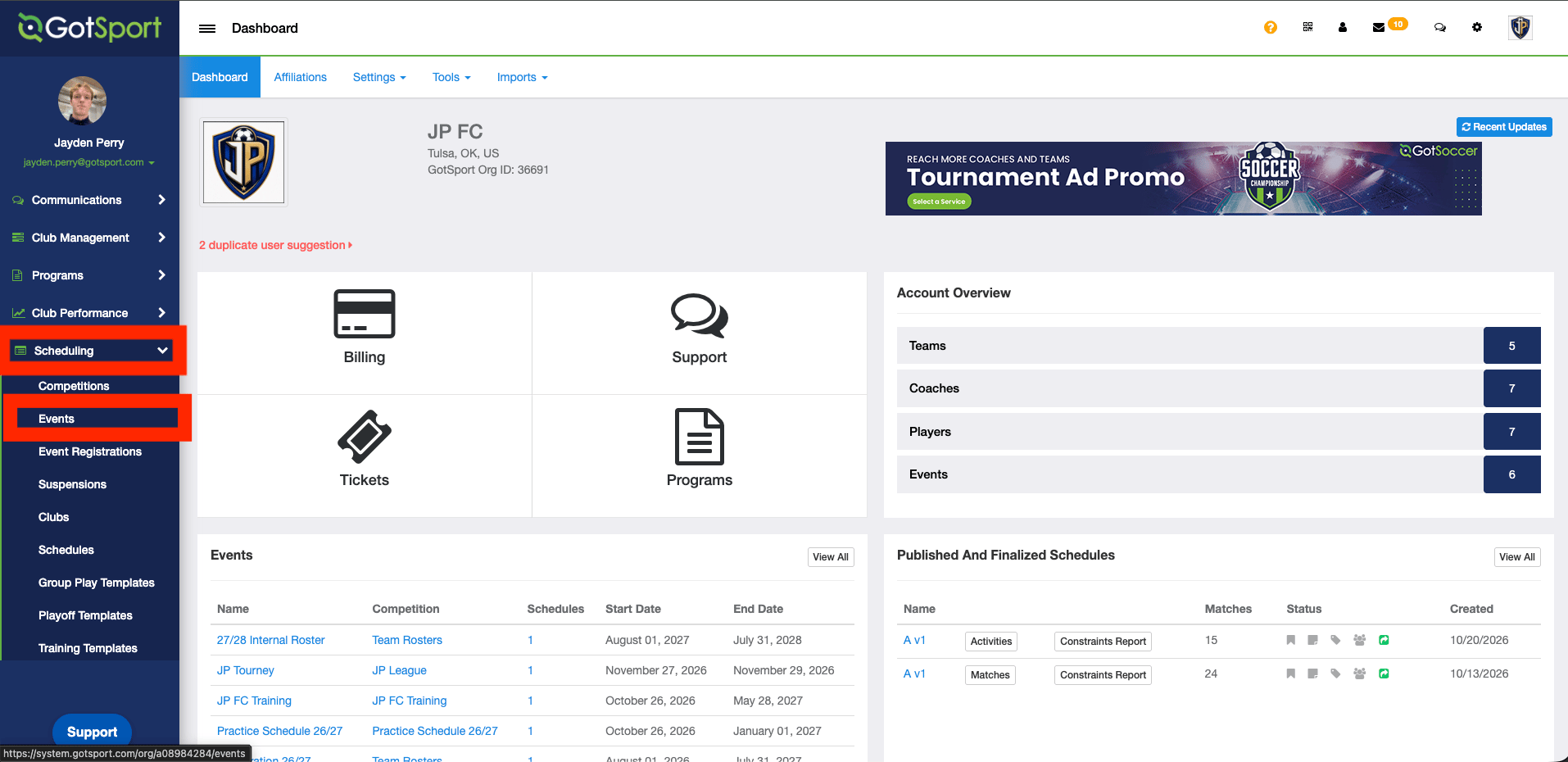
Step 2:
- Open the “Registrations” tab.
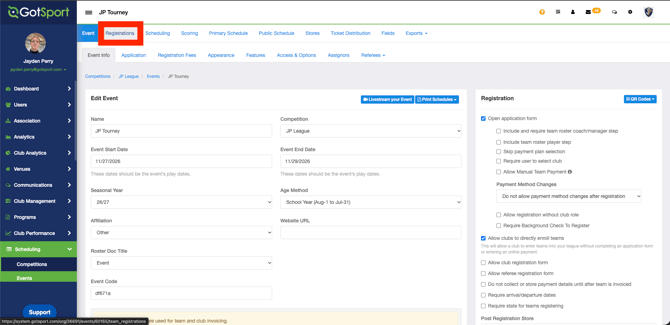
Step 3:
- Tick the checkbox next to each team you want to update.
- Select the bulk action “Set Age Group”.
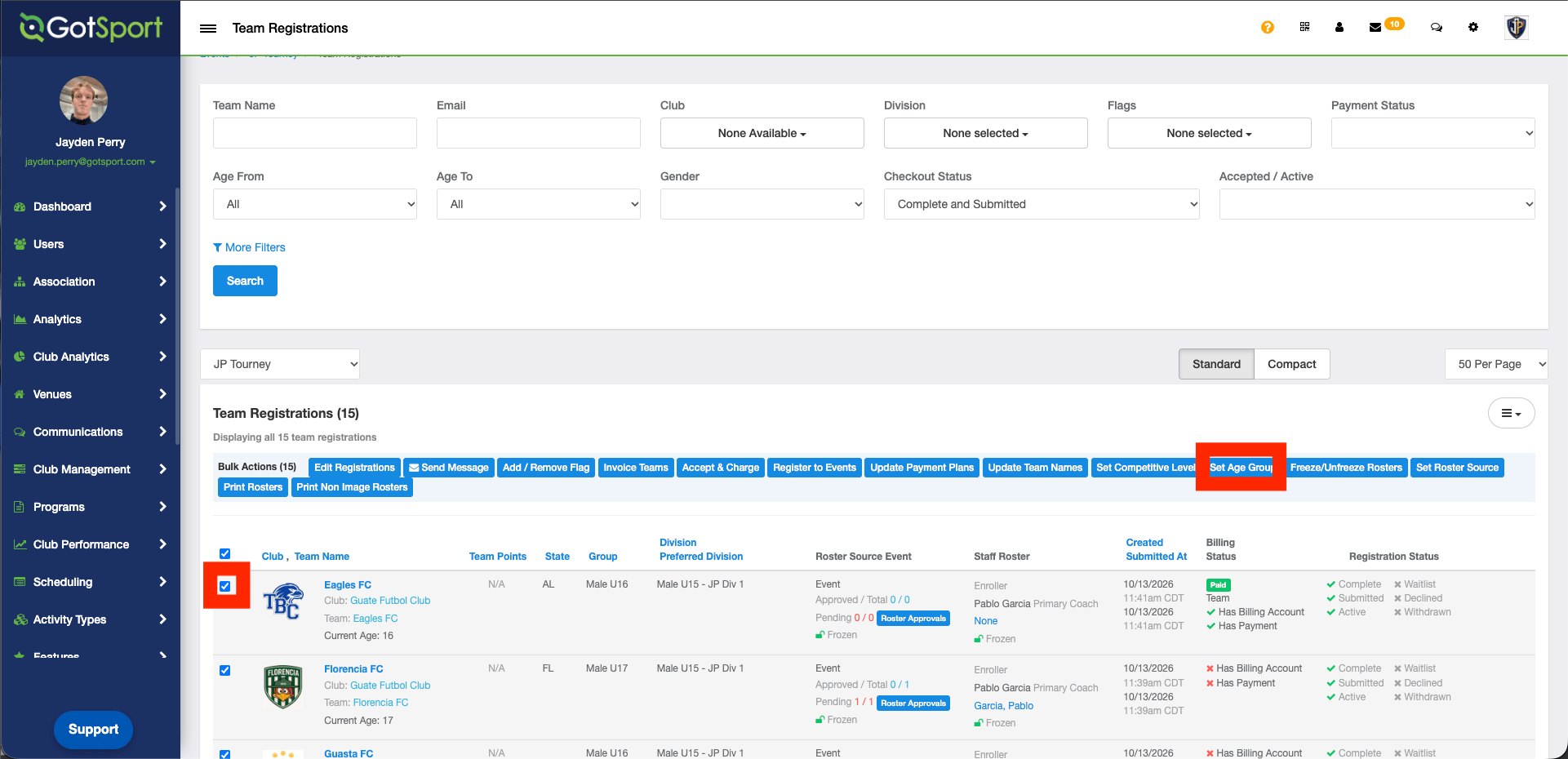
Step 4:
- Choose the age group from the dropdown menu.
- Select “Save”.