Instructions
Step 1:
-
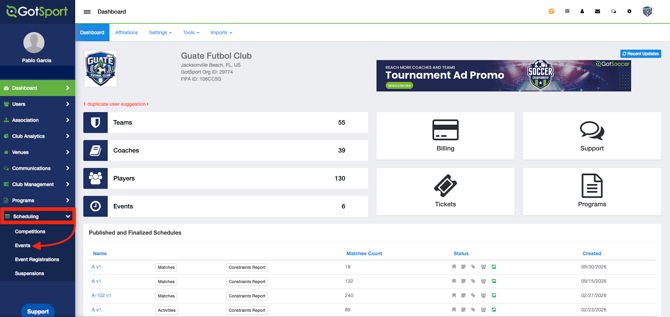
From your organization account, go to Scheduling > Events and select your tournament or league.
Step 2:
-
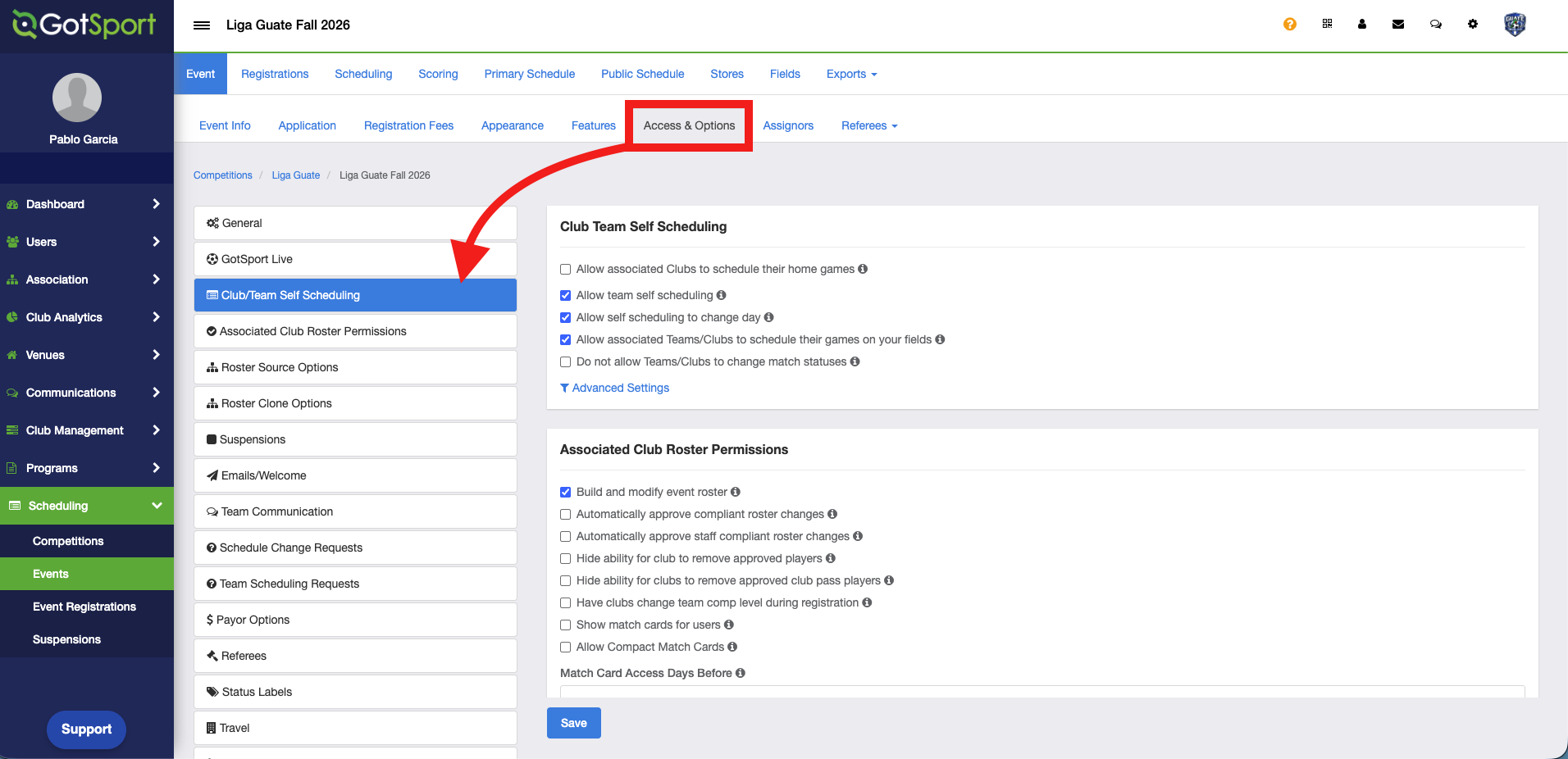
Go to Access and Options, then scroll down to the Club/Team Self Scheduling section.
Step 3:
-
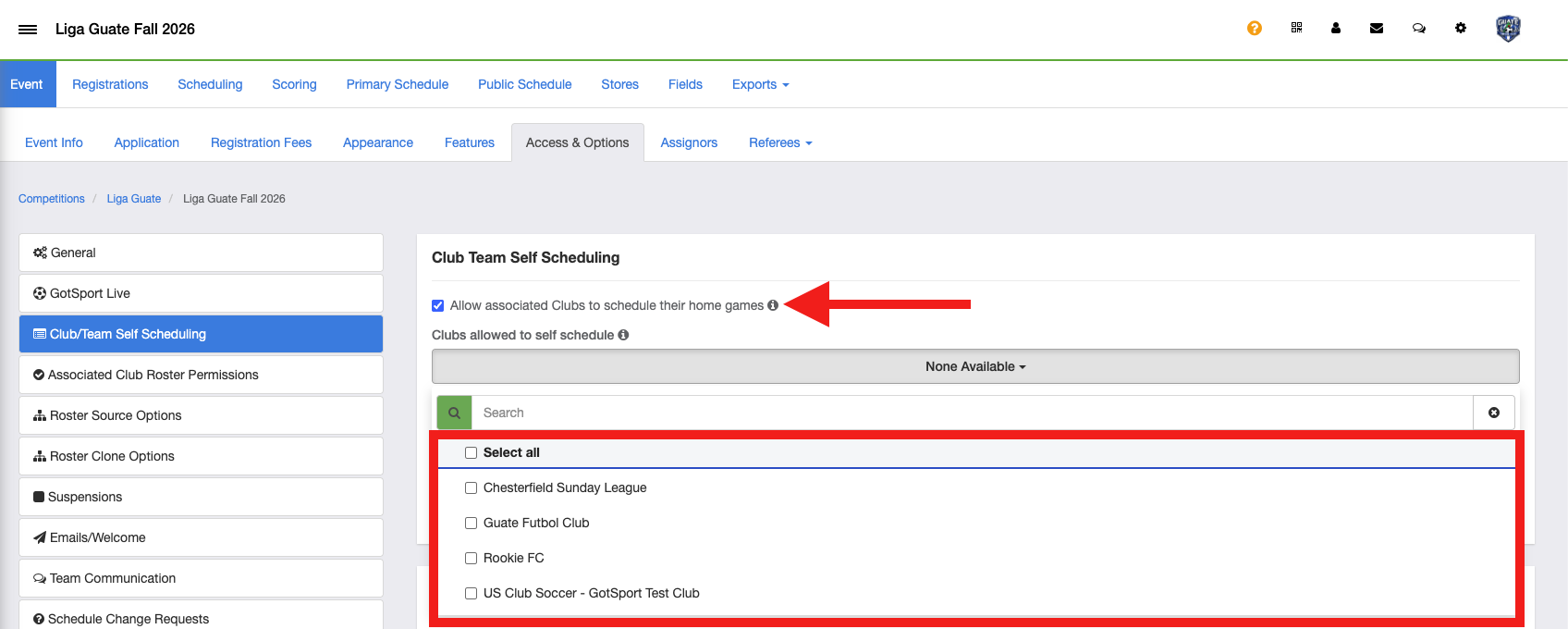
Select Allow associated Clubs to schedule their home games. A dropdown list of clubs appears, where you can select all clubs or only the ones you want to give access to the Self-Scheduling tool.
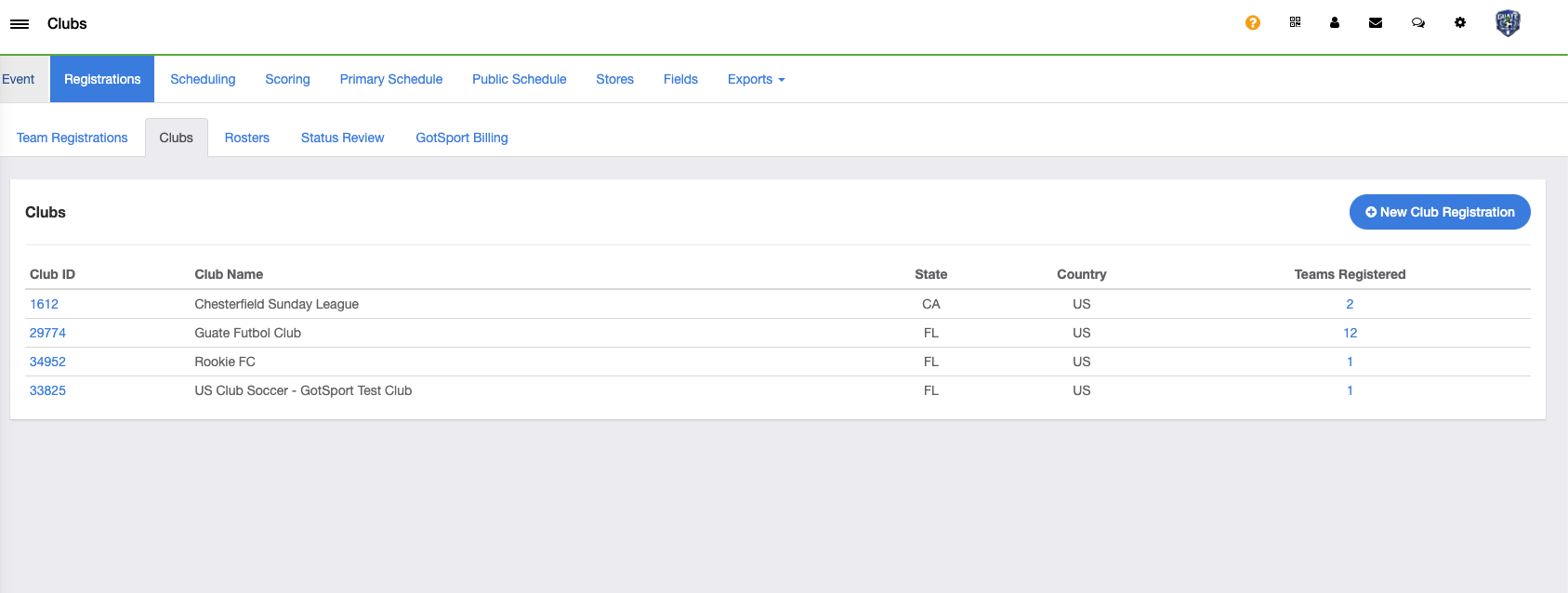
The club list pulls from the clubs registered to the event. To view these clubs, go to Registrations > Clubs.