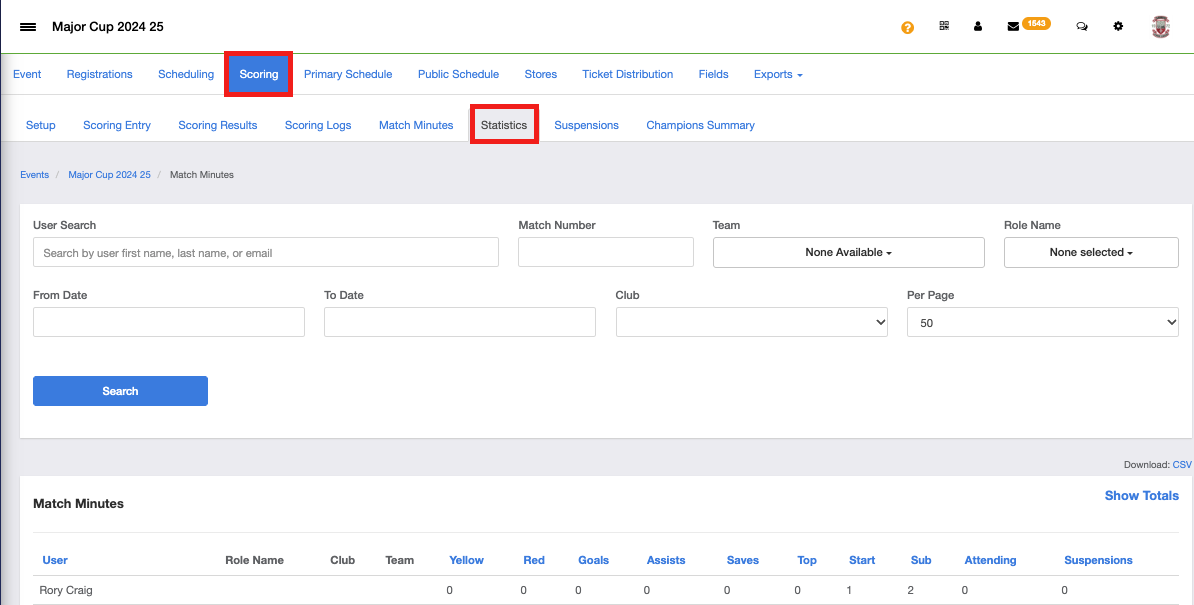
An event is able to allow for Statistics to be kept on the following fields
-
- Yellow Cards
- Red Cards
- Goals
- Assists
- Saves
- Top XI
- Starts
- Subs
- Attending
- Suspensions
Step 1:
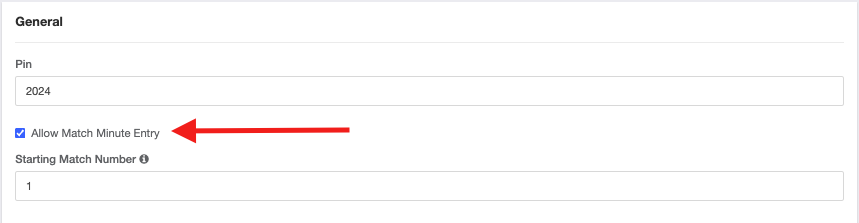
To allow for these statistics to be kept, the event will need to turn on "Allow Match Minute Entry" under Access and Options -> General
If an event wants these statistics to show on the public page, they can turn on the setting under Access and Options -> Associated Club Roster Permissions titled "Include Stats on Roster Public Pages"
Step 2:
To view these stats as an event, go to Scoring -> Statistics