
Instructions
Step 1:
-
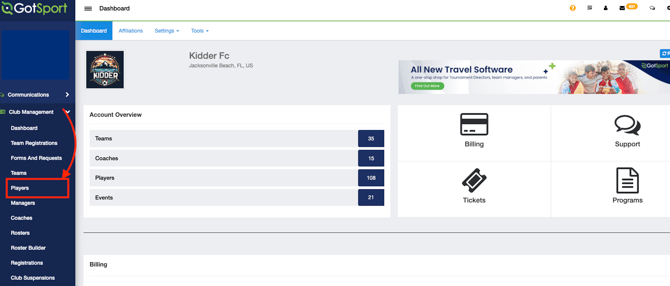
Naviagate to Club Management > Players
Step 2:
-
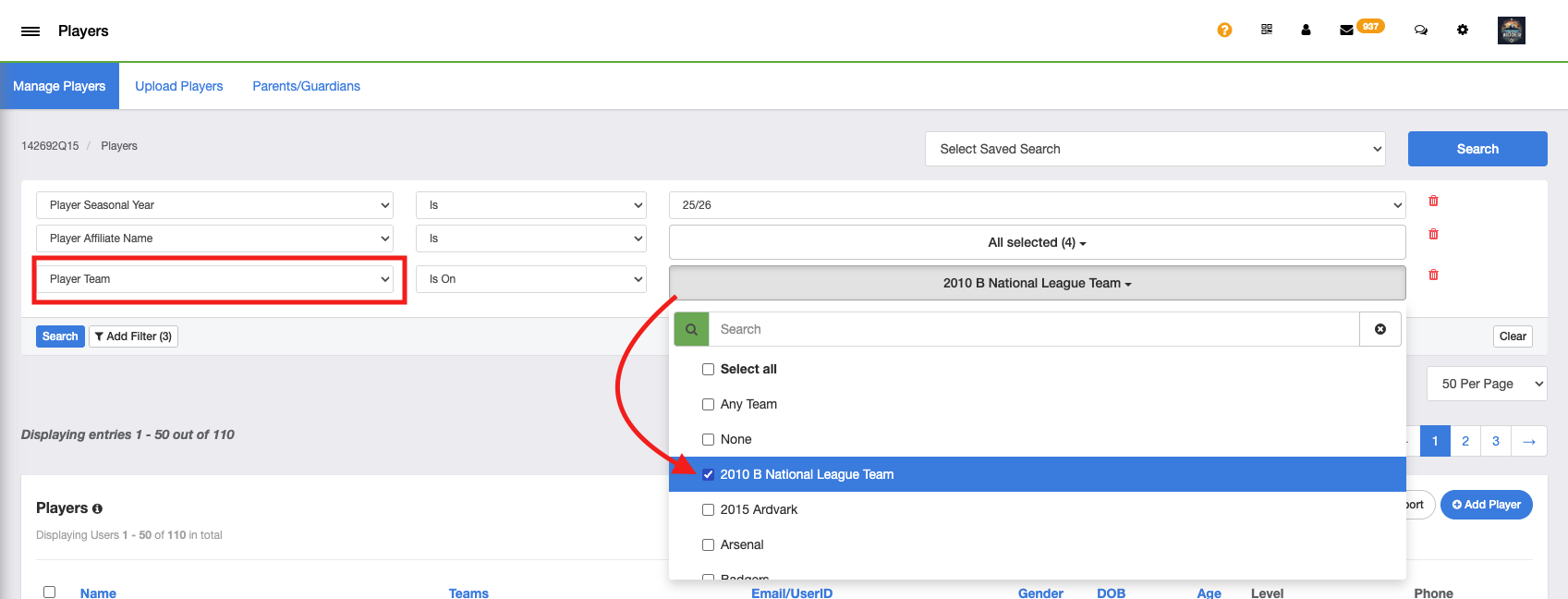
Use Filters as needed to search for players
- Filter by "Player Team" for a list of players on specific teams (players on National League teams in this example)
- Select teams & Search
Step 3:
-
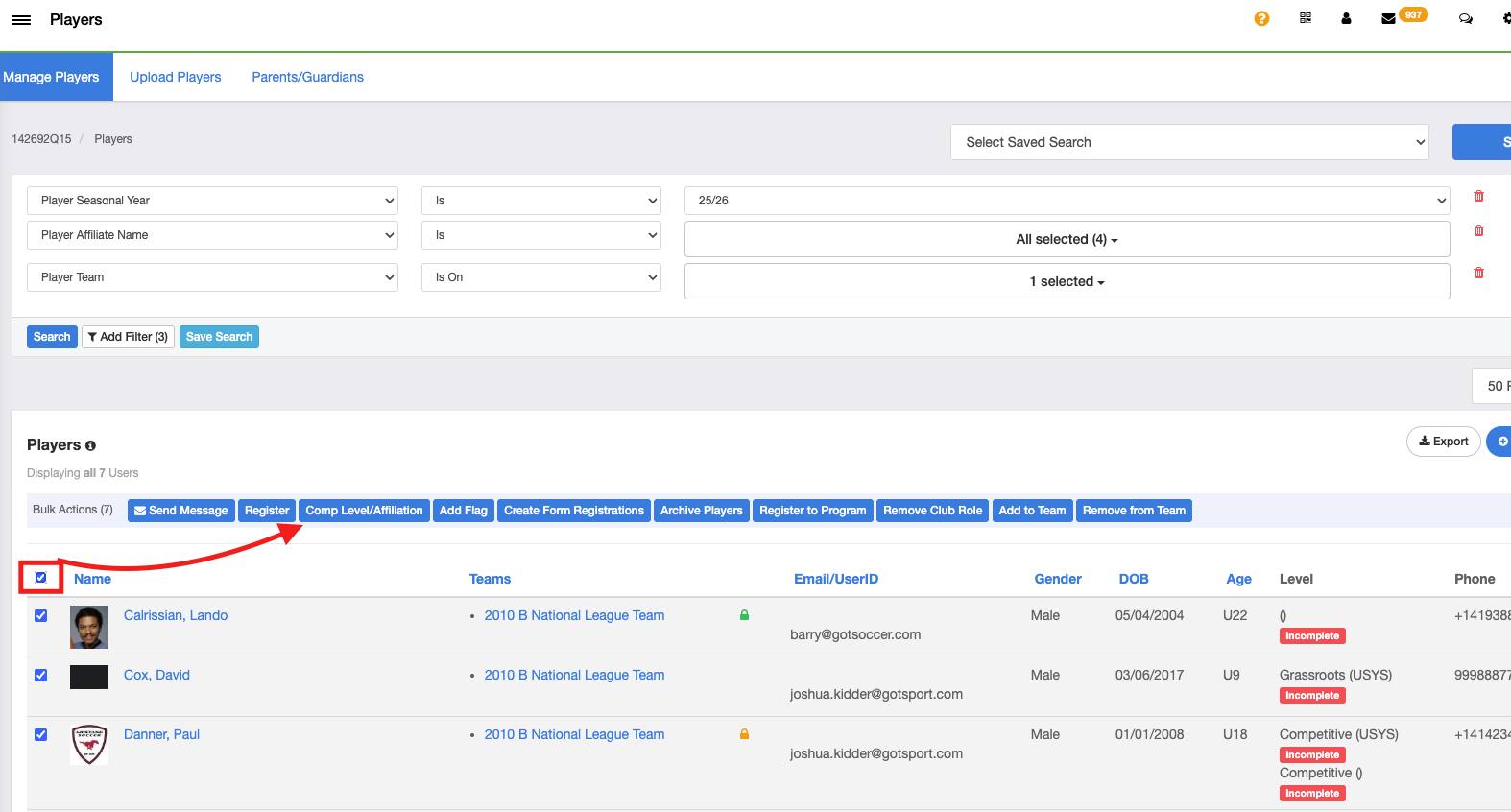
Select the 'Bulk Box' next to the applicable players' names
Tip: Select the bulk box on top of the player list to select all players in your search. You can then unselect specific players as needed
Step 4:
-
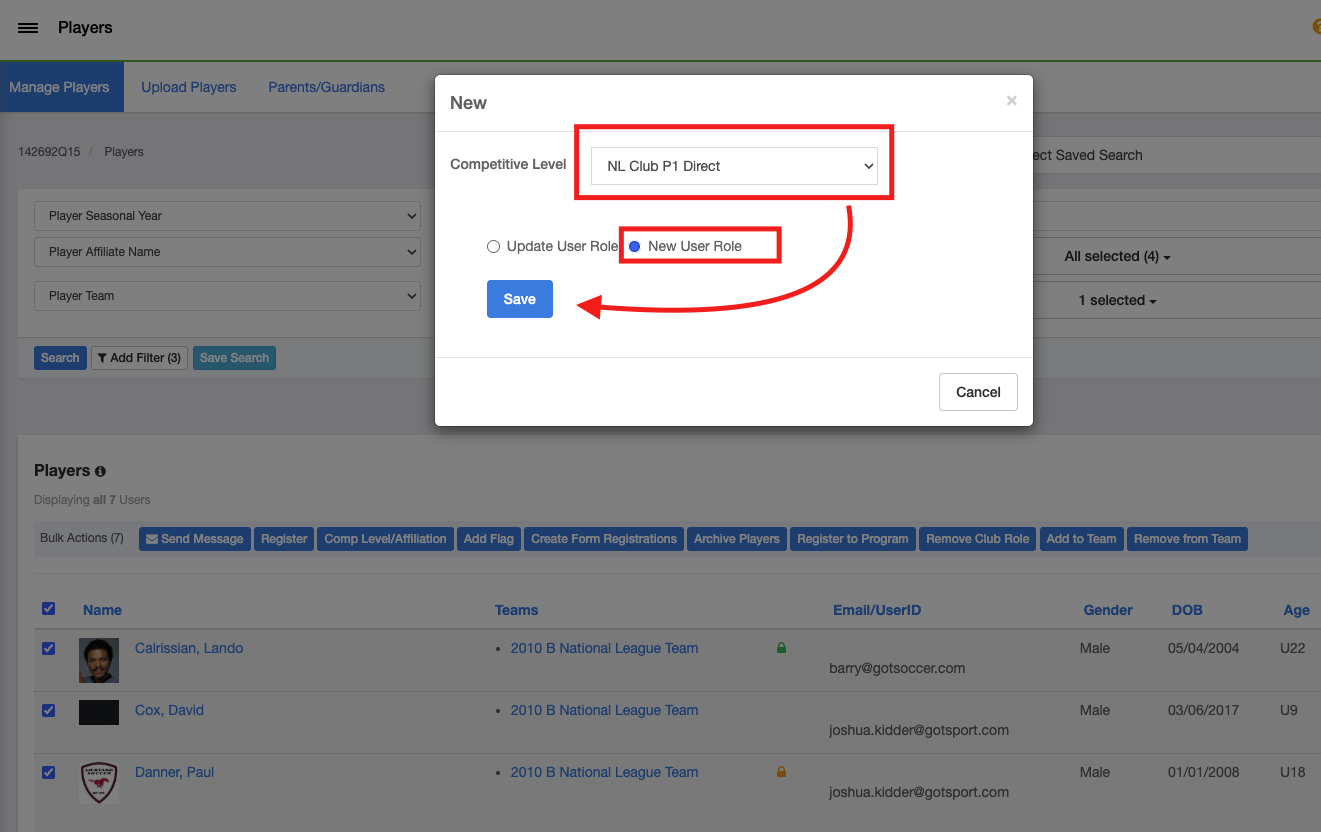
Toggle the "New User Role" option and make sure to select NL Club P1 Direct for the competitive level
- Save
This can be done for individual players as well.
Instead of using the 'Player Team' filter, you can use any other filter as needed to search for individual players.