
Before you can report a red or yellow card, you must first access and start the post-game report. Enter the number of periods and period length, then click "Start Live Goal and Event Reporting"
Please see THIS ARTICLE for instructions on how to do so.
Step 1: Click "Add game event"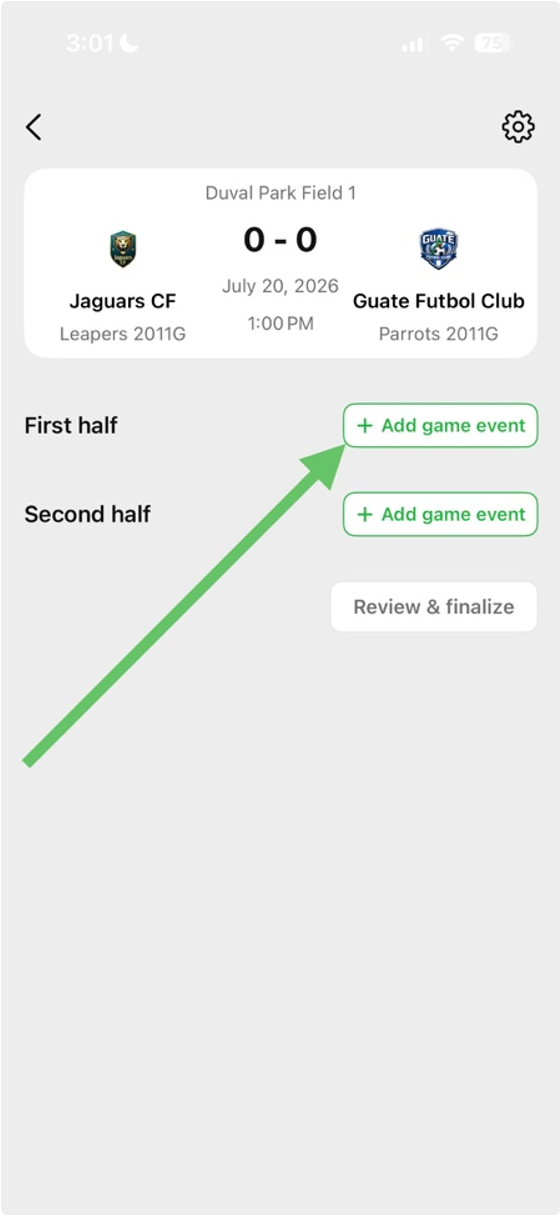
Step 2: Click on "Booking"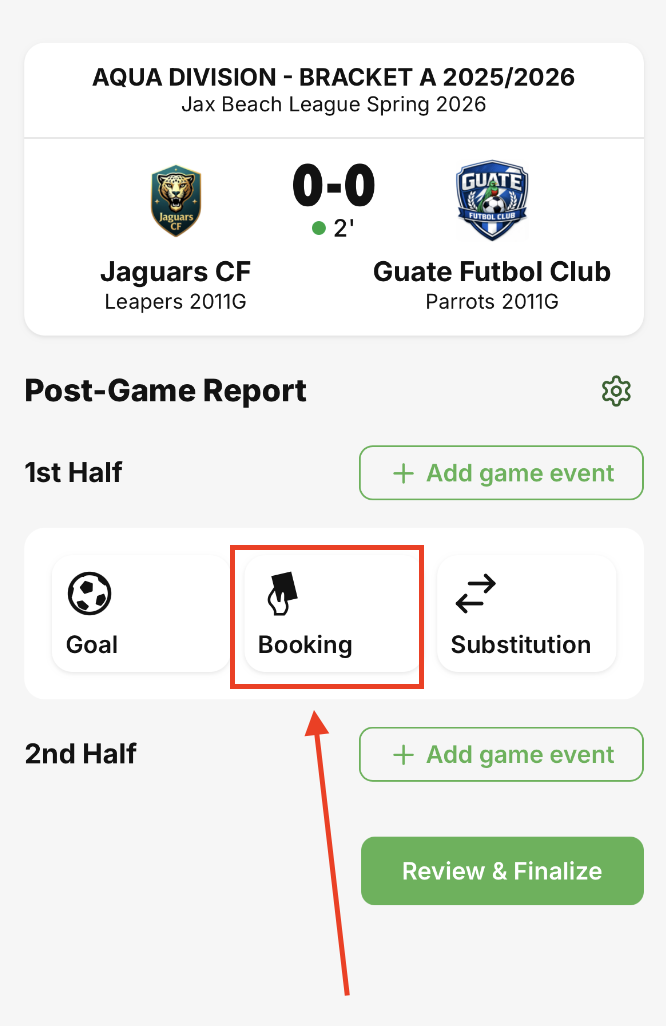
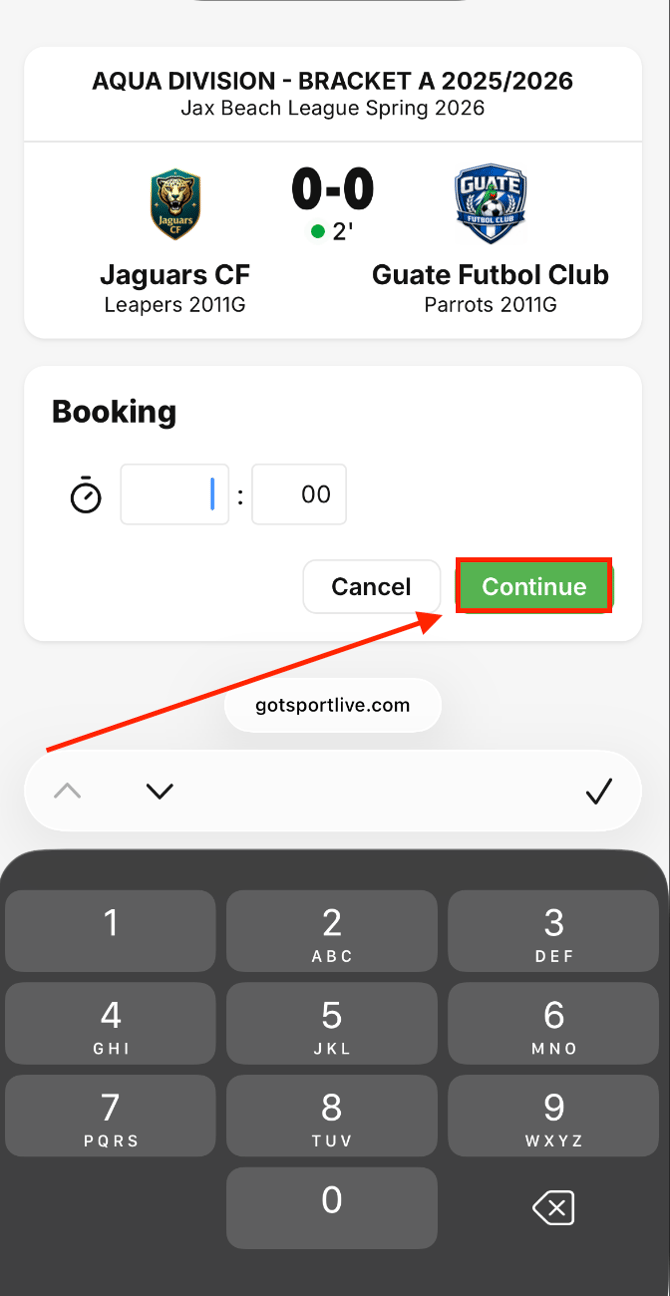
Step 3: Enter the time that the card occurred and then click "Continue"
Occurrence time is not required for the card to be reported
Step 4: Select the specific team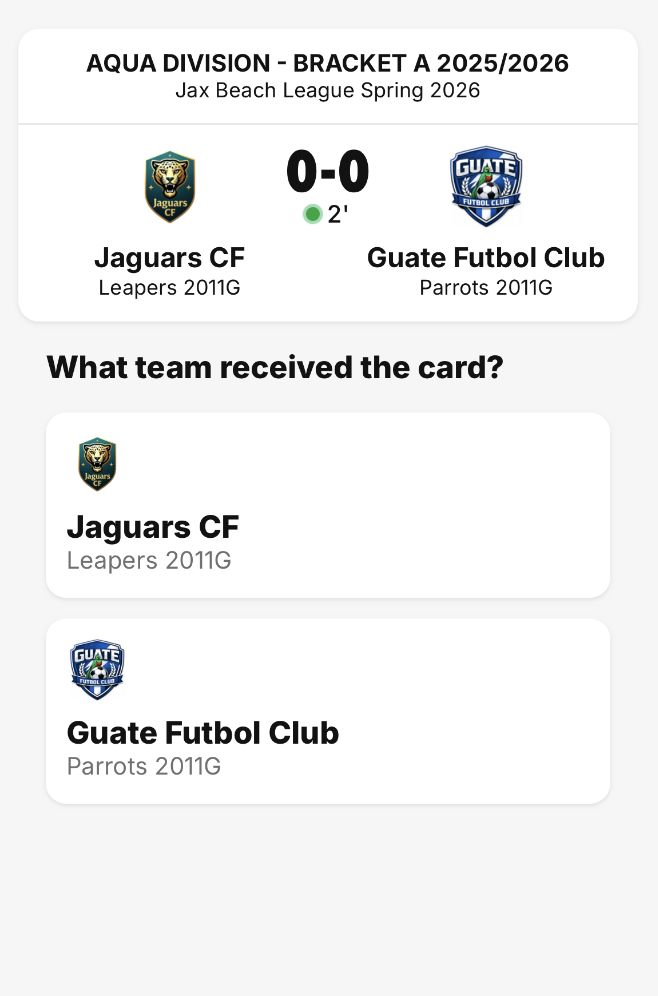
Step 5: Select yellow or red card 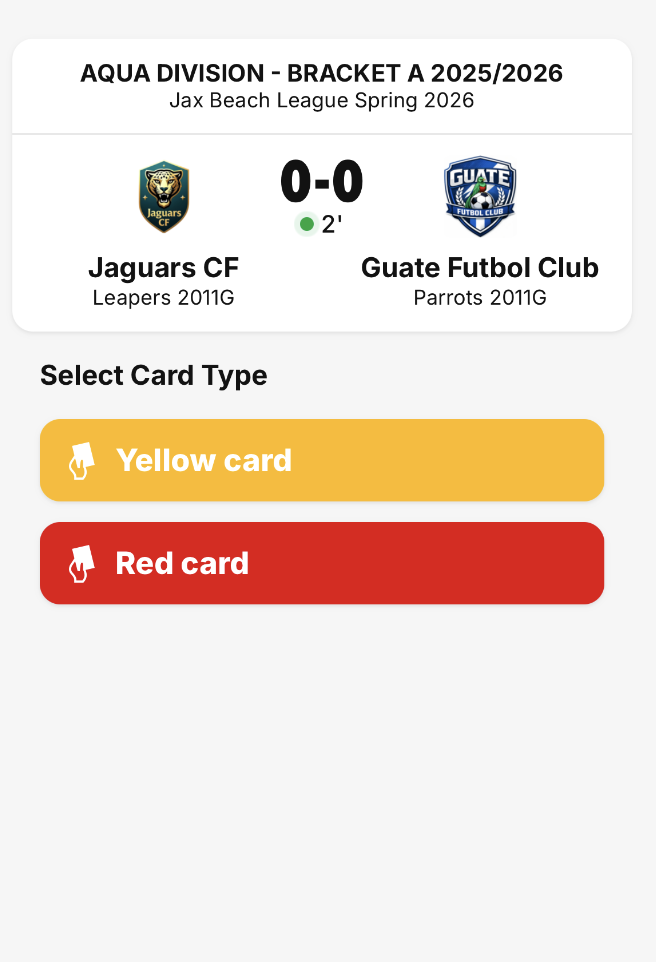
Step 6: Select disciplinary code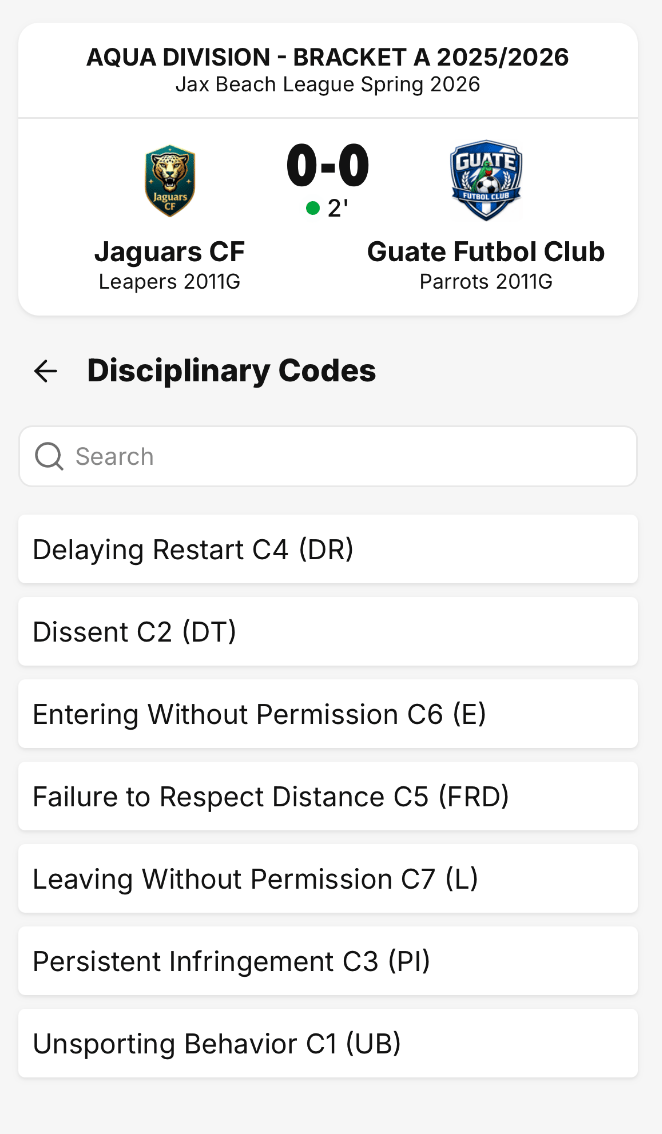
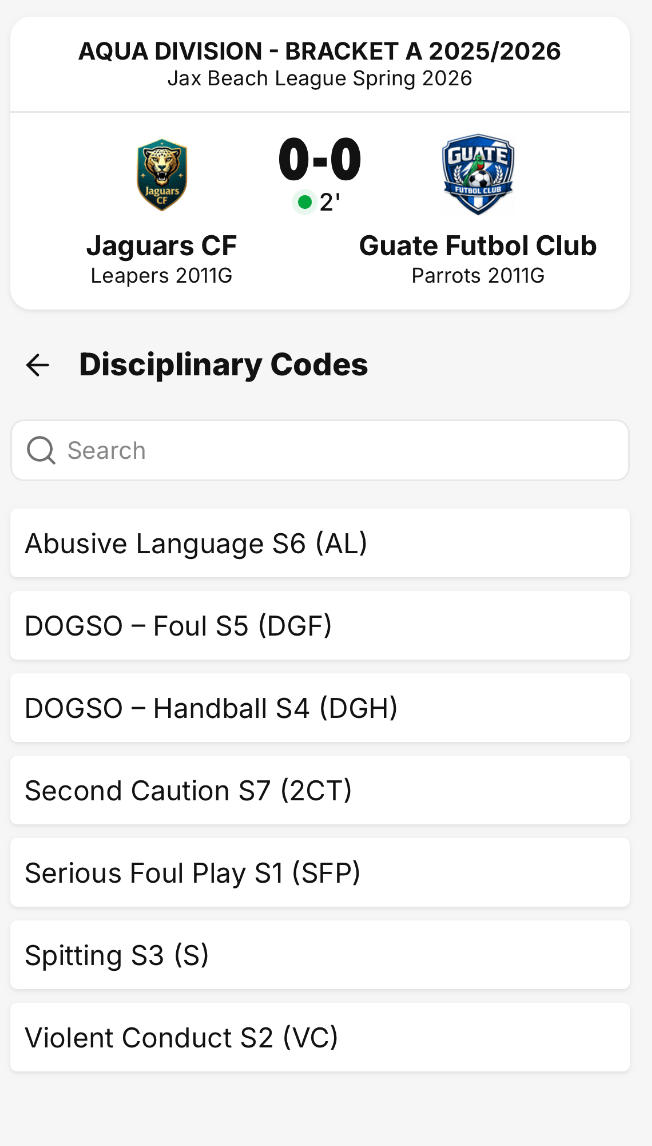
Step 7: Select the team member to assign the card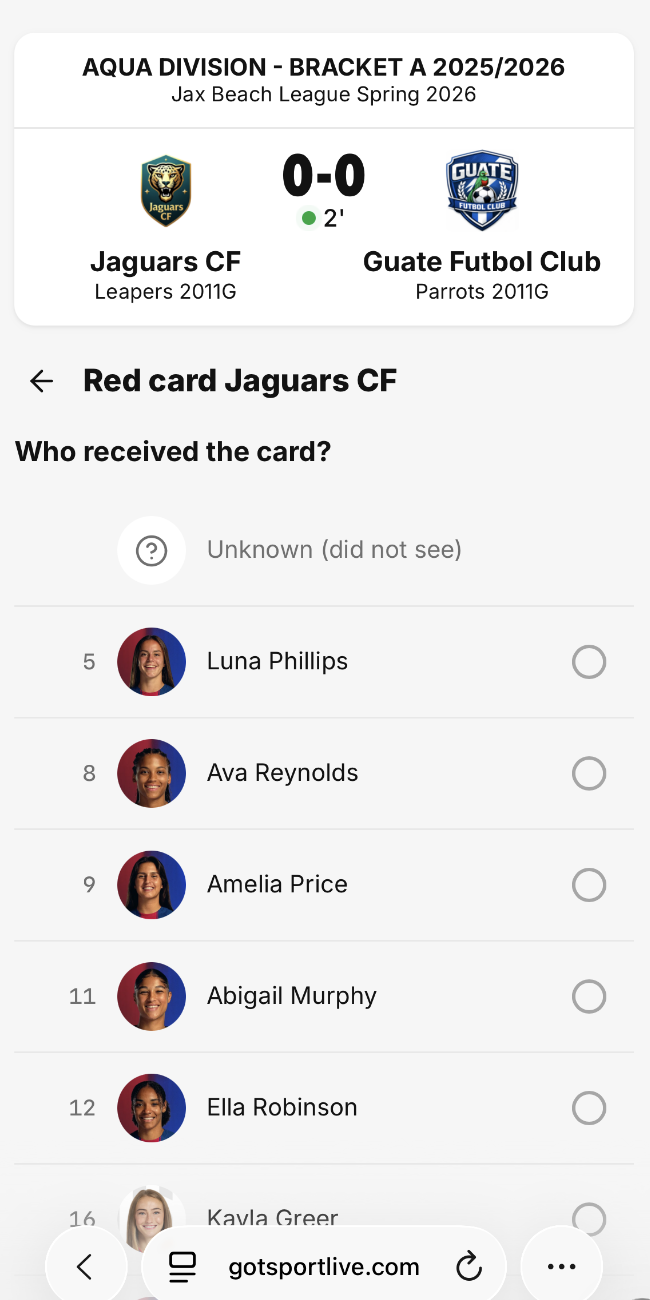
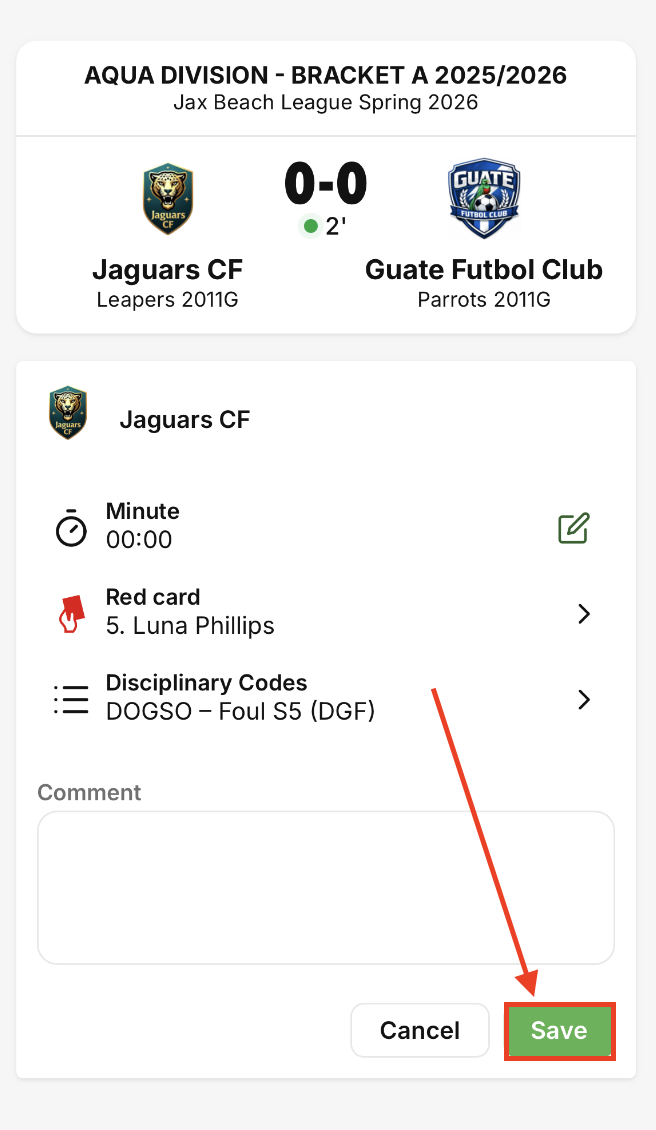
Step 8: Review the card information and click "Save"
If an event requires notes for yellow and red cards to be reported, you will need to write the comment in the comment box before you can click "Save"
Repeat this process for all yellow and red cards