
Step 1: Click on the specific player to access their digital ID card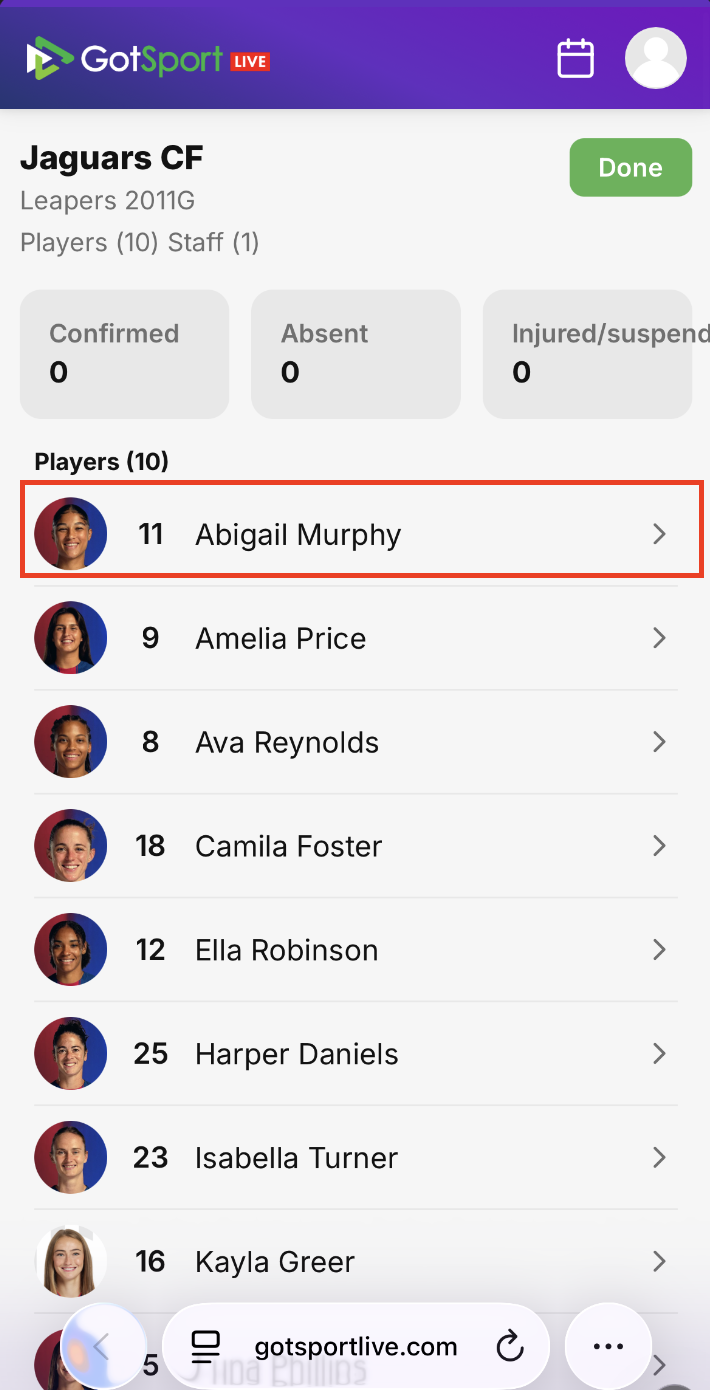
Step 2: Click on the player's current jersey number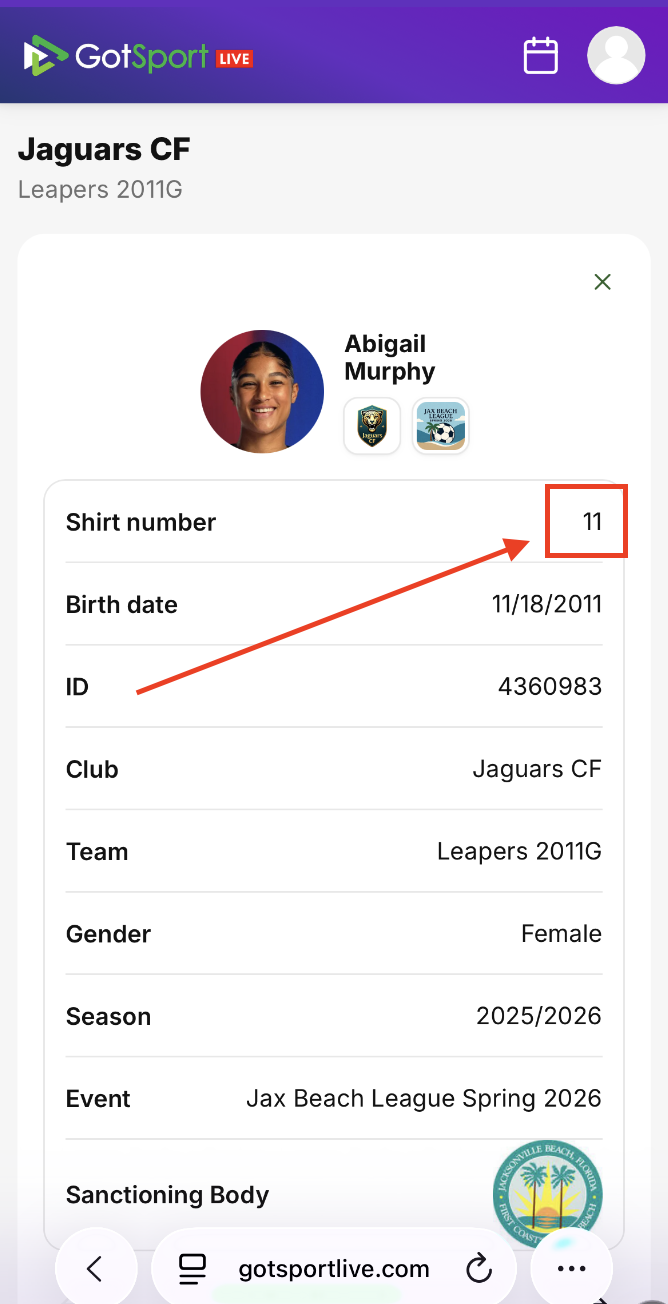
Step 3: Enter the updated jersey number and then click the checkmark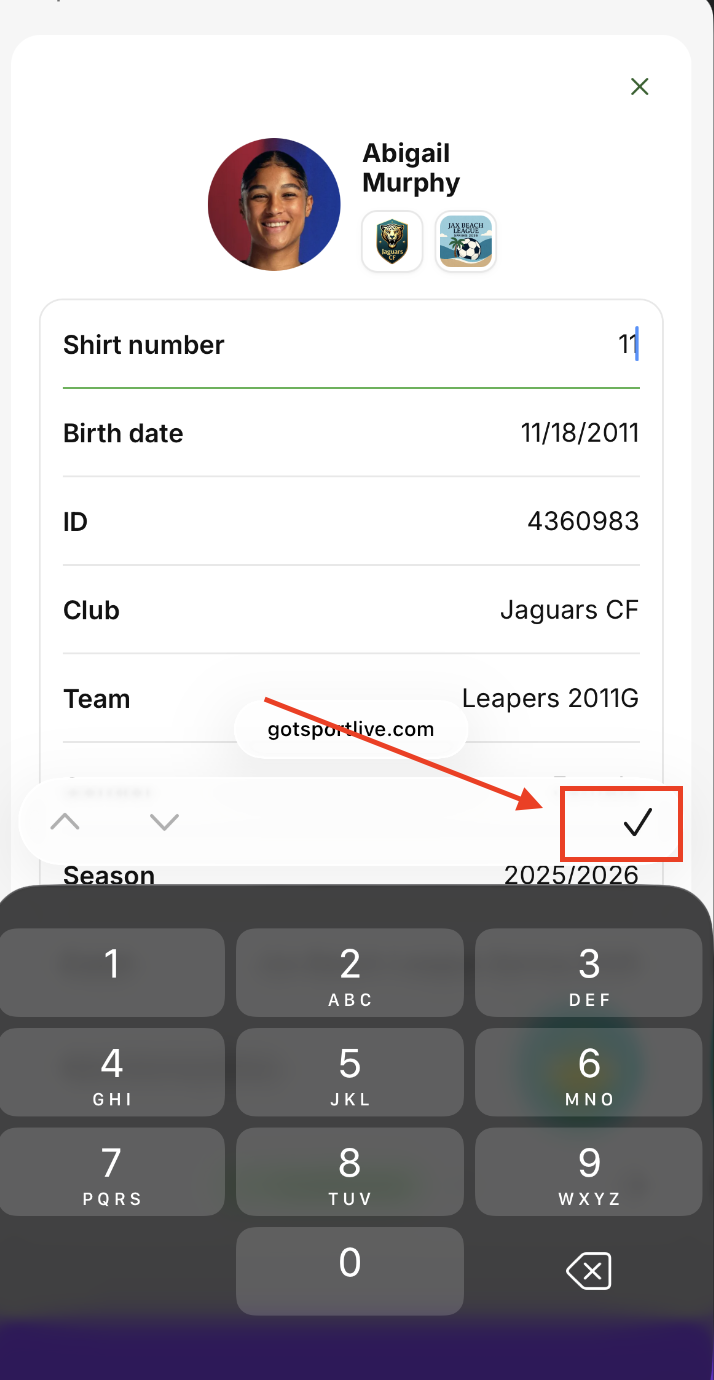
After you input the updated number, the player's jersey number for that match is now updated