
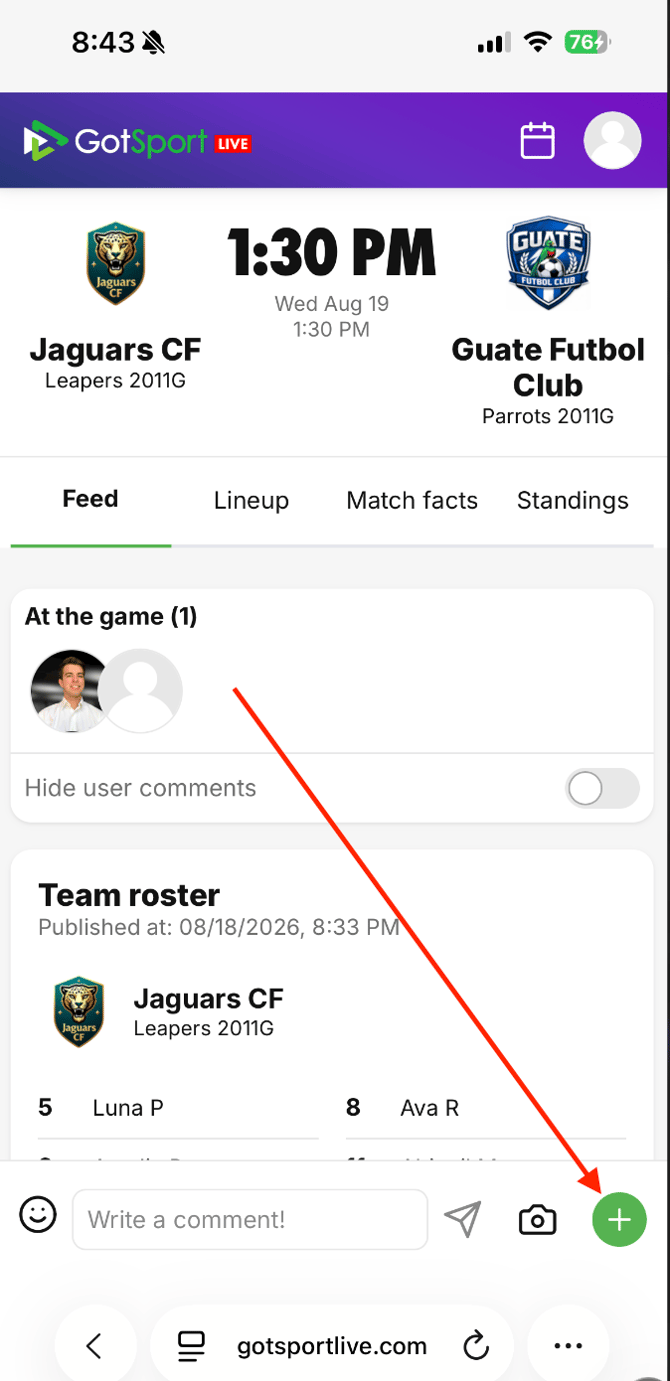
Step 1: Click the green "+" icon in the bottom right corner of the game feed screen
Step 2: Click on "Goal- & event reporting"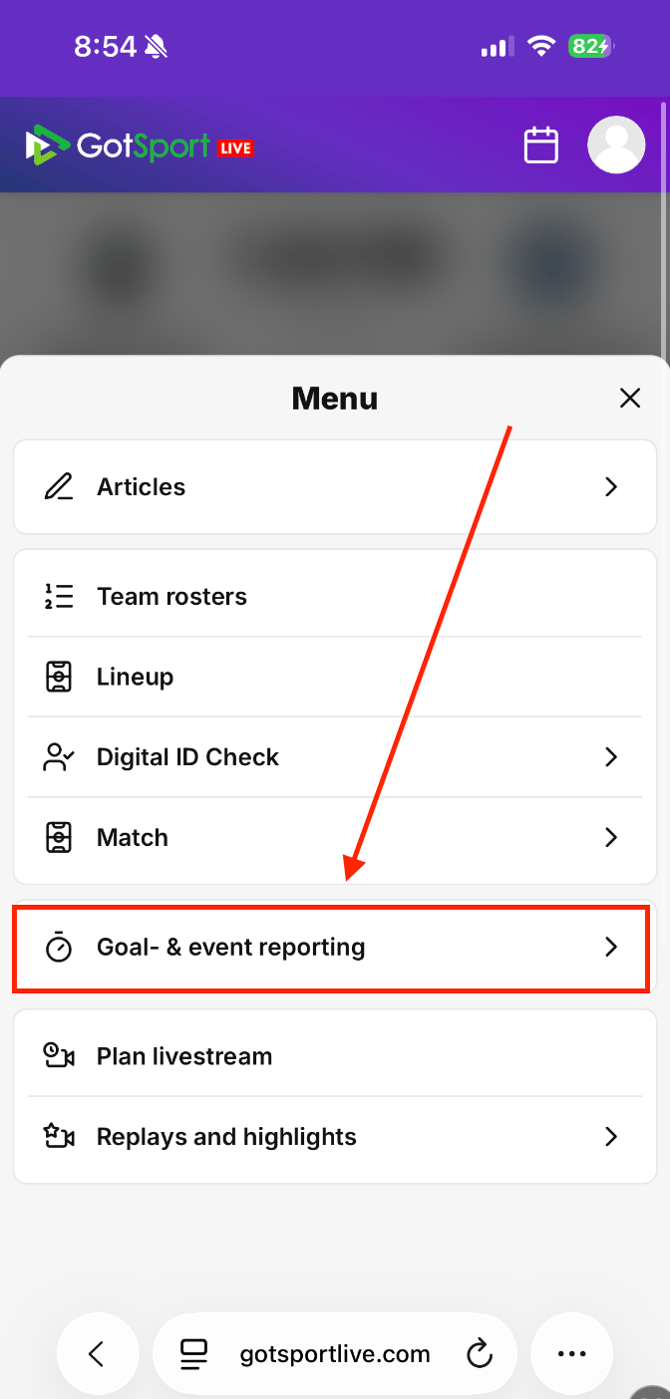
Step 3: Click on "Post game event report"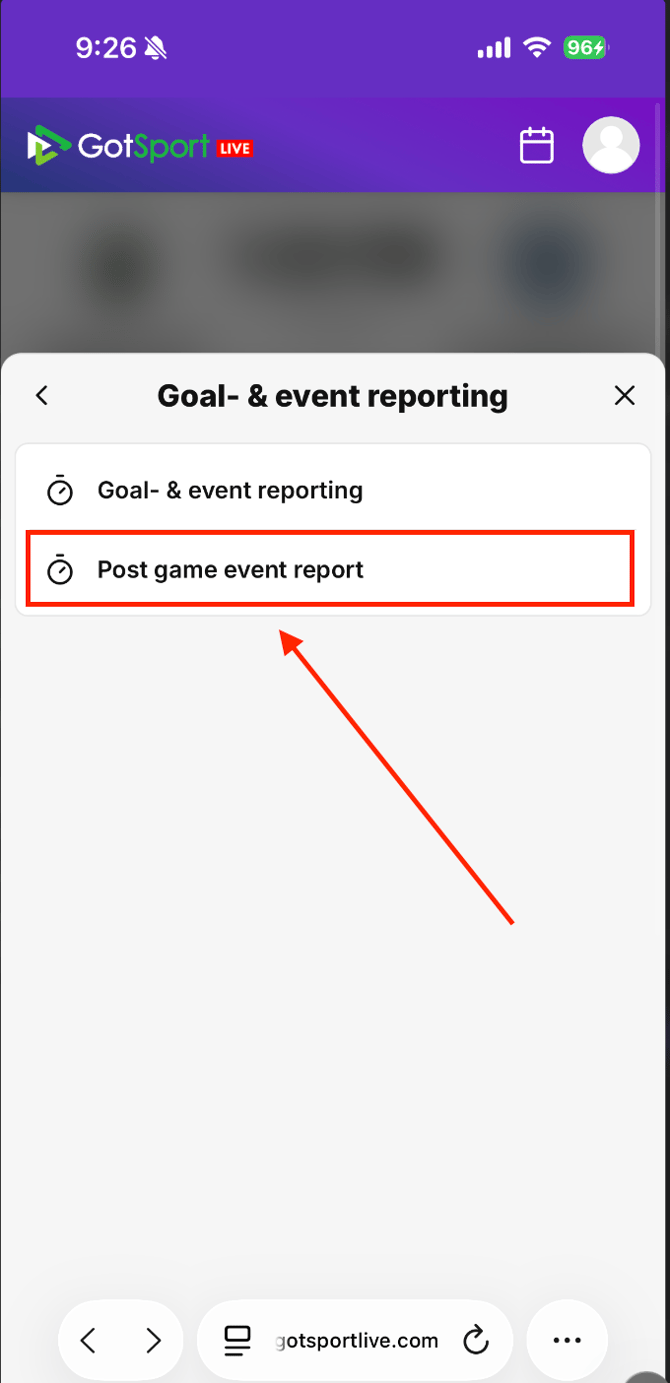
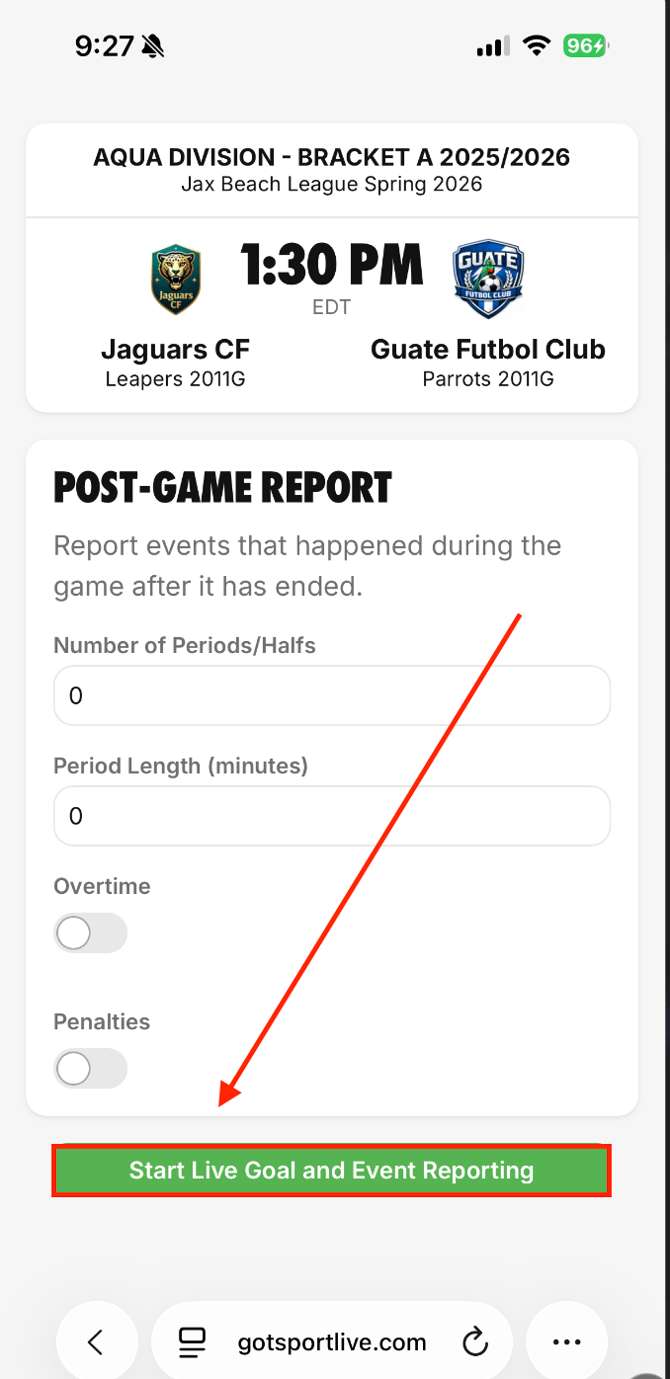
Step 4: Enter number of periods and period length, then click "Start Live Goal and Event Reporting"
You can also report that the game went to overtime or penalties before starting the report
CLICK HERE for instructions on how to report a goal
CLICK HERE for instructions on how to report a red or yellow card