
Step 1: Click the "Review & Finalize" button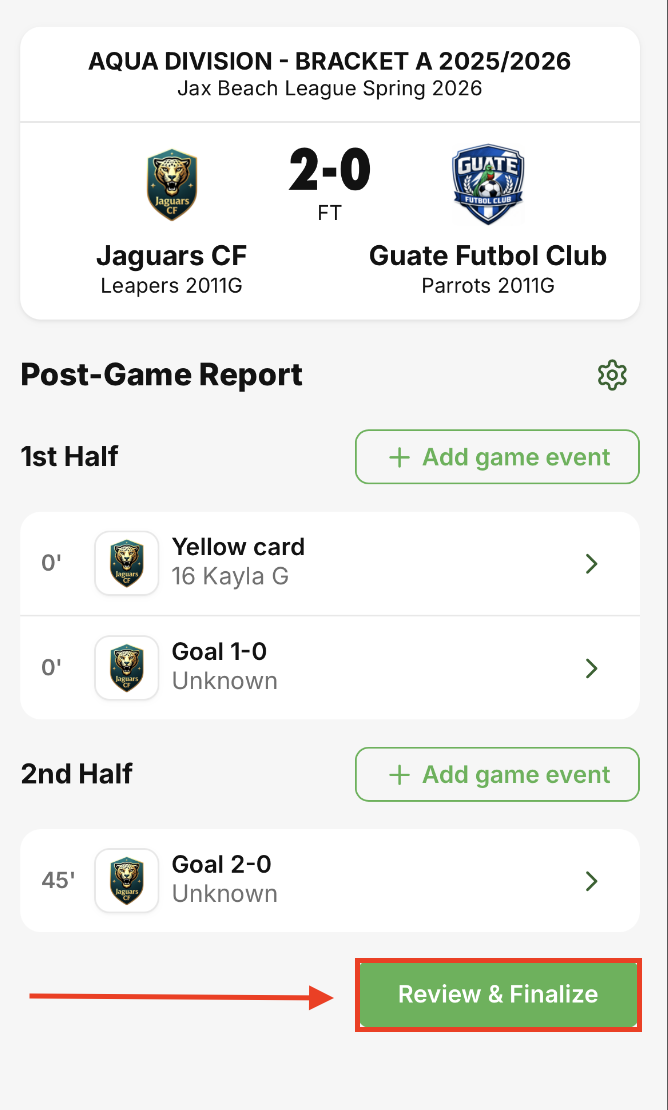
Step 2: Review the entered game events and ensure they are correct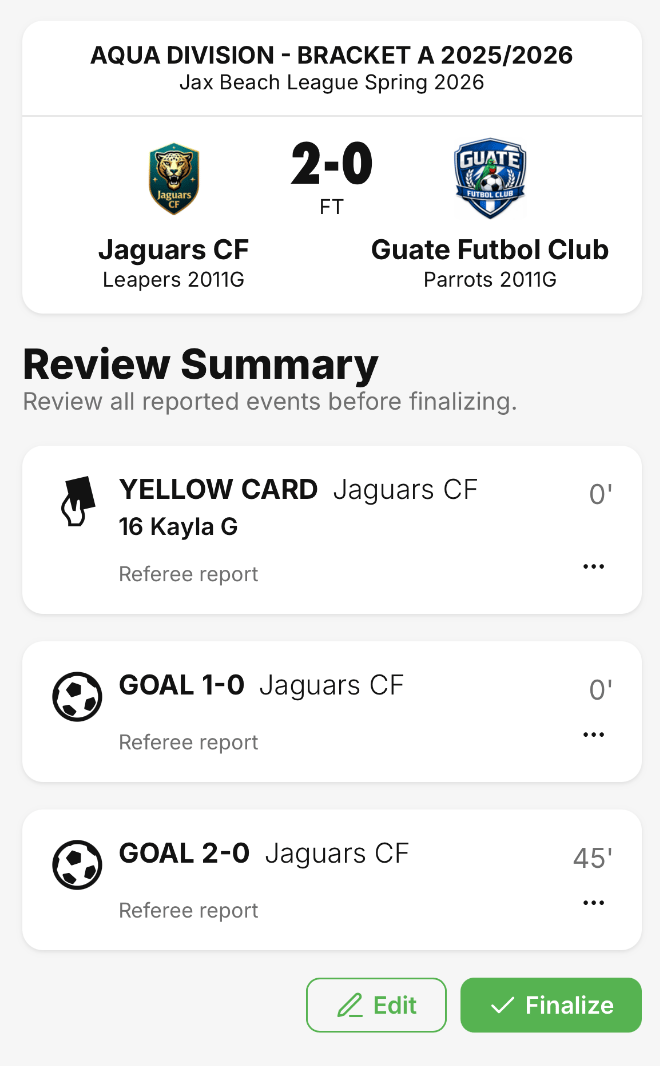
Step 3: Click the "Finalize" button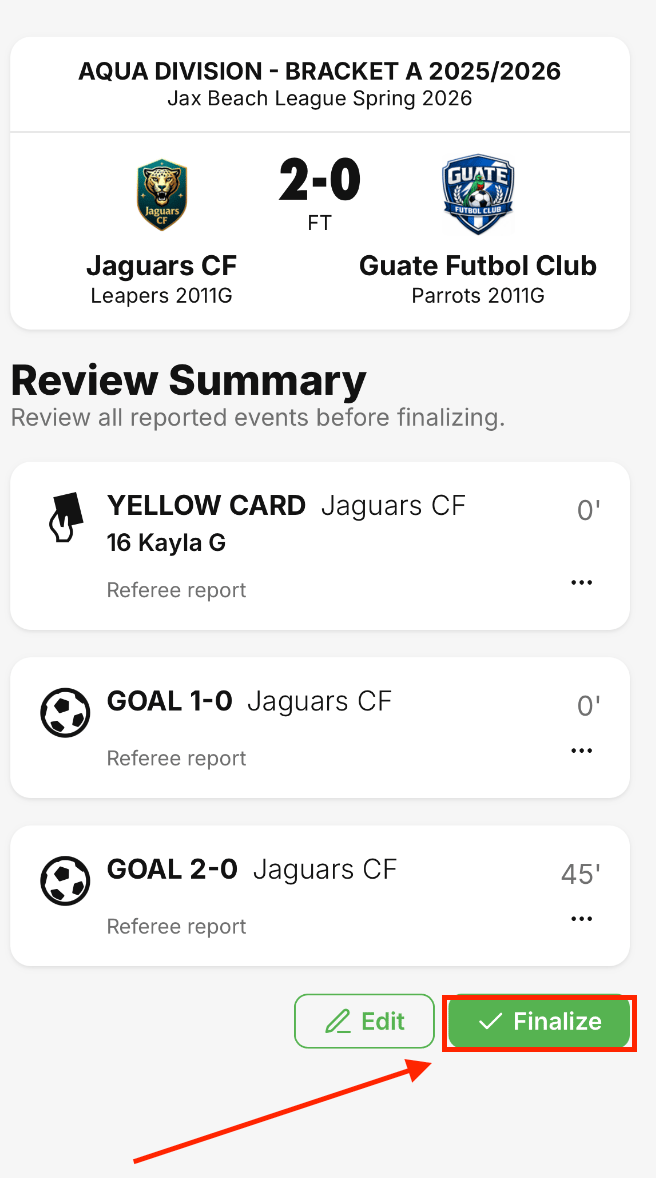
Once the report is finalized, you will be redirected to the game feed page, and a banner will appear stating "Report finalized successfully"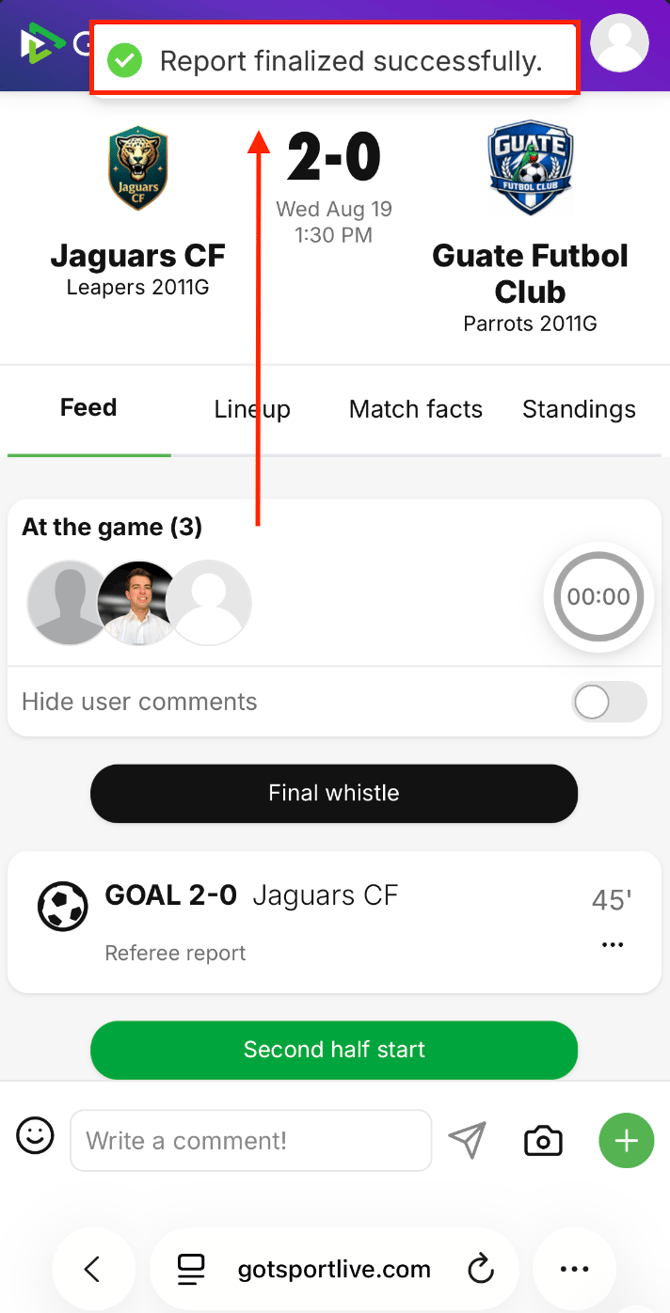
Need to make changes? Please refer to THIS VIDEO for instructions on how to do so.