Instructions
Step 1:
-
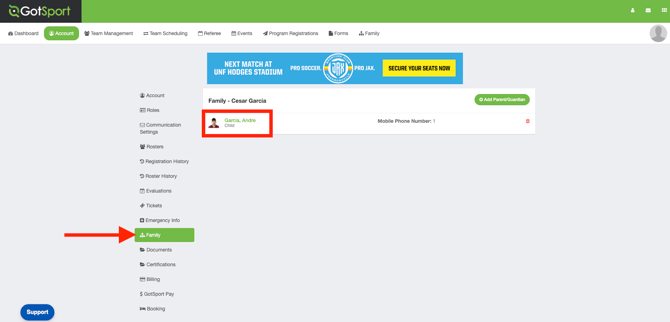
You will need to log into your parent account here, then you will need to go to the Family tab, where you should see your child/player listed.
-
From the Family tab, click on the child’s name to open their profile.
Step 2:
-
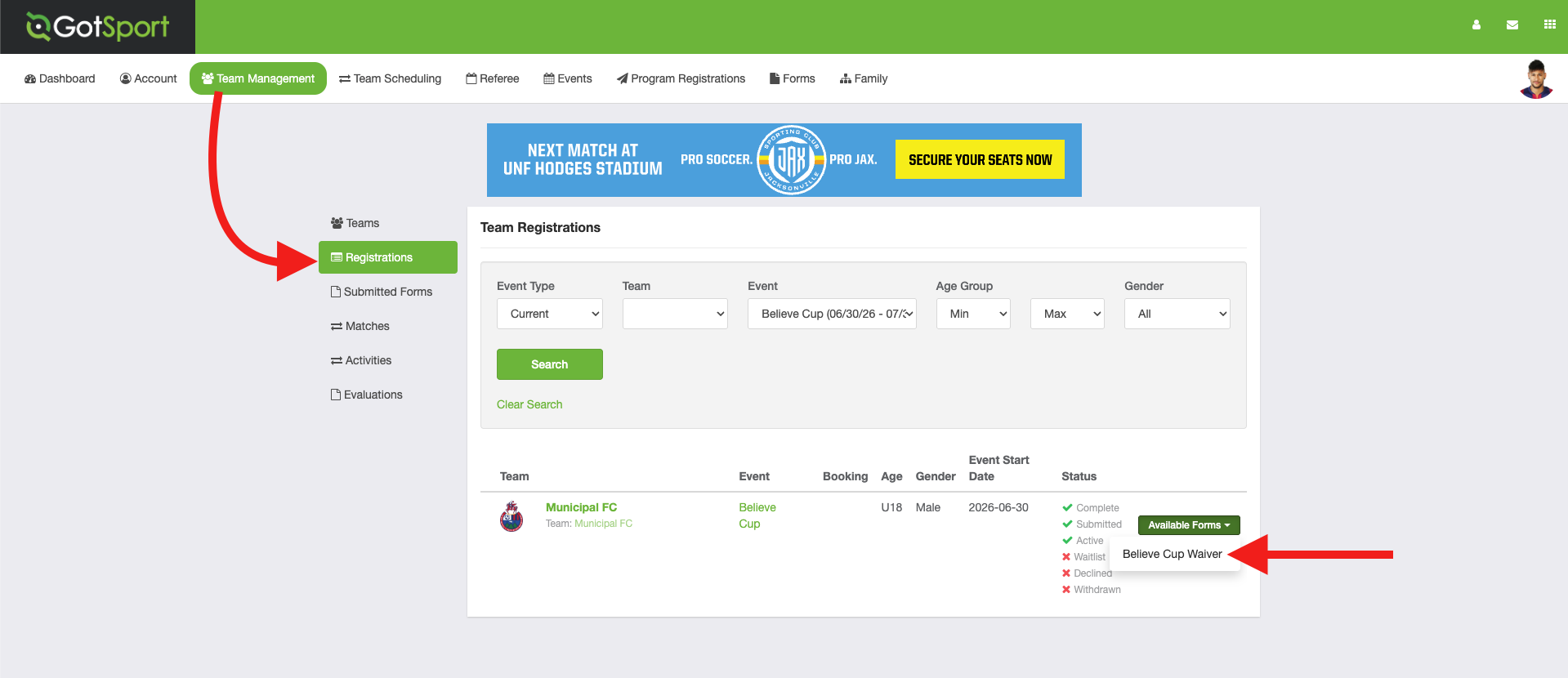
From the player’s profile, go to the Team Management tab and click Registrations.
- From the Registrations tab, click Available Forms next to the team and tournament to view the required tournament waiver.
Step 3:
-
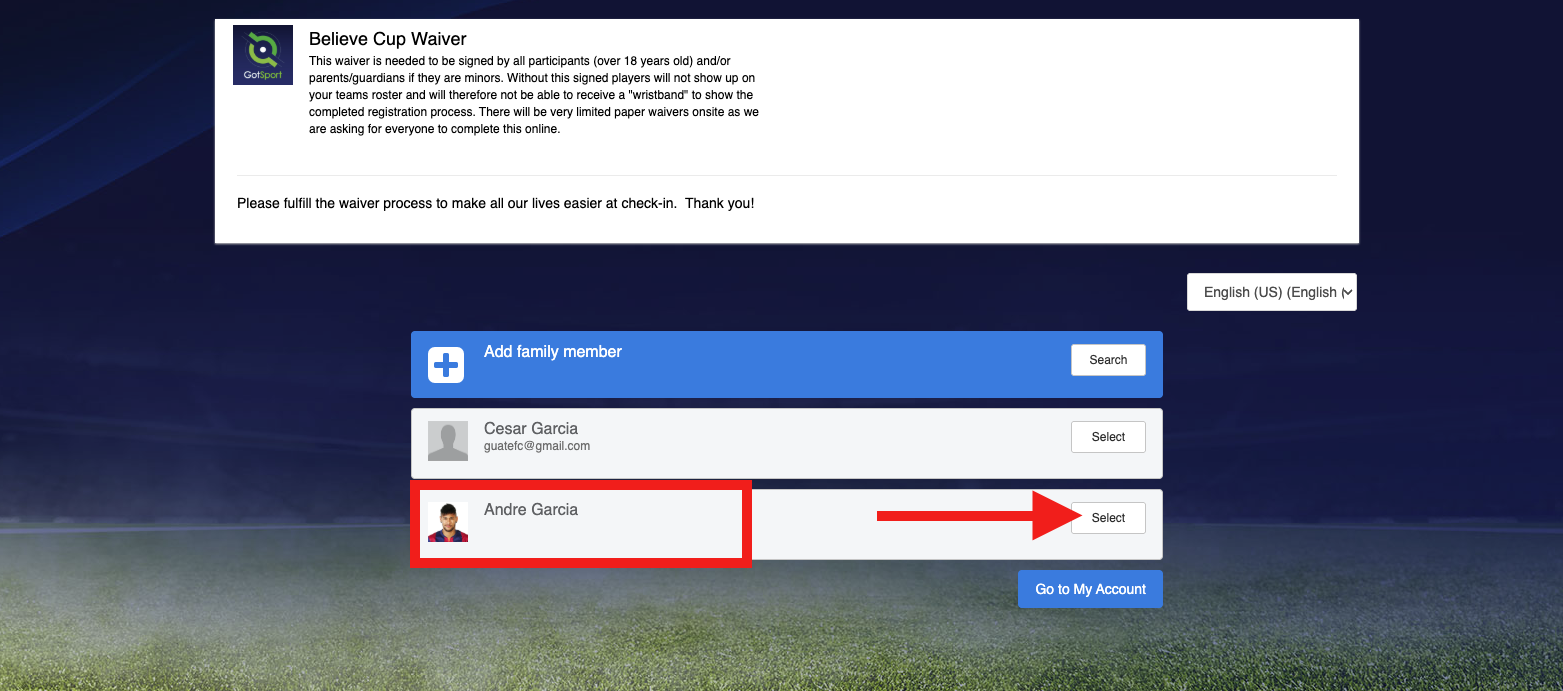
Once you open the waiver, click Select next to the player’s name to complete it.
-
Please make sure you select the player’s account and not your parent account when completing the waiver.