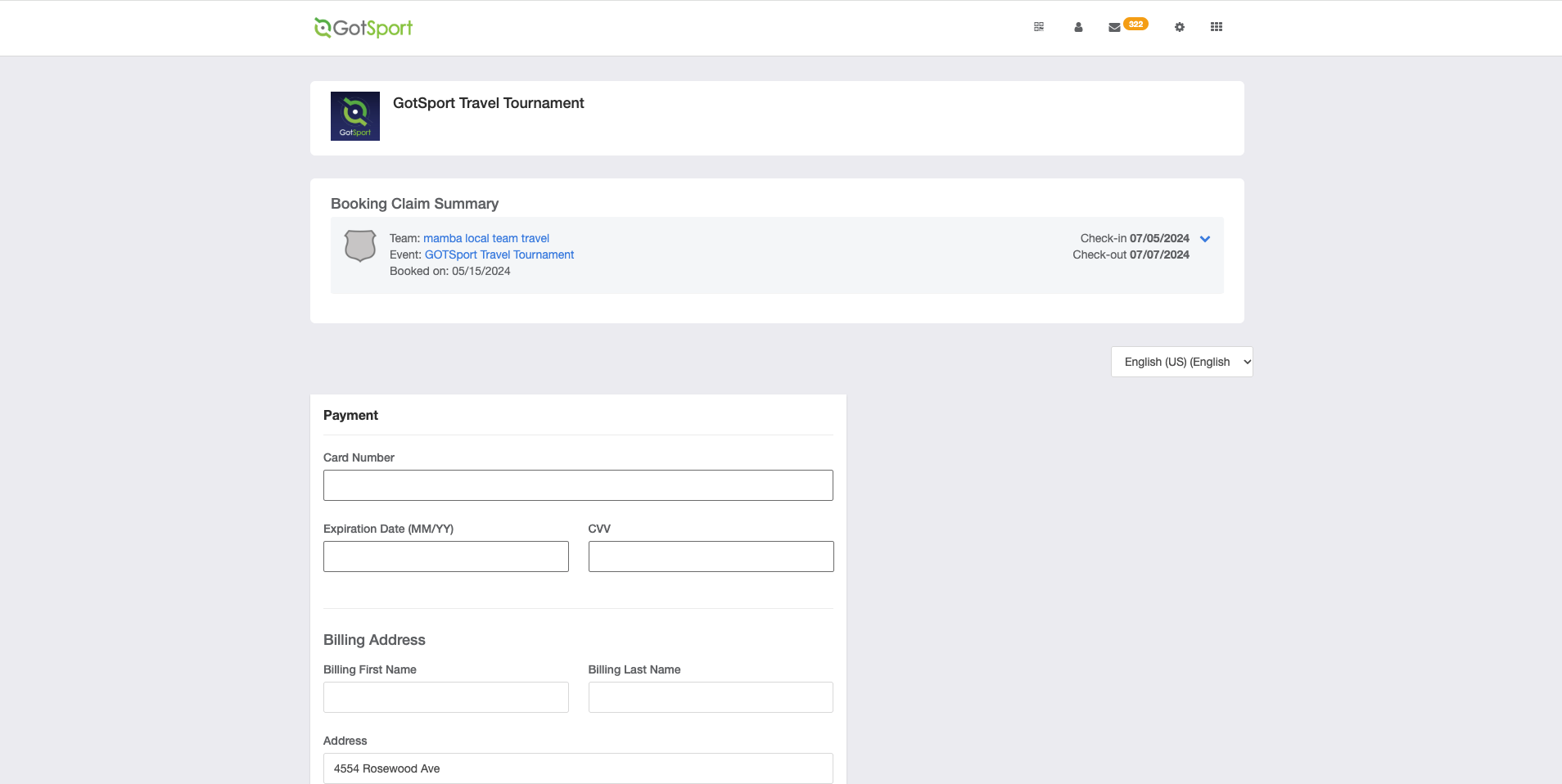
INSTRUCTIONS:
Step 1: From your GotSport account, select "Booking" from the menu on the left side of the screen 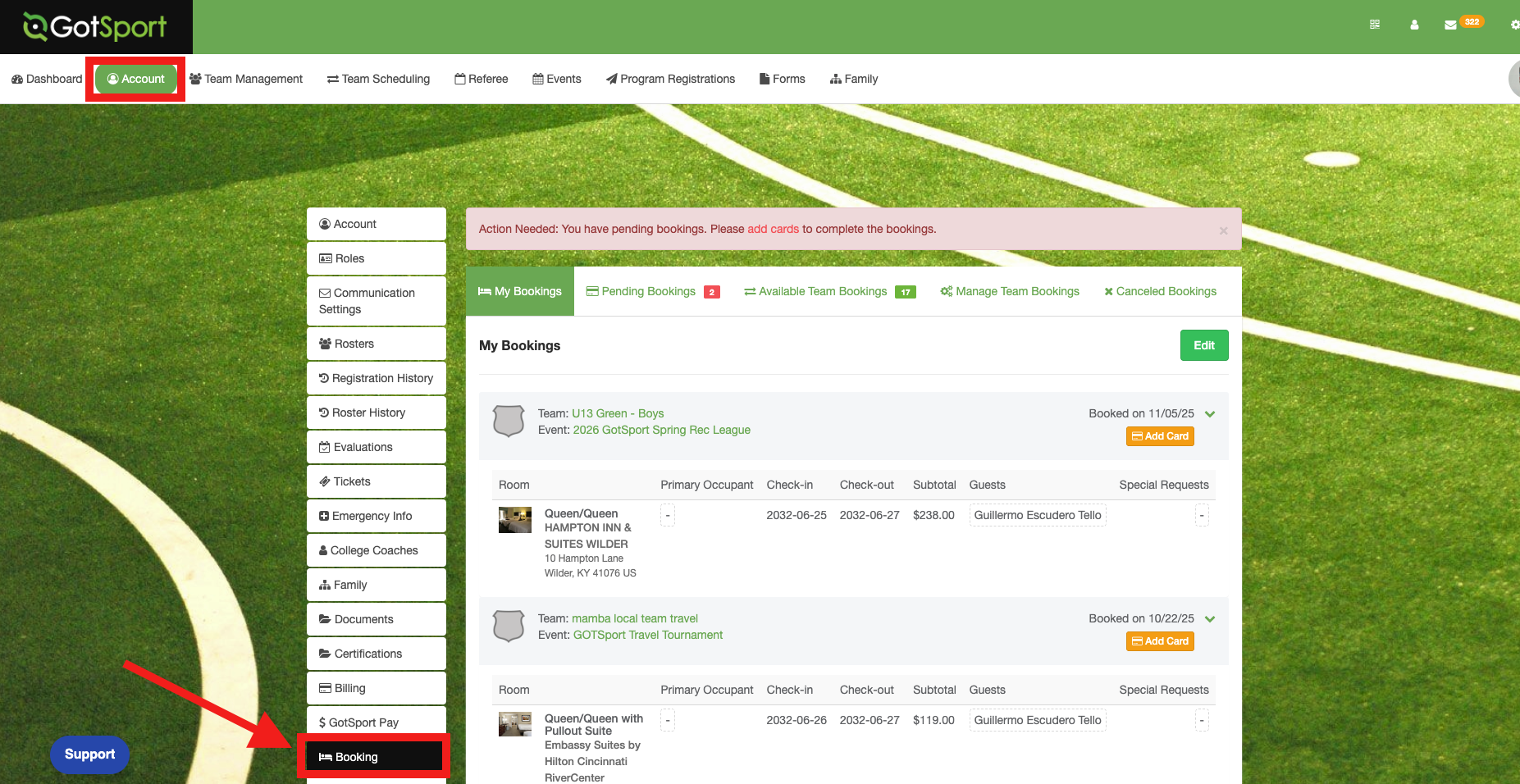
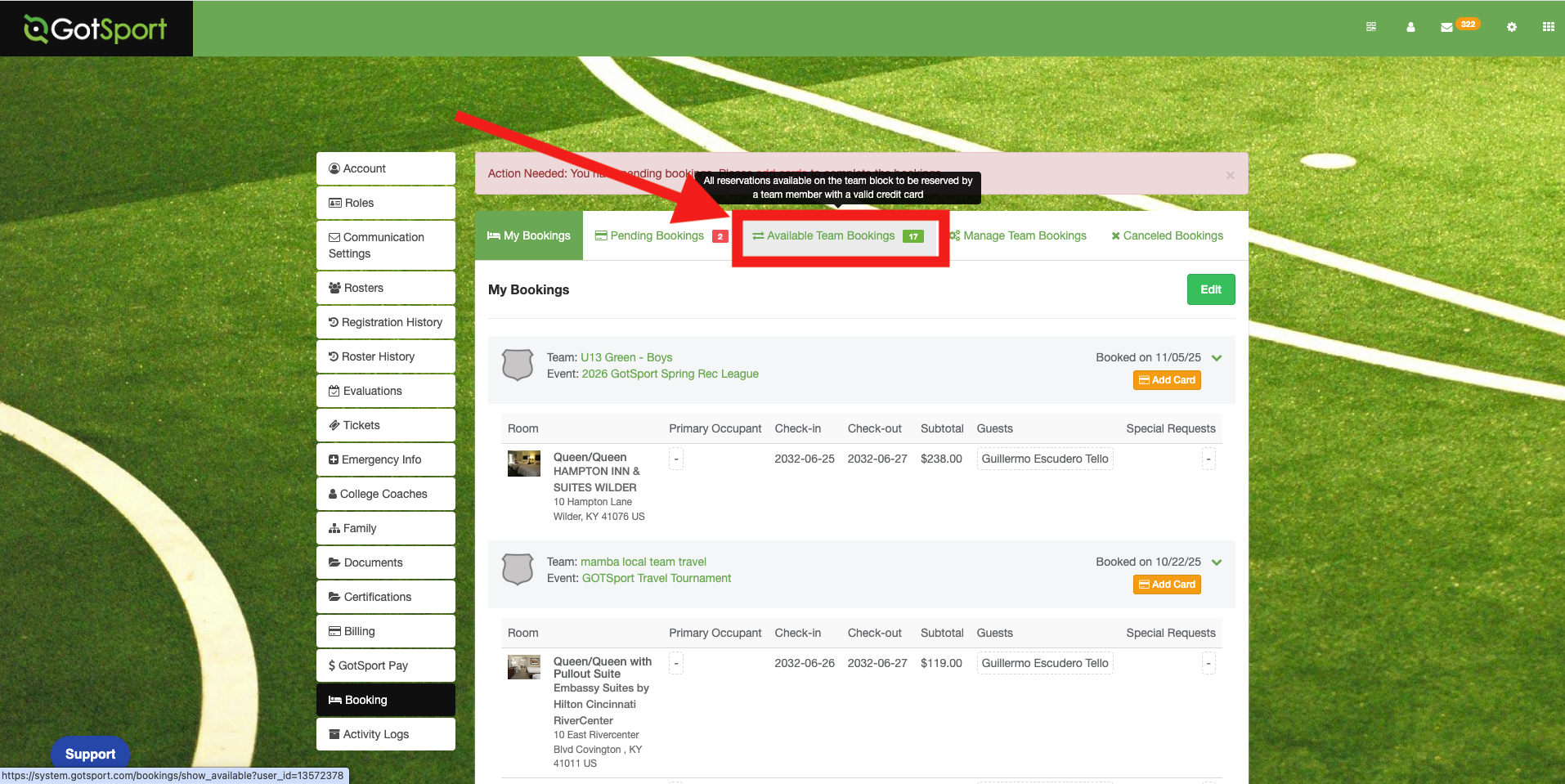
Step 2: From the menu that appears, select "Available Team Bookings"
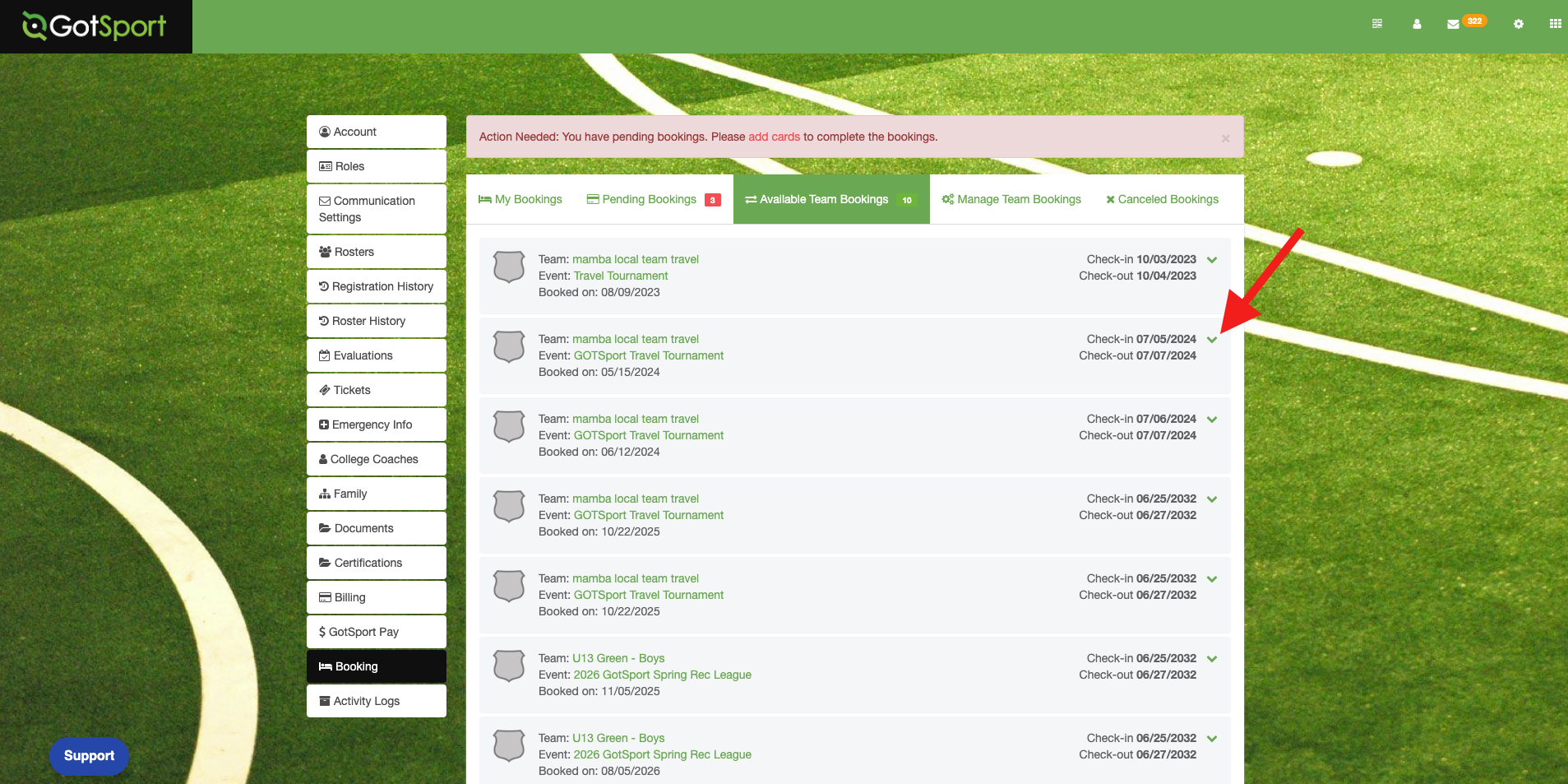
Step3: Select the hotel reservation whose check-in and check-out dates match your team’s event. Use the drop-down menu to view the available options.
Step 4: In the menu that appears, select the check box for each night you would like to claim
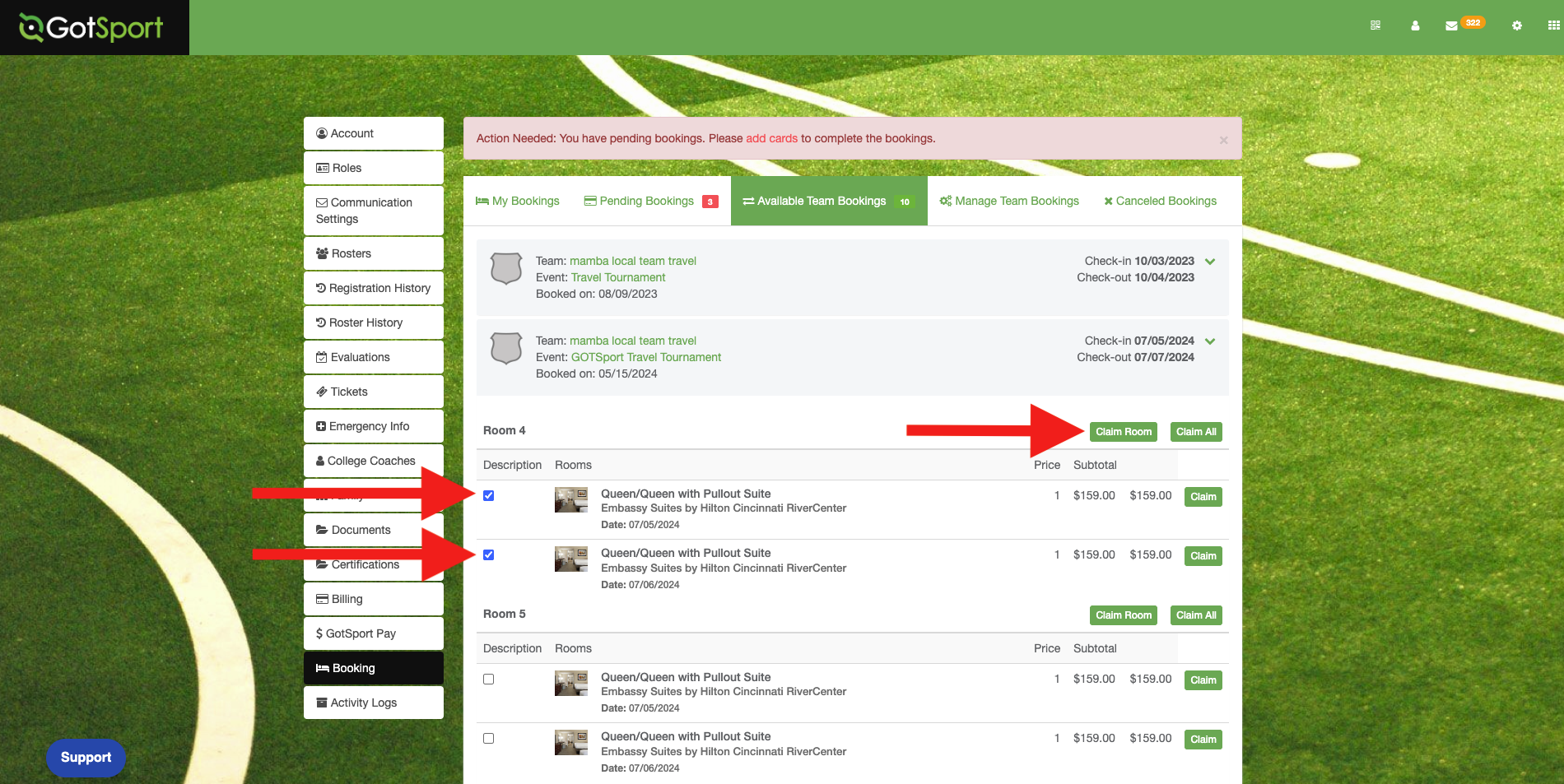
Step 5: You will then be prompted to enter your credit card information to complete your room reservation.