This is only for tournaments partnered with GotSport.
Artículo en Español: (Español) Como Entrenador/Director – Cómo desasignar una reserva y reasignarla a otro miembro del equipo
Instructions
Step 1:
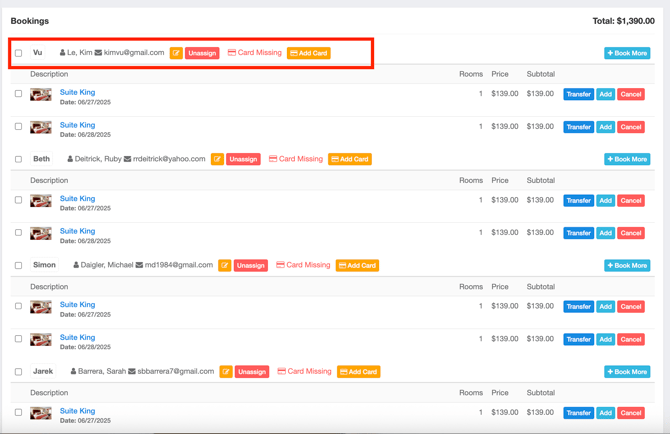
- Once a Team Team Member has been assigned you will have the option to Unassign the room.
- Select Unassign to revoke the room for this team member.
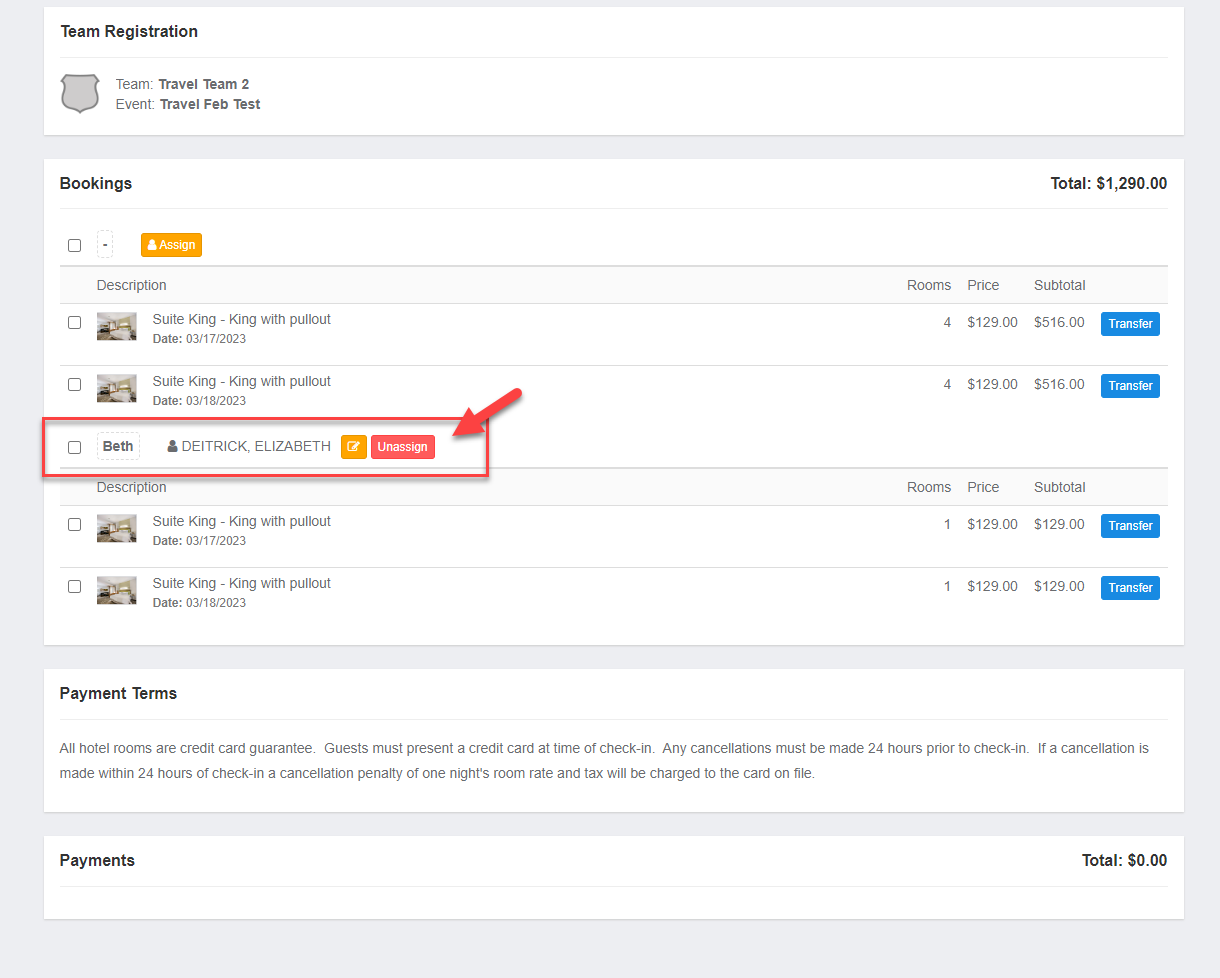
Step 2:
- Select where the team members name is listed to change their name. *Only necessary if team members name have been labeled.
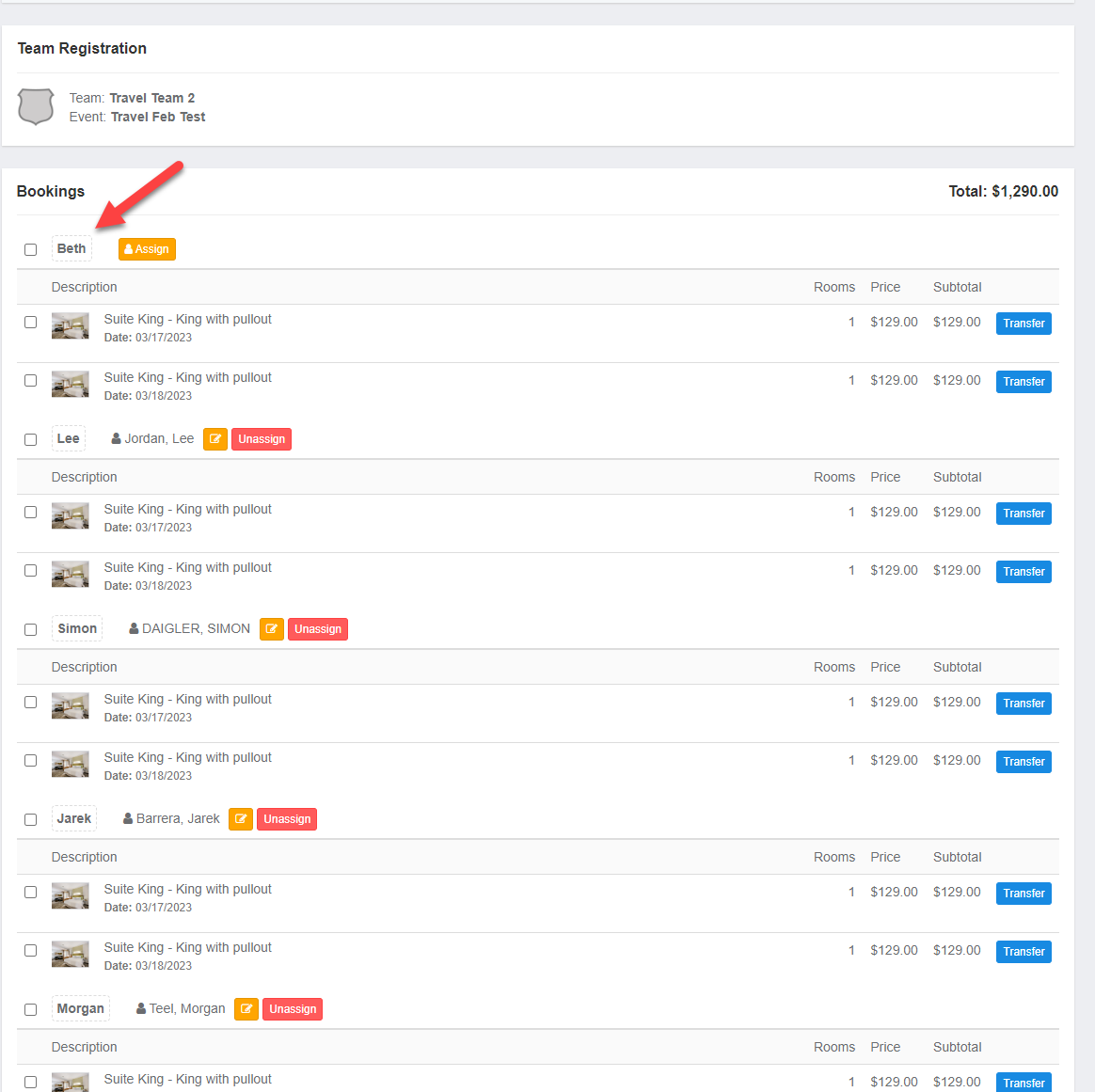
Step 3:
- Add the new team members name. *Only necessary if team members name have been labeled.
- Followed by Assign to view the list of team members.
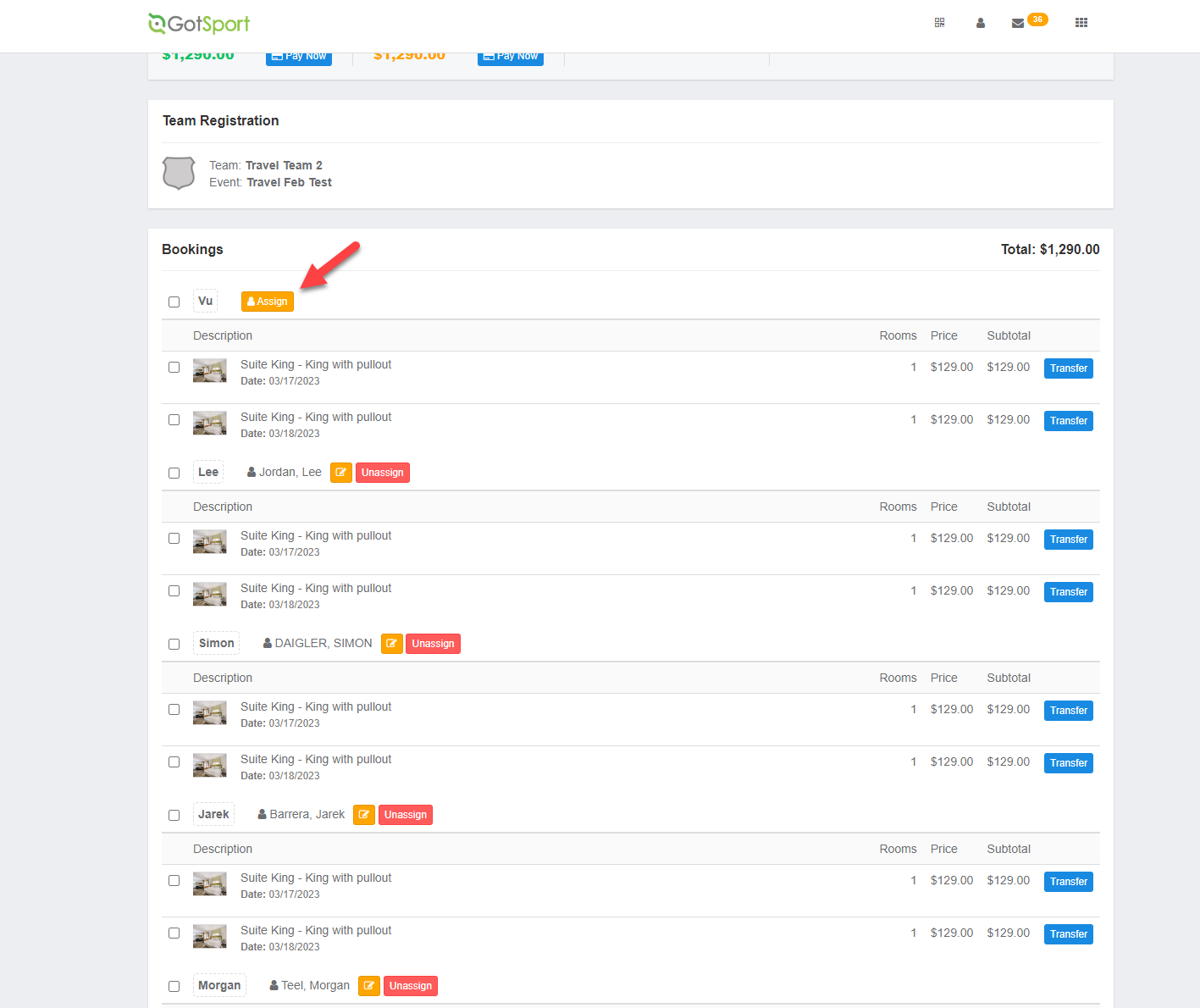
Step 4:
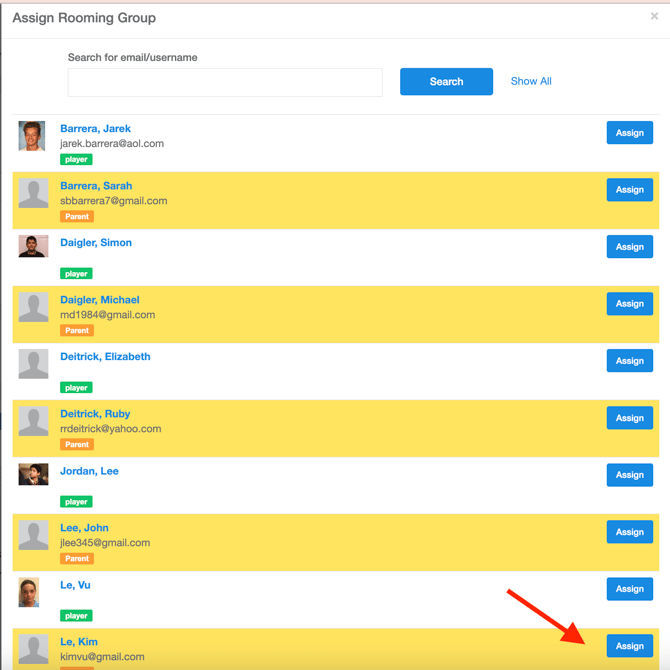
- Select Assign
- Rooms should be assigned to Parents. Parents are highlighted in yellow on the roster.
Step 5:
- The room has now been assigned to new team member.
- The team member that has been assigned and will receive an automatic email stating an update has been made to their reservation.