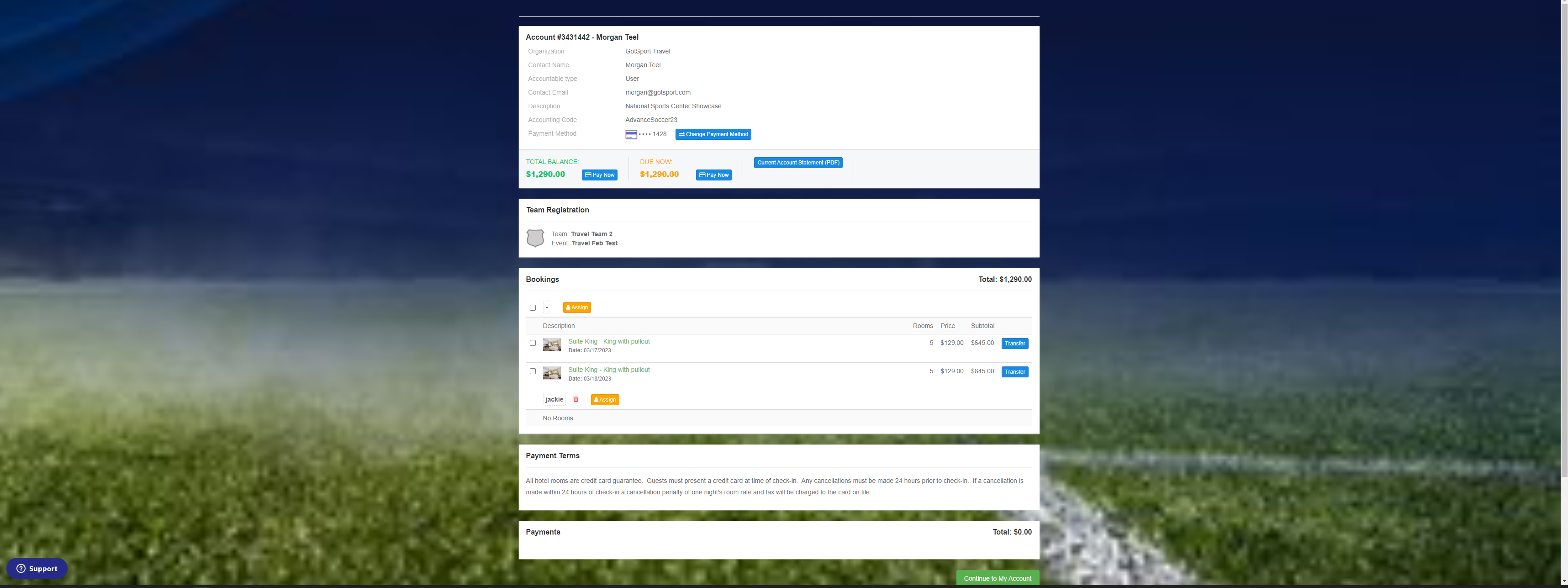
This is only for tournaments partnered with GotSport.
Artículo en Español: (Español) Como Entrenador/Director - Cómo reservar un bloque de habitaciones (Hotel)
Instructions:
Step 1:
- Once you have registered for the tournament, you will be directed to the hotel reservation system.
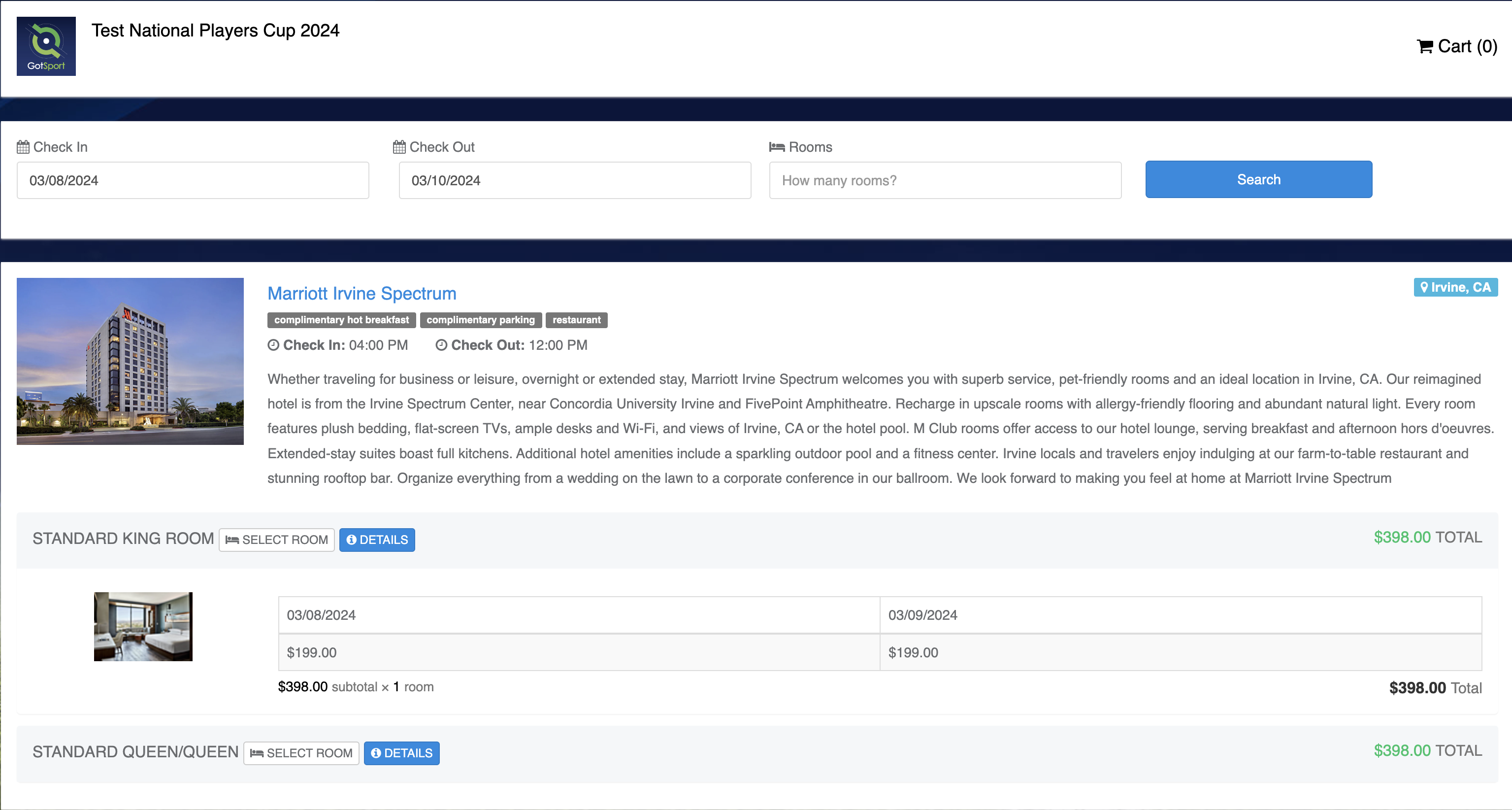
Step 2:
- Select the dates, number of rooms, and distance to the event you wish to reserve for your team. Click search to populate properties.
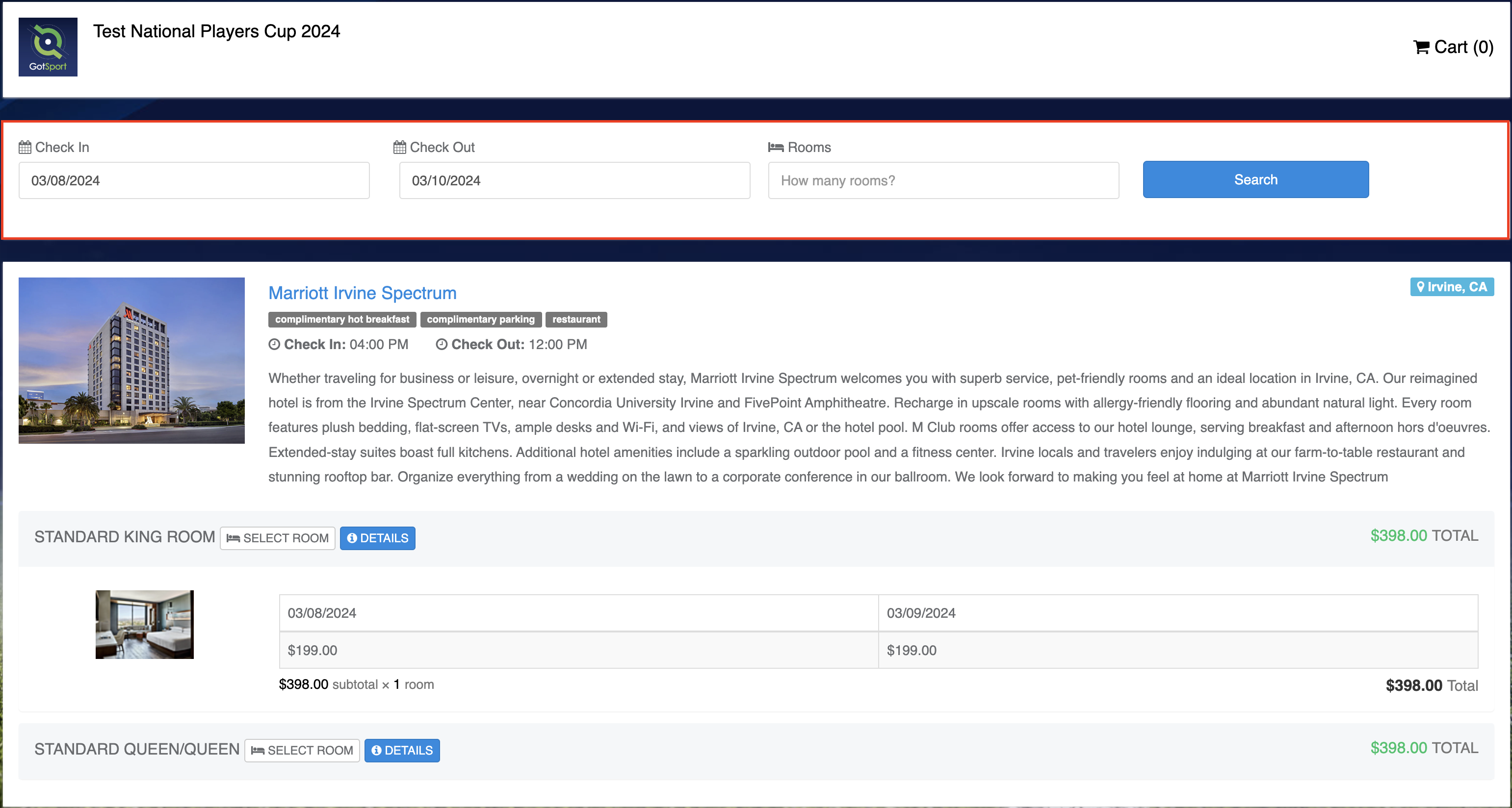
Step 3:
- Click Select a Room in the hotel you would like to make the reservation.
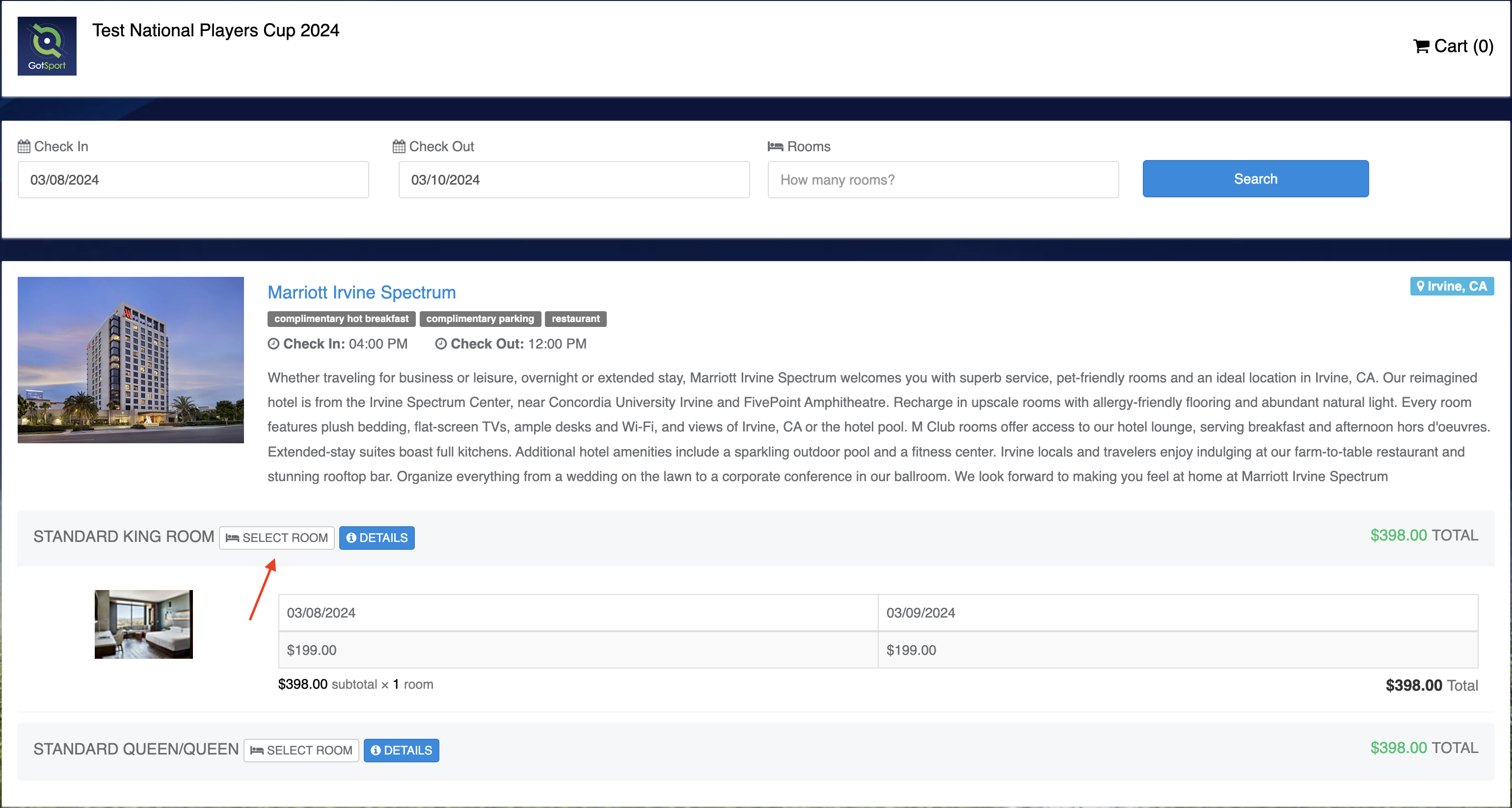
Step 4:
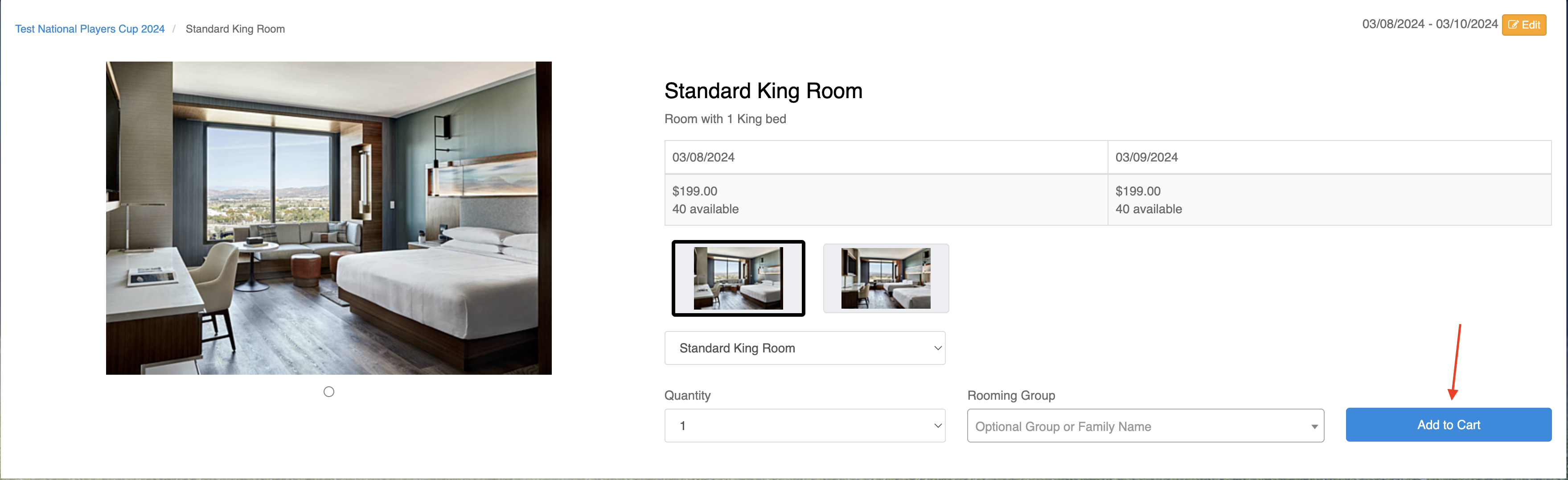
- Click Add to Cart.
Step 5:
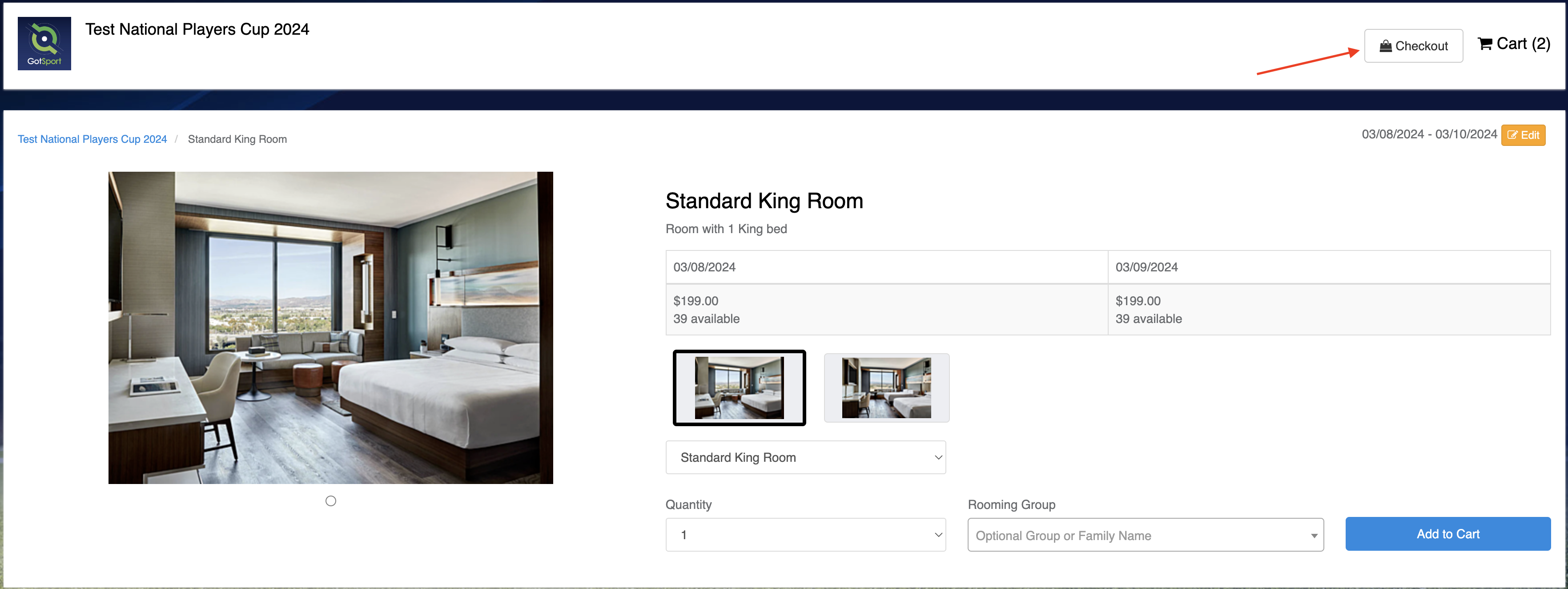
- Click Select Check Out.
Step 6:
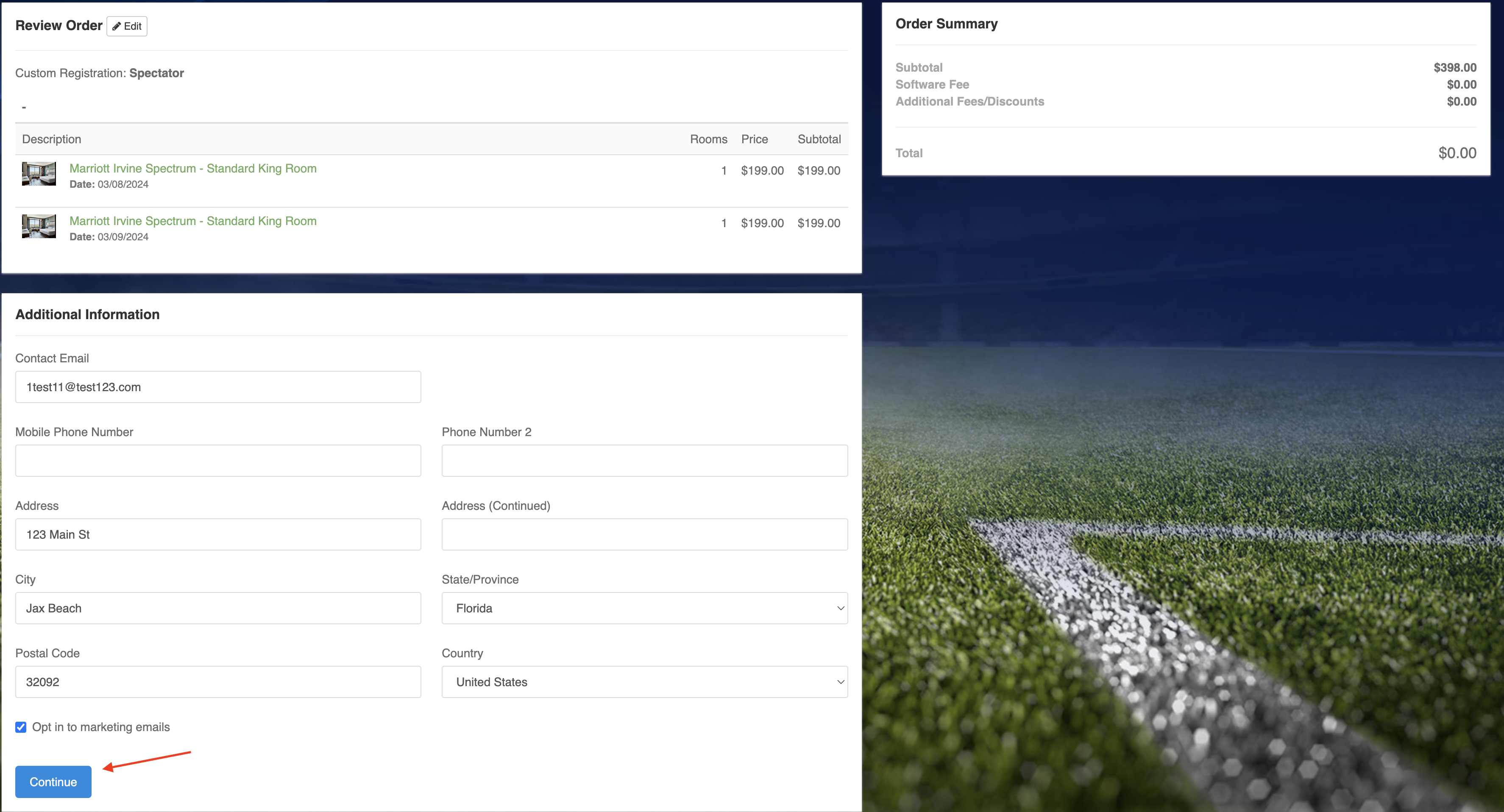
- Fill out Additional Information. Click Continue.
Step 7:
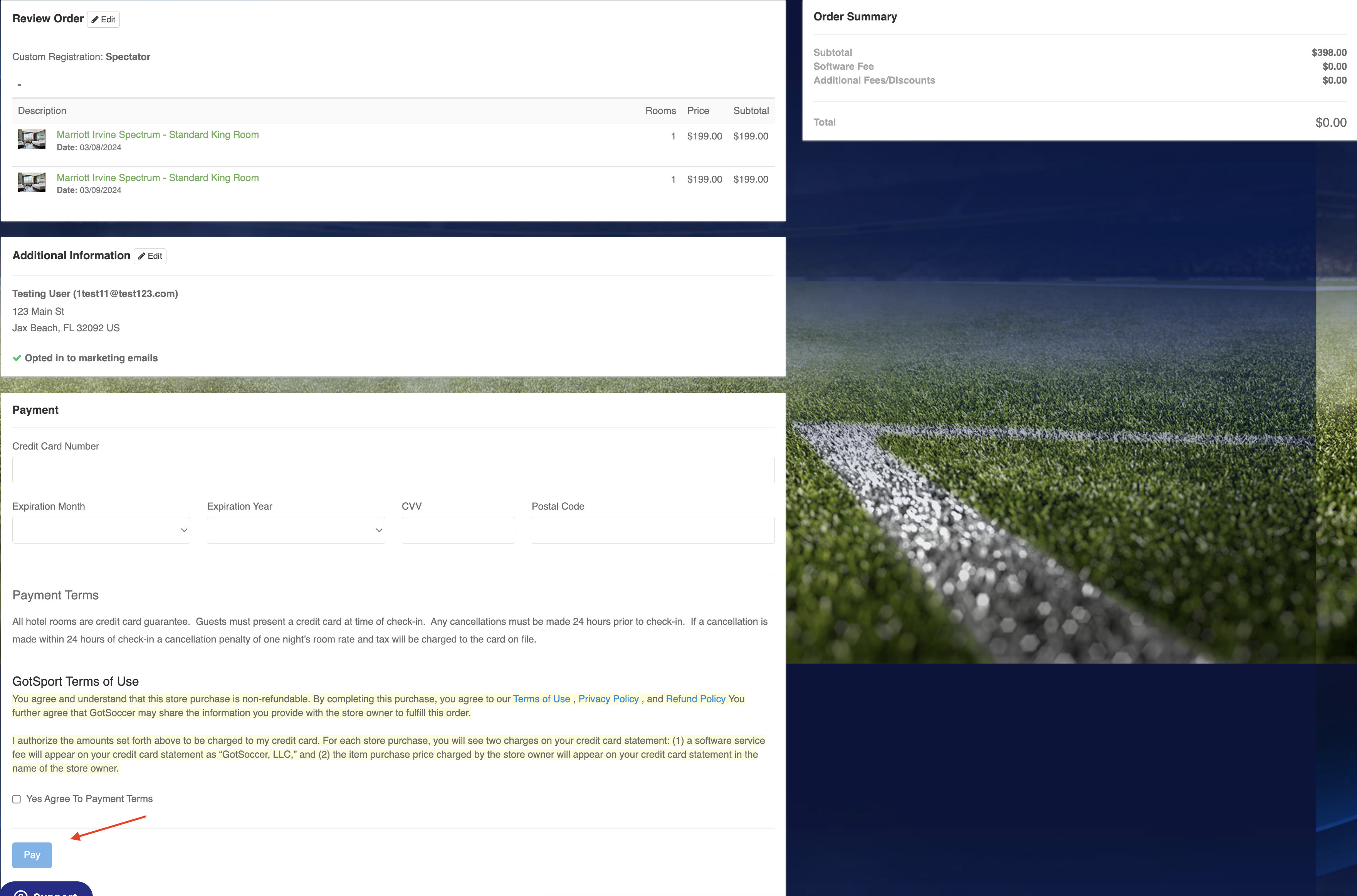
- Fill out Payment information, read through the policies, followed by Pay.
Step 8:
- Booking Confirmation.