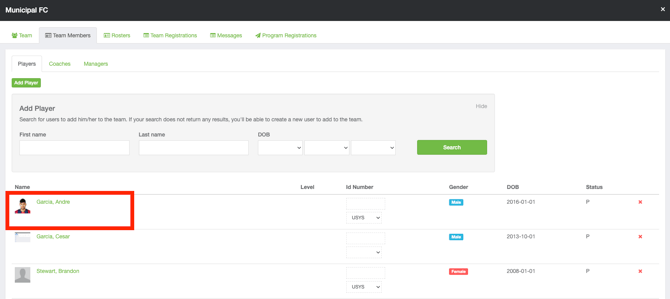
Instructions:
Step 1:
- Log into your GotSport account here: https://home.gotsport.com/login/
-
From your coach or manager account, go to the Team Management tab and select the desired team.
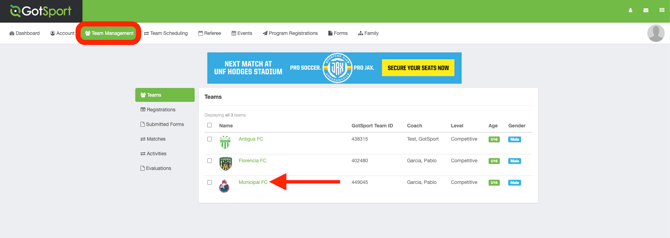
Step 2:
-
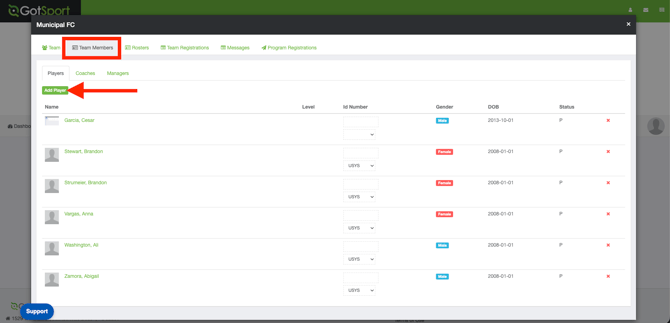
Once you select the team, go to Team Members and click Add Player.
Step 3:
-
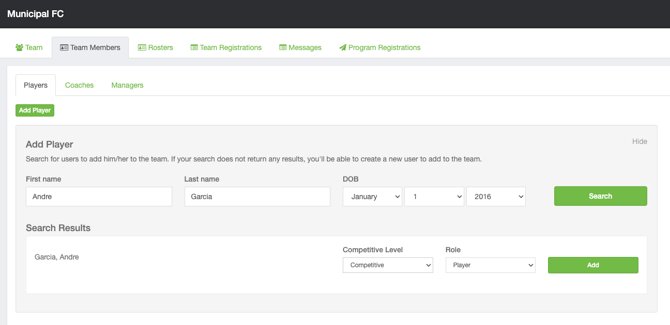
Search and add the player to the team. If the player already has a GotSport account, they will be listed when you do the search with their first name, last name, and date of birth
-
Select Competitive Level and Add
-
If the player you searched for does not have a GotSport account, you will need to create one for them. After entering all required information, click Create.
Step 4:
- The user has now been added as a coach to the Team Members List.