Instructions:
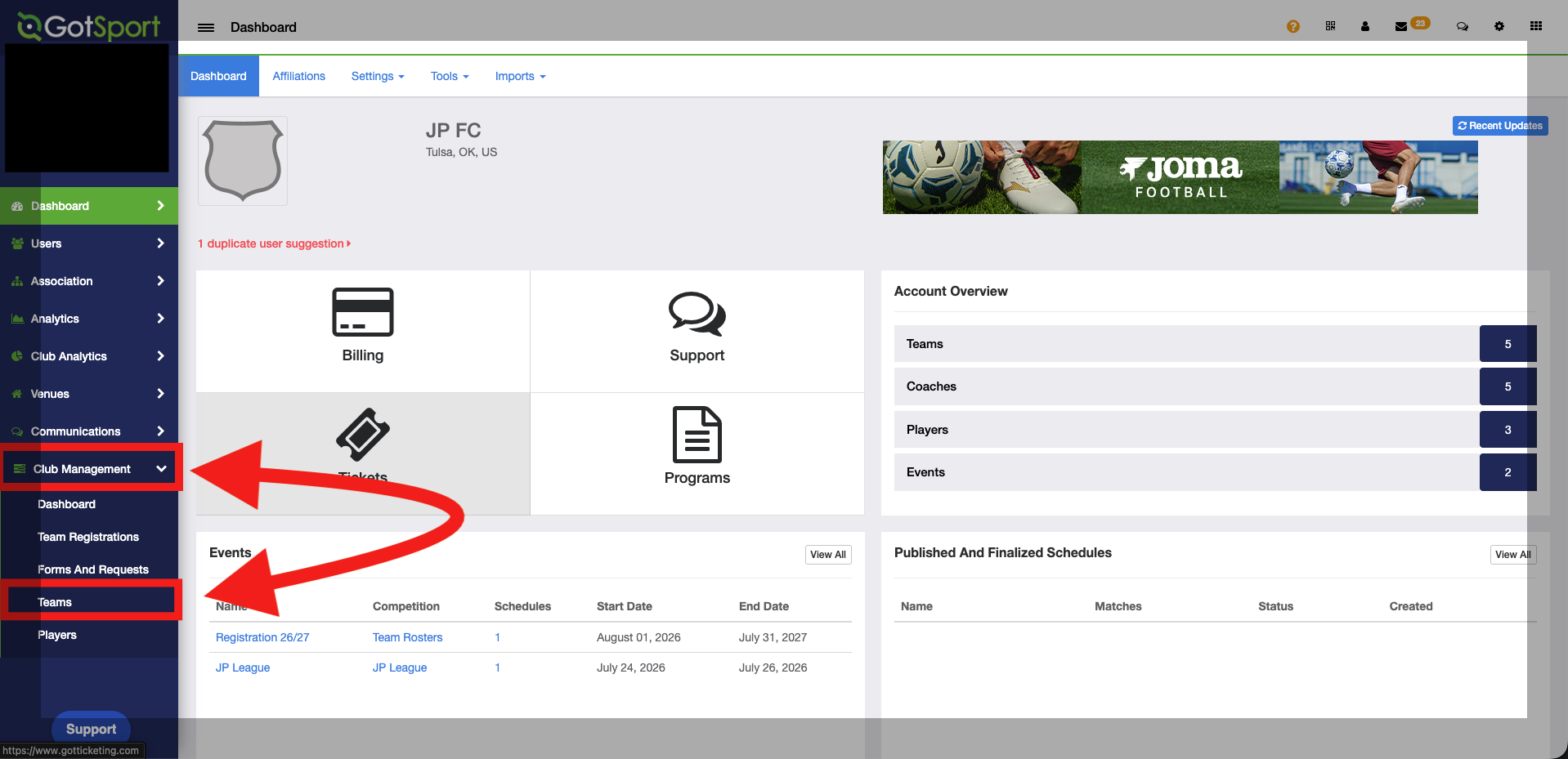
Step 1:
- From the club dashboard, you will navigate to the 'club management' tab, then select 'teams'.
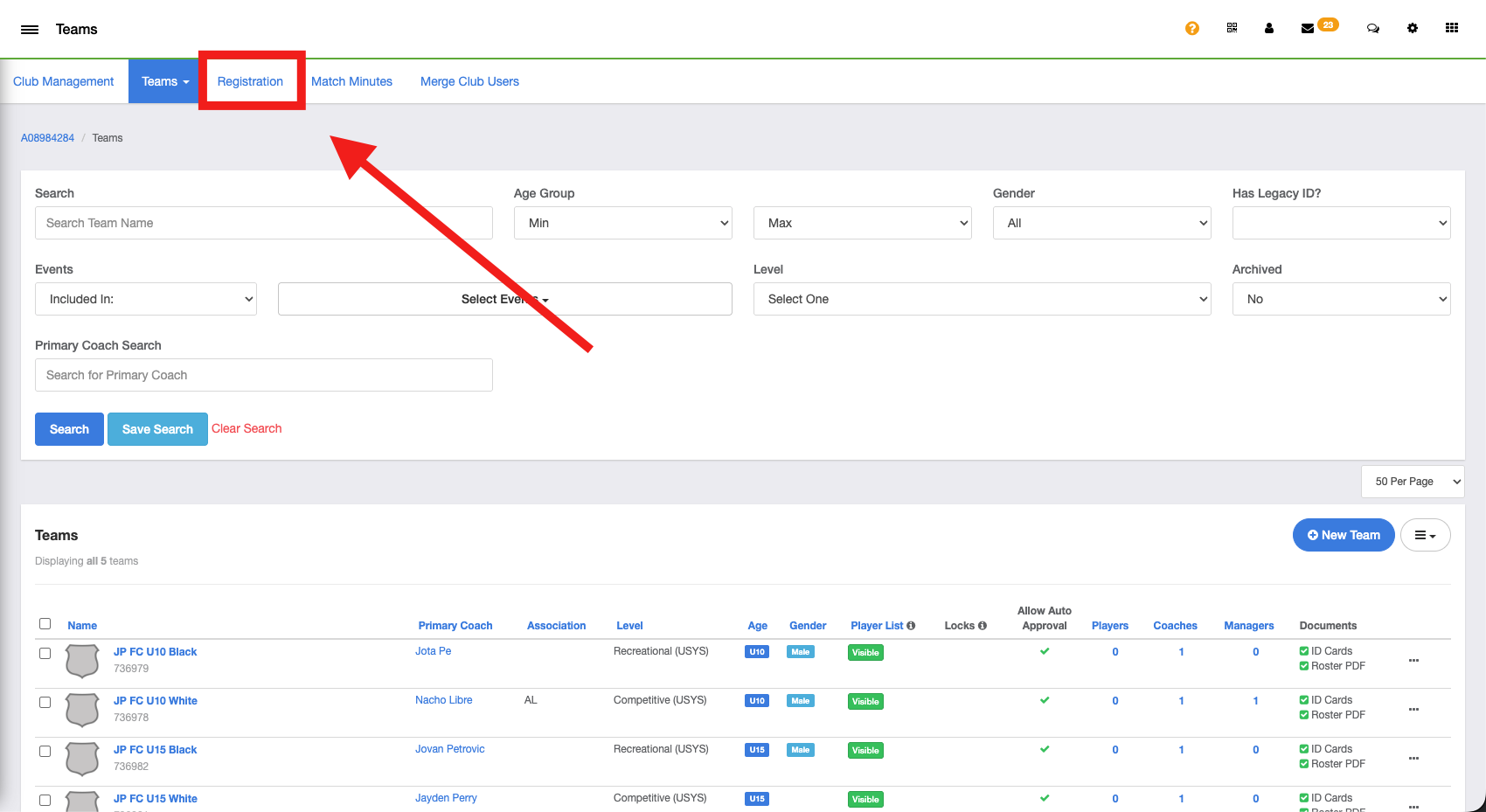
Step 2:
- Inside of 'teams', you will navigate to the 'registrations' button at the top of the screen.
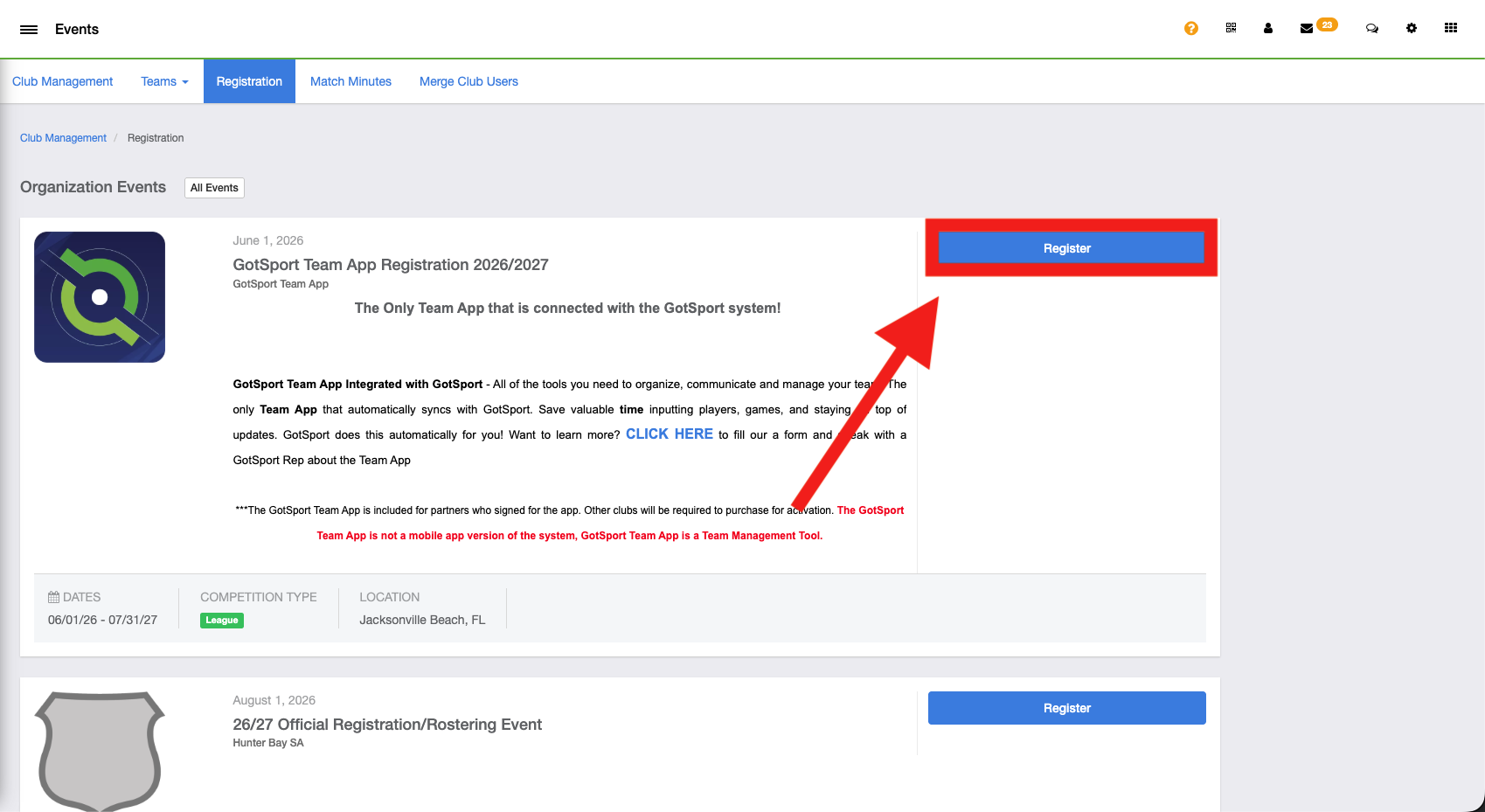
Step 3:
- Inside the registrations tab, you will select 'register' next to the event 'GotSport Team App Registration 2026/2027'.
Step 4:
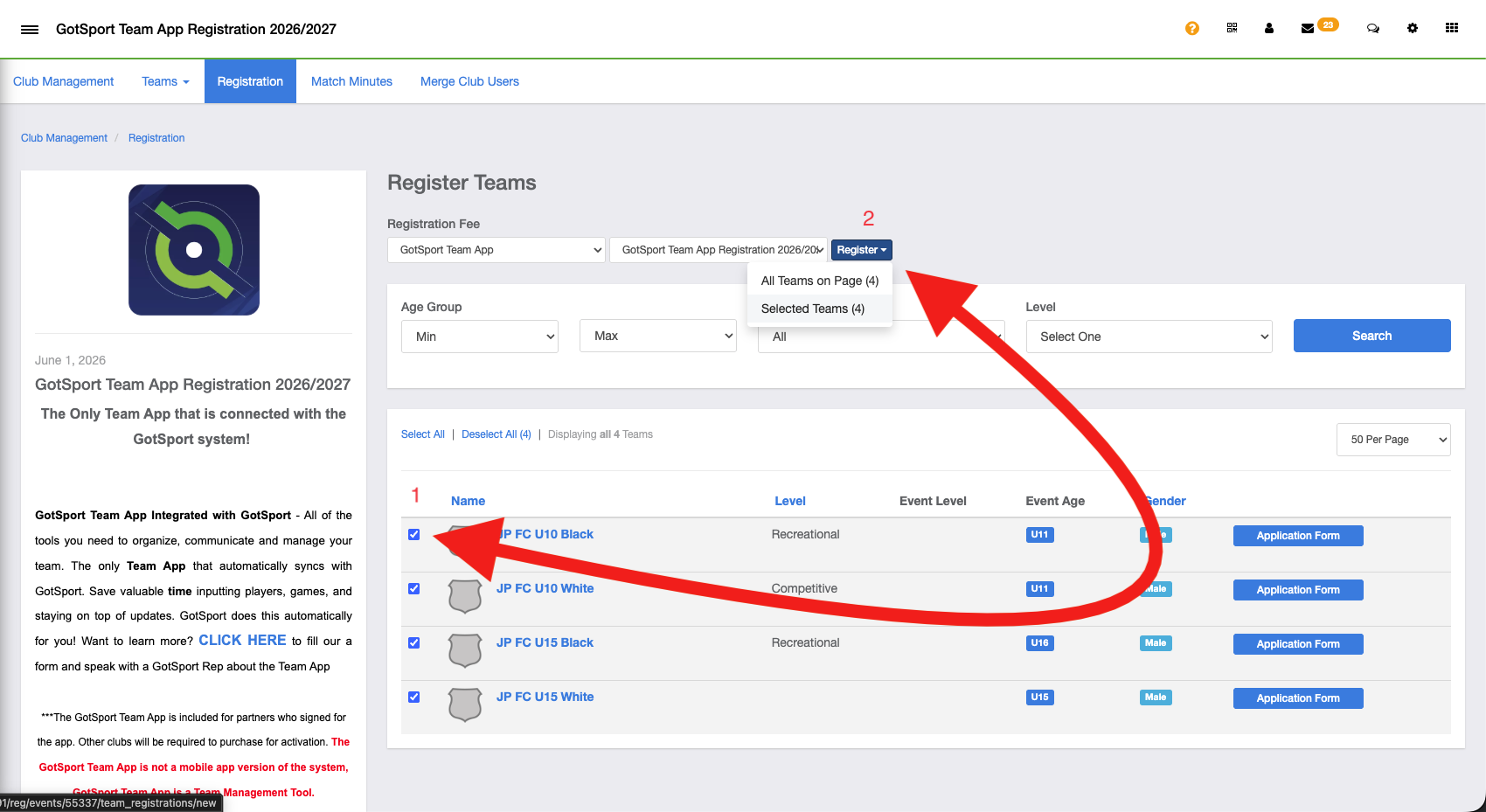
- After selecting the 'register' button, a list of your teams will appear, and from there you will select the team individually or bulk select the teams, and press register above the team selections.
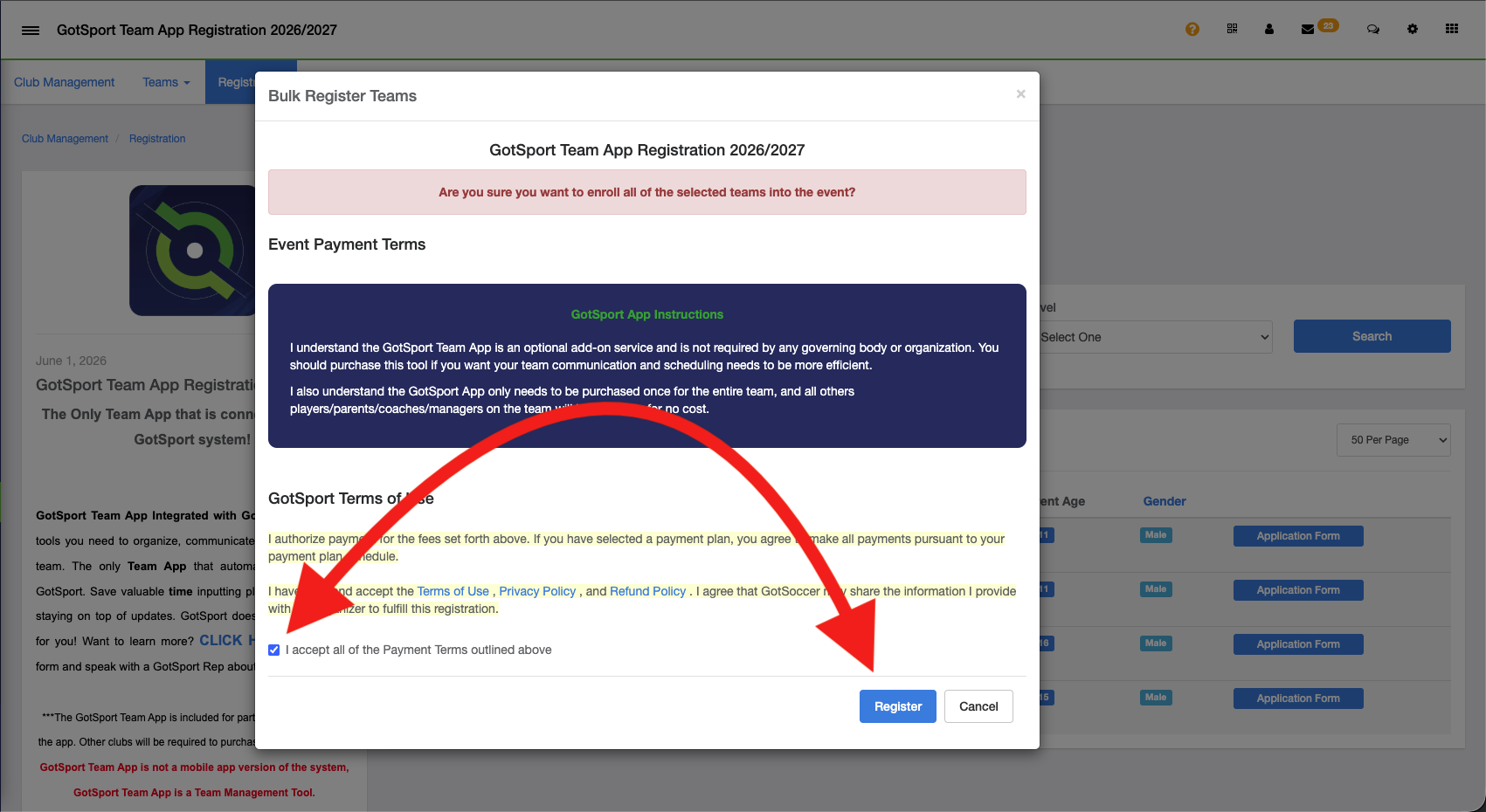
Step 5:
- Once you have selected the register button, you will agree to the terms and conditions, select the register button. Then you will have successfully registered for the GotSport Team App!