Instructions:
Step 1:
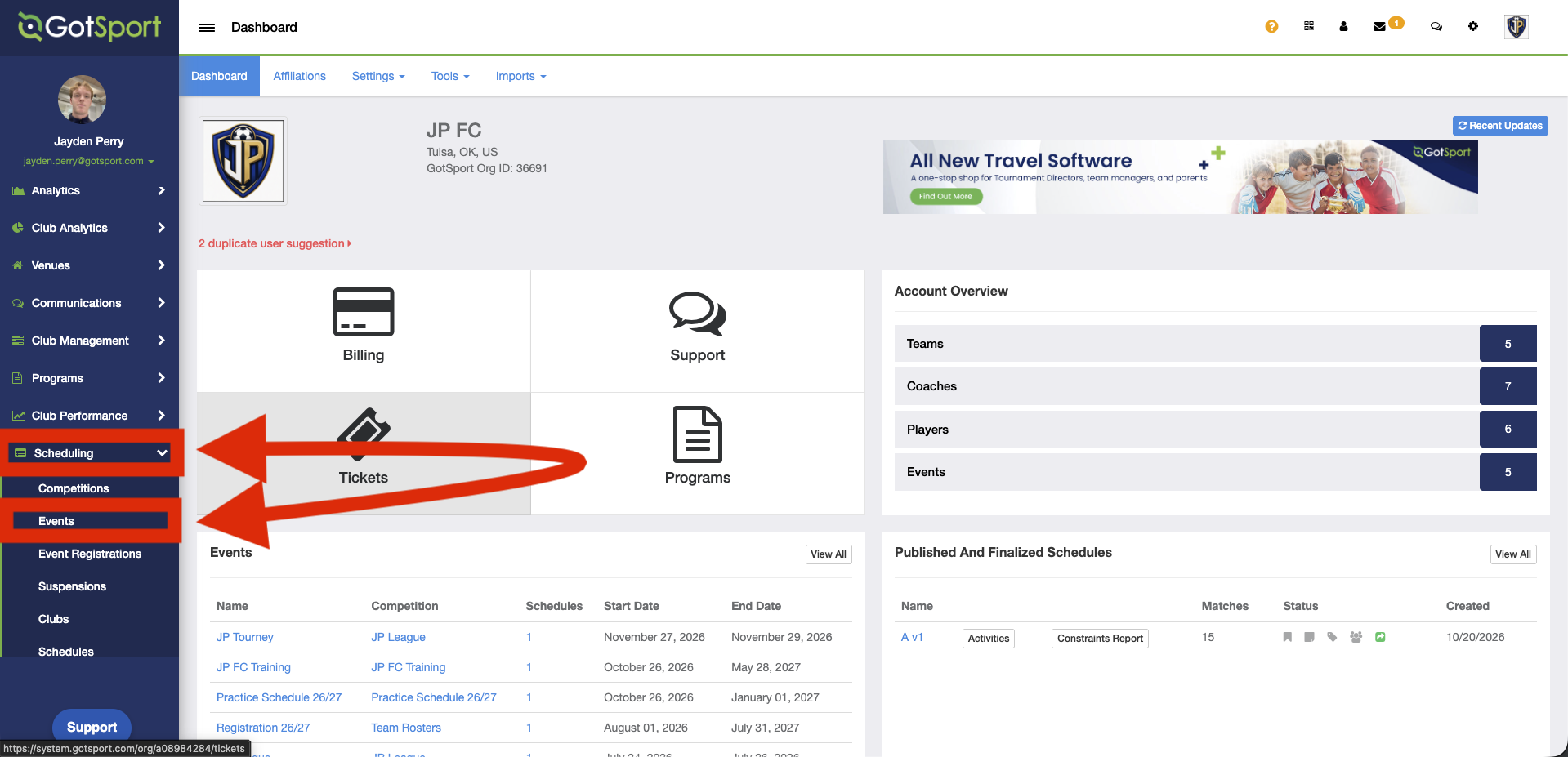
- From the Dashboard, go to “Scheduling” and select “Events”.
- For a program, go to “Programs” and select “Programs List”.
Step 2:
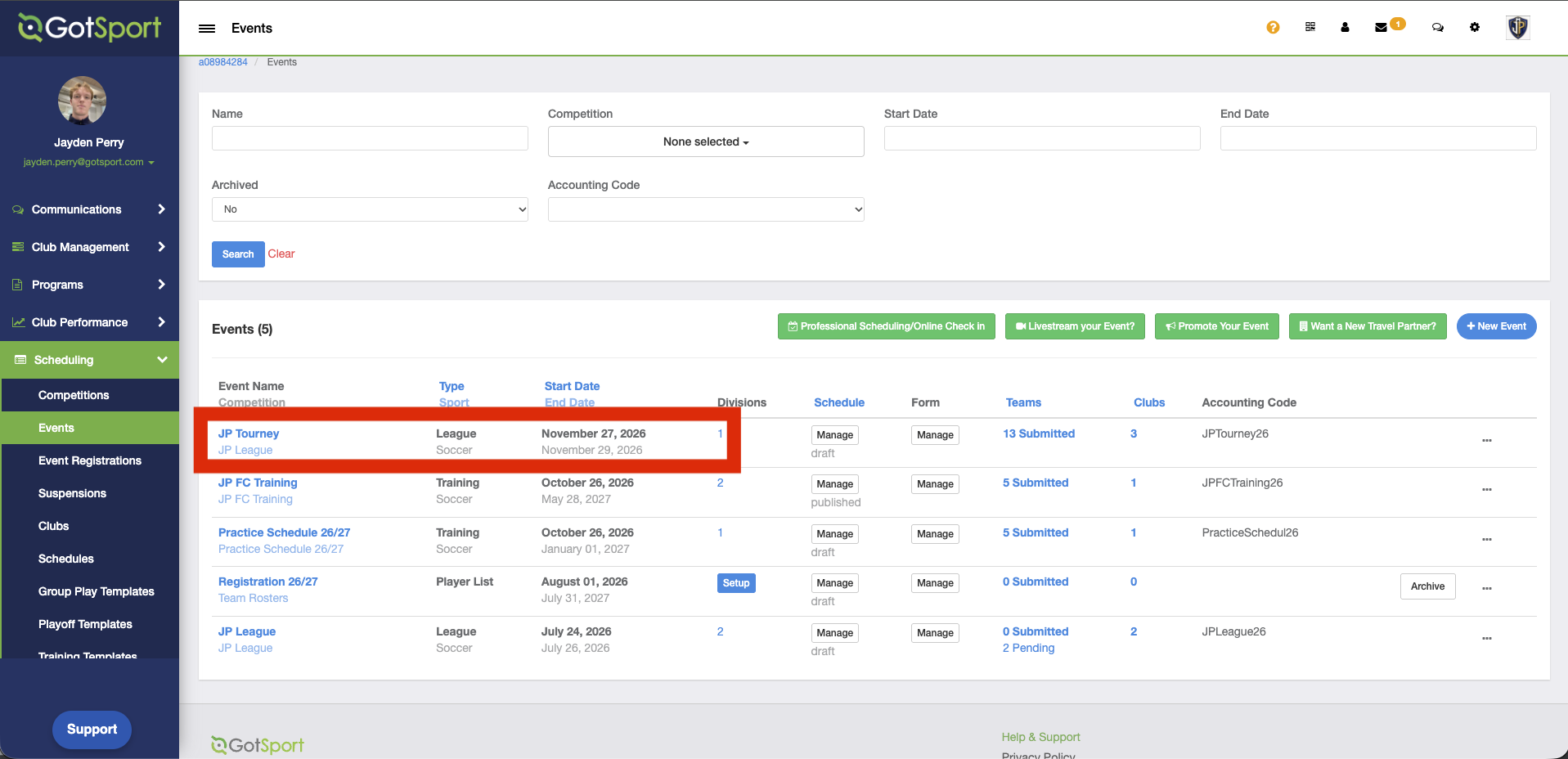
- Select the event or program you want to work with.
Step 3:
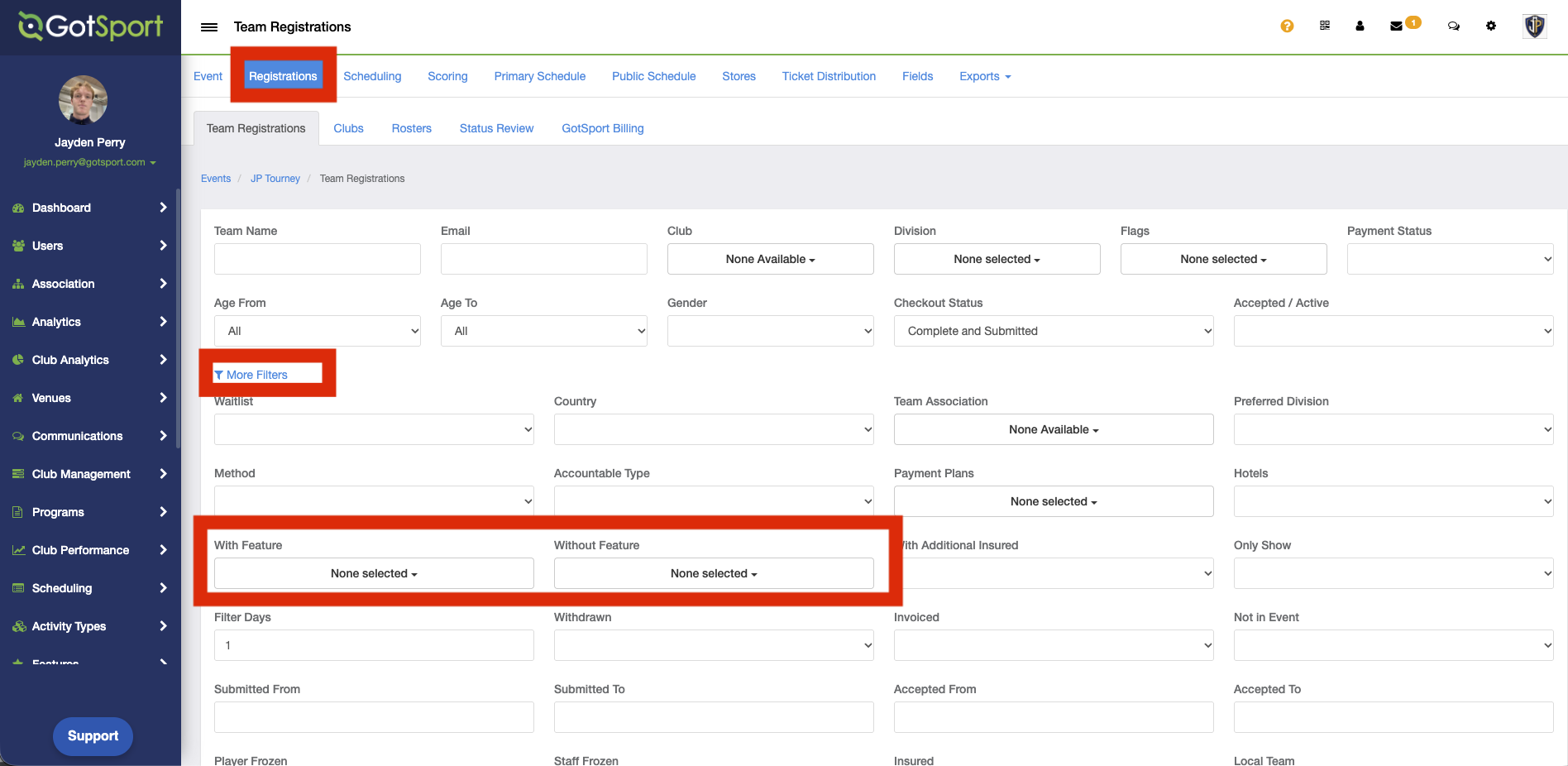
- Open the “Registrations” tab for that event or program.
- Click “More Filters”.
- Use the features filter to show registrations where a feature was used or not used.