
Instructions:
Step 1:
-
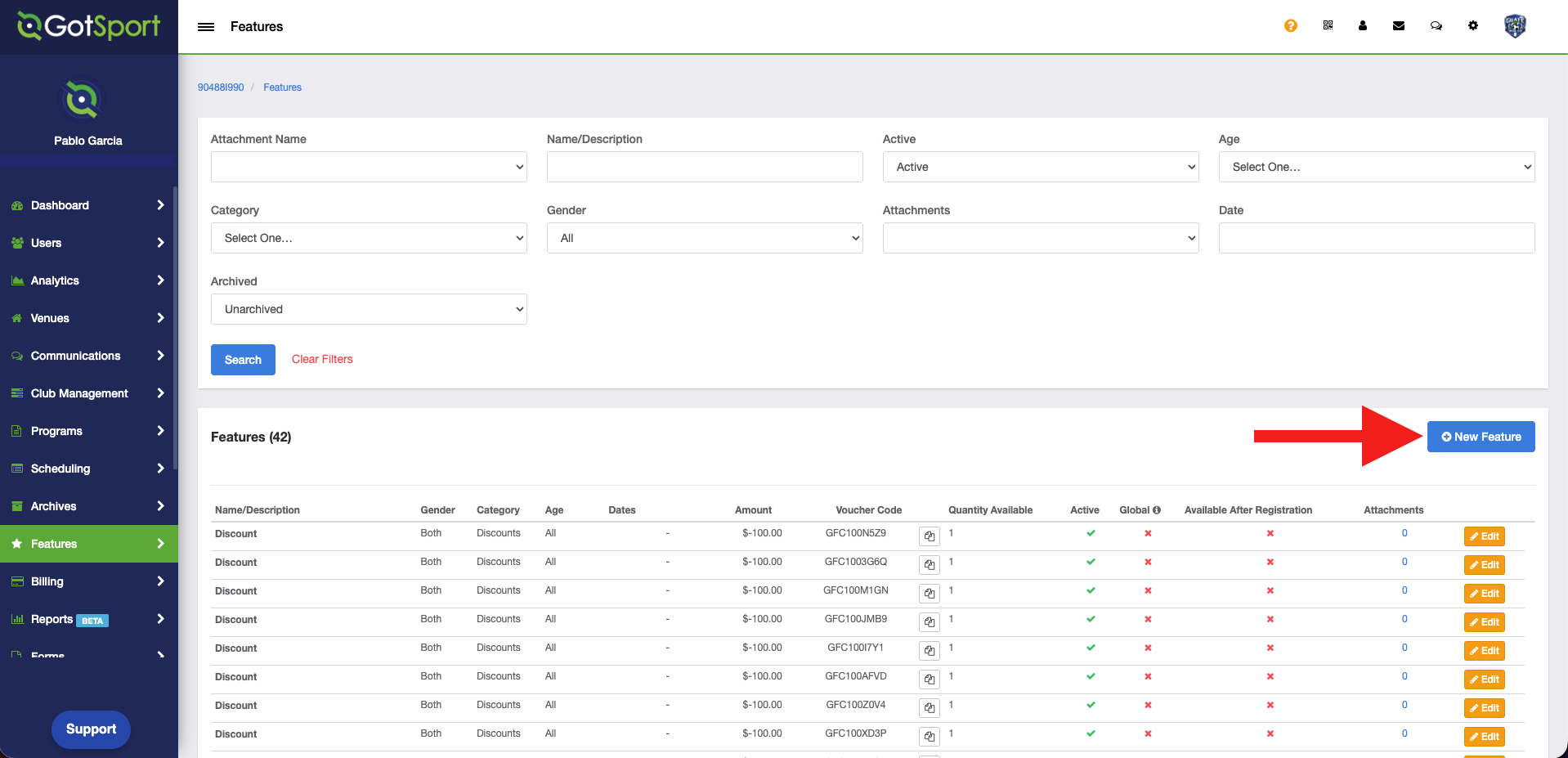
From the Features tab, click on "New Feature".
Step 2:
-
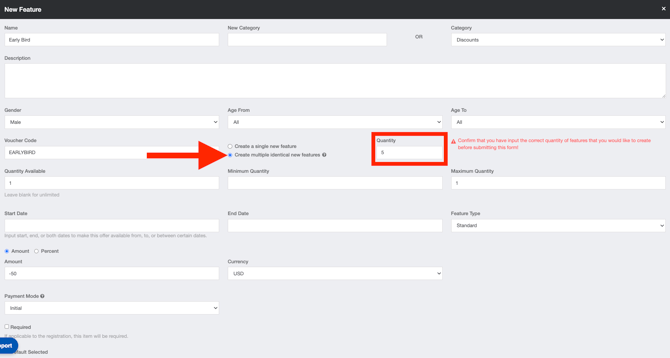
Here you will need to provide the necessary information on each field to create the features.
Please Note: When generating multiple features in bulk, the maximum quantity of features must be 1
-
To create multiple features in bulk, select "Create multiple identical new features", enter the desired number under "Quantity" and click Save.
-
The features will be created simultaneously, each with a unique voucher code.
-
You can copy the voucher code by clicking the copy icon next to the code.
