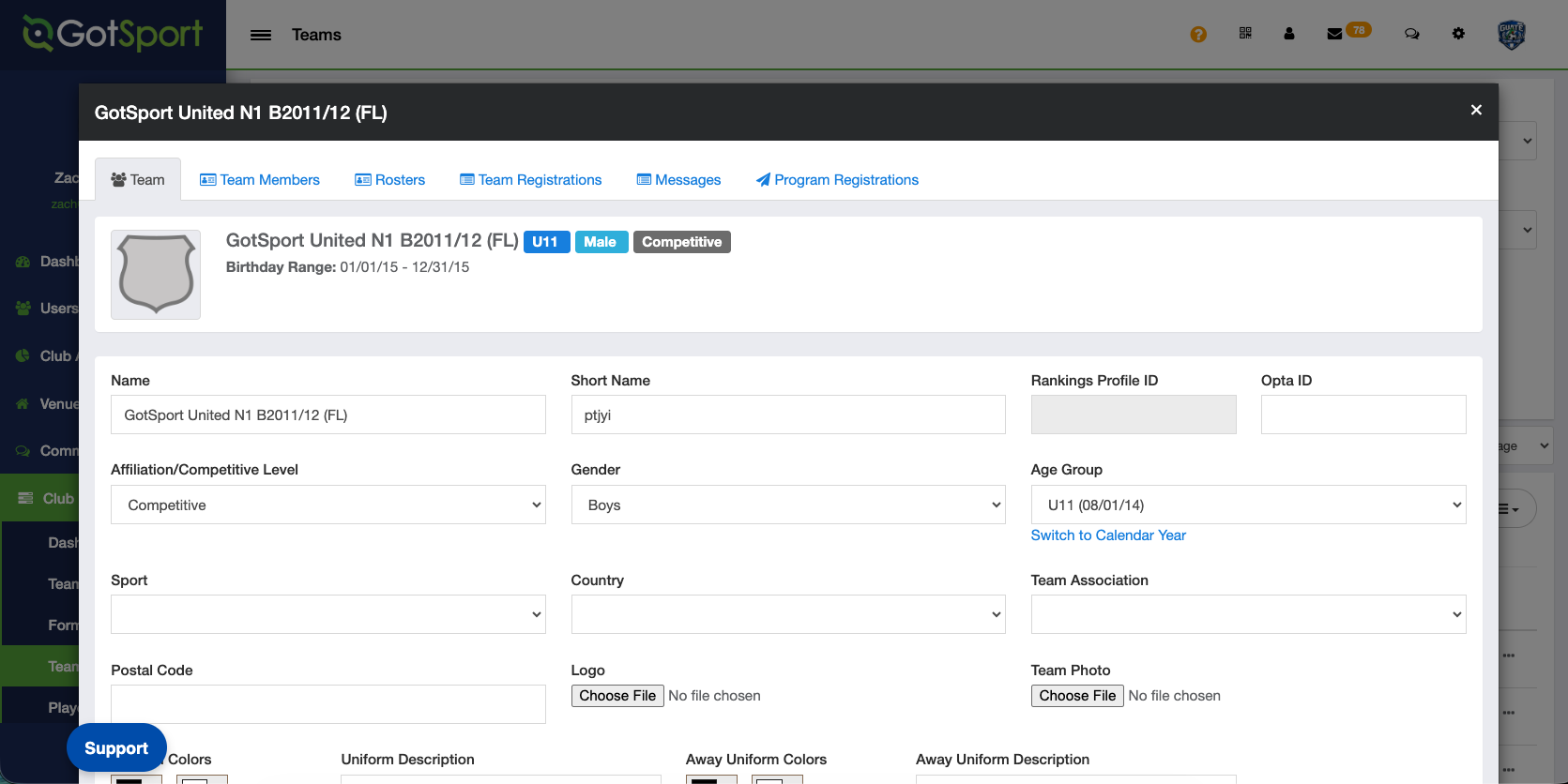
To align with the US Club Soccer seasonal-year registration structure, all team names must follow the standardized naming format below. For compliance reasons, it is very important that club names match across GotSport and Athlete One. Please note that we are no longer accepting the U12, U13, etc. team naming format.
[Club] [League] [Gender] [Birth Years] [Team][(State Abbreviation)]
Here are some examples:
- Club Name N1 B2012/13 (FL) | Club Name N1 G2012/13 (FL)
- Club Name N1 RL B2008/09 (FL) | Club Name N1 RL G2008/09 (FL)
- Club Name Pre-ECNL B2014/15 (FL) | Club Name Pre-ECNL G2014/15 (FL)
If a club has multiple teams within the same age group, an additional identifier may be added at the end of the team name. Example: FC Richmond N1 RL G2012/13 (FL) Red.
This does not apply to Multiple Program Clubs, where the identifier must be included within the club name itself. Example: Concorde Fire Premier N1 G2012/13.
Instructions:
Step 1:
- From Dashboard go to the Club Management tab and select Teams.
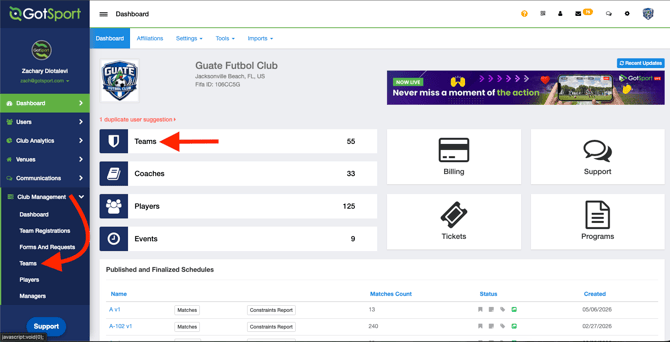
Step 2:
- Here you will click on New Team
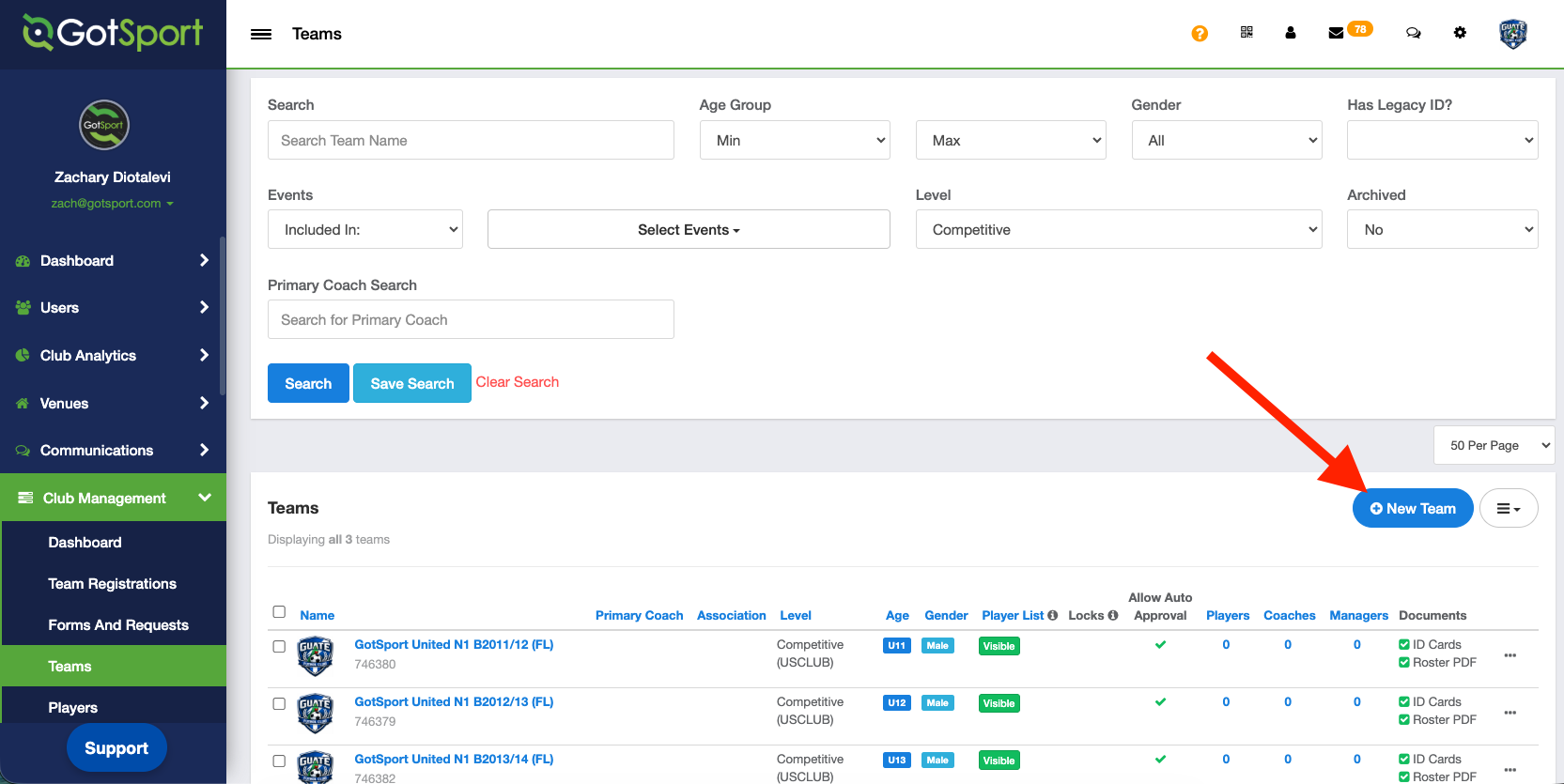
Step 3:
- You will give the team a Name, Competitive Level, Gender and Age.
IMPORTANT - When setting the team age, be sure to set age to what the team would be TODAY for the CURRENT SEASONAL YEAR. DO NOT set the age to what the team will be in the upcoming fall. Teams and player are automatically aged up one year for the new season on AUG 1st.
Make sure that teams are labeled as Age Method: School Year starting in the 26/27 season per US Soccer.
"Switch to School Year" means that currently, the age is set as calendar year. Click "Switch to School Year" to update accordingly.