
Instructions:
Please see this article for creating National One Team Names, as it must match the team name exactly as it appears in Athlete One: As a Club Admin - How to Create Teams for National 1
Step 1:
- Log in to your GotSport account. (How to Login)
Step 2:
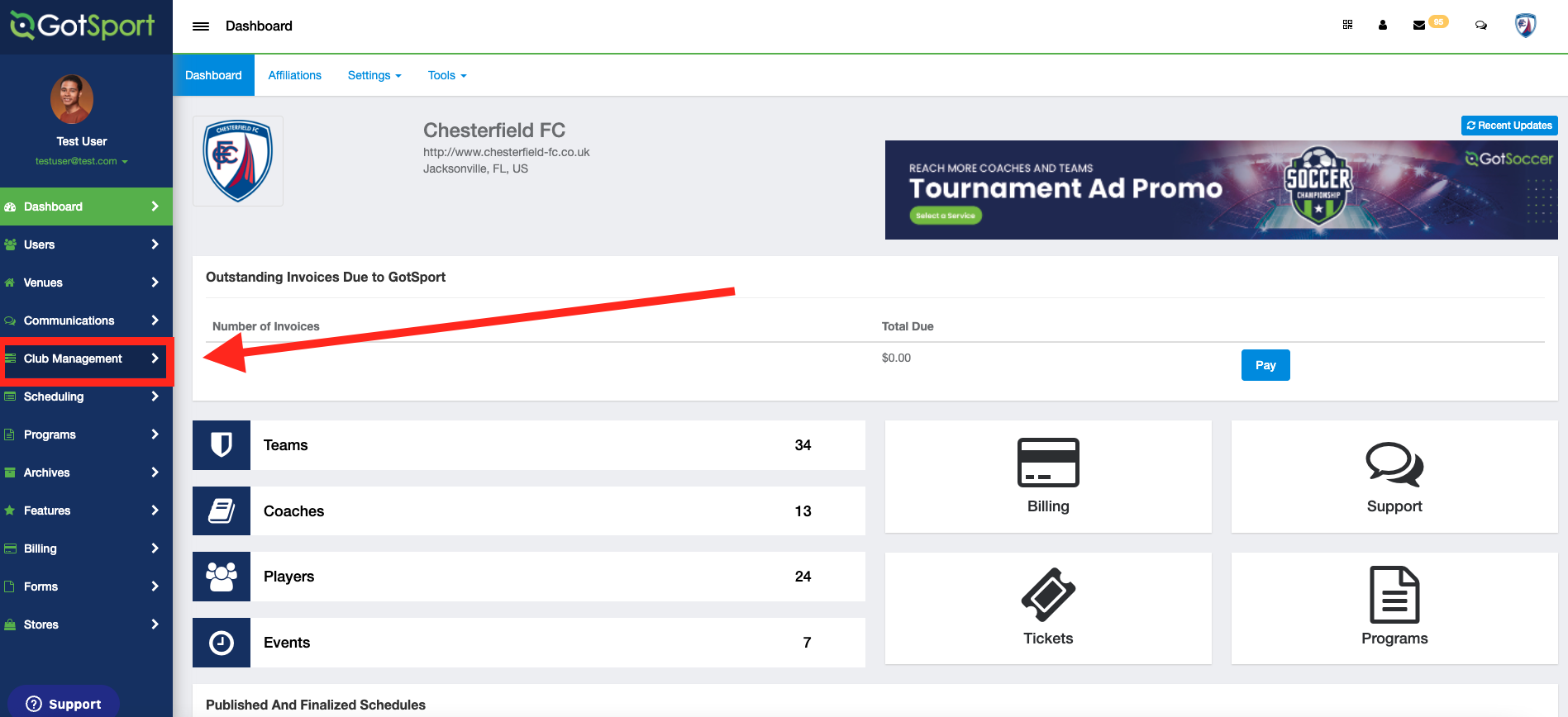
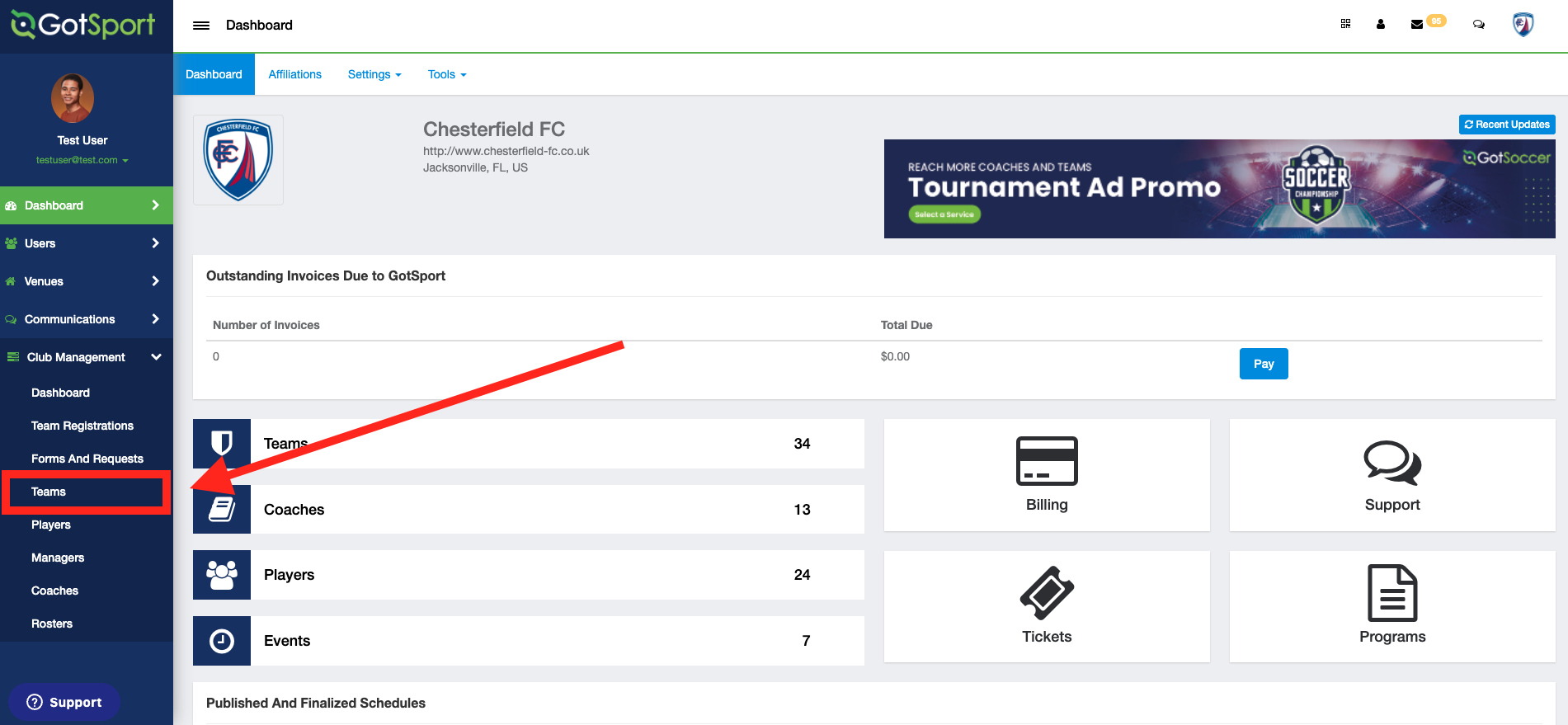
- Click on Club Management
- Click Teams
Step 3:
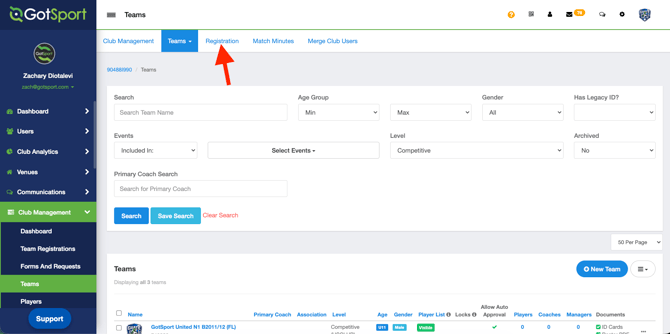
- Click on Registration.
Step 4:
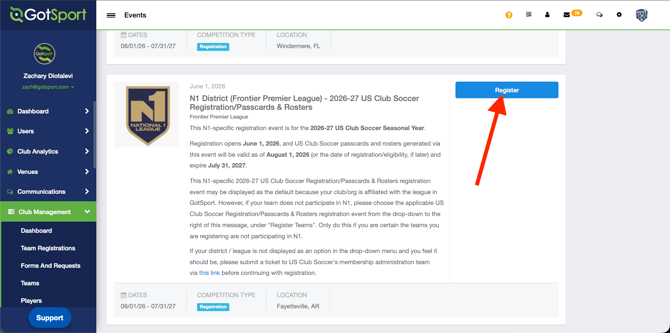
- Look for the registration event for the current/upcoming seasonal year. The event is called the N1 District - [UPCOMING SEASONAL YEAR] US Club Soccer Registration/Passcards & Rosters, then click Register.
Step 6:
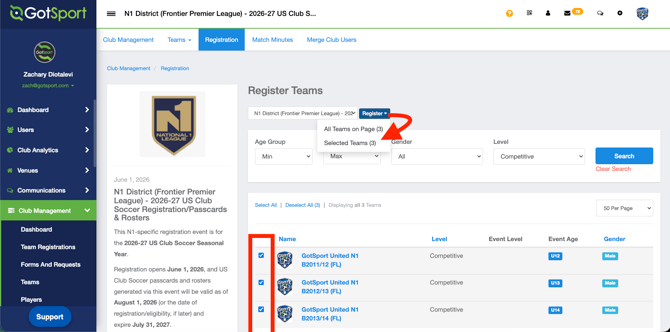
- Click "Register" to bulk enroll your teams.
- You can also pick and choose the teams by using the filters and the bulk action box to the left side of the Team Name.
Step 7:
- Once you have the teams you want to register selected, click the Register button.