
Instructions:
Step 1:
- Log in to your GotPro Club Dashboard: https://system.gotsport.com
Step 2:
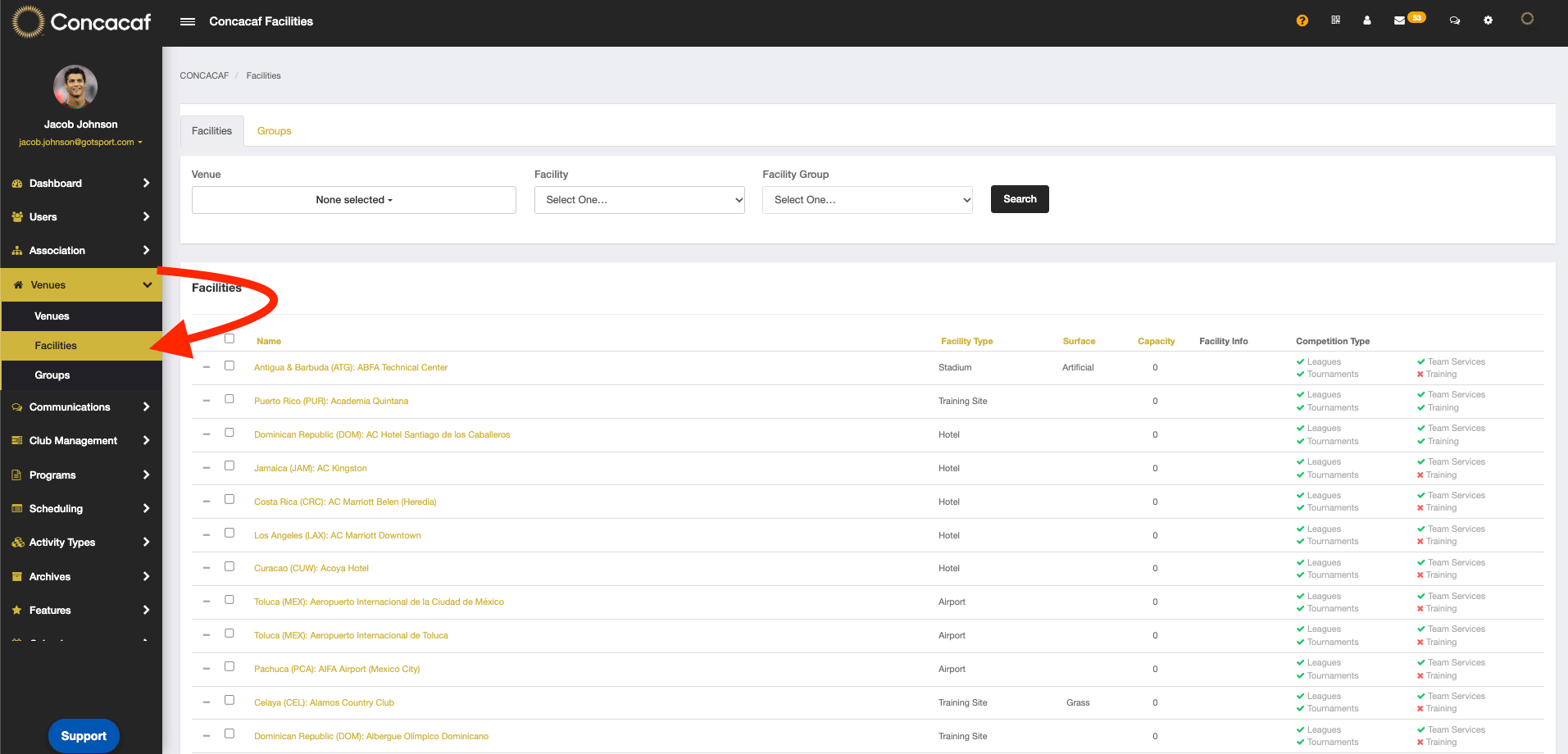
- Once logged in, select "Venues" > "Facilities"
Step 3:
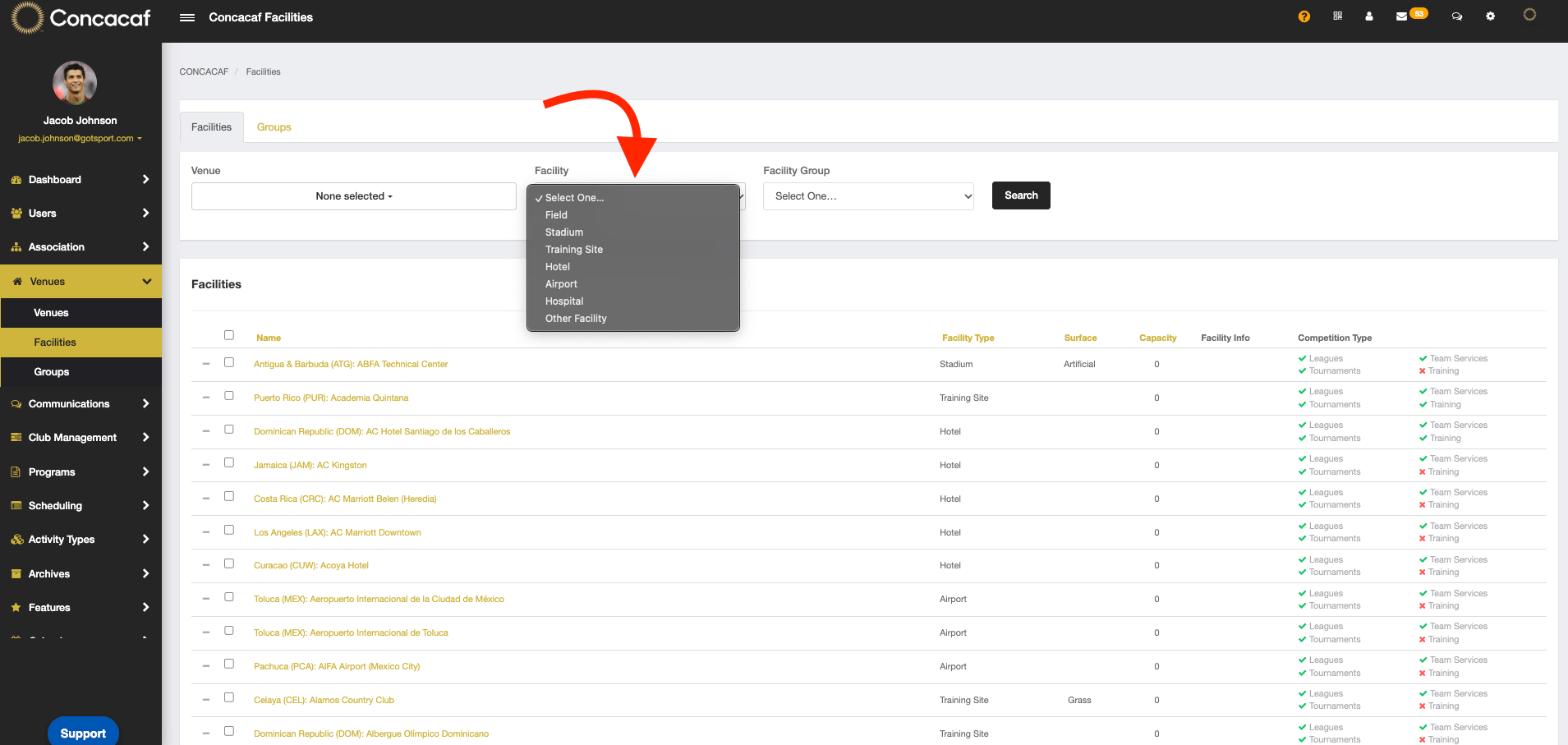
- Click on the "Facility" drop down to filter through each facility type
Note: This view is only available to clubs listed as GotPro Clubs in the system.