Instructions:
Step 1:
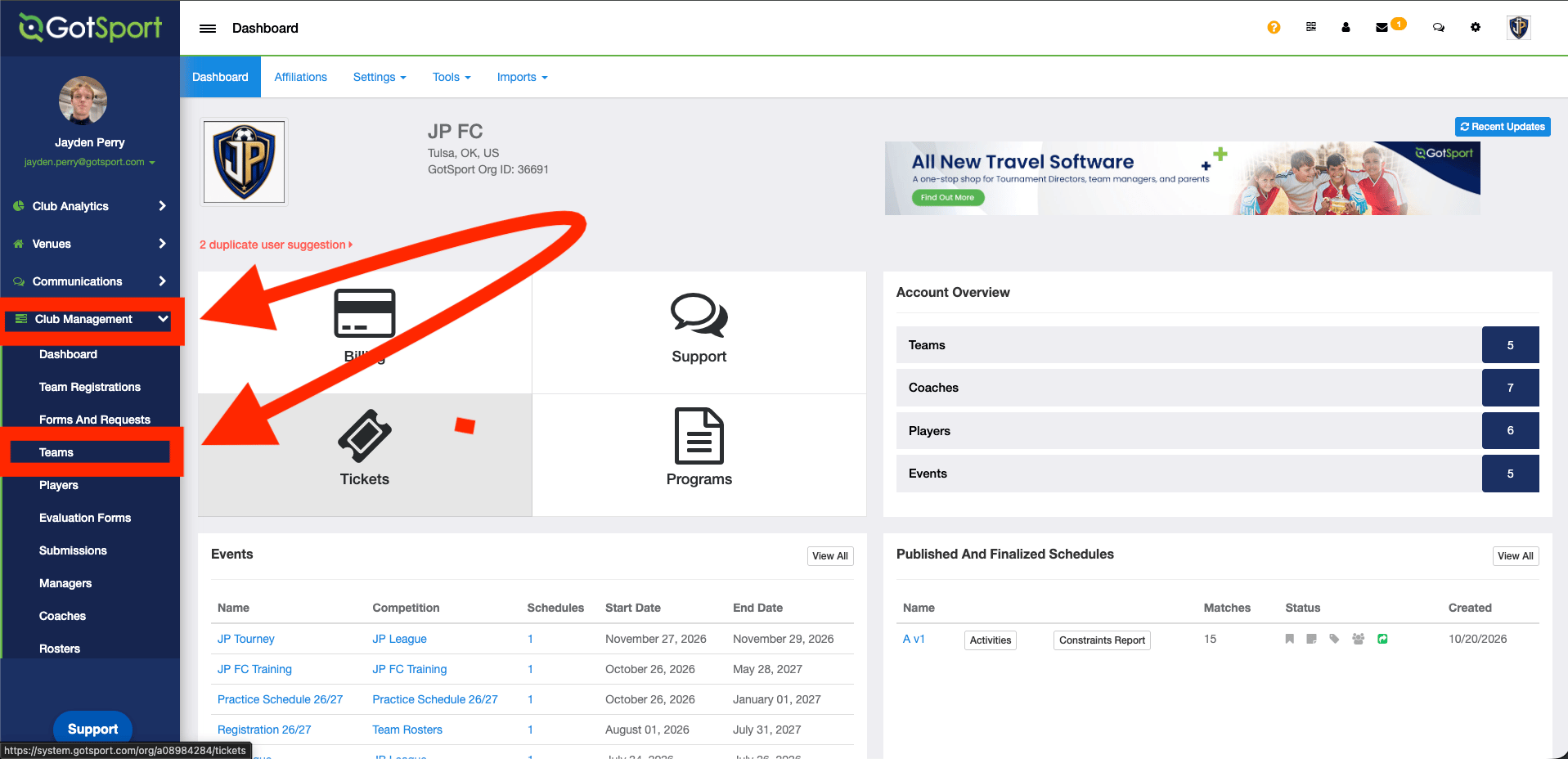
- From the Dashboard, go to “Club Management” and select “Teams”.
Step 2:
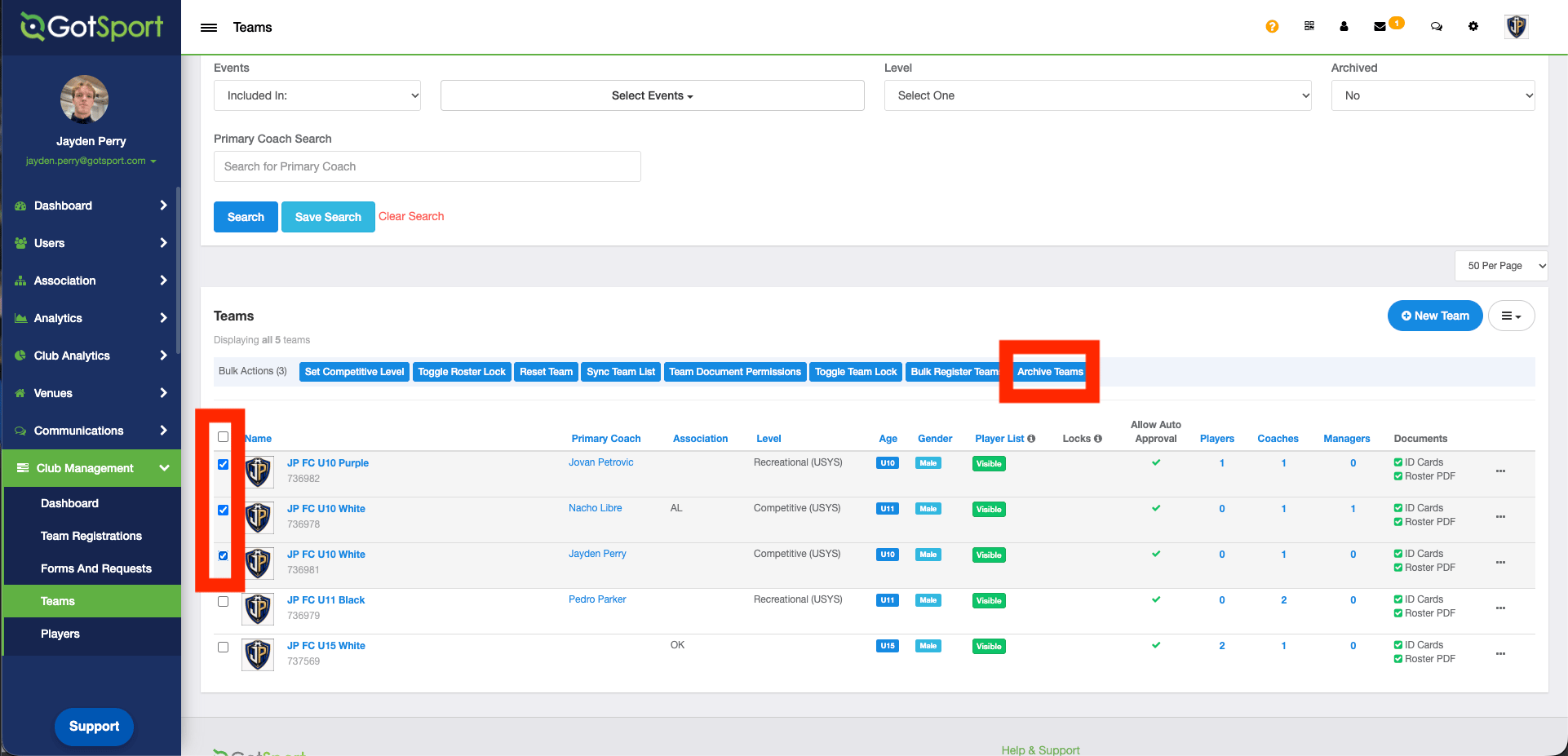
- On the Teams page, tick the checkbox next to each team you want to archive.
- Once you’ve selected the teams, the “Archive Teams” bulk action button appears above the team list. Click “Archive Teams”.
Step 3:
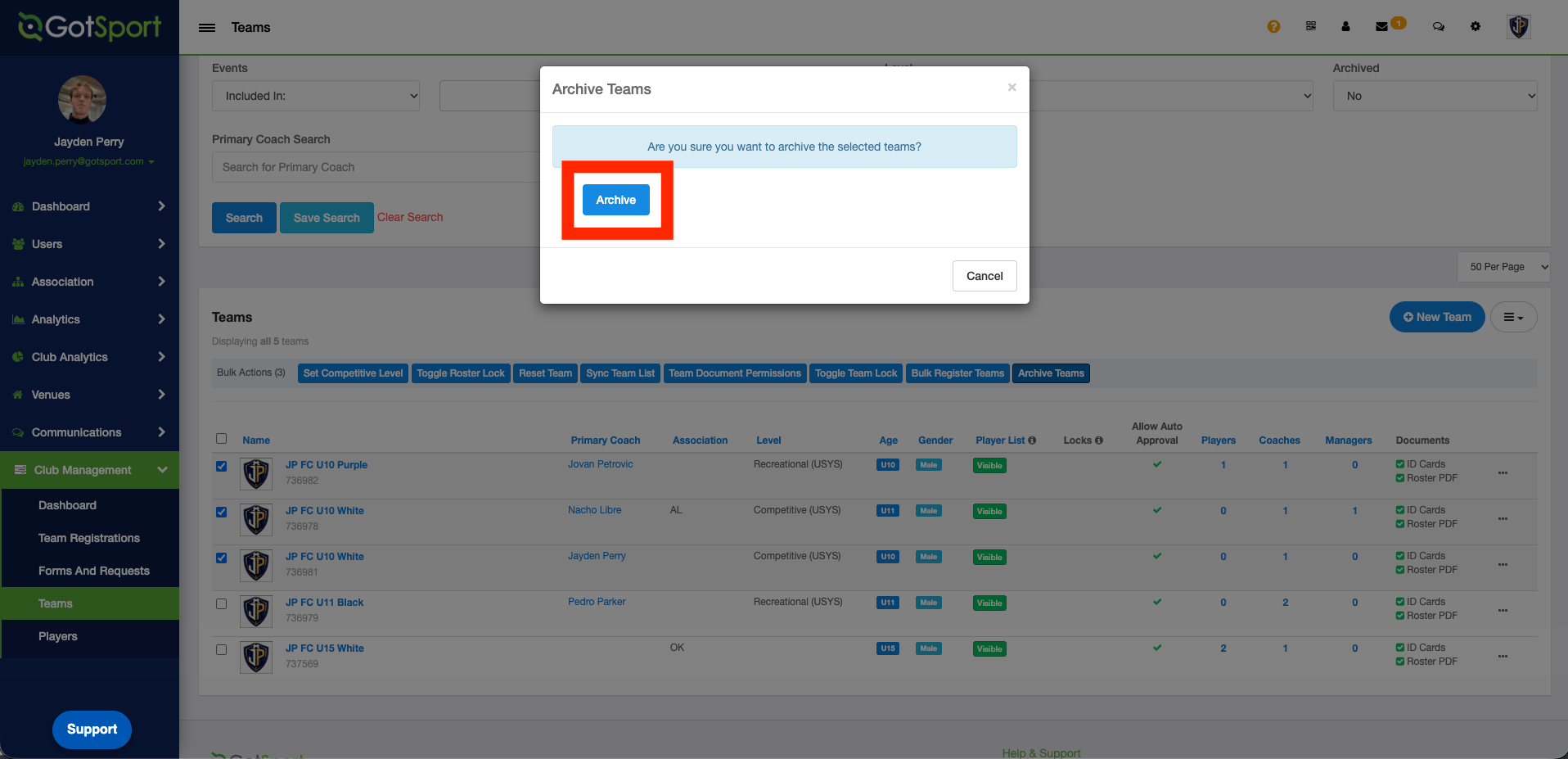
- Once you’ve selected the “Archive Teams” bulk action button, you will then select the "Archive button in the pop-up window.