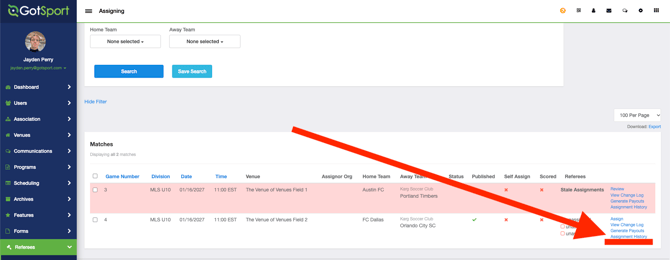
How to View in Match Chart:
Step 1:
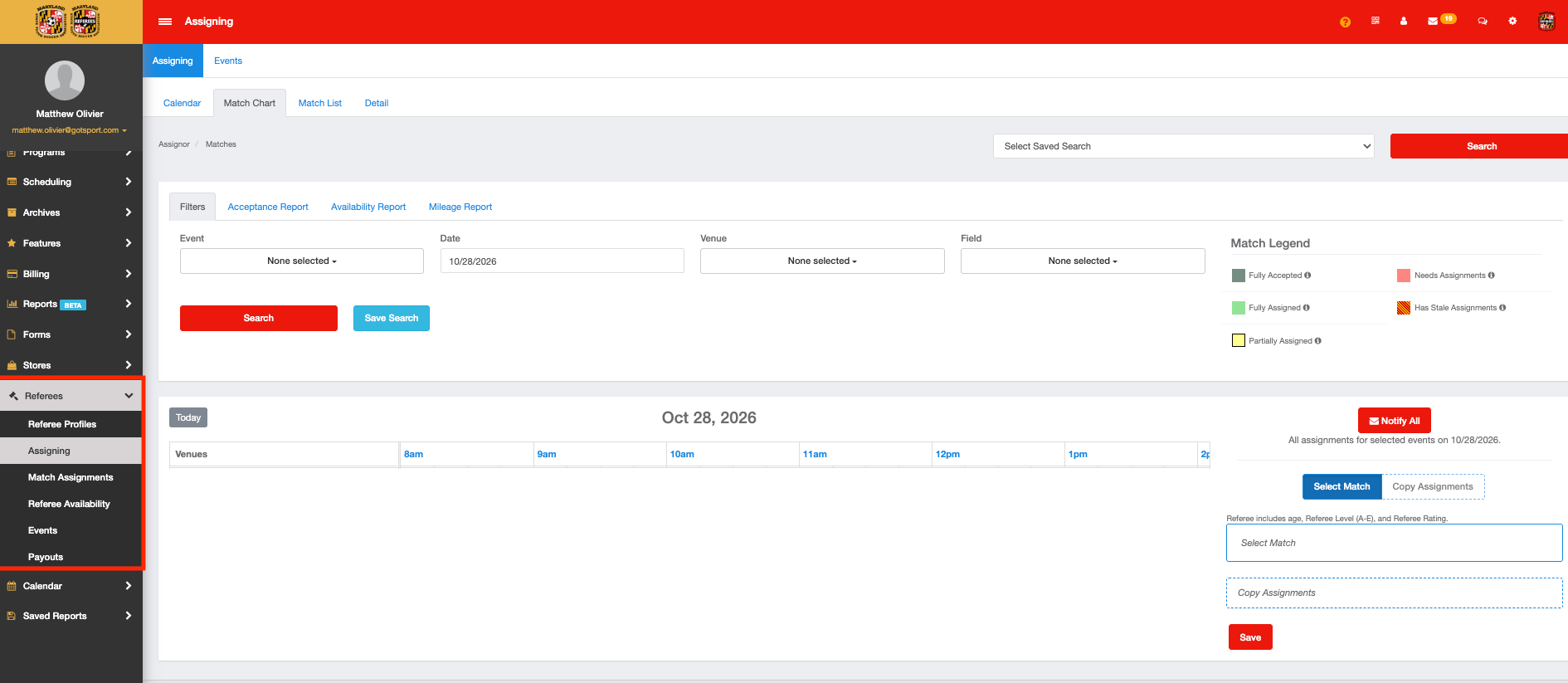
- First, you will need to navigate to the referees tab, then assign from within the assigning organization.
Step 2:
- Once in the assigning tab, you will navigate to the match chart tab. From here, you will be able to filter specific dates, events, venues, and fields.
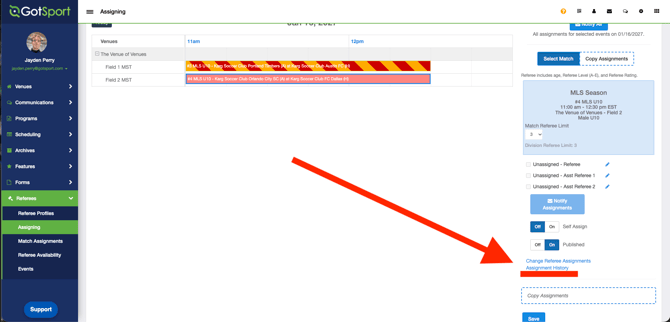
- Once the game has been located, please select the game within the match chart.
- Once the game has been selected, on the right, you will locate a hyperlink to view assignment history for this match.
How to View in the Match List:
Step 1:
- Navigate the same way to get to the match chart above; instead, you will navigate to the Match List tab at the top.
- Similar to the match chart, you will be able to filter by all kinds of filters such as event, venue, field, division, etc.
- Once the game has been located, there will be an assignment history hyperlink on the right side of the game