Step 1:
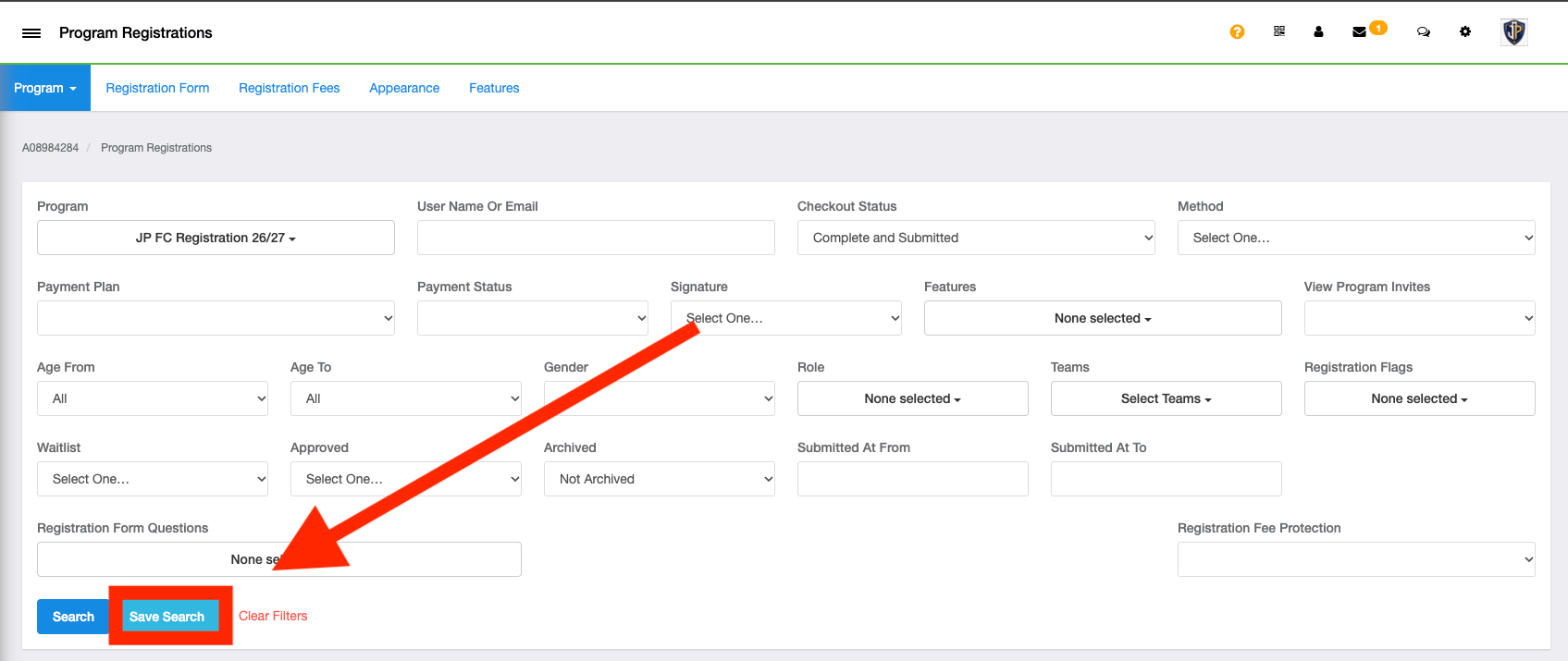
- In most features that offer searches, you will be able to save search filters (In program registrations, team searches, payments, etc.). Once search filters have been set, you will be able to select 'Save Search' at the bottom of the filters:
Step 2:
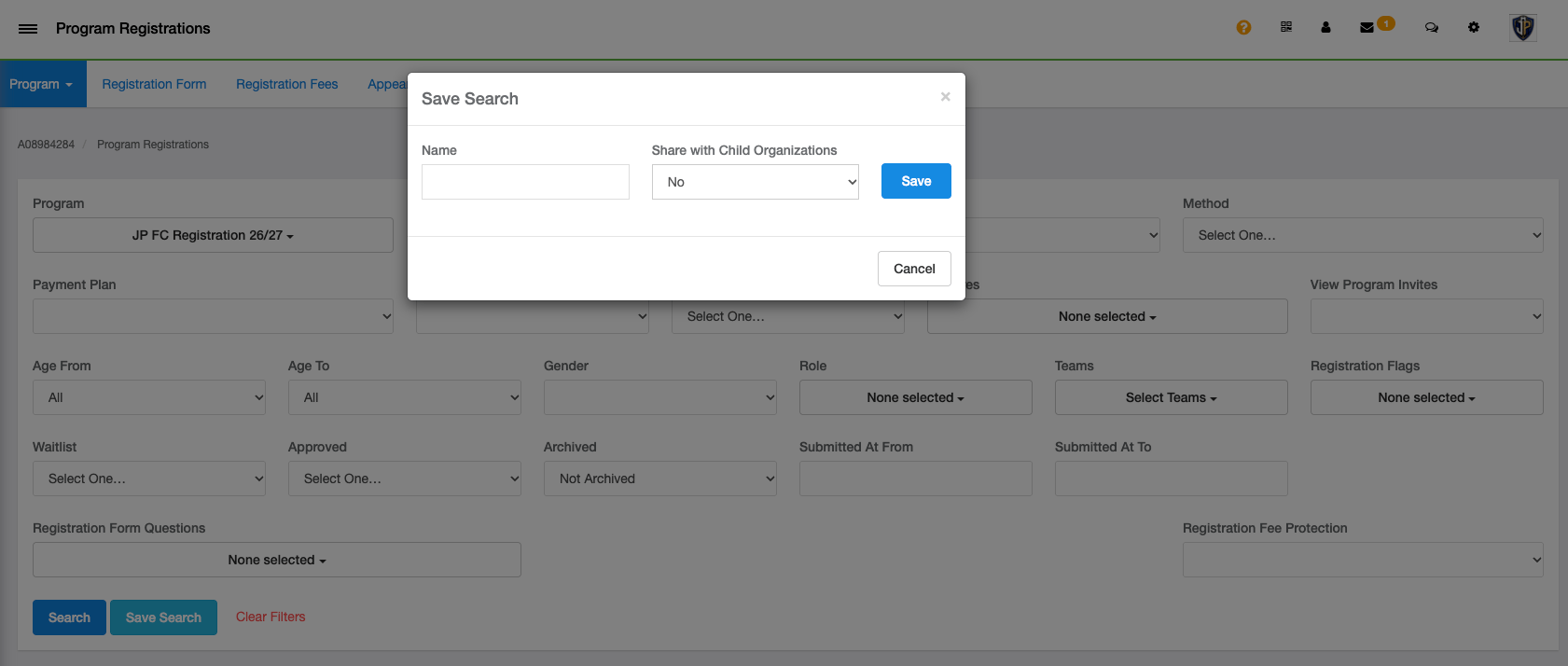
- Once this has been selected, the next prompt will appear for you to name the search to save, and if you are listed as a governing body/association, you will be able to select whether you would like to share this saved search filter with child organizations.
You will need to be a governing body/association if you are going to share search filters with child organizations.
Step 3:
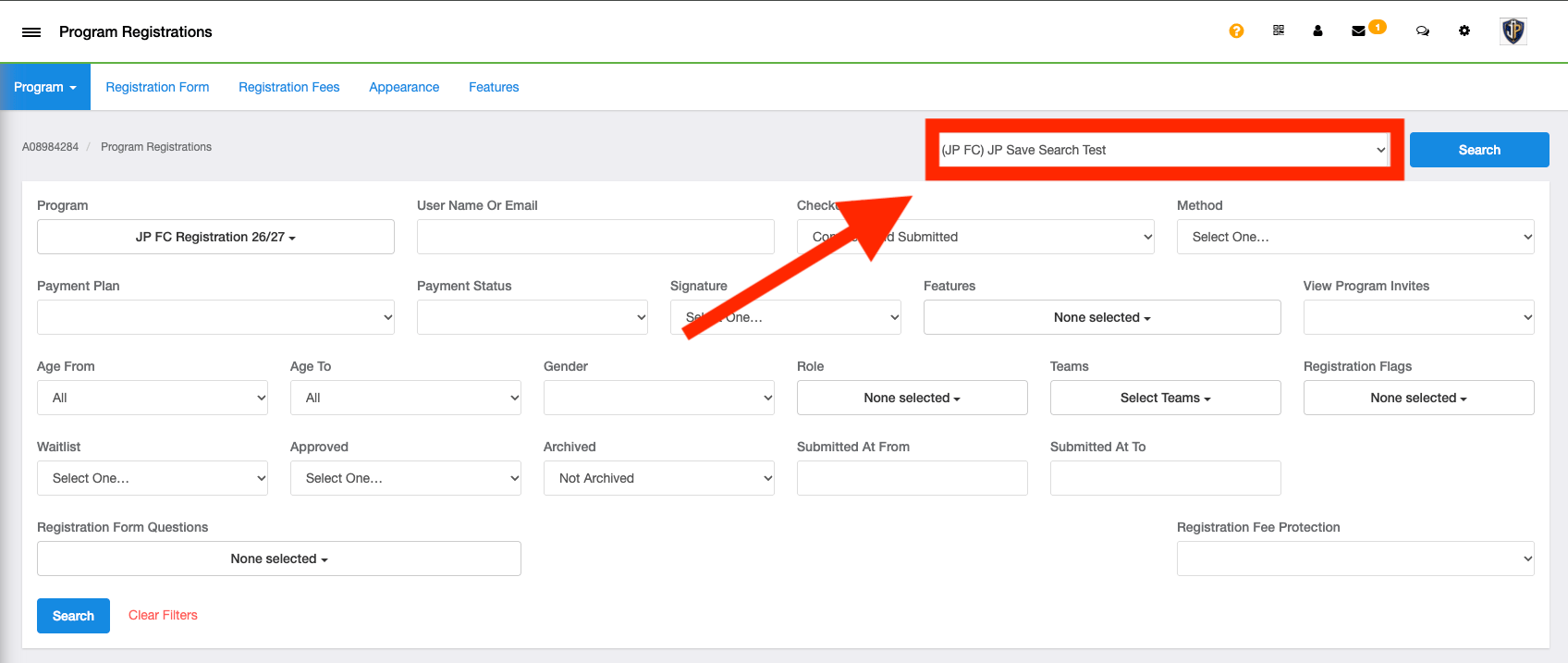
- Once the Filter Search has been saved, you will be able to access it in the top right above the filters and select your saved search filter.